
How Azure Maps can help you unlock location intelligence in Power BI

WRITTEN BY
/en-us/microsoft-fabric/blog/author/wangui-mckelvey
- Lack of skills or expertise : Organizations require more practitioners who can understand and effectively leverage location data for business insights.
- Data integration : Incorporating location data with other business data is critical for extracting meaningful insights and can be challenging due to disparate tools.
- Data quality and standardization : Organizations must ensure that all location data that they use is accurate and collected while adhering to all data privacy and other regulations.
To help our customers easily access the benefits of location intelligence, we introduced the Azure Maps visual in Fabric, specifically to Power BI, in 2023. Azure Maps enables users to visualize and analyze their location data on maps to uncover patterns and trends. Using it is as simple as enabling the Azure Maps Power BI visual, selecting the Azure Maps icon from the visualizations pane in Power BI, and then diving in to enhance your dashboard with location intelligence. Azure Maps in Power BI comes with a range of capabilities to help you better optimize your data including geocoding, reference layers, traffic layers, and more.
Azure Maps Power BI visual
Learn more.

Azure Maps for Power BI
Build intelligent location-based experiences for applications across many different industries
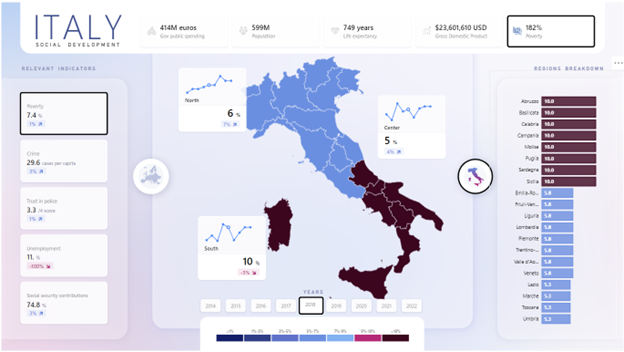
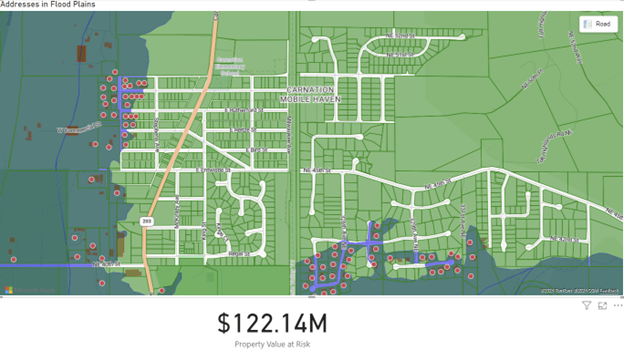
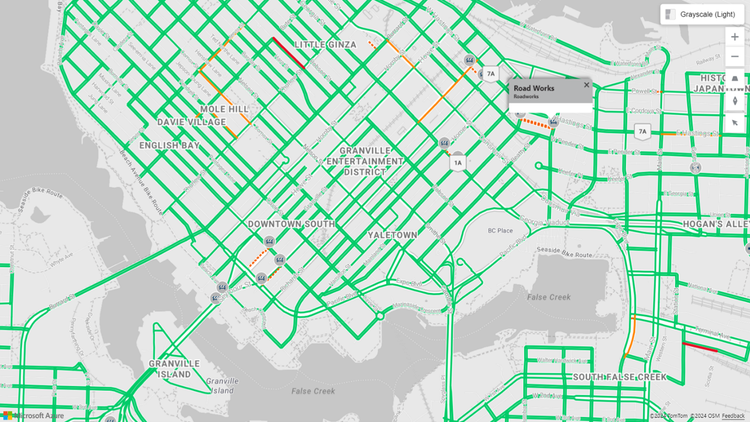


Learn more about the Azure Maps visual in Fabric
We are constantly updating the Azure Maps feature to improve location intelligence within Power BI. Upcoming updates for Azure Maps visual will include more location data visualization and intelligence capabilities. As businesses continue to embrace data-driven decision-making, the combination of Azure Maps and Microsoft Fabric will play a crucial role in unlocking the full potential of location data.
To learn more about Azure Maps visual and to get started, visit our documentation page.
