












Dè a th’ ann an Copilot ann an Edge?
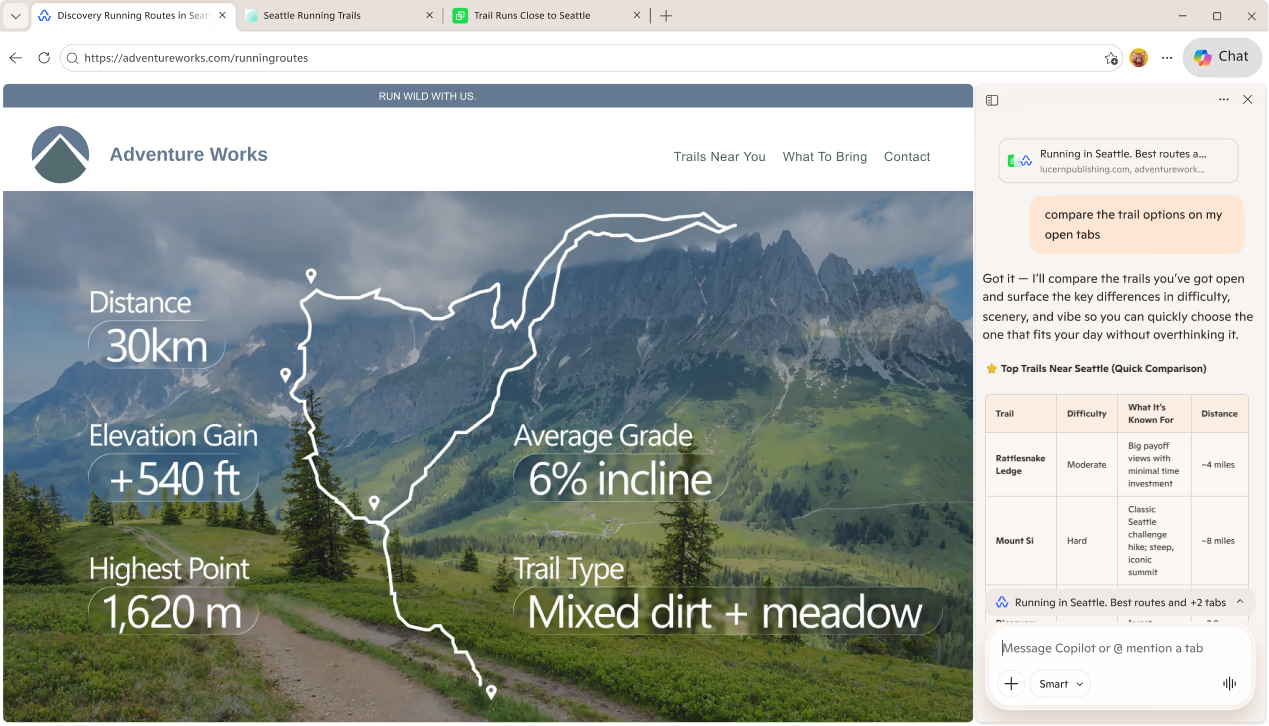
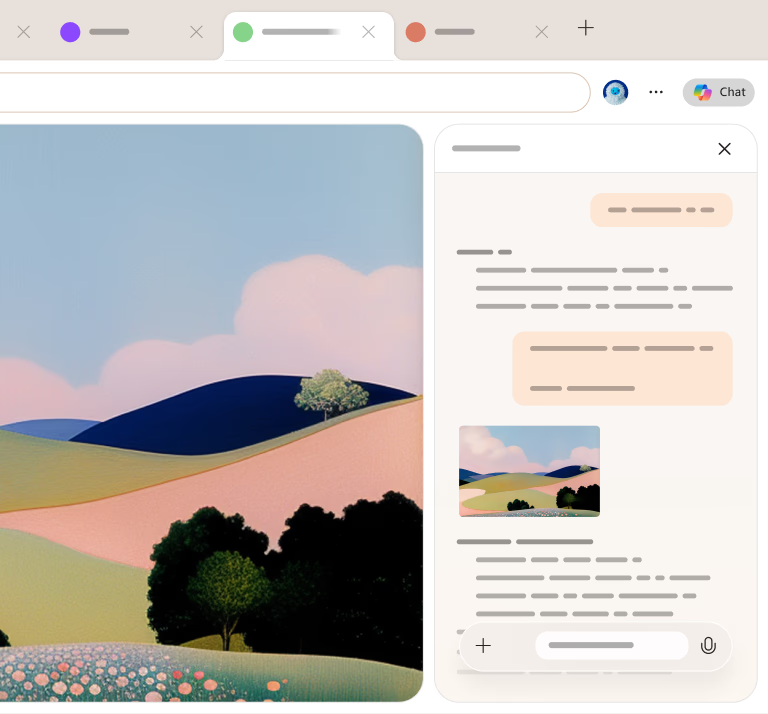
Ann am Microsoft Edge, am brabhsair le AI na bhroinn, tha Copilot am broinn a’ bhrabhsair o thùs is deas ri do làimh. Chan eil e gu diofar a bheil thu a’ leughadh rud, a’ coimhead air video no a’ rùrachadh làrach-lìn, is urrainn dhut ceist sam bith a chur air Copilot is gheibh thu freagairtean gu luath a bhuineas ris a’ chuspair gun an duilleag fhàgail idir. Cha leig thu leas ach briogadh air ìomhaigheag Copilot airson tòiseachadh leis.
Say Hello to Copilot Mode
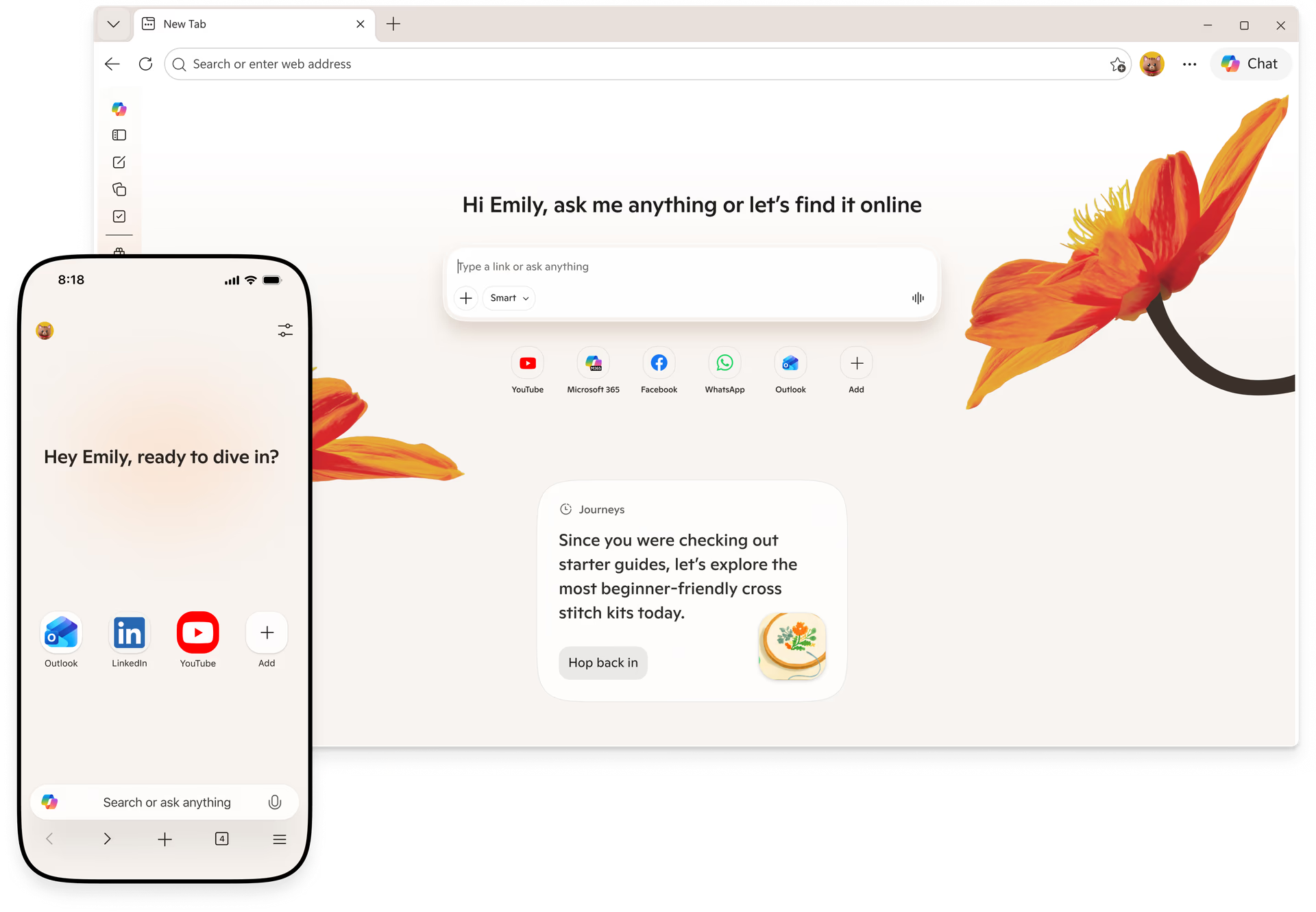
Copilot Mode is a new way to browse in Microsoft Edge that puts helpful AI features right at your fingertips. It helps you stay focused, cut through clutter, and get things done faster—while keeping you in control every step of the way.

Ceannaich gu ciallach agus sàbhail airgead
Faodaidh Copilot sgrùdadh a dhèanamh air an lìon gus do chuideachadh le bhith a’ lorg càite an ceannaich thu toradh sam bith airson a’ phrìs as fheàrr.
Bi fiosrach cuin a cheannaicheas tu
Faic mar a tha prìsean air atharrachadh thar ùine gus an urrainn dhut ceannach aig an àm cheart no iarraidh air ais-dhìoladh ma thuiteas a’ phrìs às dèidh sin.
Cùm sùil air prìsean agus tairgsean
Cuir an gnìomh tracadh prìsean gus sùil a chumail air na cùmhnantan as ùire air na toraidhean as fheàrr leat.
Faigh an toradh ceart dhut
Faigh lèirsinn le cumhachd AI air toradh sam bith, gus an urrainn dhut ceannach nas glice gun a bhith a’ sgrùdadh lèirmheasan.
Shop smarter with Copilot
Tha do bhrobhsair air fàs nas fheàrr airson ceannach. Tha Copilot ann an Edge a’ toirt na h-innealan as fheàrr leat còmhla ann an aon àite gus am faigh thu coimeas prìsean agus ceannach le misneachd.

Copilot Vision — a new way to browse
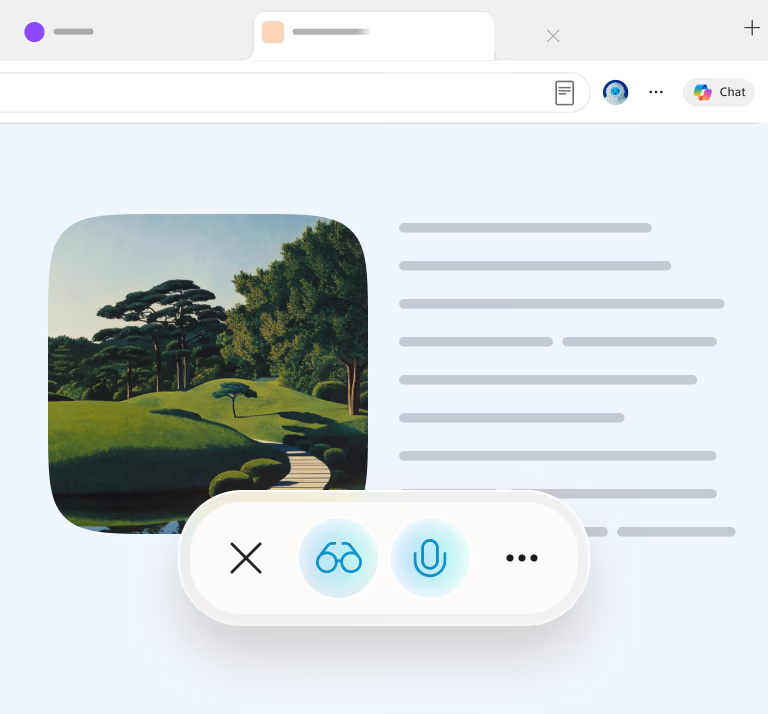
Le Copilot Vision, chì Copilot an sgrìn agad agus is urrainn dha sganadh is anailis a dhèanamh air sa bhad agus molaidhean a thoirt dhut a rèir na th’ air an sgrìn agad.
Faigh cobhair le rud sam bith, uair sam bith
From straight forward questions to intricate plans. Do it all with Microsoft Copilot in Edge.
Experience the full power of Copilot
Discover how Copilot helps you browse smarter and do more with Microsoft Edge.
Faic mar a chleachdas daoine eile Edge
Ceistean Cumanta
Get the most out of Copilot
Microsoft Copilot is an AI-powered digital assistant designed to engage in conversations and help people with a range of tasks and activities on their devices. Copilot can answer questions, create images or drafts of written content, suggest different ways to word things you've written, and much more.
Copilot is like having a research assistant, personal planner, and creative partner at your side. With Copilot you can:
- Ask a question, explore a curiosity, or practice a conversation. When you ask complex questions, Copilot gives you detailed replies. Feel free to ask follow-ups, such as “can you explain that more simply?” or “please give me more options.”
- Get a real answer. Copilot looks at search results across the web to offer you a summarized response and links to its sources.
- Be creative. When you need inspiration, Copilot can help you write poems, stories, or even create a brand-new image. Copilot works best when you’re more descriptive, so get creative and add details like adjectives, locations, or even artistic styles such as ‘digital art’ and ‘photorealistic.’
Each conversation with Copilot will have a limited number of interactions to keep the conversation interesting, relevant, and grounded in search.
Talking to Copilot should feel natural. Type text or speak with your voice — whatever works best for the conversation. Copilot will automatically recognize the language you are using and respond accordingly. You can ask Copilot to speak in another language as well, but it is optimized for English.
As you’re interacting, Copilot can:
- Search the web in a way that feels natural to how you talk, text, or think. Get a single, summarized answer with a consolidated set of links, or a detailed response and sources for more complex questions.
- Ask follow-up questions to your initial question or search to get more helpful replies.
- Rephrase the response and make things easier to understand. Just say something like, “Can you explain that more simply?”
- Respond with different formats like a table or numbered list when you ask for it.
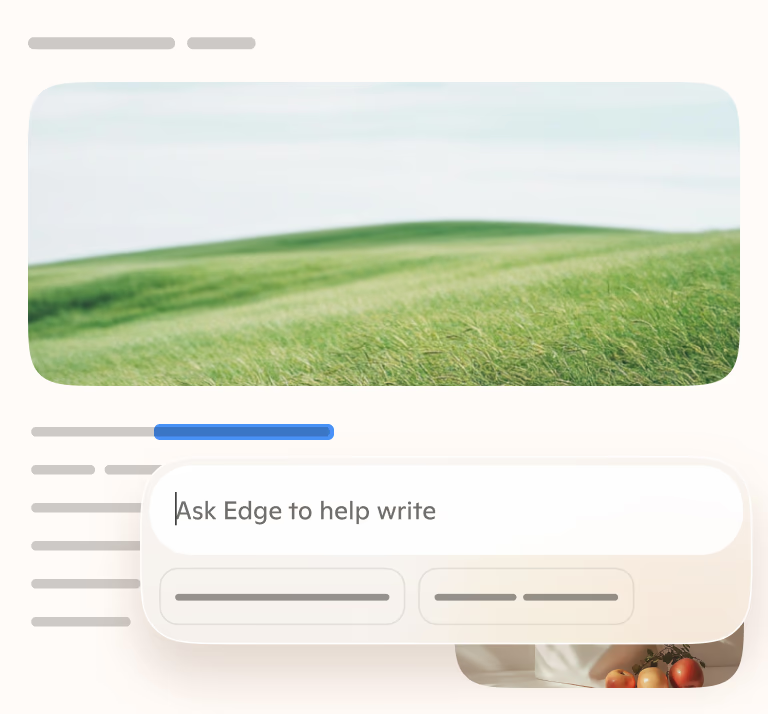
- Help you write poems, stories, speeches, or share ideas for a project.
When you engage Copilot via voice, Microsoft stores voice data in accordance with our data retention policy. Microsoft uses voice conversations and other interactions with Copilot to provide and improve the service as outlined by the Microsoft Privacy Statement. As announced in August, we are also providing our customers with advance notice of training our generative AI models in Copilot on this data, and are providing a clear and easy way to opt out of such training. We are rolling this out gradually to ensure we comply with privacy laws around the world, and are not training on consumer data from the UK, the European Economic Area (EEA), and certain other countries at this time.
You can access Microsoft Copilot at https://copilot.microsoft.com/, Microsoft Copilot Android and iOS apps, Copilot in Windows app, or via Edge by clicking the Copilot icon on the top right. To learn tips for using Copilot in Edge and other AI features in the browser, visit AI tips page.
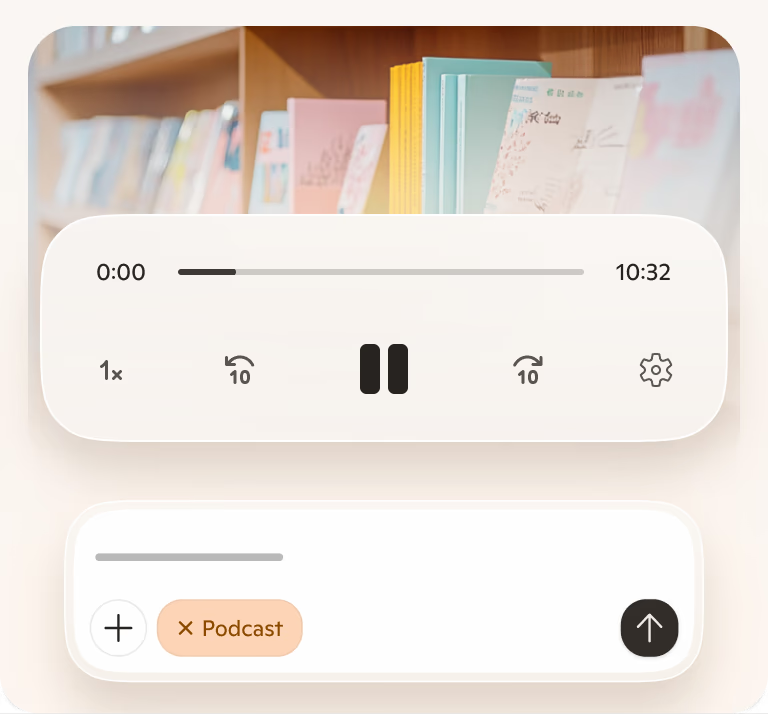
Visual Search allows you to upload images to Copilot and ask questions about them. For example, you can ask questions about images that are difficult to describe, get a recipe for a dish you don’t know the name of, identify a dog breed you don’t recognize, and much more. To use Visual Search, click on the camera icon in the input bar in Copilot, upload a picture from your device or provide a website link, and ask away.
Tell me about Responsible AI
Copilot searches for relevant content across the web and then summarizes the information it finds to generate a helpful response. It also cites its sources, so you’re able to see links to the content it references.
At Microsoft, we take our commitment to responsible AI seriously. Copilot is developed in accordance with our AI principles. We are working with our partner OpenAI to deliver an experience that encourages responsible use, and foundational model work. We've designed the Copilot user experience to keep humans at the center and developed a safety system designed to mitigate failures and avoid misuse with things like content filtering, operational monitoring, abuse detection, and other safeguards. Responsible AI is a journey, and we are continually improving our systems along the way. To learn more about how to use Copilot responsibly, please review our Terms of Use and Code of Conduct.
While Copilot works to avoid sharing unexpected offensive content in search results and has taken steps to prevent Copilot features from engaging with potentially harmful topics, you may still see unexpected results. We’re constantly working to improve our technology to prevent harmful content.
If you encounter harmful or inappropriate content, please provide feedback or report a concern to Copilot by clicking the ‘give feedback’ button in settings or use the flag icon below each response on mobile and the Copilot web page. On the Copilot app, you can long press the response and select “Report.” We will continue to work with people’s feedback to provide a safe search experience.
Copilot aims to respond with reliable sources, but AI can make mistakes, and third-party content on the internet may not always be accurate or reliable. Copilot may misrepresent the information it finds, and you may see responses that sound convincing but are incomplete, inaccurate, or inappropriate. Use your judgment and double check facts before making decisions or taking action based on Copilot’s responses. Reviewing Copilot’s citations is a good place to start checking for accuracy.
To share site feedback or report a concern, select the ‘give feedback’ button in settings or use the flag icon below each response on mobile and the Copilot web page. On the Copilot app, you can also long press the response and select “Report.” We will continue working with people’s feedback to provide a safe search experience for all.
Learn more about chat history
Yes, if you are signed in, the conversations you have with Copilot are saved; We call this “Chat history”. You can view and access each conversation you previously had with Copilot. For example, if you ask Copilot for information about the first person to walk on the moon, the conversation you have will be saved in chat history, which you can return to at any time. By default, we store chat history data for 18 months from the last update to the conversation. You can access and delete your chat history by visiting Home and selecting the time machine icon.
There are two settings available in Copilot Settings to control Copilot data:
- You can turn off AI’s ability to use your data to train models. To do this, go to Sign-in > Settings > Account > Privacy >Model training. You can also go to Privacy > Export/Delete, to delete chat history from account.microsoft.com. Please note, if you are in the European Economic Area (EEA), the UK, and certain other countries Copilot is not using your data to train models currently.
- You can turn off personalization. If you use this setting, you will still have access to chat history and all future chats are saved, but Copilot experiences are not personalized. If you choose to enable the experience, Copilot also uses Bing search history and expressed interest from MSN to create more personalized, fluid conversations. For users in the EEA, the UK, and a limited number of other countries, we are evaluating options before offering this level of personalization for those users. Where offered, Copilot will notify users and provide them with a clear and easy way to opt-out of personalization.
To delete your Copilot chat history, from Settings go to Account > Privacy > Export or delete history, to delete your history from your Microsoft Privacy Dashboard. In addition, in your Microsoft Privacy Dashboard click ‘Browsing and search’ and scroll down to the Search history section. In the search box search for and delete all instances that include “Microsoft Copilot”.
If you are wanting to delete chats from Copilot before 10/01/2004 (legacy experience), in your Microsoft Privacy Dashboard click ‘Browsing and search’, scroll down to the Copilot activity history section and click ‘Clear all Copilot activity history and search history’.
Yes, we keep some of your chat history including prompts, to provide and improve the service. Your prompts are maintained in accordance with our Privacy Statement and used to monitor performance, troubleshoot problems, diagnose bugs, prevent abuse, and other product performance analytics necessary to provide and improve Copilot. Only the data visible in chat history in product is used for personalized answers.
To understand more about Microsoft Privacy Practices, review the Microsoft Privacy Statement and our privacy center.
Personalize your Copilot experience
If you turn on personalization, we will use your recent conversations and Microsoft activities to personalize your experience. Your Microsoft activities may, depending on your privacy settings, include your Bing search activities, MSN activities, and inferred interests. If you do not want us to personalize using a specific conversation from your chat history, search history or inferred interests, you can delete them on the Microsoft Privacy Dashboard. You can turn off personalization at any time by clicking your account icon at top right corner of the page > account > privacy > personalization. On Edge, you can turn off by clicking on “...”: from Copilot setting menu > permissions and privacy > personalization.
Allowing Copilot personalization means you’re letting Microsoft use your recent conversations and Microsoft activities including your Bing search and MSN activities to make Copilot more personalized for you. Copilot remembers your history and may make inferences from that history about your interests, hobbies, etc., to provide personalized experiences. However, as a Copilot user, you are able to delete all chat messages.
No. The Copilot personalization toggle (available on all Copilot surfaces), controls whether recent conversations and your Microsoft activities are used for personalization. The Edge personalization and advertising toggle controls whether Edge browsing activities can be used across Microsoft surfaces for personalization including Copilot.
You control which chats are used to personalize your experience. If you don’t want Copilot to personalize using your chat history, you can clear Copilot activity history on Microsoft Privacy Dashboard. Once deleted, the chats will not be used to personalize experiences.
Personalization is on by default except for those in the European Economic Area (EEA), the UK, and certain other countries. Users have the option to opt out of the experience. In your conversations, you will be notified whether your experiences are personalized or not. We will display a notice like " Copilot can learn about your interests and personalize your experience.” if personalized experience is allowed. A notice such as “Conversations are used to train AI and Copilot can learn about your interests.” will be displayed when both training and personalization is allowed. Depending on your region, personalization may be available by default. Personalization is not available for unauthenticated users.
We’re following our Responsible AI practices and rolling out this feature slowly; as a result, the feature may not yet be available in the European Economic Area (EEA), the UK, and certain other countries.
You can turn off personalization through the personalization setting in Copilot’s settings menu.
If you change your personalization consent from “yes” to “no,” we will only stop providing a personalized Copilot experience. We will keep your chat history so you can still view your past conversations. However, your future Copilot experience will no longer be personalized.
Yes, you can turn off personalization within Copilot settings at any time. Turning off personalization won’t delete your chat history.
Regardless of your user settings, Copilot is designed not to personalize interactions based on some topics to protect your privacy and to prevent the use of potentially sensitive information. For example, we take steps to exclude context from your past conversations that may be considered sensitive, even if chat history and personalization are turned on in your settings. Users should use caution when sharing information they consider to be sensitive with Copilot.
Review data use and control options
Generative AI refers to a category of AI models that analyze data, find patterns and use these patterns to generate or create a new output, such as text, photo, video, code, data, and more. “Training” an AI model means providing it with data to help it learn to make predictions or decisions. Training is a broad concept that includes many different activities to help models learn pre-training a generative AI model, fine tuning a model, or training a classifier or filter to help models provide more appropriate results.
These models use patterns and correlations learned from their training data to predict what comes next in a sequence. They are tuned to learn general relationships in language, not to memorize specific segments of training data. They do not store or have access to the original training data. Instead, generative AI models are designed to generate new expressive works and content. We also take additional steps to prevent these models from inadvertently reproducing their training data, such as conducting testing and building filters that screen out previously published or used material.
Microsoft uses publicly available data, mostly collected from industry-standard machine learning datasets and web crawls, like search engines. We exclude sources with paywalls, content that violates our policies, or sites that have opted-out of training using web controls that we published. On top of this, we do not train on data from domains listed in the Office of the United States Trade Representative (USTR) Notorious Markets for Counterfeiting and Piracy list.
We do not train on data from our commercial customers, or any data from users logged into an organizational M365/EntraID account. We also do not train on data from M365 personal or family subscriptions or on data from users who are not logged into their Microsoft Account.
Microsoft will begin to use consumer data for AI training in certain countries later this year. For users logged into a Microsoft account, you will be able to control whether your consumer data is used for training the generative AI models used in Copilot and other AI offerings from Microsoft through an opt-out control. Opting out will exclude your past, present, and future consumer data from being used for training these AI models, unless you choose to opt back in. This setting will be made available across web, desktop, and mobile versions of all in-scope consumer products over the coming months. You will also see in-product messages notifying you about a new user control, including on Bing, MSN, and Copilot.
We will limit the data we use for training. We will not train on data from our public sector or enterprise customers, unless they expressly opt-in, nor will we train on any data from M365 consumer offerings. Learn more here. We also will not train AI models on personal account data like your Microsoft account profile data or email contents. If any images are included in your AI conversations, we take steps to de-identify them such as removing metadata or other personal data and blurring images of faces.
Your personal interactions with our services like queries and responses are kept private and are not disclosed without your permission. You can adjust your personalization in settings.
We remove information that may identify you, like names, phone numbers, device or account identifiers, sensitive personal data, physical addresses, and email addresses, before training AI models.
Your data remains private when using our services. We will continue to evaluate our models and take steps to prevent models from reproducing user information or past conversations. We will protect your personal data as explained in the Microsoft Privacy Statement and in compliance with privacy laws around the world.
We do not use data from users under 18. We only train our generative AI models on data from MSA authenticated users 18 years or older. In addition, if you are in the European Economic Area (EEA), United Kingdom, and certain other countries listed below, your data is not being used to train AI models at this time.
Microsoft will begin to use data from Bing, MSN, Copilot, and interactions with ads on Microsoft for AI training later this year. This includes anonymous search and news data, interactions with ads, and voice and text conversation data with Copilot like prompts, queries, chats, responses, and other. This data will be used to improve Copilot and our other generative AI models to create a better user experience for you and others. These generative AI models may also be used to improve other Microsoft products and services. For users logged into their Microsoft account, you are able to control whether your consumer data is used for training generative AI models used in Copilot and other AI offerings from Microsoft through opt-out control.
By using real-world consumer data to help train our underlying generative AI models, we can improve Copilot in the future and offer a more personalized and relevant natural language experience. For example, our AI models can use these conversations to learn from human communication patterns, like understanding colloquial phrases or local references. The more diversity in conversations our AI models are exposed to, the better they will understand and serve important regional languages, geographies, cultural references, and trending topics of interest to users.
We also use Copilot conversations and other consumer data for digital safety, security, and compliance purposes as outlined in the Microsoft Privacy Statement.
Before we start training, we’ll also make it easy for people to opt out, if they wish, of having the data they share in these services used to train our generative AI models. We will provide opt-out controls starting in October. To give users ample time to consider their choice, we also won’t begin training AI models on this data until at least 15 days after providing these opt-out controls. At this time, we will not use consumer data to train models in the European Economic Area (EEA), the United Kingdom, and certain other countries listed below. We will roll this out to those regions gradually, in order to ensure we get this right for consumers and comply with local privacy laws around the world.
This opt-out setting will not exclude your data from being used for other general product or system improvements nor from use for advertising, digital safety, security, and compliance purposes as outlined in the Microsoft Privacy Statement.
Consumers who are 18 years or older and logged into their Microsoft (consumer) accounts will be offered the option to opt-out of AI training starting in October. This setting will not be available in the following markets in September: Austria, Belgium, Brazil, Bulgaria, Canada, China (including Hong Kong), Croatia, Cyprus, the Czech Republic, Denmark, Estonia, Finland, France, Germany, Greece, Hungary, Iceland, Ireland, Israel, Italy, Latvia, Liechtenstein, Lithuania, Luxembourg, Malta, the Netherlands, Norway, Nigeria, Poland, Portugal, Romania, Slovakia, Slovenia, South Korea, Spain, Sweden, Switzerland, the United Kingdom, and Vietnam. This includes the regions of Guadeloupe, French Guiana, Martinique, Mayotte, Reunion Island, Saint-Martin, Azores, Madeira, and the Canary Islands. This means that AI offerings will be available in those markets, but no user data will be used for generative AI model training in those locations until further notice.
No, nothing you say to Copilot will ever be made public. Copilot will not have direct access to your chat history or personal data during conversations with other users.
Yes, some Copilot conversations are subject to both automated and human review for both product improvement and digital safety purposes. For example, to build, train, and improve the accuracy of our automated methods of processing (including artificial intelligence or AI), we manually review some of the output produced by the automated methods against the underlying data. We include human feedback from AI trainers and employees in our training process. For example, human feedback that reinforces a quality output to a user’s prompt, improving the end user experience.
We may also review conversations flagged as a violation of the Code of Conduct in the Terms. Our Code of Conduct prohibits use of the Copilot service to create or share inappropriate content or material. Some conversations are reviewed when a violation of the Code of Conduct is suspected.
Limited human review is required as part of the investigation process when a violation of the Code of Conduct is suspected. To ensure that our services are safe and secure for everyone, a complete opt-out of human review is not available.
Yes, you can opt-out of AI training and still have personalization turned on. In this case, Copilot will remember recent conversations to give you a more personalized response, but Microsoft will not use your conversations and other Microsoft activities for generative AI model training. For example, Copilot will remember that you are a vegetarian when suggesting dinner recipes.
We will not share your data with third parties or partners for AI training purposes without your permission.
Your conversations with Copilot, like queries and responses, are not disclosed or sold to third parties, except for the following limited instances:
Microsoft shares some personal data with third parties in accordance with our Microsoft Privacy Statement. For example, we may share your personal data with Microsoft-controlled affiliates and subsidiaries, with vendors working on our behalf, and when required by law or to respond to legal process.
To improve Copilot’s safety and ability to detect risks, the Copilot team partners with external research organizations to review and evaluate Copilot logs. For example, external research organizations can help review Copilot conversation logs to understand the variety of queries used to seek extremist content, compare trends across the industry, and advise techniques for better finding and mitigating harm.
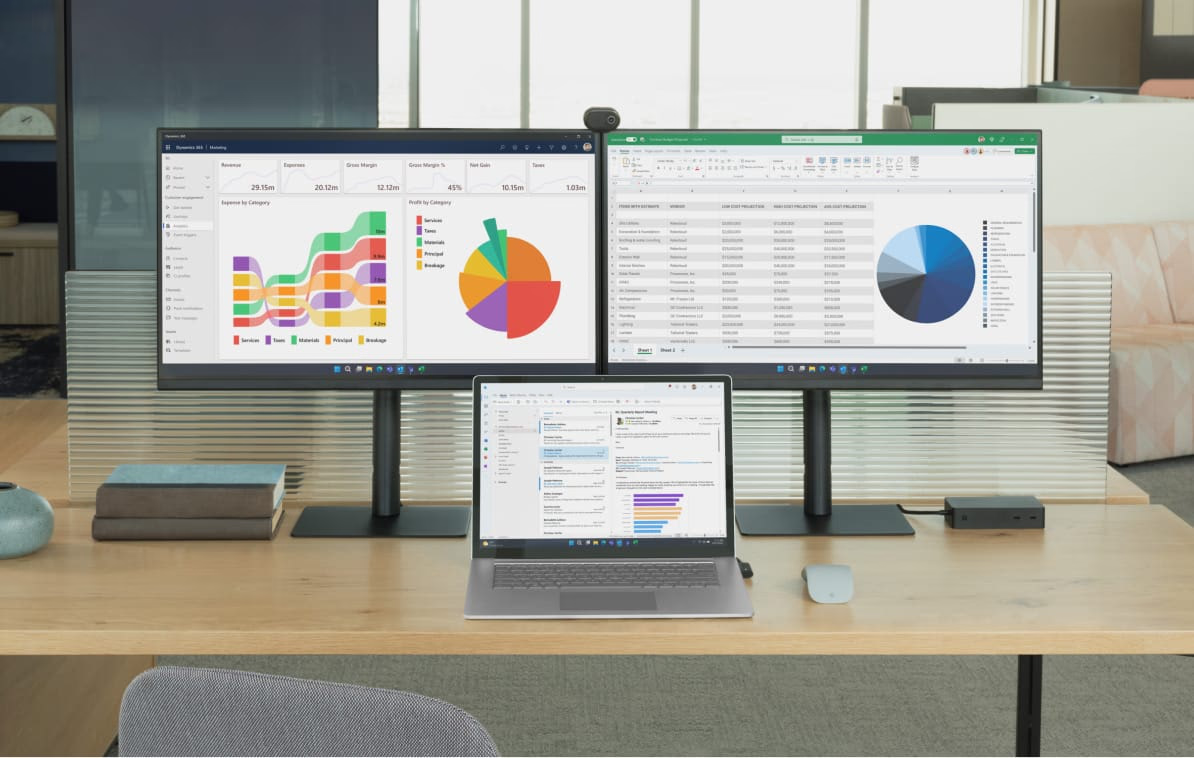
Le Microsoft Edge, am brabhsair AI tèarainte agad, tha Copilot air a thogail a-steach don bhrabhsair agad, deiseil airson do chuideachadh tron latha-obrach agad. Ge bith a bheil thu a’ leughadh sgrìobhainnean, a’ sgrìobhadh post-d, no a’ dèanamh mion-sgrùdadh air dàta, faodaidh tu ceistean a chur air Copilot agus gheibh thu freagairtean luath is buntainneach gun a bhith a’ fàgail na duilleige. Dìreach briog air COPILOT ICON gus tòiseachadh.
Introducing Copilot Mode
Obraich nas sgileile le brobhsadh tèarainte ùr le AI. Tha AI air fhighe a-steach do na prìomh ghnìomhan brobhsaidh agad, a’ dùileachadh na feumalachdan agad, agus a’ sgioblachadh na sruth-obrach agad.
Com-pàirtiche cuideachail
Faodaidh Modh Àidseant sruthan-obrach ioma-cheum a choileanadh às do leth, gus am faod thu fòcas a chur air na tha cudromach fhad ’s a tha e ag obair fo do smachd.
Microsoft 365 Copilot license required.

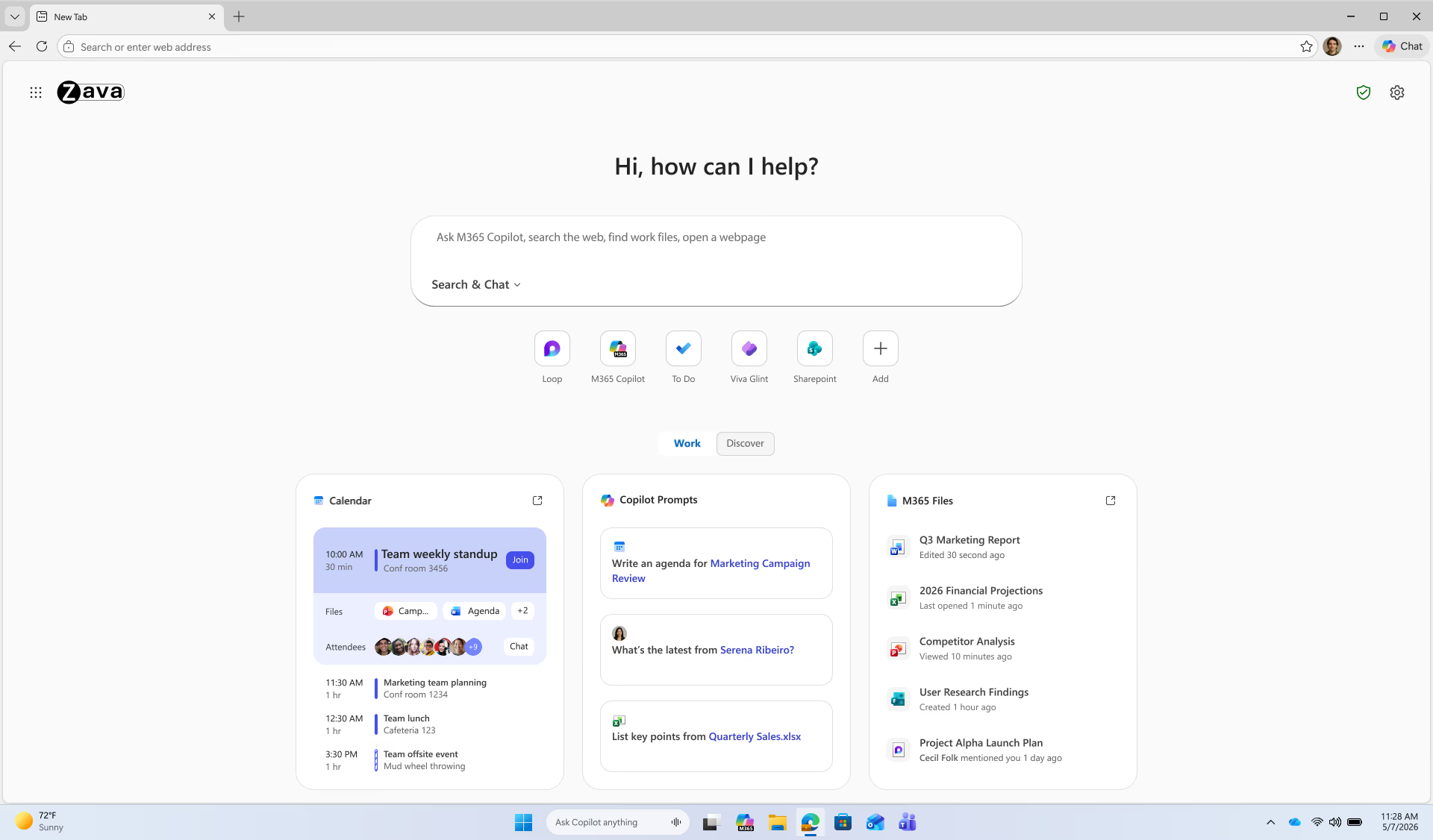
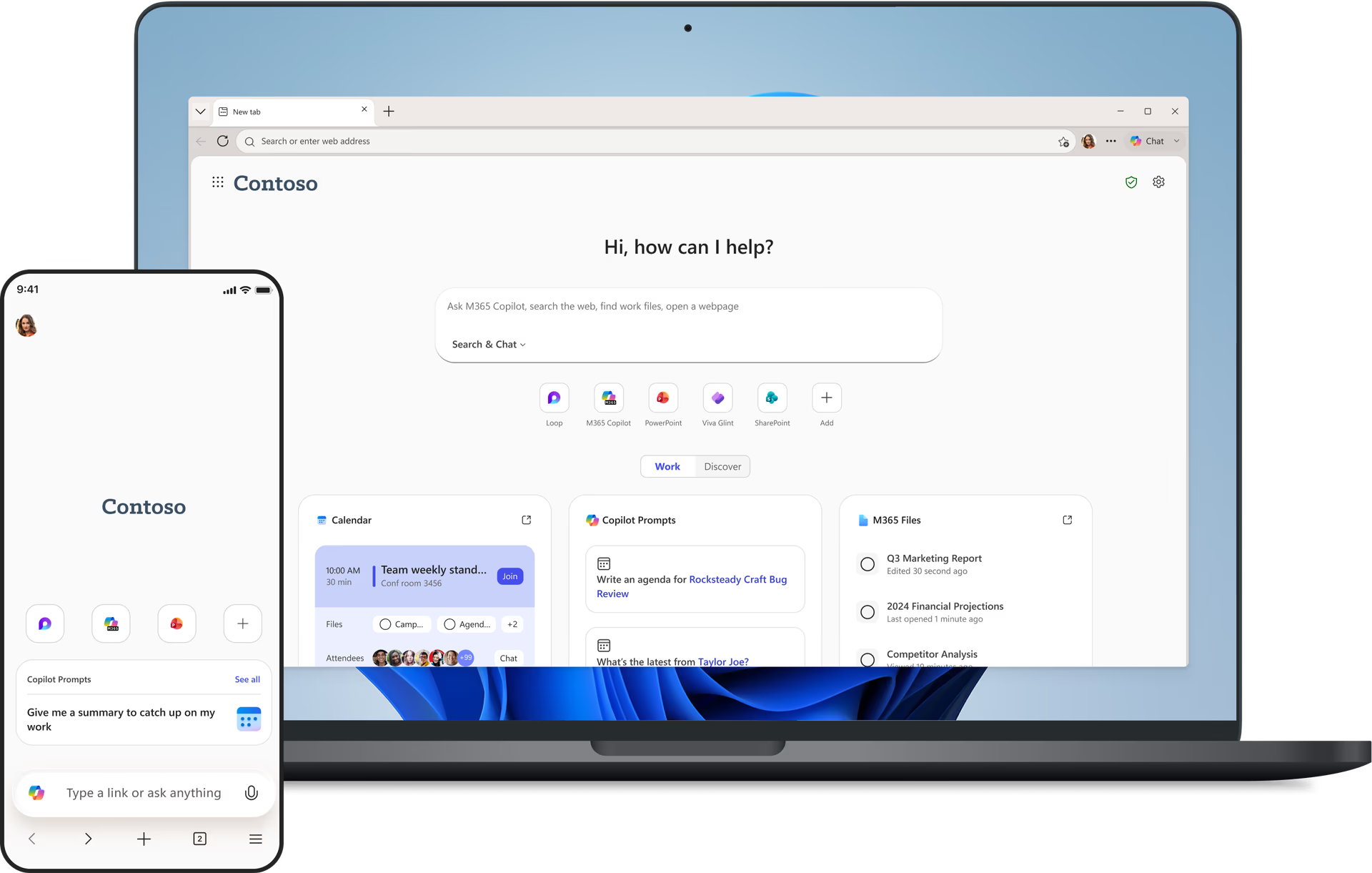
Duilleag-dhachaigh stèidhichte air obair
Search and chat in one intelligent box, easy access to files and more, and personalized Copilot prompt suggestions.


Microsoft 365 Copilot Chat in Edge protects your data with enterprise-grade safeguards.
When signed in with a work account, prompts and responses are covered by the same trusted privacy and security commitments that apply to Microsoft 365 apps—your data stays private, secure, and governed by your organization’s policies.
Get more done with AI chat—
right in your browser
Use Copilot to get answers, write content, plan your day, and more with enterprise-grade security.
Microsoft 365 Graph
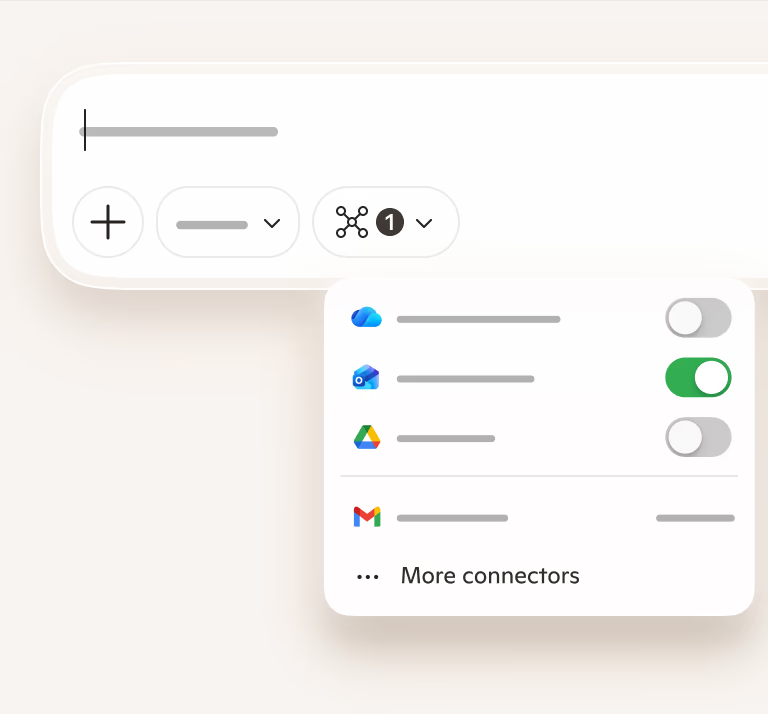
Get AI-powered chat that’s connected to your documents, emails, and company data— so you can research, analyze, and work smarter.
Summarization
Copilot Chat transforms complex pages into clear, actionable summaries—helping you stay informed and save time.
Luchdaich suas faidhle
Upload work files to Copilot Chat for instant analysis, summaries, and insights.
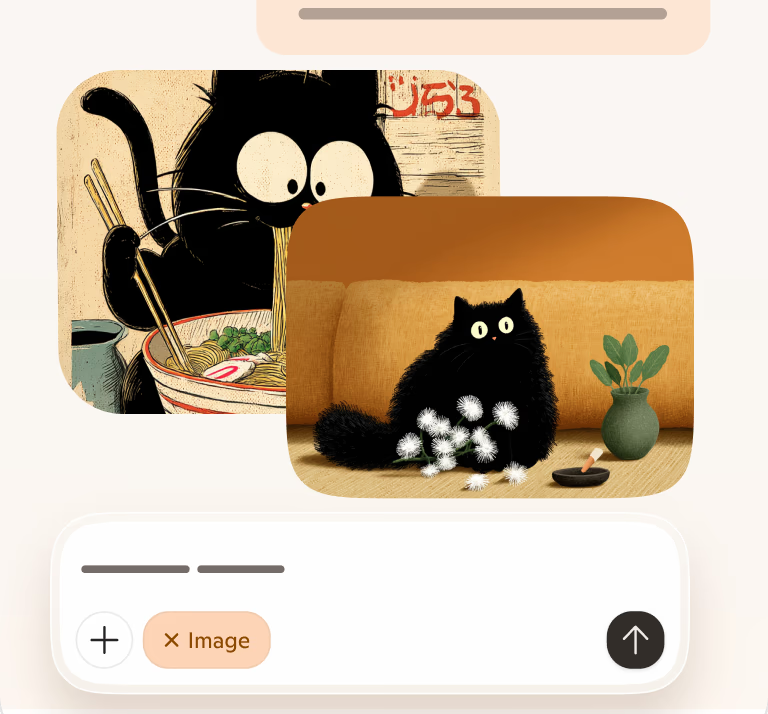
Image Creation
Co-dhiù a tha thu a’ smaoineachadh air beachdan, ag innse sgeulachdan, no dìreach a’ cruthachadh susbaint, faodaidh Copilot do chuideachadh le bhith a’ faicinn na tha nad cheann—gun sgilean dealbhaidh a dhìth.
See how Copilot can help you work smarter
Bho cheistean sìmplidh gu planaichean toinnte, dèan a h-uile càil le Microsoft 365 Copilot ann an Edge.
Everyday browsing made smarter with Copilot

Faidhlichean Microsoft 365
Faodaidh Copilot na faidhlichean M365 agad a leughadh, agus geàrr-chunntas a dhèanamh orra no ceistean mu dheidhinn freagairt gu luath.
Microsoft 365 Copilot license required.

Geàrr-chunntas bhidio YouTube
Summarize YouTube videos and get instant answers—skip the watch and go straight to what matters.

Eachdraidh brabhsair tuigseach
Ask about something you saw online—Copilot can retrace your history and help you find it.

Multi-tab reasoning
Dèan sgrùdadh air tabaichean fosgailte agus faigh freagairtean làn co-theacsa—gun fheum air tabaichean a thionndadh.
*Some Copilot features in Edge must be enabled by your IT team
Ceistean Cumanta
Tha sinn ag atharrachadh Edge airson Gnothachas gu roinn ùr de bhrabhsair iomairt tèarainte... am brabhsair AI iomairt tèarainte.
Tha Microsoft 365 Copilot air fhighe a-steach do shruth-obrach làitheil, le gèilleadh agus smachdan deiseil airson iomairt, gus am faigh an luchd-obrach agad buannachd bho chomasan ùra a tha a’ cur AI dìreach anns an sruth-obrach aca.
Tha e air fhighe gu domhainn leis an Microsoft 365 Graph agad, a’ nochdadh na tha cudromach, nuair a tha e cudromach. Còmhla ri tuigse air an lìon, faodaidh e sruth-obrach a sgioblachadh agus ceanglaichean a dhèanamh eadar aplacaidean, tabaichean, agus gnìomhan. Gu dearbh, is e Edge airson Gnothachas a’ chiad eòlas brabhsair AI a tha a’ toirt fiosrachadh poblach bhon lìon agus dàta na buidhne agad gu tèarainte ann an aon àite.
Agus faodaidh tu a bhith cinnteach gu bheil bun-stèidh brabhsair iomairt tèarainte aige airson AI—agus na suidheachaidhean iomadach a dh’fheumas tu dèiligeadh riutha an-diugh.
Chan eil, is e seo an aon Edge airson Gnothachas a tha eòlach ort mu thràth. Le bhith a’ cur Copilot Mode an comas, faodaidh luchd-cleachdaidh tlachd fhaighinn às na comasan adhartach de bhrobhsadh AI.
Tha Edge airson Gnothachas air a thogail air bunait tèarainte. Tha feartan Copilot Mode a’ leantainn dìon call dàta (DLP). Bidh Agent Mode a’ cleachdadh mhodalan CUA (Agent a’ Cleachdadh Coimpiutair) ùr-nodha gus gnìomhan a choileanadh airson luchd-cleachdaidh nan brobhsairean aca. Tha sinn air ar dòigh leis na cothroman inntinneach is ùr-ghnàthach a tha am feart seo a’ toirt, ach mar theicneòlas ùr, tha e a’ toirt a-steach slighean ionnsaigh ùra a tha sinne agus a’ ghnìomhachas air fad a’ dèiligeadh riutha.
Tha sinn a’ gabhail ar dleastanas gu mòr gus luchd-cleachdaidh a chumail sàbhailte air an lìon.
Is e prìomh phàirt de ro-innleachd dìon sam bith dìon ioma-ìre:
- Input nach eil earbsach: Bidh sinn a’ tòiseachadh le bhith a’ gabhail ris gum faodadh ion-dhàta sam bith bho stòr nach eil earbsach stiùiridhean mì-shàbhailte a bhith ann.
- Ruigsinneachd Modh Àidseant air a chuingealachadh gu làraich aithnichte gu bunaiteach – gu bunaiteach cha leig Edge ach ruigsinneachd air liosta de làraich air an taghadh. Faodaidh rianairean IT liosta cheadaichte de làraich a chur ri chèile air am faod Copilot eadar-obrachadh.
- Dìon SmartScreen – fhad ’s a tha Copilot a’ cumail smachd air a’ bhrabhsair, thèid làraich amharasach no droch làraich a bhacadh gu fèin-obrachail le Microsoft Defender SmartScreen, agus chan fhaod an àidseant an duilleag bacaidh a sheachnadh.
- Barrachd dhìonan – bidh Modh Àidseant Edge a’ cleachdadh Azure Prompt Shields gus sgrùdadh a dhèanamh a bheil an dàta droch-rùnach. Tha an siostam sàbhailteachd togte againn a’ dèanamh cinnteach gu bheil Copilot air a thrèanadh gu sònraichte gus briseadh sàbhailteachd aithneachadh agus aithris ma dh’fheuchas susbaint droch-rùnach ri fòirneart no giùlan cronail a bhrosnachadh. Mu dheireadh, Spotlighting (ann an deuchainn) – mhìnich Kiciman, msaa, bho Microsoft Research, dòigh-obrach ris an canar Spotlighting gus stiùiridhean an neach-cleachdaidh a sgaradh nas fheàrr bho shusbaint stèidhichte (sgrìobhainnean agus duilleagan-lìn) gus am faod am modail dearmad a dhèanamh air àithnean a chaidh a stealladh gun èifeachdas a chall. Bidh sinn a’ dèanamh deuchainn air Spotlighting le Actions ann an Edge agus bheir sinn cunntas air cho èifeachdach ’s a tha e.
- Lorg claonadh: Mar as trice bidh stealladh àithne ag adhbhrachadh gum bi am modail a’ dèanamh rudeigin eadar-dhealaichte bhon rud a dh’iarr an neach-cleachdaidh. Faodar dìonan a chruthachadh gus na claonadh sin aithneachadh agus bacadh.
- Thoir sùil air buntanas – thoir cothrom don neach-cleachdaidh stad a chur air gnìomh ma lorgas modail eile claonadh sa ghnìomh.
- Àithnean làraich àrd-chunnart – nuair a lorgar co-theacsa mothachail (me post-d, bancaidh, slàinte, cuspairean mothachail) sguiridh am modail agus iarridh e cead airson leantainn air adhart.
- Task Tracker (ann an deuchainn) – mhìnich Paverd msaa dòigh ùr ris an canar Task Tracker, a bhios a’ cumail sùil air atharrachaidhean gnìomhachaidh gus faighinn a-mach cuin a bhios am modail a’ gluasad bho rùn tùsail an neach-cleachdaidh às dèidh dàta bhon taobh a-muigh a phròiseasadh. Tha sinn a’ toirt a-steach na dòighean seo don fhilleadh co-òrdachaidh againn, a’ dearbhadh cho mionaideach ’s a tha iad, agus a’ lughdachadh mealladh dearbhach le sgioba tèarainteachd MAI. Bheir sinn cunntas air adhartas an seo cuideachd.
- Cuingealachadh ruigsinneachd air dàta mothachail no gnìomhan cunnartach: Gu sìmplidh, mura h-urrainn don mhodail faighinn gu rudeigin no rudeigin dona a dhèanamh, tha na cunnartan nas ìsle.
Tha cuingealachaidhean eile ann cuideachd (ach chan eil iad cuingealaichte ris an fheadhainn a leanas):
- Chan eil eadar-obrachadh le duilleagan edge:// (me Roghainnean) no UI taobh a-muigh susbaint lìn taba ceadaichte.
- Tha cur air bhog aplacaidean taobh a-muigh agus leudachain air am bacadh (làimhseadairean protocol).
- Tha luchdaidhean a-nuas agus luchdaidhean suas air an cur à comas.
- Chan eil comas ann dialog taghadh faidhle no eòlaire fhosgladh.
- Chan eil ruigsinneachd air dàta no aplacaidean taobh a-muigh Edge
- Tha clàran-taice co-theacs air an cur à comas.
- Tha fuaim taba air a mhùchadh gu bunaiteach.
- Tha atharrachaidhean cead làraich air am bacadh (Mar eisimpleir, ma dh’iarras làrach cead ruigsinneachd camara, chan urrainn don àidseant an cead sin a thoirt seachad).
Bidh na feartan ùra uile rim faighinn ann an ro-shealladh cuingealaichte do luchd-cleachdaidh deasg sna mìosan a tha romhainn, le ruigsinneachd air innealan-làimhe a’ tighinn a dh’aithghearr.
Bidh sinn a’ cur an cèill agus a’ cur air bhog feartan ùra gu Copilot Mode thar ùine. Bheir seo cothrom dhut feartan brabhsair AI ùra fheuchainn agus a dhearbhadh ann an Edge. Faodaidh rianairean IT leantainn air adhart a’ suidheachadh poileasaidhean fa leth airson an luchd-cleachdaidh aca.
Aig Microsoft Ignite bidh na feartan a leanas rim faighinn:
- Duilleag taba ùr air a brosnachadh le Copilot, cairtean obrach, agus widgets a bhios rim faighinn do gach neach-cleachdaidh
- Modh Àidseant a bhios ri fhaighinn do luchd-cleachdaidh a tha clàraichte ann am Modh Copilot le cead Microsoft 365 Copilot.
- Stèidheachadh co-theacsail leasaichte a bhios ri fhaighinn do luchd-cleachdaidh a chlàraicheas ann am Copilot Mode, ge bith dè an cead Microsoft 365 a th’ aca.
- Tha feartan eile mar Daily Briefing a’ tighinn a dh’aithghearr!
Bidh Copilot Mode ri fhaighinn ann an ro-shealladh cuingealaichte do luchd-cleachdaidh deasg an ath mhìos, le ruigsinneachd air fòn-làimhe a’ tighinn a dh’aithghearr. Thèid feartan sònraichte mar Agent Mode a thòiseachadh anns a’ phrògram Frontier agus tha sinn an dòchas ruigsinneachd a leudachadh thar ùine. Bidh feartan fa leth mar Agent Mode agus Daily briefing a’ feumachdainn cead Microsoft 365 Copilot.
Tha brobhsaidh AI air a shuidheachadh gus cinneasachd a leasachadh, ach gu ruige seo, chaidh iarraidh air buidhnean an ìre tèarainteachd aca a lughdachadh gus buannachd fhaighinn bhuaithe. Tha Microsoft ag amas air seo atharrachadh le bhith ag atharrachadh am brobhsaire tèarainte airson iomairtean gu brobhsaire AI tèarainte airson iomairtean, a’ dèanamh brobhsaidh le taic AI sàbhailte airson àiteachan-obrach.
Bidh an dòigh-obrach againn ri brobhsaidh AI a’ lìbhrigeadh fiosrachadh àidseantach, ro-ghnìomhach, agus co-theacsail, a’ cuideachadh luchd-cleachdaidh sruth-obrach a sgioblachadh, fuireach air an obair, agus ceanglaichean a dhèanamh eadar dàta sgarraichte. A bharrachd air sin, tha brobhsaidh AI airson obair a’ dèanamh cinnteach gu bheil an co-theacsa obrach sònraichte agad air a thoirt a-steach. Is e Edge for Business a’ chiad bhrobhsair AI a tha gu tèarainte a’ cothlamadh dàta poblach lìn le dàta buidhne, a’ cur cumhachd AI an sàs air susbaint lìn agus pròiseactan a-staigh. Tha an ùr-ghnàthachadh seo air a dhaingneachadh le dealas Microsoft ri tèarainteachd, smachdan, agus dìon dàta iomairt.
Tha Copilot Mode dheth gu bunaiteach, agus fo do smachd. Faodaidh rianairean IT a chomasachadh agus a ghnàthachadh anns an t-seirbheis riaghlaidh Edge ann an ionad rianachd Microsoft 365. Tha feartan AI eile mar Copilot ann an taobh-phann Edge agus stèidheachadh co-theacsail rim faighinn mar phoileasaidhean fa leth taobh a-muigh Copilot Mode.
Se urrainn do rianairean IT Modh Copilot a chomasachadh agus a ghnàthachadh ann an seirbheis riaghlaidh Edge ann an ionad rianachd Microsoft 365. Faodaidh rianairean IT feartan AI fa leth mar Copilot Mode, Copilot ann an Edge, agus mothachadh co-theacsail a chomasachadh no a chur à comas. A bharrachd air sin, faodaidh iad feart Modh Agent a chur air no dheth agus liosta nan làraichean ceadaichte a ghnàthachadh a gheibh e cothrom air.
Bidh grunn chomharran lèirsinneach aig luchd-cleachdaidh. Ma tha iad air "coimhead air adhartas" a thaghadh, bidh cursair ann an ceann na taba far a bheil Copilot ag obair gu gnìomhach agus bidh dath timcheall air an duilleag-lìn. Cha bhi e comasach don neach-cleachdaidh eadar-obrachadh leis an duilleag-lìn fhad 's a tha Copilot gnìomhach. Bidh roghainn aig luchd-cleachdaidh stad no stad sealach a chur air Copilot ma tha iad airson eadar-theachd. A bharrachd air sin, bidh an t-sreath smaoineachaidh a' sealltainn na ceumannan a tha Copilot a' gabhail ri fhaicinn anns an uinneag cabadaich, a' gabhail a-steach adhartas anns an taobh-phannal Copilot agus bidh bogsa timcheall air uinneag a' bhrabhsair (cleachd cànan luchd-cleachdaidh airson seo)
Faodaidh tu barrachd ionnsachadh le bhith a’ leughadh am blog seo.
- * Dh’fhaoidte gum bi diofar ghleusan ri làimh agus gun dèan iad rudan beagan eadar-dhealaichte a-rèir an uidheim, na margaid agus tionndadh a’ bhrabhsair.