














hero
animate-intro
Copilot ann an Edge
Na thòisicheas an seo, thèid a chrìochnachadh an seo
what-columns

Dèan barrachd, nas luaithe
A’ planadh turas no a’ rannsachadh ceannach mòr? Tha Copilot a’ dèanamh coimeas, a’ geàrr-chunntas, agus a’ làimhseachadh nan gnìomhan nach eil thu airson a dhèanamh — uile ann an aon àite.

AI a tha ag obair ri do thaobh
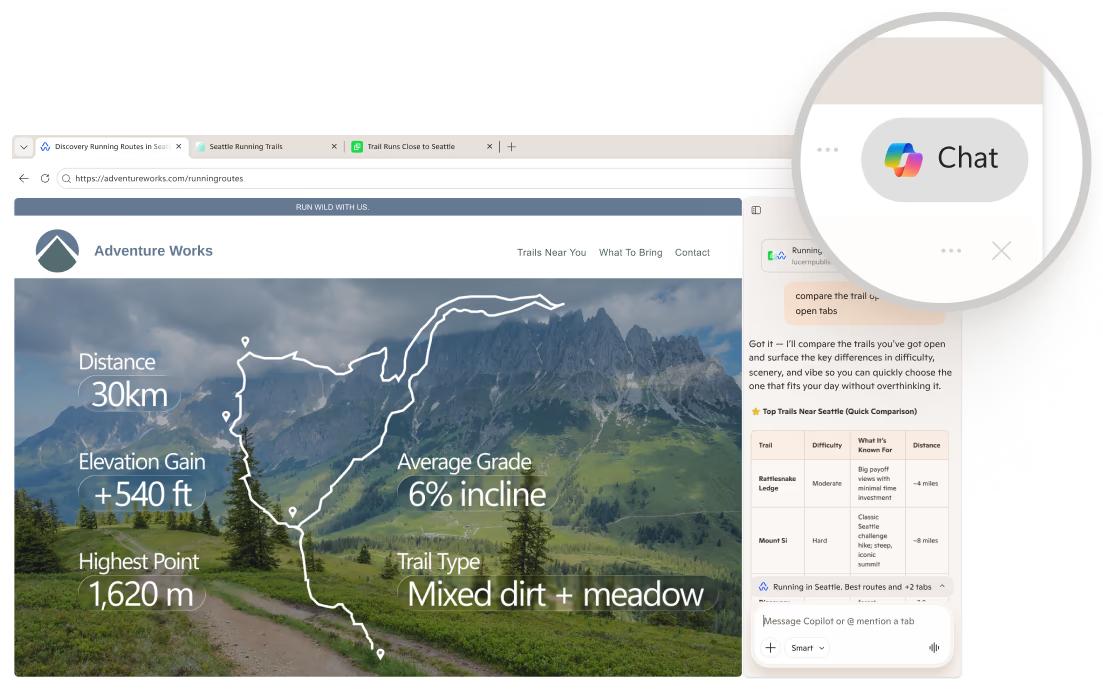
Bidh Copilot ag obair anns an t-sealladair-lìn agad, a’ cleachdadh na tabaichean agad gus roghainnean a choimeas, prìomh fhiosrachadh a thaisbeanadh, agus freagairtean soilleir a thoirt seachad — gun a bhith a’ leum eadar innealan.

Bheir e barrachd buannachd mar as motha a chleachdas tu e
Bidh Copilot a’ cuimhneachadh na tha thu air a bhith ag obair air, gus nach fheum thu tòiseachadh a-rithist. Mar as motha a chleachdas tu e, ’s ann as fheumail agus as pearsanta a bhios e.
side-pane-test
Bidh e a’ tòiseachadh le aon bhriogadh.
Gun a bhith a’ leum eadar tabaichean tuilleadh. Tha Copilot air a thogail a-steach do Edge — briog air icon anns a’ cheann dheas de do uinneag gus geàrr-chunntas a dhèanamh, coimeas a dhèanamh, no freagairtean fhaighinn gun a bhith a’ fàgail na duilleige.
one-place-to-search
Aon àite airson rannsachadh, cabadaich, agus brobhsadh
trio
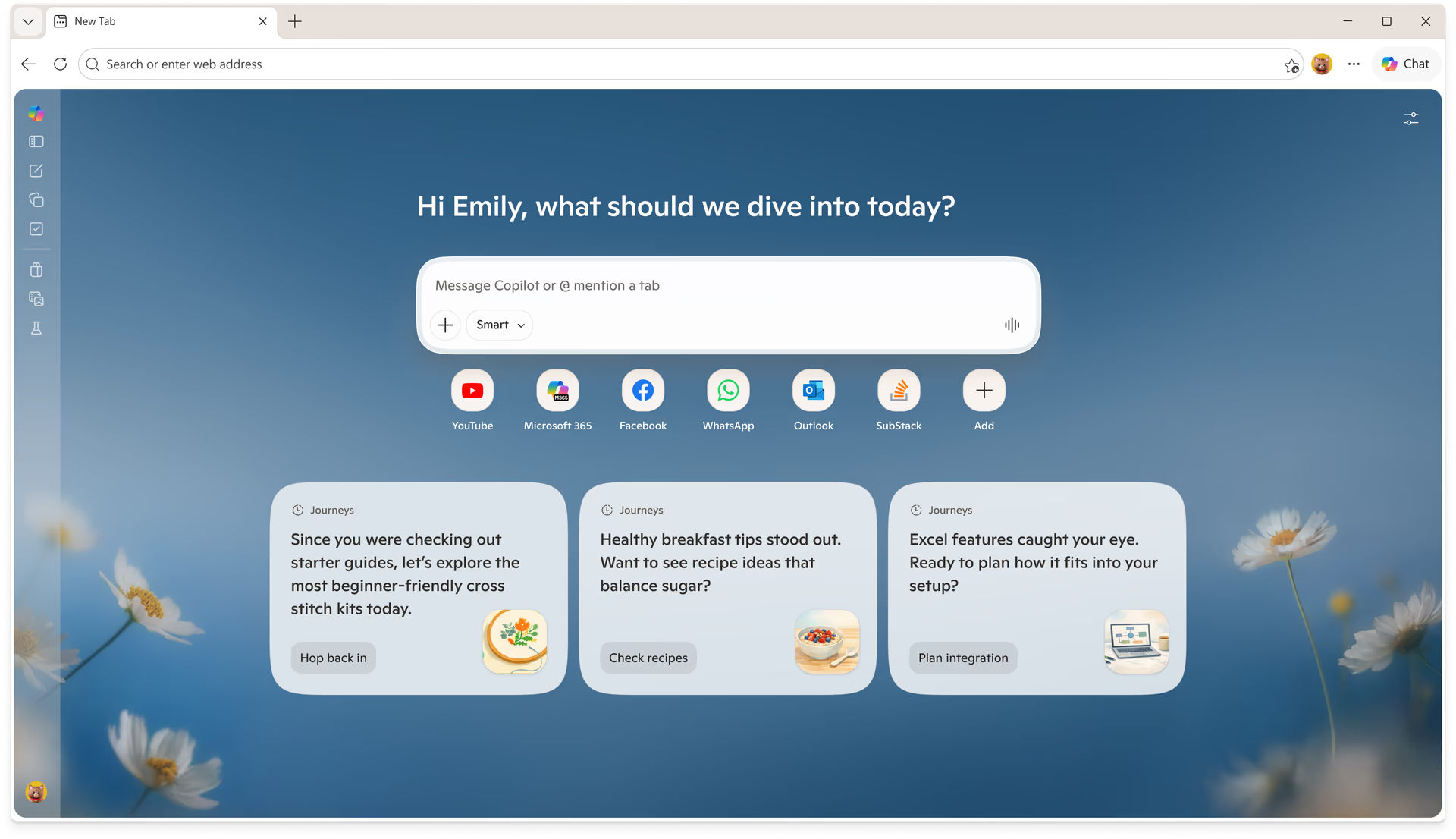
Duilleag taba ùr Copilot
An duilleag taba ùr, air a leasachadh
Fosgail taba ùr Copilot agus sgrìobh rud sam bith — ceist, rannsachadh, no làrach-lìn. Bheir Copilot thu gu àite ceart sa bhad, gus am faigh thu tòiseachadh nas luaithe.
Seachain a’ dol air ais is air adhart. Gluais bho chòmhradh gu rannsachadh gu brabhsadh ann an aon sruth rèidh, le a h-uile rud a dh’fheumas tu ann nuair a dh’fhosglas tu taba. Cuir an gnìomh duilleag taba ùr Copilot agus feuch e.
Journeys
Tog far an do dh'fhalbh thu
Bidh Copilot a’ buidheannachadh do bhrobhsaidh ann an turasan — duilleagan co-cheangailte, rannsachaidhean, agus cabadaich. Tadhail air ais air na tha cudromach, rachaibh nas doimhne, agus till air ais le aon bhriog.
Cuir air Journeys gus do bhrobhsaidh a chur air dòigh, agus gheibh thu iad uair sam bith air duilleag taba ùr agad.
A’ tighinn a dh’aithghearr
Brabhsaich le Copilot
Na gnìomhan agad, air an làimhseachadh le Copilot
A’ cur air dòigh turas, a’ dèanamh glèidheadh, no a’ cur tiodhlac? Faodaidh Copilot gnìomhan a dhèanamh dhut — chan eil feum agad a dhol eadar làraich no dèiligeadh ri gach ceum.
Fosgail taba ùr Copilot no briog air an ìomhaigh Copilot anns a’ cheann dheas agus innis dè tha a dhìth ort. Bidh Copilot a’ rannsachadh, a’ dèanamh coimeas, a’ lìonadh foirmichean, agus a’ cuideachadh le crìochnachadh ghnìomhan — le do chead mus bi dad deiseil.
vision
shopping-alt
Ceannaich nas tuigseach le Copilot
Bidh Copilot gad chuideachadh le bhith a’ dèanamh coimeas eadar toraidhean, a’ rannsachadh luach, agus a’ lorg chùmhnantan nas fheàrr — gun a bhith a’ fàgail na duilleige.
Faigh freagairtean do cheistean, molaidhean, agus dèan an co-dhùnadh ceannach as misneachaile agad.
How it works

Iarr air Copilot do chuideachadh le toradh a lorg no prìsean a choimeas

Dèan lèirmheas air cùmhnantan agus geàrr-chunntasan gus ceannach le misneachd
gradient
feature-cards
Experience the full power of Copilot
Discover how Copilot helps you browse smarter and do more with Microsoft Edge.
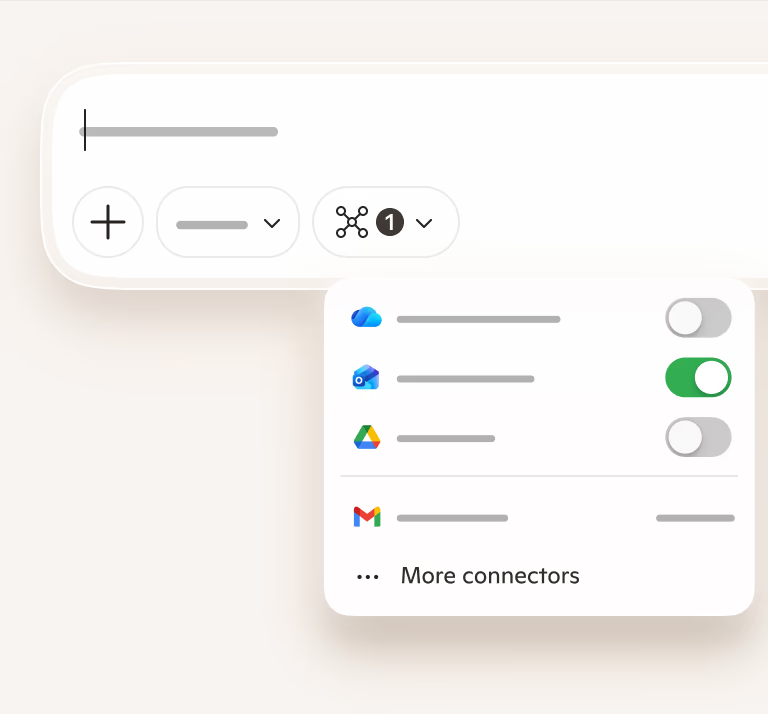
Ceangalaichean Copilot
Sguir a bhith ag atharrachadh aplacaidean gus rudan a lorg
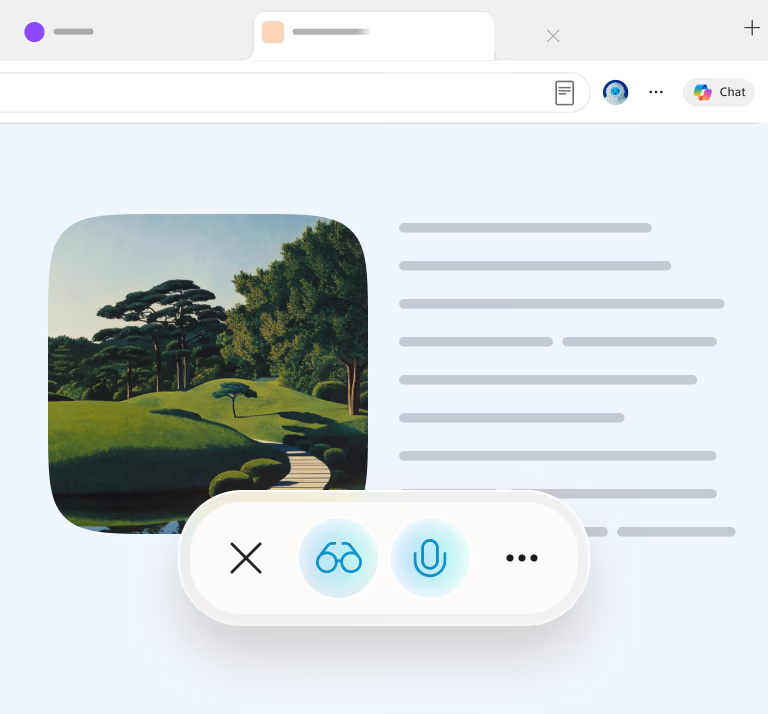
Mod leughaidh
Leugh gun dragh
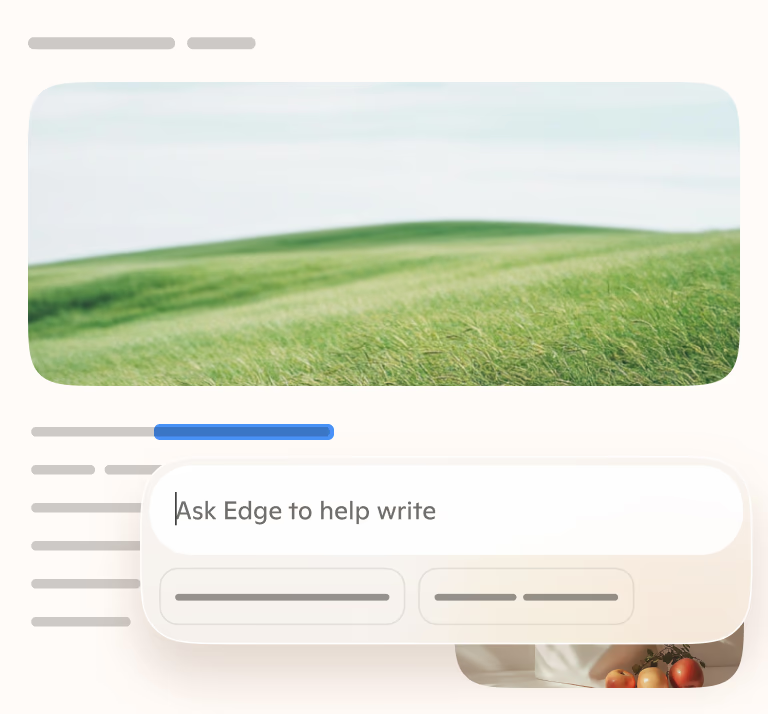
Taic sgrìobhaidh
Dèan beachdan nan dreachd soilleir
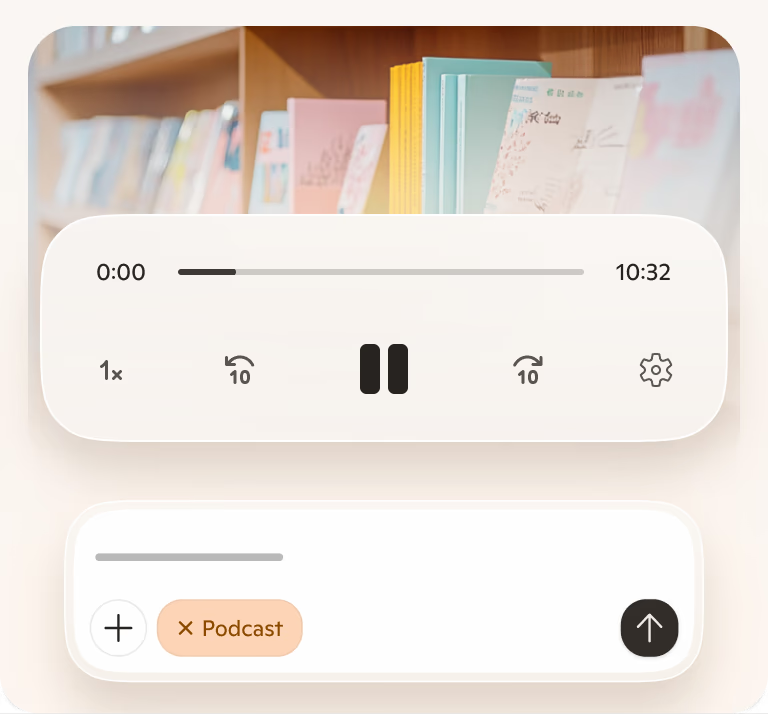
Pod-chraolaidhean Copilot
Dèan rud sam bith na fhuaim

Dèan coimeas eadar tabaichean
Faic na tha cudromach thar dhuilleagan
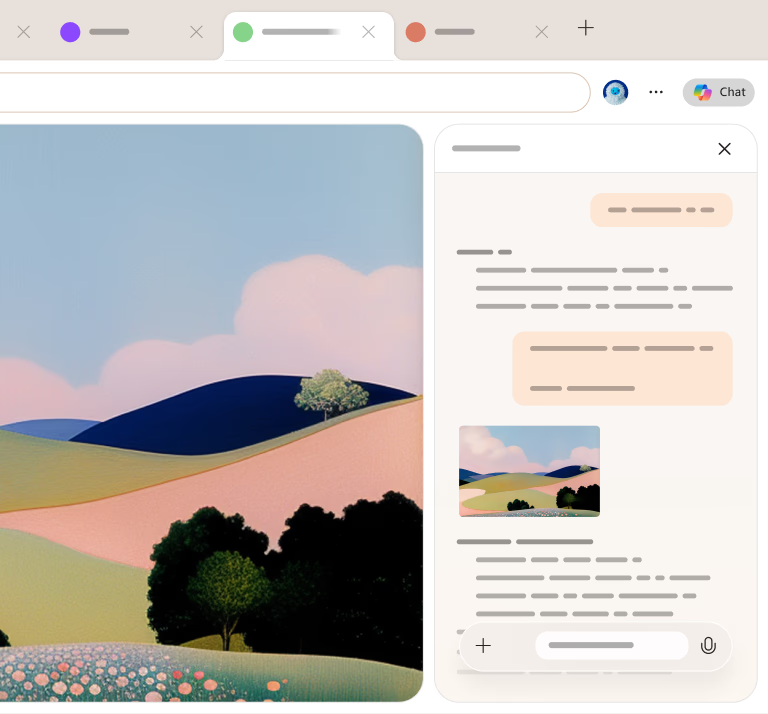
Geàrr-chunntas air duilleag sam bith
Faigh an t-eadar-theachd sa bhad
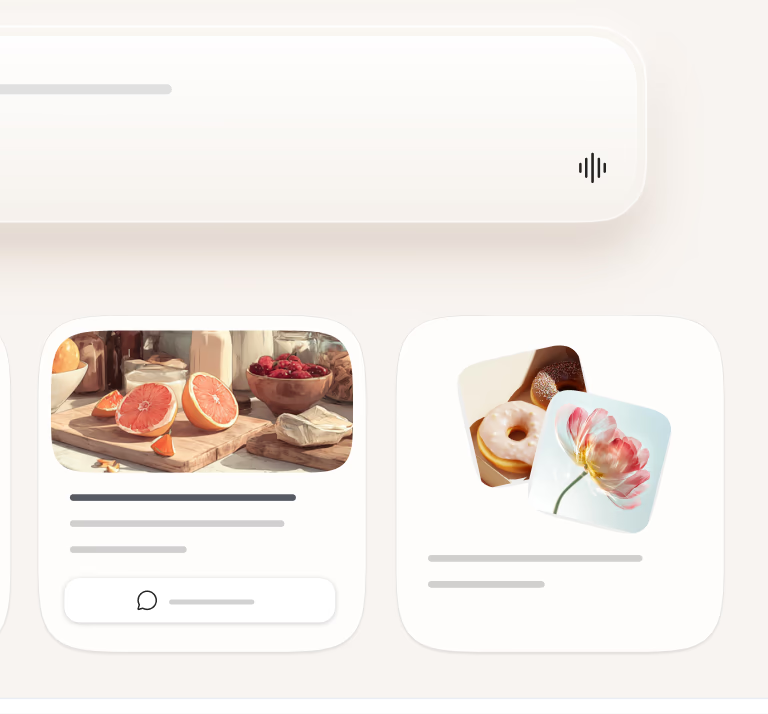
Cuimhne Copilot
A’ freagairt ris an dòigh anns a bheil thu ag obair
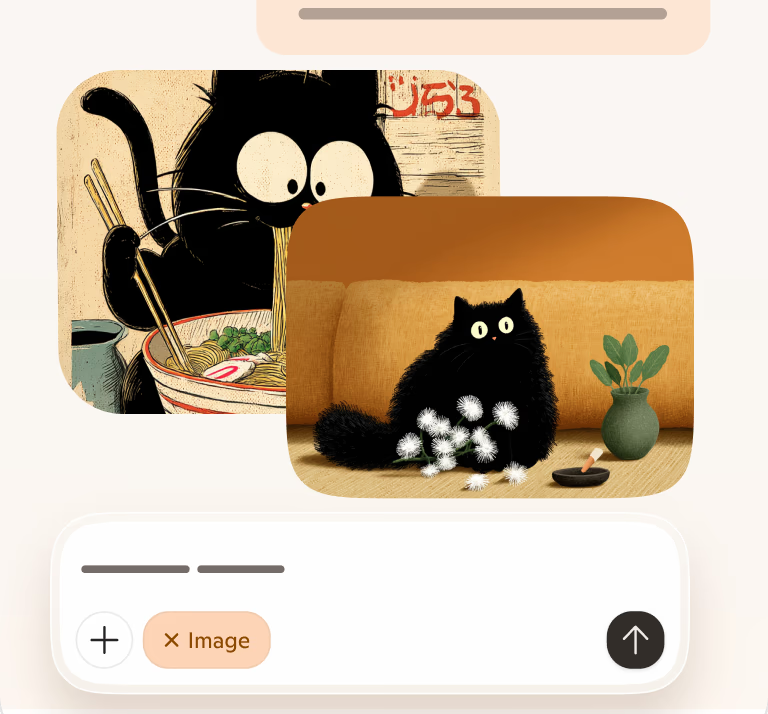
Cruthadair nan dealbhan
Dèan dealbhan às na beachdan agad
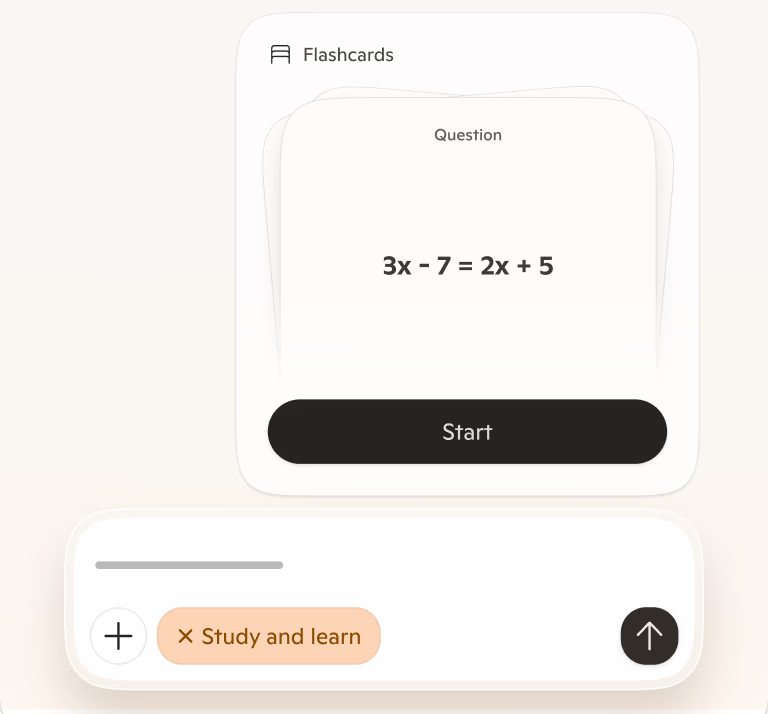
Ionnsaich agus dèan sgrùdadh
Ionnsaich fhad 's a tha thu a' dol air adhart
mobile
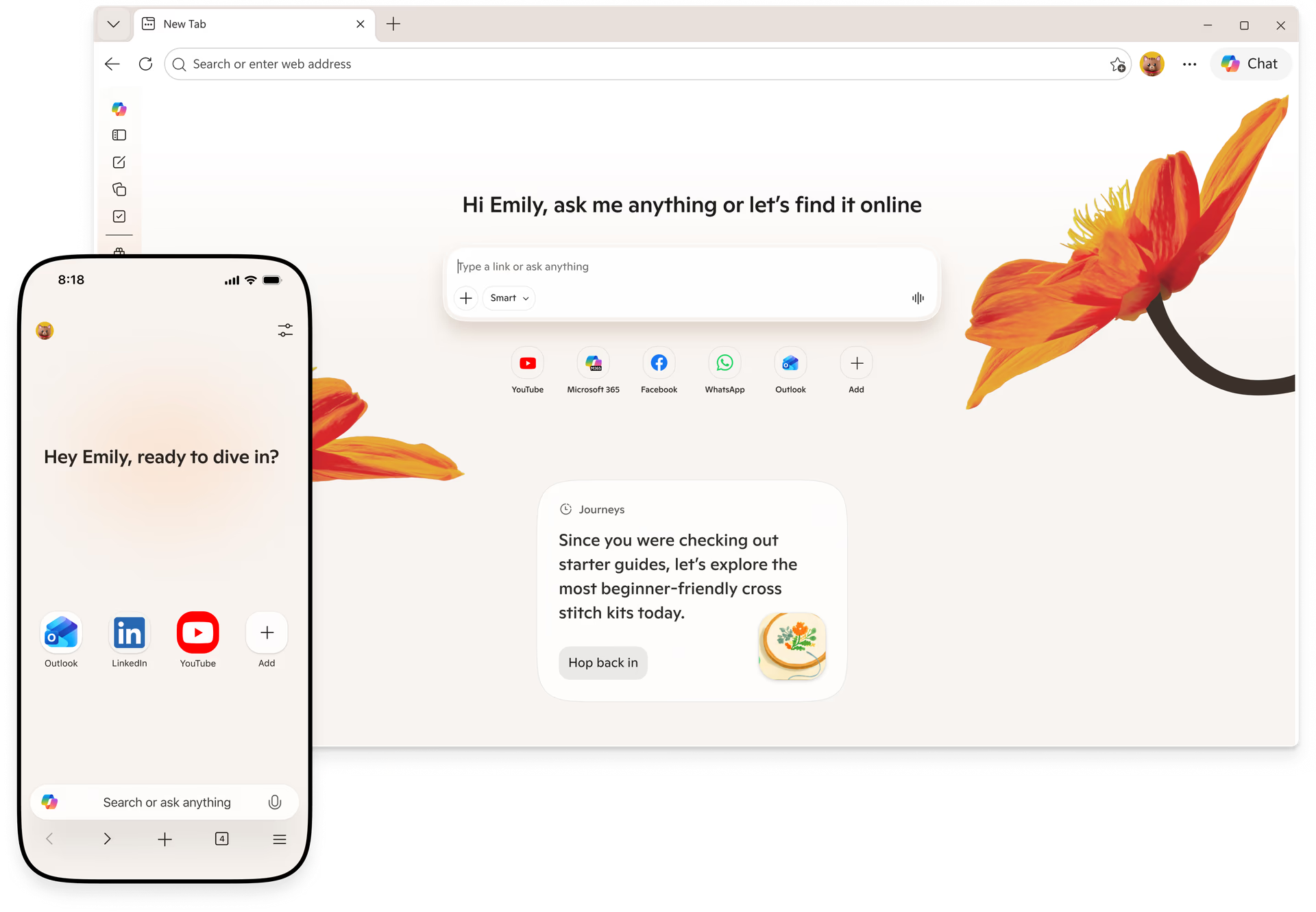
Copilot ann an Edge, ge bith càite an tèid thu
Dèan beachdan na fìrinn, cuir às do mhì-riaghailt tabaichean agus gluais air adhart nas luaithe dìreach ann an Edge air do fhòn.
Sgan gus faighinn air an app gluasadach Edge
floral-group
in-control
Do làrach-lìn agad, do smachd
Tha Copilot ann an Edge ag obair còmhla riut, air do chumhachan fhèin. Tha e a’ cuideachadh nuair a dh’iarras tu, gus am bi smachd agad fhèin.

Smachd air do dh'eòlas
Tagh dè na feartan a tha thu airson a chleachdadh, agus cuir iad air no dheth nuair a tha thu ag iarraidh. Tha smachd agad an-còmhnaidh air do dh'eòlas.

Stiùirich gu furasta
Ùraich ceadan, glan eachdraidh, agus atharraich roghainnean ann am beagan cheumannan. Smachd air mar a tha Copilot ag obair, uile ann an aon àite.

Prìobhaideachd air do chumhachan fhèin
Tha feartan roghainneil mar shamhraidhean co-theacsa, prìomh phuingean bhidio, agus cuimhne an-còmhnaidh fo do smachd. Tha d’ fhiosrachadh prìobhaideach agus a’ leantainn inbhean earbsach Microsoft.
discord-banner

Cumaibh ri chèile àm ri teachd a’ bhrabhsaidh.
Thig còmhla ris a’ choimhearsnachd Discord againn gus beachdan a thoirt seachad, ceangal a dhèanamh ri daoine eile, agus cuideachadh le bhith a’ cumadh àm ri teachd a’ bhrabhsaidh.
faqs
header
Ceistean Cumanta
get-the-most-out-of-copilot
Get the most out of Copilot
Get the most out of Copilot
Microsoft Copilot is an AI-powered digital assistant designed to engage in conversations and help people with a range of tasks and activities on their devices. Copilot can answer questions, create images or drafts of written content, suggest different ways to word things you've written, and much more.
Copilot is like having a research assistant, personal planner, and creative partner at your side. With Copilot you can:
- Ask a question, explore a curiosity, or practice a conversation. When you ask complex questions, Copilot gives you detailed replies. Feel free to ask follow-ups, such as “can you explain that more simply?” or “please give me more options.”
- Get a real answer. Copilot looks at search results across the web to offer you a summarized response and links to its sources.
- Be creative. When you need inspiration, Copilot can help you write poems, stories, or even create a brand-new image. Copilot works best when you’re more descriptive, so get creative and add details like adjectives, locations, or even artistic styles such as ‘digital art’ and ‘photorealistic.’
Each conversation with Copilot will have a limited number of interactions to keep the conversation interesting, relevant, and grounded in search.
Talking to Copilot should feel natural. Type text or speak with your voice — whatever works best for the conversation. Copilot will automatically recognize the language you are using and respond accordingly. You can ask Copilot to speak in another language as well, but it is optimized for English.
As you’re interacting, Copilot can:
- Search the web in a way that feels natural to how you talk, text, or think. Get a single, summarized answer with a consolidated set of links, or a detailed response and sources for more complex questions.
- Ask follow-up questions to your initial question or search to get more helpful replies.
- Rephrase the response and make things easier to understand. Just say something like, “Can you explain that more simply?”
- Respond with different formats like a table or numbered list when you ask for it.
- Help you write poems, stories, speeches, or share ideas for a project.
When you engage Copilot via voice, Microsoft stores voice data in accordance with our data retention policy. Microsoft uses voice conversations and other interactions with Copilot to provide and improve the service as outlined by the Microsoft Privacy Statement. As announced in August, we are also providing our customers with advance notice of training our generative AI models in Copilot on this data, and are providing a clear and easy way to opt out of such training. We are rolling this out gradually to ensure we comply with privacy laws around the world, and are not training on consumer data from the UK, the European Economic Area (EEA), and certain other countries at this time.
Faodaidh tu faighinn gu Microsoft Copilot aig https://copilot.microsoft.com/, aplacaidean Android agus iOS Microsoft Copilot, Copilot ann an aplacaid Windows, no tro Edge le bhith a’ briogadh air ìomhaigh Copilot (icon). Gus molaidhean fhaighinn airson Copilot a chleachdadh ann an Edge agus feartan AI eile sa bhrobhsair, tadhail air duilleag mholaidhean AI.
Visual Search allows you to upload images to Copilot and ask questions about them. For example, you can ask questions about images that are difficult to describe, get a recipe for a dish you don’t know the name of, identify a dog breed you don’t recognize, and much more. To use Visual Search, click on the camera icon in the input bar in Copilot, upload a picture from your device or provide a website link, and ask away.
tell-me-about-responsible-ai
Tell me about Responsible AI
Tell me about Responsible AI
Copilot searches for relevant content across the web and then summarizes the information it finds to generate a helpful response. It also cites its sources, so you’re able to see links to the content it references.
At Microsoft, we take our commitment to responsible AI seriously. Copilot is developed in accordance with our AI principles. We are working with our partner OpenAI to deliver an experience that encourages responsible use, and foundational model work. We've designed the Copilot user experience to keep humans at the center and developed a safety system designed to mitigate failures and avoid misuse with things like content filtering, operational monitoring, abuse detection, and other safeguards. Responsible AI is a journey, and we are continually improving our systems along the way. To learn more about how to use Copilot responsibly, please review our Terms of Use and Code of Conduct.
While Copilot works to avoid sharing unexpected offensive content in search results and has taken steps to prevent Copilot features from engaging with potentially harmful topics, you may still see unexpected results. We’re constantly working to improve our technology to prevent harmful content.
If you encounter harmful or inappropriate content, please provide feedback or report a concern to Copilot by clicking the ‘give feedback’ button in settings or use the flag icon below each response on mobile and the Copilot web page. On the Copilot app, you can long press the response and select “Report.” We will continue to work with people’s feedback to provide a safe search experience.
Copilot aims to respond with reliable sources, but AI can make mistakes, and third-party content on the internet may not always be accurate or reliable. Copilot may misrepresent the information it finds, and you may see responses that sound convincing but are incomplete, inaccurate, or inappropriate. Use your judgment and double check facts before making decisions or taking action based on Copilot’s responses. Reviewing Copilot’s citations is a good place to start checking for accuracy.
To share site feedback or report a concern, select the ‘give feedback’ button in settings or use the flag icon below each response on mobile and the Copilot web page. On the Copilot app, you can also long press the response and select “Report.” We will continue working with people’s feedback to provide a safe search experience for all.
learn-more-about-chat-history
Learn more about chat history
Learn more about chat history
Yes, if you are signed in, the conversations you have with Copilot are saved; We call this “Chat history”. You can view and access each conversation you previously had with Copilot. For example, if you ask Copilot for information about the first person to walk on the moon, the conversation you have will be saved in chat history, which you can return to at any time. By default, we store chat history data for 18 months from the last update to the conversation. You can access and delete your chat history by visiting Home and selecting the time machine icon.
There are two settings available in Copilot Settings to control Copilot data:
- You can turn off AI’s ability to use your data to train models. To do this, go to Sign-in > Settings > Account > Privacy >Model training. You can also go to Privacy > Export/Delete, to delete chat history from account.microsoft.com. Please note, if you are in the European Economic Area (EEA), the UK, and certain other countries Copilot is not using your data to train models currently.
- You can turn off personalization. If you use this setting, you will still have access to chat history and all future chats are saved, but Copilot experiences are not personalized. If you choose to enable the experience, Copilot also uses Bing search history and expressed interest from MSN to create more personalized, fluid conversations. For users in the EEA, the UK, and a limited number of other countries, we are evaluating options before offering this level of personalization for those users. Where offered, Copilot will notify users and provide them with a clear and easy way to opt-out of personalization.
To delete your Copilot chat history, from Settings go to Account > Privacy > Export or delete history, to delete your history from your Microsoft Privacy Dashboard. In addition, in your Microsoft Privacy Dashboard click ‘Browsing and search’ and scroll down to the Search history section. In the search box search for and delete all instances that include “Microsoft Copilot”.
If you are wanting to delete chats from Copilot before 10/01/2004 (legacy experience), in your Microsoft Privacy Dashboard click ‘Browsing and search’, scroll down to the Copilot activity history section and click ‘Clear all Copilot activity history and search history’.
Yes, we keep some of your chat history including prompts, to provide and improve the service. Your prompts are maintained in accordance with our Privacy Statement and used to monitor performance, troubleshoot problems, diagnose bugs, prevent abuse, and other product performance analytics necessary to provide and improve Copilot. Only the data visible in chat history in product is used for personalized answers.
To understand more about Microsoft Privacy Practices, review the Microsoft Privacy Statement and our privacy center.
personalize-your-copilot-experience
Personalize your Copilot experience
Personalize your Copilot experience
If you turn on personalization, we will use your recent conversations and Microsoft activities to personalize your experience. Your Microsoft activities may, depending on your privacy settings, include your Bing search activities, MSN activities, and inferred interests. If you do not want us to personalize using a specific conversation from your chat history, search history or inferred interests, you can delete them on the Microsoft Privacy Dashboard. You can turn off personalization at any time by clicking your account icon at top right corner of the page > account > privacy > personalization. On Edge, you can turn off by clicking on “...”: from Copilot setting menu > permissions and privacy > personalization.
Allowing Copilot personalization means you’re letting Microsoft use your recent conversations and Microsoft activities including your Bing search and MSN activities to make Copilot more personalized for you. Copilot remembers your history and may make inferences from that history about your interests, hobbies, etc., to provide personalized experiences. However, as a Copilot user, you are able to delete all chat messages.
No. The Copilot personalization toggle (available on all Copilot surfaces), controls whether recent conversations and your Microsoft activities are used for personalization. The Edge personalization and advertising toggle controls whether Edge browsing activities can be used across Microsoft surfaces for personalization including Copilot.
You control which chats are used to personalize your experience. If you don’t want Copilot to personalize using your chat history, you can clear Copilot activity history on Microsoft Privacy Dashboard. Once deleted, the chats will not be used to personalize experiences.
Personalization is on by default except for those in the European Economic Area (EEA), the UK, and certain other countries. Users have the option to opt out of the experience. In your conversations, you will be notified whether your experiences are personalized or not. We will display a notice like " Copilot can learn about your interests and personalize your experience.” if personalized experience is allowed. A notice such as “Conversations are used to train AI and Copilot can learn about your interests.” will be displayed when both training and personalization is allowed. Depending on your region, personalization may be available by default. Personalization is not available for unauthenticated users.
We’re following our Responsible AI practices and rolling out this feature slowly; as a result, the feature may not yet be available in the European Economic Area (EEA), the UK, and certain other countries.
You can turn off personalization through the personalization setting in Copilot’s settings menu.
If you change your personalization consent from “yes” to “no,” we will only stop providing a personalized Copilot experience. We will keep your chat history so you can still view your past conversations. However, your future Copilot experience will no longer be personalized.
Yes, you can turn off personalization within Copilot settings at any time. Turning off personalization won’t delete your chat history.
Regardless of your user settings, Copilot is designed not to personalize interactions based on some topics to protect your privacy and to prevent the use of potentially sensitive information. For example, we take steps to exclude context from your past conversations that may be considered sensitive, even if chat history and personalization are turned on in your settings. Users should use caution when sharing information they consider to be sensitive with Copilot.
review-data-use-and-control-options
Review data use and control options
Review data use and control options
Generative AI refers to a category of AI models that analyze data, find patterns and use these patterns to generate or create a new output, such as text, photo, video, code, data, and more. “Training” an AI model means providing it with data to help it learn to make predictions or decisions. Training is a broad concept that includes many different activities to help models learn pre-training a generative AI model, fine tuning a model, or training a classifier or filter to help models provide more appropriate results.
These models use patterns and correlations learned from their training data to predict what comes next in a sequence. They are tuned to learn general relationships in language, not to memorize specific segments of training data. They do not store or have access to the original training data. Instead, generative AI models are designed to generate new expressive works and content. We also take additional steps to prevent these models from inadvertently reproducing their training data, such as conducting testing and building filters that screen out previously published or used material.
Microsoft uses publicly available data, mostly collected from industry-standard machine learning datasets and web crawls, like search engines. We exclude sources with paywalls, content that violates our policies, or sites that have opted-out of training using web controls that we published. On top of this, we do not train on data from domains listed in the Office of the United States Trade Representative (USTR) Notorious Markets for Counterfeiting and Piracy list.
We do not train on data from our commercial customers, or any data from users logged into an organizational M365/EntraID account. We also do not train on data from M365 personal or family subscriptions or on data from users who are not logged into their Microsoft Account.
Microsoft will begin to use consumer data for AI training in certain countries later this year. For users logged into a Microsoft account, you will be able to control whether your consumer data is used for training the generative AI models used in Copilot and other AI offerings from Microsoft through an opt-out control. Opting out will exclude your past, present, and future consumer data from being used for training these AI models, unless you choose to opt back in. This setting will be made available across web, desktop, and mobile versions of all in-scope consumer products over the coming months. You will also see in-product messages notifying you about a new user control, including on Bing, MSN, and Copilot.
We will limit the data we use for training. We will not train on data from our public sector or enterprise customers, unless they expressly opt-in, nor will we train on any data from M365 consumer offerings. Learn more here. We also will not train AI models on personal account data like your Microsoft account profile data or email contents. If any images are included in your AI conversations, we take steps to de-identify them such as removing metadata or other personal data and blurring images of faces.
Your personal interactions with our services like queries and responses are kept private and are not disclosed without your permission. You can adjust your personalization in settings.
We remove information that may identify you, like names, phone numbers, device or account identifiers, sensitive personal data, physical addresses, and email addresses, before training AI models.
Your data remains private when using our services. We will continue to evaluate our models and take steps to prevent models from reproducing user information or past conversations. We will protect your personal data as explained in the Microsoft Privacy Statement and in compliance with privacy laws around the world.
We do not use data from users under 18. We only train our generative AI models on data from MSA authenticated users 18 years or older. In addition, if you are in the European Economic Area (EEA), United Kingdom, and certain other countries listed below, your data is not being used to train AI models at this time.
Microsoft will begin to use data from Bing, MSN, Copilot, and interactions with ads on Microsoft for AI training later this year. This includes anonymous search and news data, interactions with ads, and voice and text conversation data with Copilot like prompts, queries, chats, responses, and other. This data will be used to improve Copilot and our other generative AI models to create a better user experience for you and others. These generative AI models may also be used to improve other Microsoft products and services. For users logged into their Microsoft account, you are able to control whether your consumer data is used for training generative AI models used in Copilot and other AI offerings from Microsoft through opt-out control.
By using real-world consumer data to help train our underlying generative AI models, we can improve Copilot in the future and offer a more personalized and relevant natural language experience. For example, our AI models can use these conversations to learn from human communication patterns, like understanding colloquial phrases or local references. The more diversity in conversations our AI models are exposed to, the better they will understand and serve important regional languages, geographies, cultural references, and trending topics of interest to users.
We also use Copilot conversations and other consumer data for digital safety, security, and compliance purposes as outlined in the Microsoft Privacy Statement.
Before we start training, we’ll also make it easy for people to opt out, if they wish, of having the data they share in these services used to train our generative AI models. We will provide opt-out controls starting in October. To give users ample time to consider their choice, we also won’t begin training AI models on this data until at least 15 days after providing these opt-out controls. At this time, we will not use consumer data to train models in the European Economic Area (EEA), the United Kingdom, and certain other countries listed below. We will roll this out to those regions gradually, in order to ensure we get this right for consumers and comply with local privacy laws around the world.
This opt-out setting will not exclude your data from being used for other general product or system improvements nor from use for advertising, digital safety, security, and compliance purposes as outlined in the Microsoft Privacy Statement.
Consumers who are 18 years or older and logged into their Microsoft (consumer) accounts will be offered the option to opt-out of AI training starting in October. This setting will not be available in the following markets in September: Austria, Belgium, Brazil, Bulgaria, Canada, China (including Hong Kong), Croatia, Cyprus, the Czech Republic, Denmark, Estonia, Finland, France, Germany, Greece, Hungary, Iceland, Ireland, Israel, Italy, Latvia, Liechtenstein, Lithuania, Luxembourg, Malta, the Netherlands, Norway, Nigeria, Poland, Portugal, Romania, Slovakia, Slovenia, South Korea, Spain, Sweden, Switzerland, the United Kingdom, and Vietnam. This includes the regions of Guadeloupe, French Guiana, Martinique, Mayotte, Reunion Island, Saint-Martin, Azores, Madeira, and the Canary Islands. This means that AI offerings will be available in those markets, but no user data will be used for generative AI model training in those locations until further notice.
No, nothing you say to Copilot will ever be made public. Copilot will not have direct access to your chat history or personal data during conversations with other users.
Yes, some Copilot conversations are subject to both automated and human review for both product improvement and digital safety purposes. For example, to build, train, and improve the accuracy of our automated methods of processing (including artificial intelligence or AI), we manually review some of the output produced by the automated methods against the underlying data. We include human feedback from AI trainers and employees in our training process. For example, human feedback that reinforces a quality output to a user’s prompt, improving the end user experience.
We may also review conversations flagged as a violation of the Code of Conduct in the Terms. Our Code of Conduct prohibits use of the Copilot service to create or share inappropriate content or material. Some conversations are reviewed when a violation of the Code of Conduct is suspected.
Limited human review is required as part of the investigation process when a violation of the Code of Conduct is suspected. To ensure that our services are safe and secure for everyone, a complete opt-out of human review is not available.
Yes, you can opt-out of AI training and still have personalization turned on. In this case, Copilot will remember recent conversations to give you a more personalized response, but Microsoft will not use your conversations and other Microsoft activities for generative AI model training. For example, Copilot will remember that you are a vegetarian when suggesting dinner recipes.
We will not share your data with third parties or partners for AI training purposes without your permission.
Your conversations with Copilot, like queries and responses, are not disclosed or sold to third parties, except for the following limited instances:
Microsoft shares some personal data with third parties in accordance with our Microsoft Privacy Statement. For example, we may share your personal data with Microsoft-controlled affiliates and subsidiaries, with vendors working on our behalf, and when required by law or to respond to legal process.
To improve Copilot’s safety and ability to detect risks, the Copilot team partners with external research organizations to review and evaluate Copilot logs. For example, external research organizations can help review Copilot conversation logs to understand the variety of queries used to seek extremist content, compare trends across the industry, and advise techniques for better finding and mitigating harm.
hero
animate-intro

Geàrr-chunntas air puist-d nach deach an leughadh

Dèan dreach de ùrachadh inbhe

Dèan dreachd puist-d

Dèan mion-sgrùdadh air dàta

Dèan coimeas eadar farpaisich
Geàrr-chunntas air gluasadan a’ mhargaidh

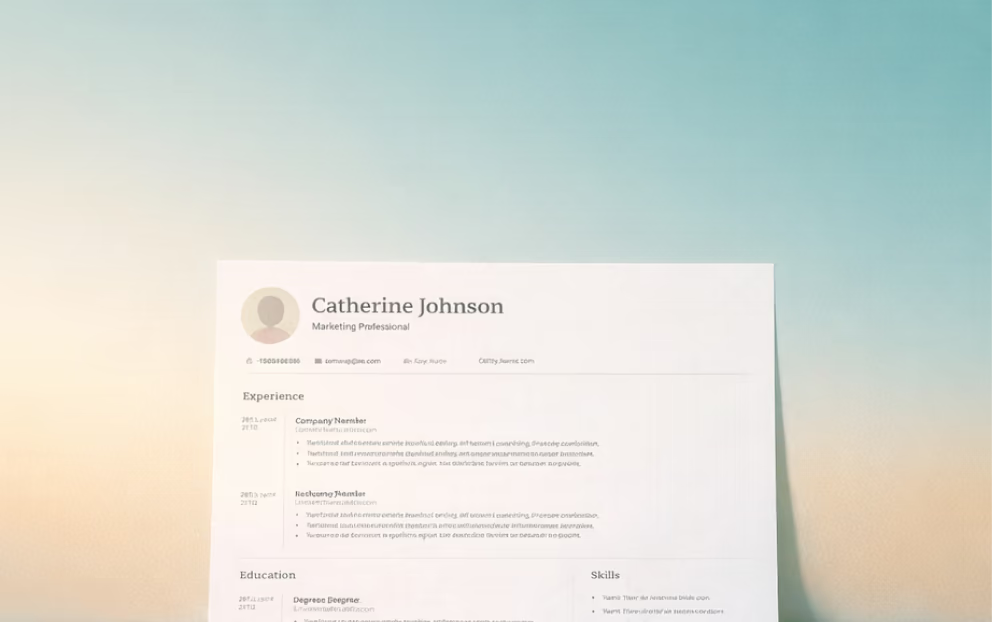
Ath-sgrìobh do dh’ ath-thagradh-obrach

Ath-sgrùdadh coinneimh
Cuir air dòigh mo ionmhasan

Smaoinich air beachdan airson na meadhanan sòisealta
what-columns-aad
Faigh tron obair, nas luaithe
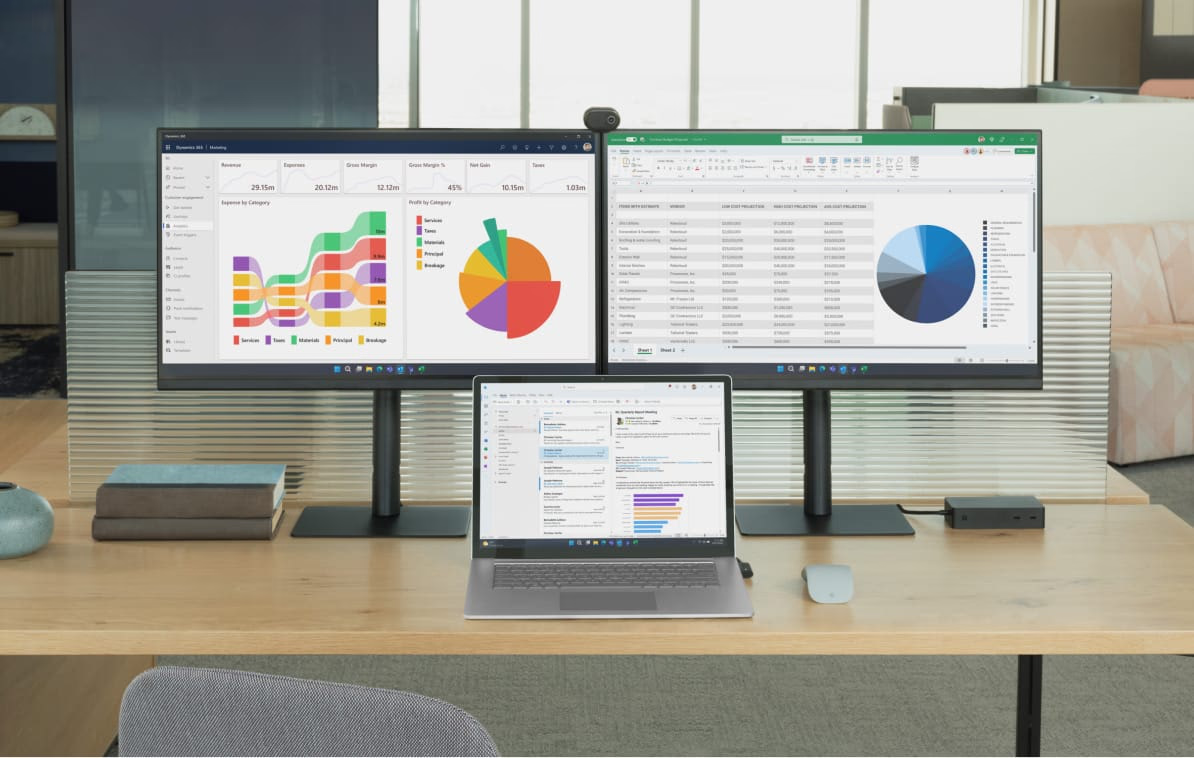
Bho bhith a’ geàrr-chunntas sgrìobhainnean fada gu bhith a’ dreachdadh puist-d, tha Copilot gad chuideachadh gus gnìomhan cumanta a chrìochnachadh gu luath – dìreach bhon bhrobhsair agad.

Obraich le misneachd air susbaint mhothachail
Dìon do dhàta le tèarainteachd agus prìobhaideachd aig ìre iomairt a chumas smachd nad làmhan.

Gun aplacaidean a bharrachd, gun rèiteachadh a bharrachd
Tha Copilot air a thogail a-steach do Microsoft Edge. Taic nuair a dh’fheumas tu i, dìreach aon bhriogadh air falbh.
trio
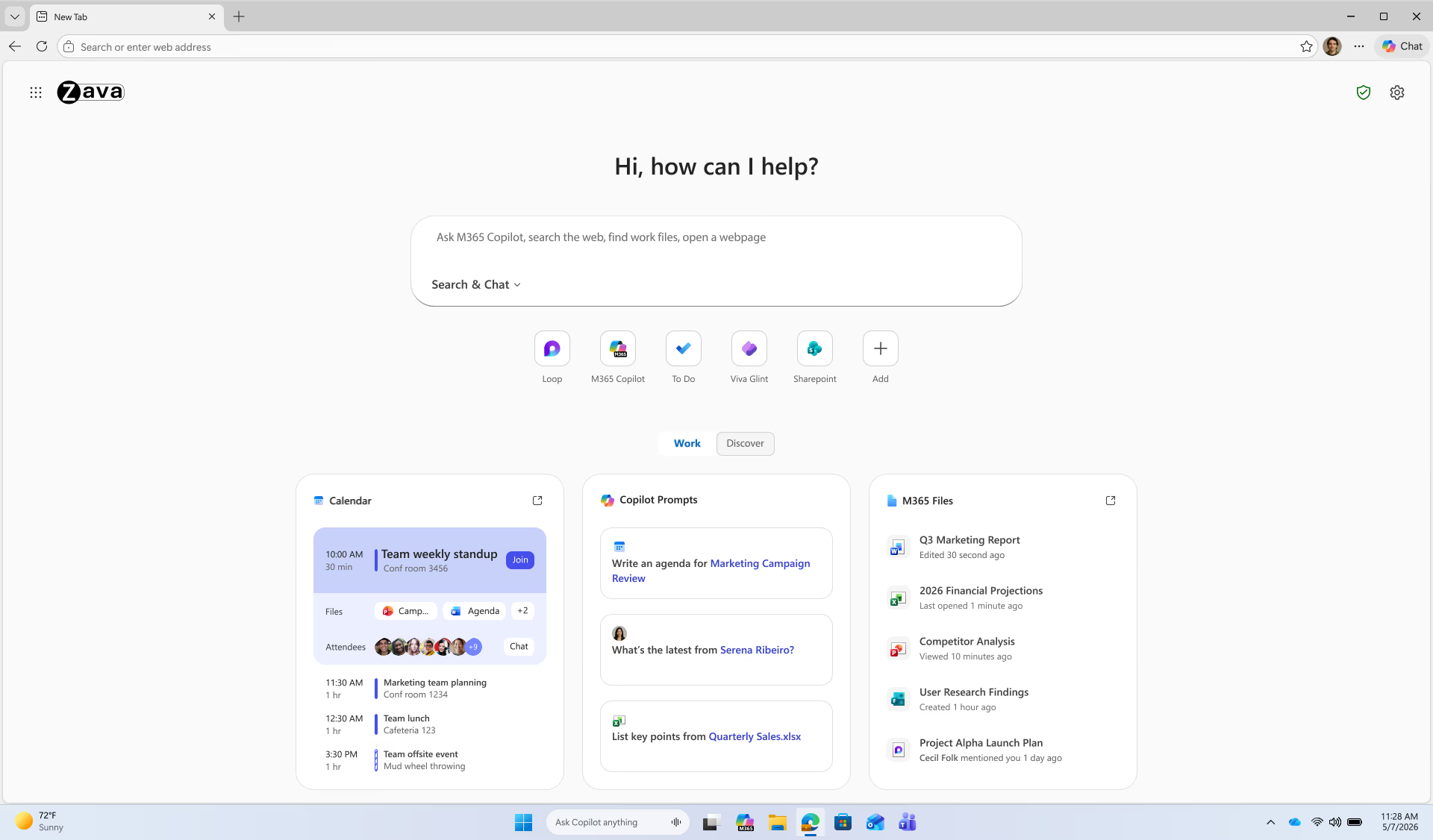
Duilleag taba ùr Copilot
Aon àite airson rannsachadh, cabadaich, agus gnothaichean a dhèanamh
Tha duilleag taba ùr Copilot a’ toirt còmhla rannsachadh, cabadaich AI, an clàr-ama agad, agus faidhlichean o chionn ghoirid ann an aon sealladh. Tha cairtean obrach a’ sealltainn na tha cudromach an toiseach—coinneamhan a tha ri thighinn, faidhlichean fosgailte, agus brosnachadh a thathar a’ moladh stèidhichte air an obair agad.
Obraich le fois inntinn—nuair a tha thu air do shoidhnigeadh a-steach le cunntas obrach, tha d’ fhiosrachadh air a dhìon agus a’ fuireach anns an tenant.
Dh’fhaodadh gum bi feum air cead Microsoft 365 Copilot Premium airson cuid de fheartan.
Multi-tab reasoning
Faigh freagairtean air feadh do tabaichean
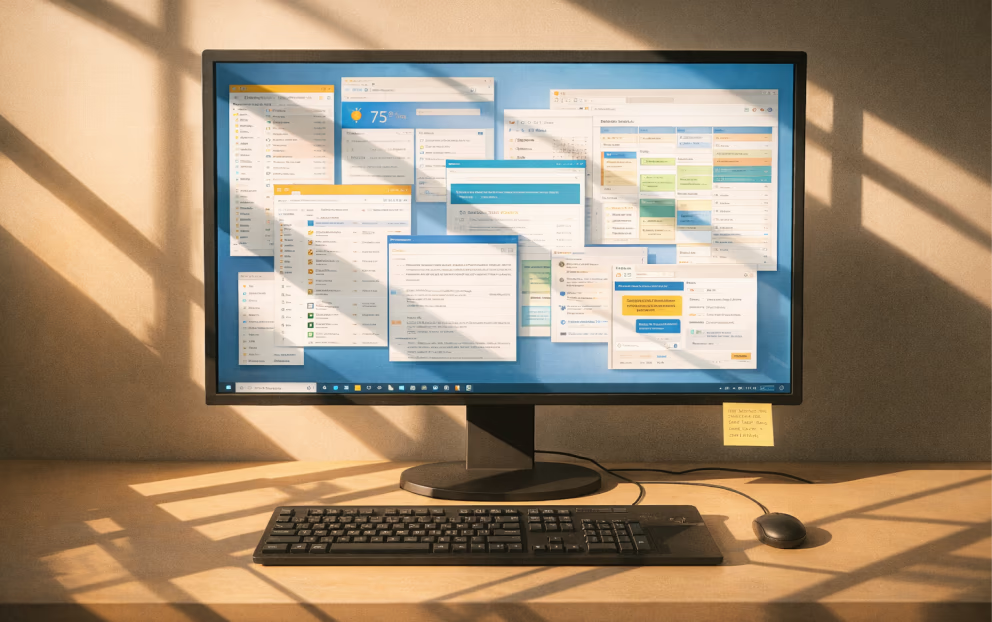
Tuig agus dèan gnìomh gu luath air fiosrachadh a tha sgaoilte thar iomadh duilleag—gun a bhith a’ leum eadar tabaichean. Faodaidh Copilot an t-susbaint a tha fosgailte ann an iomadh taba a sgrùdadh aig an aon àm, a’ cothlamadh lèirsinnean gus ceistean a fhreagairt, fiosrachadh a choimeas, agus prìomh phuingean a thaisbeanadh ann an aon àite.
bhideothan YouTube
Geàrr-chunntas air bhideothan YouTube
Dèan sealladh luath air gin de bhideothan YouTube. Le Copilot ann an Edge, gheibh thu geàrr-chunntas luath, prìomh phuingean agus freagairtean do cheistean gus am faigh thu dìreach na tha a dhìth ort ann am beagan diogan.
controls

Microsoft 365 Copilot Chat in Edge protects your data with enterprise-grade safeguards.
When signed in with a work account, prompts and responses are covered by the same trusted privacy and security commitments that apply to Microsoft 365 apps—your data stays private, secure, and governed by your organization’s policies.
gradient
mobile
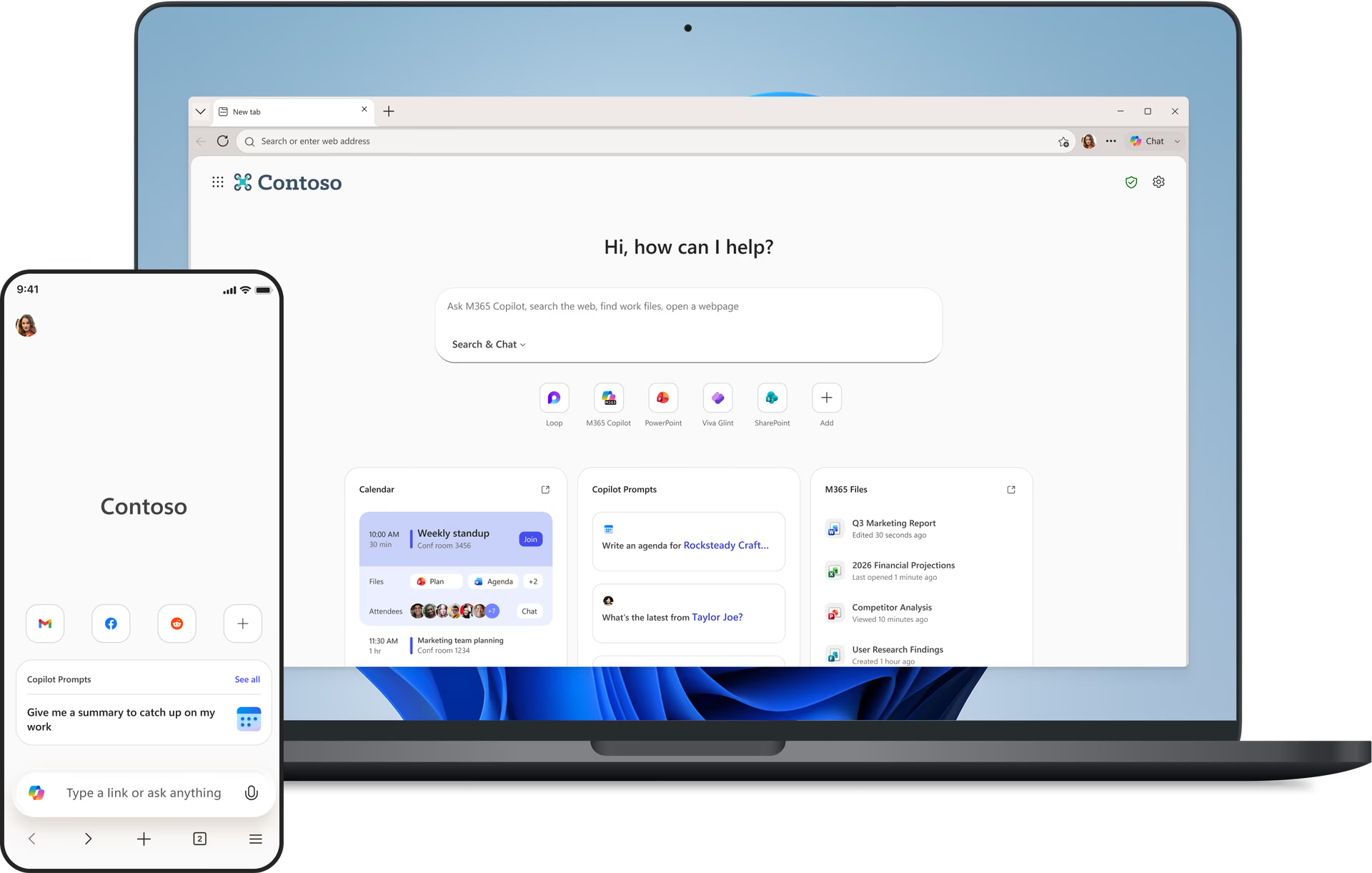
Obraich gu tèarainte, ge bith càite an tèid thu
Tha feartan tèarainteachd agus feartan deiseil airson obair air an togail a-steach gu dìreach ann an Edge air do fhòn.
Scan gus faighinn air an app gluasadach Edge:
faqs
header
Ceistean Cumanta
get-the-most-out-of-copilot
Get the most out of Copilot
Get the most out of Copilot
Microsoft Copilot is an AI-powered digital assistant designed to engage in conversations and help people with a range of tasks and activities on their devices. Copilot can answer questions, create images or drafts of written content, suggest different ways to word things you've written, and much more.
Copilot is like having a research assistant, personal planner, and creative partner at your side. With Copilot you can:
- Ask a question, explore a curiosity, or practice a conversation. When you ask complex questions, Copilot gives you detailed replies. Feel free to ask follow-ups, such as “can you explain that more simply?” or “please give me more options.”
- Get a real answer. Copilot looks at search results across the web to offer you a summarized response and links to its sources.
- Be creative. When you need inspiration, Copilot can help you write poems, stories, or even create a brand-new image. Copilot works best when you’re more descriptive, so get creative and add details like adjectives, locations, or even artistic styles such as ‘digital art’ and ‘photorealistic.’
Each conversation with Copilot will have a limited number of interactions to keep the conversation interesting, relevant, and grounded in search.
Talking to Copilot should feel natural. Type text or speak with your voice — whatever works best for the conversation. Copilot will automatically recognize the language you are using and respond accordingly. You can ask Copilot to speak in another language as well, but it is optimized for English.
As you’re interacting, Copilot can:
- Search the web in a way that feels natural to how you talk, text, or think. Get a single, summarized answer with a consolidated set of links, or a detailed response and sources for more complex questions.
- Ask follow-up questions to your initial question or search to get more helpful replies.
- Rephrase the response and make things easier to understand. Just say something like, “Can you explain that more simply?”
- Respond with different formats like a table or numbered list when you ask for it.
- Help you write poems, stories, speeches, or share ideas for a project.
When you engage Copilot via voice, Microsoft stores voice data in accordance with our data retention policy. Microsoft uses voice conversations and other interactions with Copilot to provide and improve the service as outlined by the Microsoft Privacy Statement. As announced in August, we are also providing our customers with advance notice of training our generative AI models in Copilot on this data, and are providing a clear and easy way to opt out of such training. We are rolling this out gradually to ensure we comply with privacy laws around the world, and are not training on consumer data from the UK, the European Economic Area (EEA), and certain other countries at this time.
Faodaidh tu faighinn gu Microsoft Copilot aig https://copilot.microsoft.com/, aplacaidean Android agus iOS Microsoft Copilot, Copilot ann an aplacaid Windows, no tro Edge le bhith a’ briogadh air ìomhaigh Copilot (icon). Gus molaidhean fhaighinn airson Copilot a chleachdadh ann an Edge agus feartan AI eile sa bhrobhsair, tadhail air duilleag mholaidhean AI.
Visual Search allows you to upload images to Copilot and ask questions about them. For example, you can ask questions about images that are difficult to describe, get a recipe for a dish you don’t know the name of, identify a dog breed you don’t recognize, and much more. To use Visual Search, click on the camera icon in the input bar in Copilot, upload a picture from your device or provide a website link, and ask away.
tell-me-about-responsible-ai
Tell me about Responsible AI
Tell me about Responsible AI
Copilot searches for relevant content across the web and then summarizes the information it finds to generate a helpful response. It also cites its sources, so you’re able to see links to the content it references.
At Microsoft, we take our commitment to responsible AI seriously. Copilot is developed in accordance with our AI principles. We are working with our partner OpenAI to deliver an experience that encourages responsible use, and foundational model work. We've designed the Copilot user experience to keep humans at the center and developed a safety system designed to mitigate failures and avoid misuse with things like content filtering, operational monitoring, abuse detection, and other safeguards. Responsible AI is a journey, and we are continually improving our systems along the way. To learn more about how to use Copilot responsibly, please review our Terms of Use and Code of Conduct.
While Copilot works to avoid sharing unexpected offensive content in search results and has taken steps to prevent Copilot features from engaging with potentially harmful topics, you may still see unexpected results. We’re constantly working to improve our technology to prevent harmful content.
If you encounter harmful or inappropriate content, please provide feedback or report a concern to Copilot by clicking the ‘give feedback’ button in settings or use the flag icon below each response on mobile and the Copilot web page. On the Copilot app, you can long press the response and select “Report.” We will continue to work with people’s feedback to provide a safe search experience.
Copilot aims to respond with reliable sources, but AI can make mistakes, and third-party content on the internet may not always be accurate or reliable. Copilot may misrepresent the information it finds, and you may see responses that sound convincing but are incomplete, inaccurate, or inappropriate. Use your judgment and double check facts before making decisions or taking action based on Copilot’s responses. Reviewing Copilot’s citations is a good place to start checking for accuracy.
To share site feedback or report a concern, select the ‘give feedback’ button in settings or use the flag icon below each response on mobile and the Copilot web page. On the Copilot app, you can also long press the response and select “Report.” We will continue working with people’s feedback to provide a safe search experience for all.
learn-more-about-chat-history
Learn more about chat history
Learn more about chat history
Yes, if you are signed in, the conversations you have with Copilot are saved; We call this “Chat history”. You can view and access each conversation you previously had with Copilot. For example, if you ask Copilot for information about the first person to walk on the moon, the conversation you have will be saved in chat history, which you can return to at any time. By default, we store chat history data for 18 months from the last update to the conversation. You can access and delete your chat history by visiting Home and selecting the time machine icon.
There are two settings available in Copilot Settings to control Copilot data:
- You can turn off AI’s ability to use your data to train models. To do this, go to Sign-in > Settings > Account > Privacy >Model training. You can also go to Privacy > Export/Delete, to delete chat history from account.microsoft.com. Please note, if you are in the European Economic Area (EEA), the UK, and certain other countries Copilot is not using your data to train models currently.
- You can turn off personalization. If you use this setting, you will still have access to chat history and all future chats are saved, but Copilot experiences are not personalized. If you choose to enable the experience, Copilot also uses Bing search history and expressed interest from MSN to create more personalized, fluid conversations. For users in the EEA, the UK, and a limited number of other countries, we are evaluating options before offering this level of personalization for those users. Where offered, Copilot will notify users and provide them with a clear and easy way to opt-out of personalization.
To delete your Copilot chat history, from Settings go to Account > Privacy > Export or delete history, to delete your history from your Microsoft Privacy Dashboard. In addition, in your Microsoft Privacy Dashboard click ‘Browsing and search’ and scroll down to the Search history section. In the search box search for and delete all instances that include “Microsoft Copilot”.
If you are wanting to delete chats from Copilot before 10/01/2004 (legacy experience), in your Microsoft Privacy Dashboard click ‘Browsing and search’, scroll down to the Copilot activity history section and click ‘Clear all Copilot activity history and search history’.
Yes, we keep some of your chat history including prompts, to provide and improve the service. Your prompts are maintained in accordance with our Privacy Statement and used to monitor performance, troubleshoot problems, diagnose bugs, prevent abuse, and other product performance analytics necessary to provide and improve Copilot. Only the data visible in chat history in product is used for personalized answers.
To understand more about Microsoft Privacy Practices, review the Microsoft Privacy Statement and our privacy center.
personalize-your-copilot-experience
Personalize your Copilot experience
Personalize your Copilot experience
If you turn on personalization, we will use your recent conversations and Microsoft activities to personalize your experience. Your Microsoft activities may, depending on your privacy settings, include your Bing search activities, MSN activities, and inferred interests. If you do not want us to personalize using a specific conversation from your chat history, search history or inferred interests, you can delete them on the Microsoft Privacy Dashboard. You can turn off personalization at any time by clicking your account icon at top right corner of the page > account > privacy > personalization. On Edge, you can turn off by clicking on “...”: from Copilot setting menu > permissions and privacy > personalization.
Allowing Copilot personalization means you’re letting Microsoft use your recent conversations and Microsoft activities including your Bing search and MSN activities to make Copilot more personalized for you. Copilot remembers your history and may make inferences from that history about your interests, hobbies, etc., to provide personalized experiences. However, as a Copilot user, you are able to delete all chat messages.
No. The Copilot personalization toggle (available on all Copilot surfaces), controls whether recent conversations and your Microsoft activities are used for personalization. The Edge personalization and advertising toggle controls whether Edge browsing activities can be used across Microsoft surfaces for personalization including Copilot.
You control which chats are used to personalize your experience. If you don’t want Copilot to personalize using your chat history, you can clear Copilot activity history on Microsoft Privacy Dashboard. Once deleted, the chats will not be used to personalize experiences.
Personalization is on by default except for those in the European Economic Area (EEA), the UK, and certain other countries. Users have the option to opt out of the experience. In your conversations, you will be notified whether your experiences are personalized or not. We will display a notice like " Copilot can learn about your interests and personalize your experience.” if personalized experience is allowed. A notice such as “Conversations are used to train AI and Copilot can learn about your interests.” will be displayed when both training and personalization is allowed. Depending on your region, personalization may be available by default. Personalization is not available for unauthenticated users.
We’re following our Responsible AI practices and rolling out this feature slowly; as a result, the feature may not yet be available in the European Economic Area (EEA), the UK, and certain other countries.
You can turn off personalization through the personalization setting in Copilot’s settings menu.
If you change your personalization consent from “yes” to “no,” we will only stop providing a personalized Copilot experience. We will keep your chat history so you can still view your past conversations. However, your future Copilot experience will no longer be personalized.
Yes, you can turn off personalization within Copilot settings at any time. Turning off personalization won’t delete your chat history.
Regardless of your user settings, Copilot is designed not to personalize interactions based on some topics to protect your privacy and to prevent the use of potentially sensitive information. For example, we take steps to exclude context from your past conversations that may be considered sensitive, even if chat history and personalization are turned on in your settings. Users should use caution when sharing information they consider to be sensitive with Copilot.
review-data-use-and-control-options
Review data use and control options
Review data use and control options
Generative AI refers to a category of AI models that analyze data, find patterns and use these patterns to generate or create a new output, such as text, photo, video, code, data, and more. “Training” an AI model means providing it with data to help it learn to make predictions or decisions. Training is a broad concept that includes many different activities to help models learn pre-training a generative AI model, fine tuning a model, or training a classifier or filter to help models provide more appropriate results.
These models use patterns and correlations learned from their training data to predict what comes next in a sequence. They are tuned to learn general relationships in language, not to memorize specific segments of training data. They do not store or have access to the original training data. Instead, generative AI models are designed to generate new expressive works and content. We also take additional steps to prevent these models from inadvertently reproducing their training data, such as conducting testing and building filters that screen out previously published or used material.
Microsoft uses publicly available data, mostly collected from industry-standard machine learning datasets and web crawls, like search engines. We exclude sources with paywalls, content that violates our policies, or sites that have opted-out of training using web controls that we published. On top of this, we do not train on data from domains listed in the Office of the United States Trade Representative (USTR) Notorious Markets for Counterfeiting and Piracy list.
We do not train on data from our commercial customers, or any data from users logged into an organizational M365/EntraID account. We also do not train on data from M365 personal or family subscriptions or on data from users who are not logged into their Microsoft Account.
Microsoft will begin to use consumer data for AI training in certain countries later this year. For users logged into a Microsoft account, you will be able to control whether your consumer data is used for training the generative AI models used in Copilot and other AI offerings from Microsoft through an opt-out control. Opting out will exclude your past, present, and future consumer data from being used for training these AI models, unless you choose to opt back in. This setting will be made available across web, desktop, and mobile versions of all in-scope consumer products over the coming months. You will also see in-product messages notifying you about a new user control, including on Bing, MSN, and Copilot.
We will limit the data we use for training. We will not train on data from our public sector or enterprise customers, unless they expressly opt-in, nor will we train on any data from M365 consumer offerings. Learn more here. We also will not train AI models on personal account data like your Microsoft account profile data or email contents. If any images are included in your AI conversations, we take steps to de-identify them such as removing metadata or other personal data and blurring images of faces.
Your personal interactions with our services like queries and responses are kept private and are not disclosed without your permission. You can adjust your personalization in settings.
We remove information that may identify you, like names, phone numbers, device or account identifiers, sensitive personal data, physical addresses, and email addresses, before training AI models.
Your data remains private when using our services. We will continue to evaluate our models and take steps to prevent models from reproducing user information or past conversations. We will protect your personal data as explained in the Microsoft Privacy Statement and in compliance with privacy laws around the world.
We do not use data from users under 18. We only train our generative AI models on data from MSA authenticated users 18 years or older. In addition, if you are in the European Economic Area (EEA), United Kingdom, and certain other countries listed below, your data is not being used to train AI models at this time.
Microsoft will begin to use data from Bing, MSN, Copilot, and interactions with ads on Microsoft for AI training later this year. This includes anonymous search and news data, interactions with ads, and voice and text conversation data with Copilot like prompts, queries, chats, responses, and other. This data will be used to improve Copilot and our other generative AI models to create a better user experience for you and others. These generative AI models may also be used to improve other Microsoft products and services. For users logged into their Microsoft account, you are able to control whether your consumer data is used for training generative AI models used in Copilot and other AI offerings from Microsoft through opt-out control.
By using real-world consumer data to help train our underlying generative AI models, we can improve Copilot in the future and offer a more personalized and relevant natural language experience. For example, our AI models can use these conversations to learn from human communication patterns, like understanding colloquial phrases or local references. The more diversity in conversations our AI models are exposed to, the better they will understand and serve important regional languages, geographies, cultural references, and trending topics of interest to users.
We also use Copilot conversations and other consumer data for digital safety, security, and compliance purposes as outlined in the Microsoft Privacy Statement.
Before we start training, we’ll also make it easy for people to opt out, if they wish, of having the data they share in these services used to train our generative AI models. We will provide opt-out controls starting in October. To give users ample time to consider their choice, we also won’t begin training AI models on this data until at least 15 days after providing these opt-out controls. At this time, we will not use consumer data to train models in the European Economic Area (EEA), the United Kingdom, and certain other countries listed below. We will roll this out to those regions gradually, in order to ensure we get this right for consumers and comply with local privacy laws around the world.
This opt-out setting will not exclude your data from being used for other general product or system improvements nor from use for advertising, digital safety, security, and compliance purposes as outlined in the Microsoft Privacy Statement.
Consumers who are 18 years or older and logged into their Microsoft (consumer) accounts will be offered the option to opt-out of AI training starting in October. This setting will not be available in the following markets in September: Austria, Belgium, Brazil, Bulgaria, Canada, China (including Hong Kong), Croatia, Cyprus, the Czech Republic, Denmark, Estonia, Finland, France, Germany, Greece, Hungary, Iceland, Ireland, Israel, Italy, Latvia, Liechtenstein, Lithuania, Luxembourg, Malta, the Netherlands, Norway, Nigeria, Poland, Portugal, Romania, Slovakia, Slovenia, South Korea, Spain, Sweden, Switzerland, the United Kingdom, and Vietnam. This includes the regions of Guadeloupe, French Guiana, Martinique, Mayotte, Reunion Island, Saint-Martin, Azores, Madeira, and the Canary Islands. This means that AI offerings will be available in those markets, but no user data will be used for generative AI model training in those locations until further notice.
No, nothing you say to Copilot will ever be made public. Copilot will not have direct access to your chat history or personal data during conversations with other users.
Yes, some Copilot conversations are subject to both automated and human review for both product improvement and digital safety purposes. For example, to build, train, and improve the accuracy of our automated methods of processing (including artificial intelligence or AI), we manually review some of the output produced by the automated methods against the underlying data. We include human feedback from AI trainers and employees in our training process. For example, human feedback that reinforces a quality output to a user’s prompt, improving the end user experience.
We may also review conversations flagged as a violation of the Code of Conduct in the Terms. Our Code of Conduct prohibits use of the Copilot service to create or share inappropriate content or material. Some conversations are reviewed when a violation of the Code of Conduct is suspected.
Limited human review is required as part of the investigation process when a violation of the Code of Conduct is suspected. To ensure that our services are safe and secure for everyone, a complete opt-out of human review is not available.
Yes, you can opt-out of AI training and still have personalization turned on. In this case, Copilot will remember recent conversations to give you a more personalized response, but Microsoft will not use your conversations and other Microsoft activities for generative AI model training. For example, Copilot will remember that you are a vegetarian when suggesting dinner recipes.
We will not share your data with third parties or partners for AI training purposes without your permission.
Your conversations with Copilot, like queries and responses, are not disclosed or sold to third parties, except for the following limited instances:
Microsoft shares some personal data with third parties in accordance with our Microsoft Privacy Statement. For example, we may share your personal data with Microsoft-controlled affiliates and subsidiaries, with vendors working on our behalf, and when required by law or to respond to legal process.
To improve Copilot’s safety and ability to detect risks, the Copilot team partners with external research organizations to review and evaluate Copilot logs. For example, external research organizations can help review Copilot conversation logs to understand the variety of queries used to seek extremist content, compare trends across the industry, and advise techniques for better finding and mitigating harm.
toggle
- * Dh’fhaoidte gum bi diofar ghleusan ri làimh agus gun dèan iad rudan beagan eadar-dhealaichte a-rèir an uidheim, na margaid agus tionndadh a’ bhrabhsair.