
Discover how AI-ready Surface devices are transforming teaching and learning
 Microsoft Australia
Share this page on :



Discover how AI-ready Surface devices are transforming teaching and learning
IT decisions have profound and far‑reaching effects – not only on the students who use the devices every day to learn and participate, but also for the time‑pressed teachers who are constantly juggling classroom time with lesson prep, assessment, research, administration and liaising with parents.
And perhaps more than anyone, device strategy impacts the hard‑working school IT team. ICT leaders are seeking ways to implement consistency, simplicity, efficiency and standardisation, underpinned by best‑in‑class security. Good news is these are all achievable through the right device strategy.
“When we switched the strategy, it really uplifted the IT team and placed us in a position to show the true value of a holistic approach.”
Ryan Neville, ICT Lead at Catholic Education Sandhurst Limited (CESL). Read the customer story
Is your school AI ready?
Having the right device strategy is also critical to successfully delivering AI in your school. With flexible AI‑enabled devices, you can empower teachers and students to create and consume immersive digital learning experiences. To simplify your delivery of IT services as well as protect your people, data and endpoints from attacks, you’ll need a unified management strategy and chip‑to‑cloud security.
All this can improve productivity and empower your team to efficiently and effectively deliver on the needs of educators and learners.
“We’re aware AI is here to stay, and we’re not looking back. The Surface Copilot+ PC devices are more intuitive, adapting to users’ habits, allowing for greater efficiency through a better, personalised learning experience.”
Afzal Shariff, Director of IT Services at Canterbury College. Read the customer story
Reclaim time with Surface
Fortunately, Microsoft Surface devices are making things easier for IT professionals. For example, it takes staff 25% less time to secure and manage Surface devices, when compared to other Windows devices. That’s a time saving of almost 17 hours per year – for every device! Plus, there’s another two hours per year per device saved in support time. 1 Imagine what your team could achieve with those hours.
Simultaneously, Australian teachers are clocking up 52‑hour working weeks on average, with some working 60 hours or even more – all due to the amount of admin required of them. 2 Lesson preparation, assessment, research, administration and liaising with parents are just some of the many tasks weighing today’s teachers down. Fortunately, all that desk work is an area where new Microsoft Surface Copilot+ PCs can significantly lighten the load. For example, the average productivity gain from using Microsoft 365 Copilot on a Microsoft Surface device is a whopping 28%. 1
Find out more about Surface and AI for Education in our masterclass
Hear why a well‑thought‑out AI device strategy is critical to success Microsoft education experts Dan Bowen, Amanda Frampton and Andrew Balzer discuss AI‑ready Surface devices, accessibility and more. Watch now
Microsoft Surface Copilot+ PCs also bring exciting new ways for teachers to accelerate admin, so they can spend more time with students and less time on research, presentations and paperwork.
Share these AI tips and tools that give teachers back time in their dayThe power of Microsoft Surface Copilot+ PCs
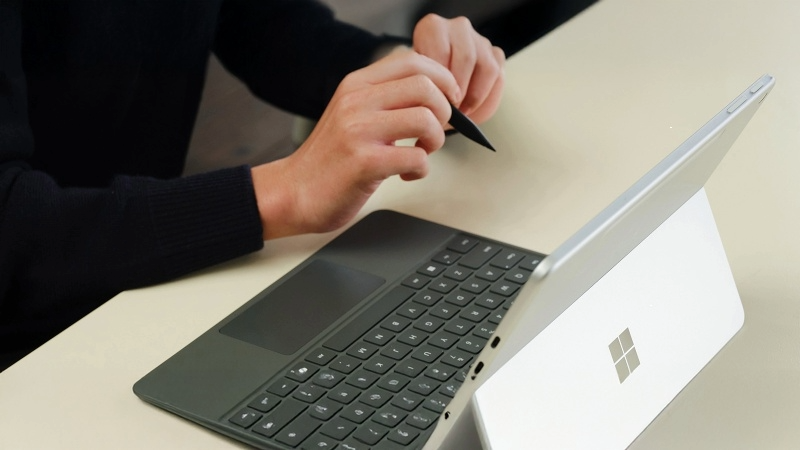
If your goals include amplifying your school’s educational impact and staff productivity, Microsoft Surface Copilot+ PCs can help. Lightweight and portable, available as either 2‑in‑1 or laptop format, there’s a device to suit every staff member, teacher, student and subject. With intelligent, fast processors, and a host of new AI capabilities in Windows 11 Pro and Microsoft 365, they’re built with powerful technology to run AI efficiently, even when they’re offline.
The first difference you’ll notice about Microsoft Surface Copilot+ PCs is the Copilot key, which gives uses one‑tap access to Microsoft 365 Copilot in Windows. An add‑on to your Microsoft 365 Education subscription, Copilot enhances the Microsoft apps you use every day. Tap the Copilot key or click the icon on the top menu bar directly within Teams, Word, Excel, PowerPoint, Forms and Edge.
With two new devices released just this year, Microsoft Surface Copilot+ PCs are even better suited to education environments.
- The new Surface 12‑inch Pro is the thinnest and lightest Copilot+ PC in the Surface line‑up. It weighs in at only 686g and less than 8mm thick.
- The new Surface Laptop 13‑inch also helps to keep backpacks lighter, at only 1.22kg.
- Another bonus for the school environment, Surface Pro 12‑inch features super‑strong magnetic storage and wireless charging port on the back of the device for the Surface Slim Pen.
Incredible battery life helps reduce classroom interruptions – the Surface Laptop Copilot+ PC 13‑inch offers up to 23 hours of local video playback from a single charge. On‑device AI processing through super‑powerful neural processing units (NPUs) providing up to 48 trillion operations per second (TOPS), means these devices won’t bring your network to a standstill.
Need a hand to plan your school’s AI journey? Download the Microsoft Education AI Toolkit
Try these other AI time‑savers
Use digital inking
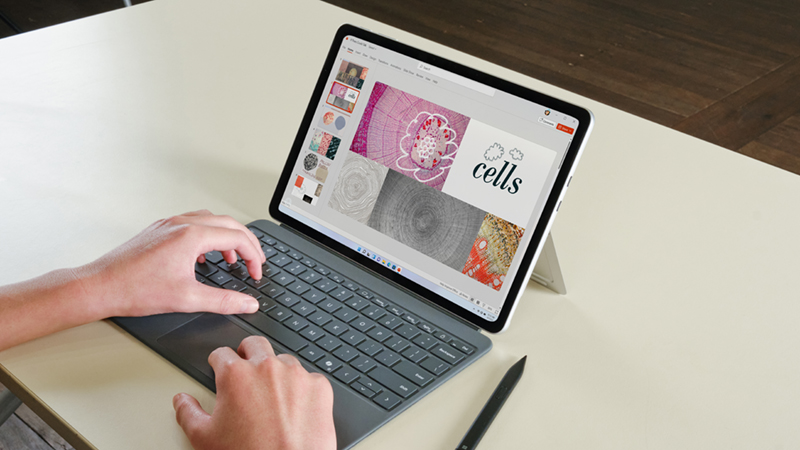
Every Surface Copilot+ PC has a highly responsive touch screen. Add the Surface Slim Pen for a natural way to interact with Microsoft 365 applications like Word, Excel and PowerPoint. Inking capabilities allow for note‑taking, drawing and annotating documents directly on screen. AI‑powered inking can also convert handwritten notes and drawings into digital text that’s both editable and searchable. Discover useful digital inking tips and tricks using Microsoft Surface and AI.
Watch now
Record ideas faster
Surface also uses AI to transcribe your words into text, which provides a natural and intuitive way for you to make notes and record ideas. Open Speech Recognition in Accessories then say “start listening” or click the microphone button in whatever program you want to use.
Keep track of meetings
No need to make arduous notes during meetings. Microsoft 365 Copilot in Teams can record and transcribe the meeting in its entirety, then provide succinct notes and action items.
Enhance online interactions
The AI‑enhanced front‑facing Surface Studio Camera (available in all Microsoft Surface Copilot+ PCs) supports Windows Studio Effects for crystal clear meetings. This technology improves lighting, ensures you appear clear and crisp on video and offers creative filters.
1 The Business Value of Microsoft Surface , IDC, April 2025
2 ‘We’re running a marathon’: influential survey unmasks scale of Aussie teacher workloads , Education HQ, June 2025
Related Posts
Inside the digital learning revolution at Shore
Shore moved to Surface Pros and achieved better learning outcomes, plus the resulting time savings and efficiency benefits for the ICT team and teachers.

Great Southern Grammar: How AI-enabled devices are creating learning without limits
GSG is leading the way in tech-enabled education by being one of the first schools in the country to equip all staff and every student from Year 7 to 12 with AI-enabled Microsoft Surface Copilot+ PCs powered by Snapdragon processors. Thanks to remarkable battery life, students can turn their travel time into learning time.

Canterbury College | Empowering Students to be World Ready
With a commitment to improving the digital learning experience, the move was made to a 1:1 school managed device program. In making the choice of “which device?”, the college looked to Microsoft and Surface. The decision frame centred on digital inking capability, laptop to tablet modality, and seamless integration with Microsoft digital learning staples like OneNote, Teams and SharePoint.