
intro
Game Assist (iuchair Windows+G)
Cuir cùl ri alt-tab le Microsoft Edge Game Assist, a’ chiad brabhsair a dh’obraicheas am broinn geama ’s a chaidh a dhealbhadh airson geamaireachd PC ’s a bheir dhut àrainneachd brabhsaidh làn-tumaidh airson ’s nach bris dad a-steach ort sa gheama. Rùraich an lìon, faigh cothrom air treòirean, cabadaich le do charaidean is mòran a bharrachd, gun chnap-starra sam bith, fhad ’s a bhios tu a’ cluich geama. Tha gach rud a dh’fheumas tu airson an aon sgrìn ach an urrainn dhut d’ aire a chumail air a’ gheama.
overview
Introducing a smarter way to game and browse
what-you-need-in-one-place
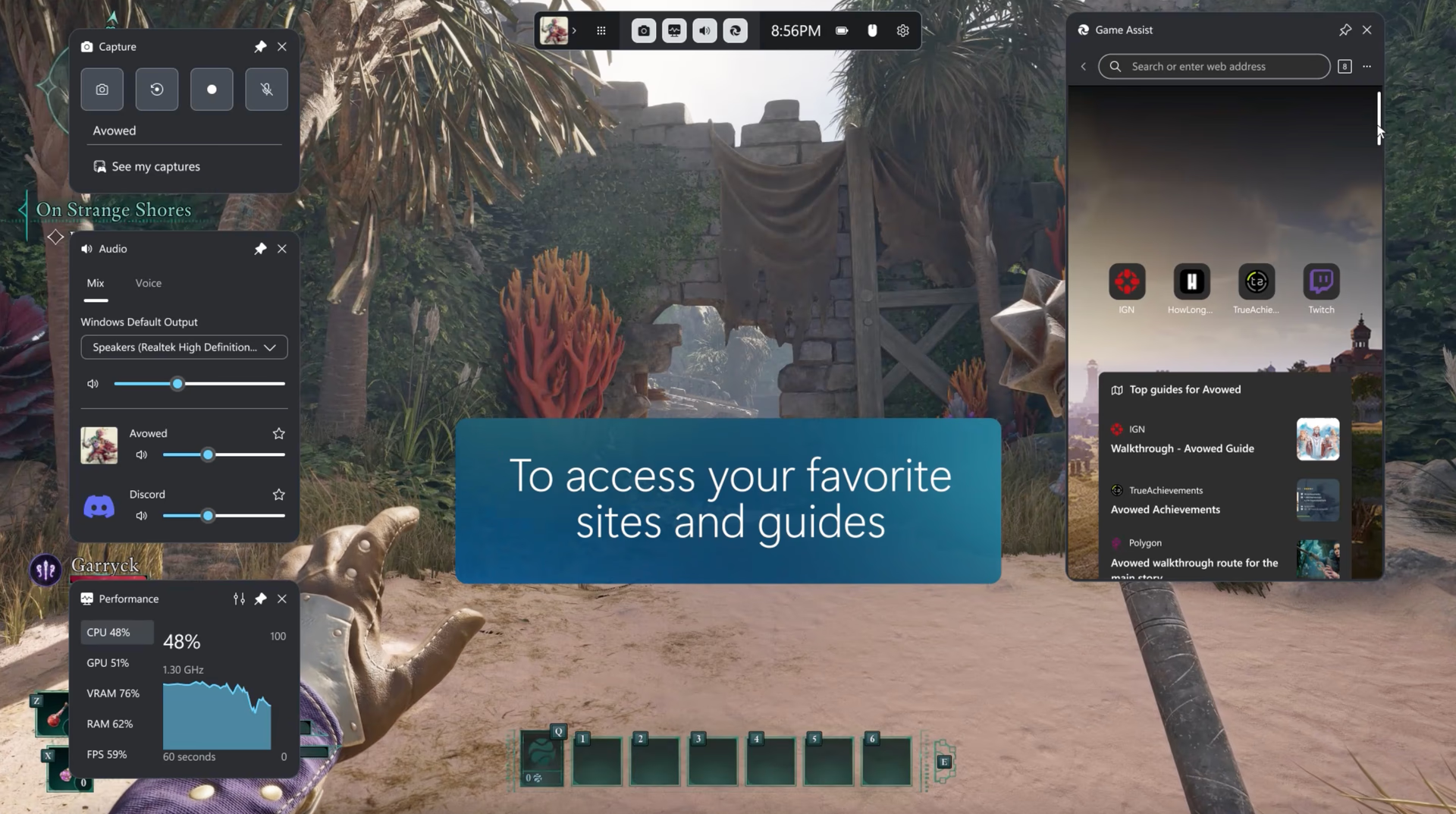
Gach rud a dh’fheumas tu san aon àite
Faigh àrainneachd brabhsaidh slàn le gliocasan geamaireachd, walkthroughs is faigh cothrom air na làraichean as fheàrr leat mar Discord, Spotify no Twitch.
navigate
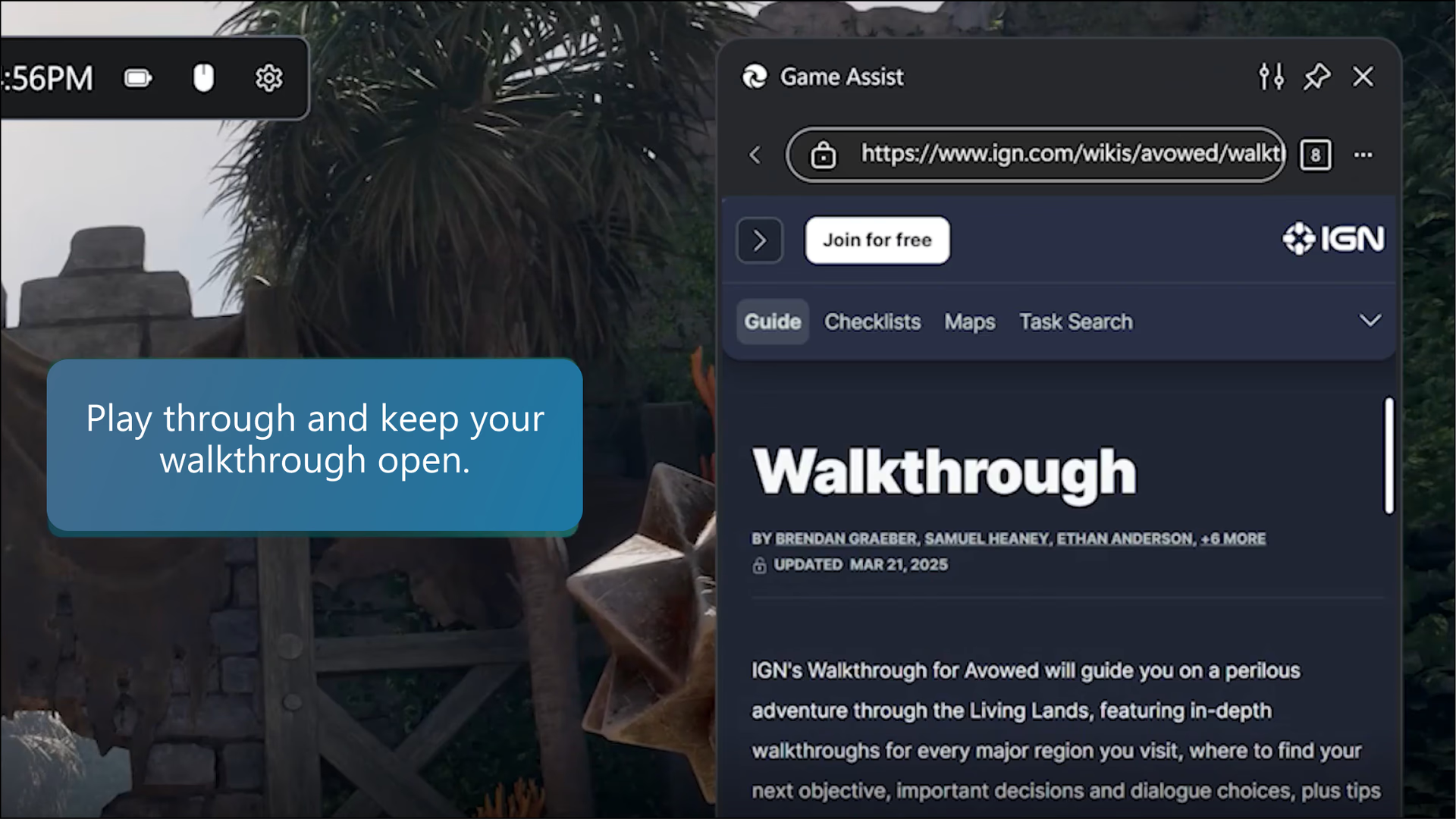
Dèan a’ chùis air leibheil dhùbhlanach
Chaidh Game Assist a làn-amalachadh san t-siostam is tuigidh e dè an geama a tha thu a’ cluich is bheir e dhut gliocasan is treòirean a chuidicheas tu.
multitask
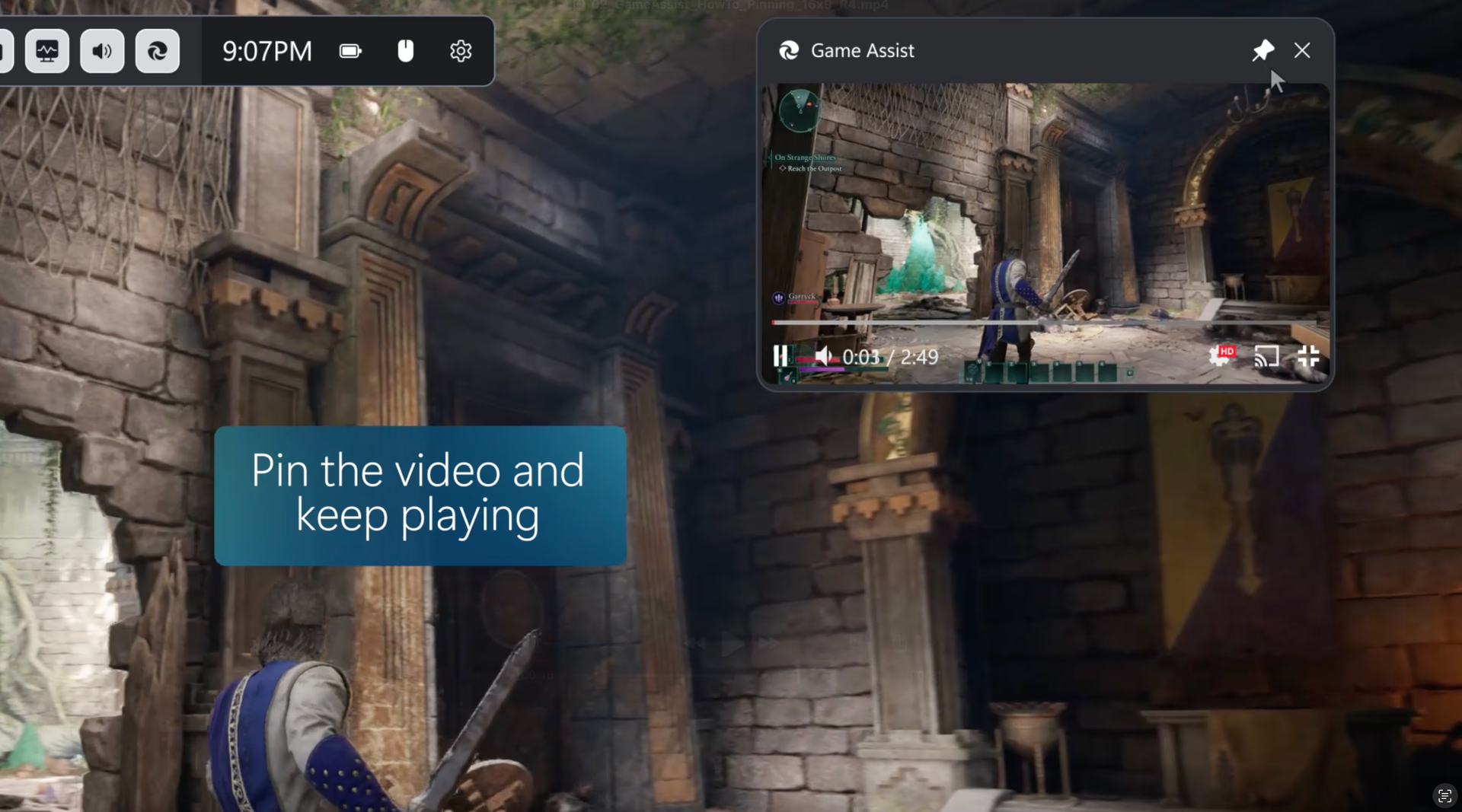
Ioma-shaothrachadh gun duilgheadas
Cùm treòirean video prìnichte fhad ’s a bhios tu ri geama, tadhail air na làraichean as fheàrr leat, cuir air ceòl no cùm suas ri do charaidean gun an geama fhàgail.
tips
Gliocasan is gleusan
Dealbh-san-dealbh
Briog air a’ phutan a chuireas video air an làn-sgrìn is thèid meud Game Assist a chur a rèir meud a’ video gu fèin-obrachail. Agus an uair sin prìnich Game Assist os cionn a’ gheama agad airson treòir a leantainn no taisbeantas a shruthadh mar dhealbh am broinn deilbh is tu a’ cluich geama. ’S urrainn dhut fiù uidheaman-smachd nam meadhanan air a’ mheur-chlàr agad a chleachdadh airson a’ video a chur na stad no a chluich.
Lean treòir sa gheama fhèin
Thoir plathadh air treòir ann an Game Assist is tu a’ dealbhadh ro-innleachd is leig seachad an Game Bar an uair sin is lean air a’ gheama agad. ’S urrainn dhut fiù briogadh air a’ phutan phrìneachaidh airson an duilleag-lìn a chumail os cionn a’ gheama agad is tu a’ leantainn na treòire sa gheama.
Faigh cothrom air na h-annsachdan is an eachdraidh agad
Cleachdaidh Game Assist an aon dàta brabhsair ’s a chleachdas Microsoft Edge air desktop. Dèan grad-lorg sna h-annsachdan is san eachdraidh agad ann am bàr an t-seòlaidh no faigh greim air a h-uile annsachd is an eachdraidh air fad on chlàr-taice “Barrachd” (na trì puingean).
Dèan barrachd le leudachain
Obraichidh mòran dhe na leudachain as fheàrr leat, mar bhlocaichean sanasachd is manaidsearan fhaclan-faire, ann an Game Assist. Cha leig thu leas ach ach an leudachan a stàladh ann am Microsoft Edge air an desktop is bidh e deas ri do làimh ann an Game Assist. Cuiridh Game Assist taic ris a’ mhòrchuid de leudachain a ruitheas air an duilleag-lìn gu fèin-obrachail (can blocaiche sanasachd) no a bheir UI dhut, can airson foirm a lìonadh, no air am faighear greim le briogadh deas (mar mhanaidsear fhaclan-faire) ach dh’fhaoidte nach bi gach gleus an leudachain ri làimh.
Trìd-shoilleireachd shlàn
Cuir trìd-shoilleireachd widget prìnichte Game Assist air gleus le roghainn na trìd-shoilleireachd ann an roghainnean a’ Ghame Bar airson ’s gum bi e nas fhasa an geama fhaicinn air cùlaibh a’ widget agad. ’S urrainn dhut fiù co-dhùnadh an tèid a’ widget fhosgladh ma bhriogas tu air Game Assist ’s e prìnichte no an tèid a “shìneadh air adhart” dhan gheama.
Meud foirfe dhan gheama agad
Atharraich meud Game Assist no gluais mun cuairt air an sgrìn e ach am bi e far a bheil feum agad air ann an geama. Tha a mheud tùsail iomchaidh nar beachd airson ’s nach bi e an rathad a’ gheama.
faqs
Ceistean àbhaisteach
Yes! Game Assist will work with any PC game, ensuring your in-game browser is always just a click away. Game Assist makes it easy to find help by allowing you to quickly fill in the name of the game you’re playing with Ctrl+G or by right-clicking and selecting Paste game title, and for enhanced games you’ll see tips and guides for your game on new tabs. For a list of all enhanced games, please refer to this support page.
Press the Windows key icon (Windows key) + G to open Game Bar and access Game Assist. Make sure you also have the most recent Edge and Windows 11 updates.
Game Assist supports tips and guides for many of the most popular games and hottest new releases, and additional games are being added on a regular basis. For a list of all enhanced games, please refer to this support page.
Game context is provided to all Game Bar widgets. You can control which widgets have access to this data in the Game Bar settings.
Game Assist comes included with Microsoft Edge 137+ on Windows 11 Home, Education, and Pro and requires the most recent updates for Game Bar and Windows 11 (22H2+ with the most recent updates). You can also install Game Assist on any edition of Windows 11 by going to Settings and more (ellipsis) in Microsoft Edge and searching for Game Assist.
Tha. Tha Game Assist ri làimh air a’ Ghame Bar agus is urrainn dhut an Game Bar a chleachdadh ri taobh tar-chòmhdachadh sam bith eile. Cha leig thu leas ach iuchair Windows + G a bhrùthadh airson an Game Bar fhosgladh.
No, Game Assist is optimized for PC gaming, so your tabs on the desktop do not automatically appear in Game Assist (or vice versa). This ensures the best possible performance for your game. With shared browsing history and cookies, however, it’s easy to get back to the sites you care about.
Game Assist is powered by Microsoft Edge and shares the same backend and settings, including browser profiles and profile data, extensions, and more. You can manage these options by selecting Settings in Game Assist’s More options (ellipsis) menu to open the Microsoft Edge settings on the desktop. Please note that Game Assist’s UI has been optimized for PC gaming, so many settings in Edge desktop do not apply to Game Assist.
We’ve worked hard to ensure that Game Assist will not negatively impact the performance of your game. Running any application on your computer while gaming will have some impact on system resource usage, but we’ve optimized the experience as much as possible to be more performant than switching to a browser on your desktop.
Game Assist is designed to work with Game Bar’s Compact Mode on PC and handhelds. We are continuing to refine the experience, so please send us feedback by selecting Send Feedback in the More options (ellipsis) menu.
Game Assist is optimized for use with a keyboard and mouse. We are continuing to refine the experience with a controller, so please send us feedback by selecting Send Feedback in the More options (ellipsis) menu.
Game Assist supports most extensions that automatically run on the webpage (like ad blockers) or expose UI via form fills or the right-click menu (like password managers), but some extension features may not be available. Extensions can be installed and managed using the desktop version of Microsoft Edge. Please continue to send us feedback by selecting Send Feedback in the More options (ellipsis) menu.
Yes! By default, Game Assist connects with the Stable channel of Microsoft Edge which comes included with Windows. To use Game Assist with an Insider channel like Canary, Dev, or Beta, simply set that channel as your default browser and then restart Game Assist.
- * Dh’fhaoidte gum bi diofar ghleusan ri làimh agus gun dèan iad rudan beagan eadar-dhealaichte a-rèir an uidheim, na margaid agus tionndadh a’ bhrabhsair.