
Accessible accessories
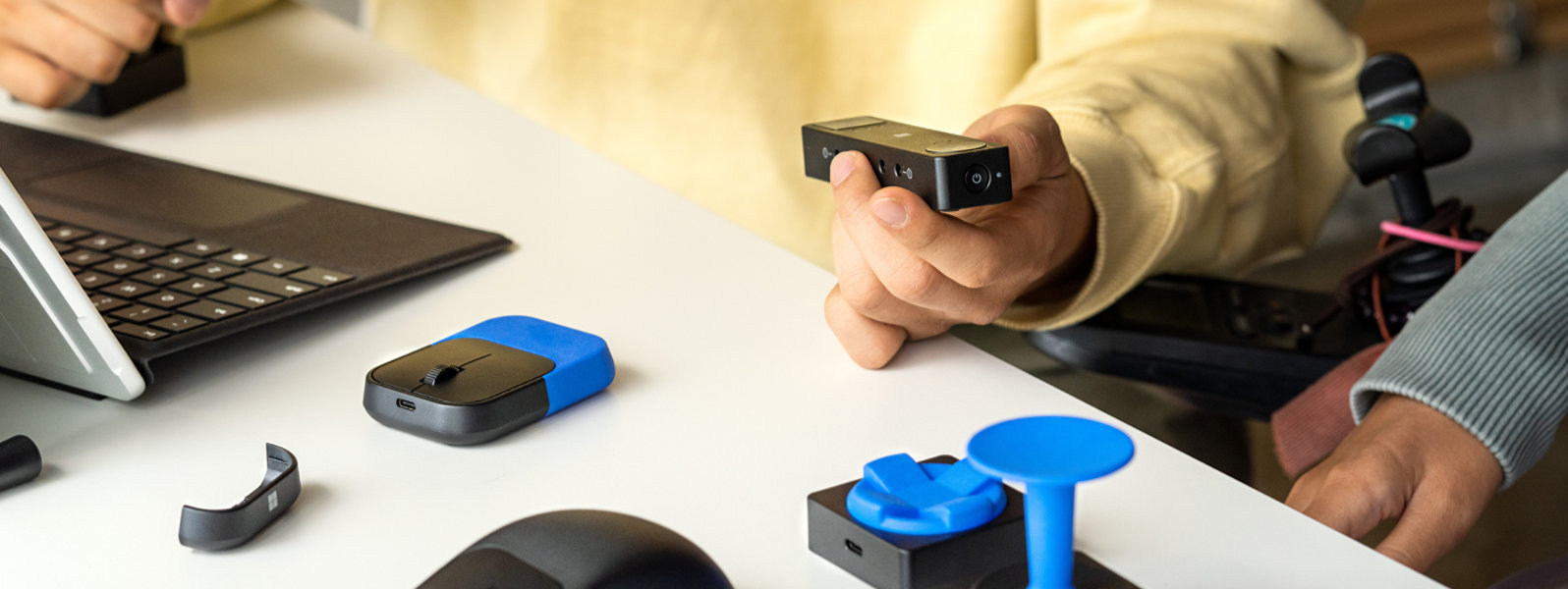
Microsoft Adaptive Accessories
Need help choosing an accessible accessory?
Get quick, personalised guidance powered by AI
Accessible by design

XBOX Adaptive Joystick

Customize your Surface Pen

Microsoft Adaptive Mouse

Microsoft Adaptive Mouse Tail and Thumb Support

Microsoft Adaptive Hub

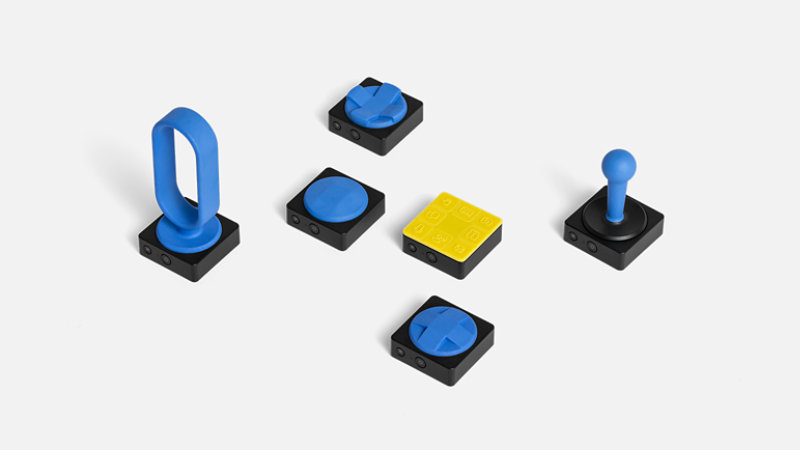
Microsoft Adaptive D-pad Button

Microsoft Adaptive Joystick Button

Microsoft Adaptive Dual Button
3D printing to make it yours
Shop other products

XBOX Adaptive Joystick
AU$44.95
Refine your gaming experience with the configurable, wired XBOX Adaptive...
Microsoft Adaptive Mouse Tail and Thumb Support
AU$26.95
Attach this mouse tail and thumb support to Microsoft Adaptive Mouse (sold separately...
Microsoft Adaptive Hub
AU$179.95
Augment traditional keyboards and create custom inputs with Microsoft Adaptive Hub...
Microsoft Adaptive D-pad Button
AU$109.95
Connect Microsoft Adaptive D-pad Button to Microsoft Adaptive Hub (sold separately).1...
Microsoft Adaptive Dual Button
AU$109.95
Connect Microsoft Adaptive Dual Button to Microsoft Adaptive Hub (sold separately...
Surface Adaptive Kit
AU$24.95
Introducing a kit that makes it easier to use and navigate your Surface PC. Identify...
Microsoft Adaptive Mouse
AU$124.95
Meet the adaptable mouse that’s accessible by design. Personalize by attaching the...
Microsoft Adaptive Joystick Button
AU$109.95
Connect Microsoft Adaptive Joystick Button to Microsoft Adaptive Hub (sold...
Why shop at Microsoft Store

Fast, free shipping

Free 60-day returns

Get it now, pay later

90 days free support
Price Promise
Valid on purchases of physical products made at Microsoft Store online with a valid Microsoft Account for 60 days from the date the customer receives the product (“Offer Period”). Excludes Surface Hub, and Windows DevKit. Customer is eligible only if price of the purchased product is reduced during the Offer Period and in stock. For purchases from Microsoft Store, contact Microsoft Store Sales and Support with your Microsoft Account information and any other information requested by a representative. Price adjustment will be provided in same manner as purchase method. Limit 1 price adjustment per product. Price adjustments apply only to purchase price and do not include taxes, shipping or other fees. Microsoft reserves the right to modify or discontinue offers at any time.
-
Returns
Available with eligible physical products purchased from Microsoft Store online. Return process must be started within 60 days after customer receives the product. Limit 5 product returns per eligible customer purchase. Excludes Surface Hub, and Windows DevKit. Applicable return policy applies. For purchases made at Microsoft Store, see applicable Microsoft Terms of Sale for more information. Microsoft reserves the right to modify or discontinue offers at any time.