


Windows Dev Kit 2023
New to Azure? Get equivalent to USD $200 Azure credits and start your free trial now.Check your eligibility
Shop for you business at Microsoft Store
Find the best of Surface at Microsoft Store: free standard shipping and returns, price promise, trade-in, advanced exchange and more.Learn more about our Store promise
£579.00 incl. VAT
Out of stock
Accelerate your Arm development
Introducing a developer-class desktop device to build, debug and test native Windows apps for Arm.
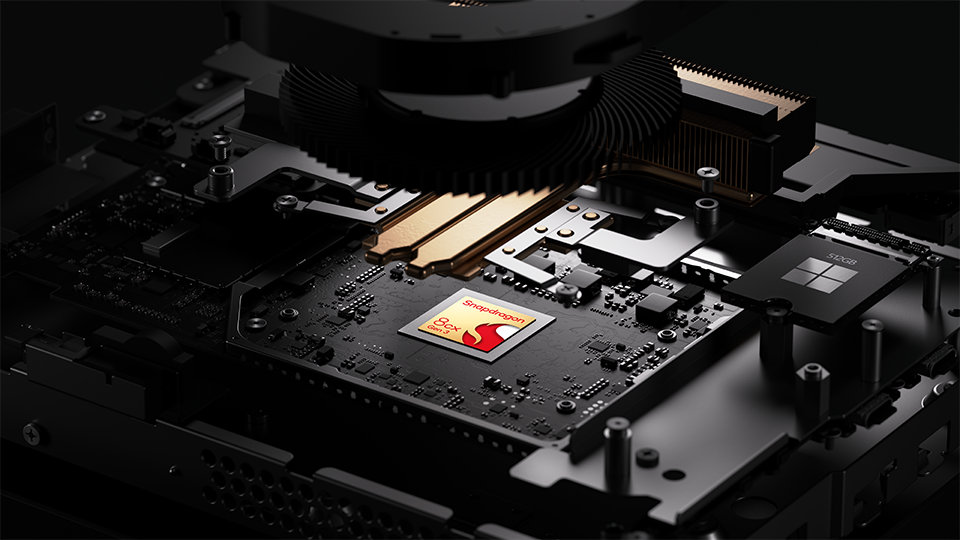
Built for developers
Windows Dev Kit 2023 is built for developer workloads with the Snapdragon® 8cx Gen 3 compute platform.1 It’s also designed to deliver incredible value with 32 GB RAM and 512 GB fast storage for your developer tools, virtual machines, WSL2 and more.
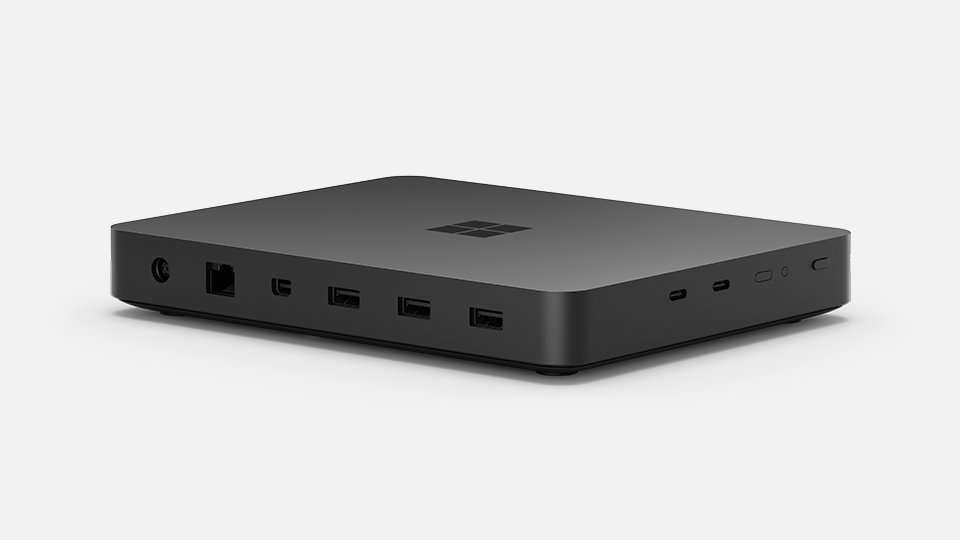
Easy and flexible connectivity
Multiple USB-A and USB-C® ports, Wi-Fi and physical Ethernet let you easily connect to your devices, displays and networks.
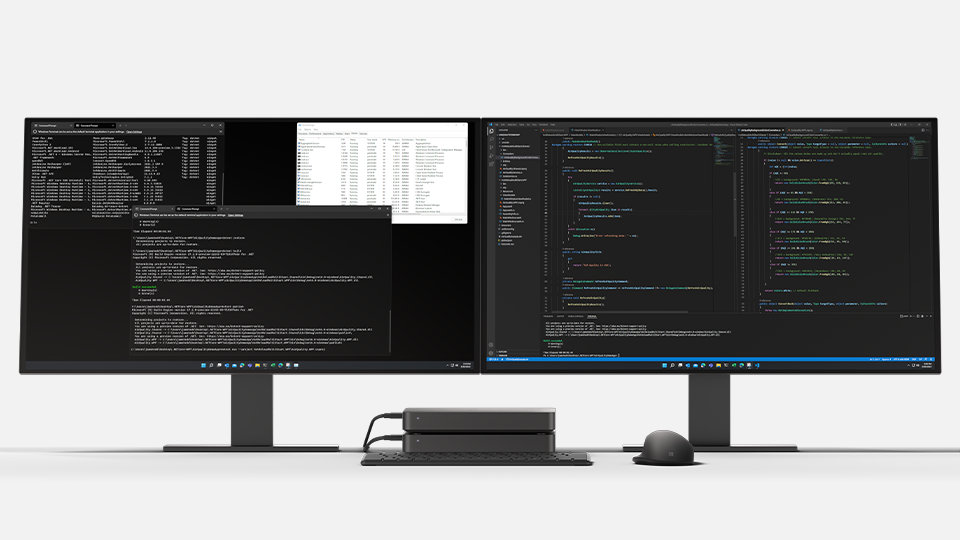
Small but mighty
Use a single kit as a dev machine or stack multiple kits for efficient testing and maximum CPU performance.

Develop at scale

NPU-powered AI

Made with 20% recycled ocean plastic

Meet with a business product expert

Install native Arm64 toolchain

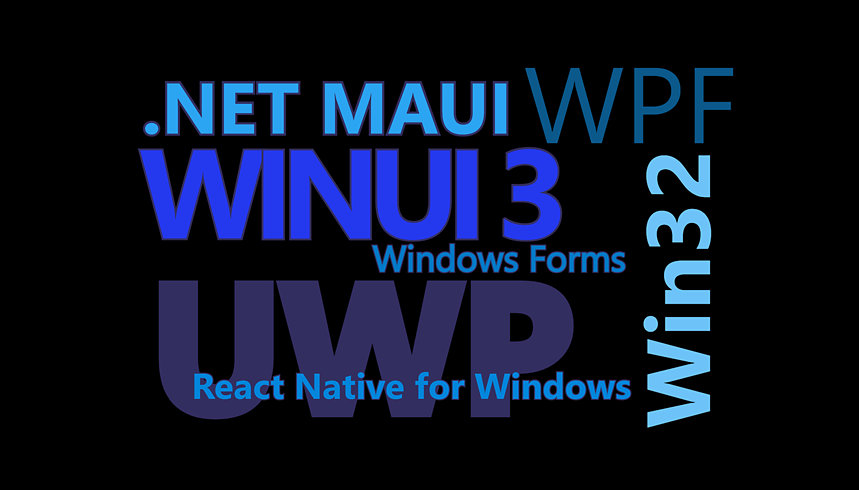

Why shop for your business at Microsoft Store?

Buy more, save more

Instant software downloads

Shop with confidence
Free delivery and returns: Excludes Surface Hub 2 and HoloLens 2.
[1] Snapdragon is a product of Qualcomm Technologies, Inc. and/or its subsidiaries.
[2] Recycled ocean plastic is made with plastic waste that is recovered from oceans and waterways, cleaned and processed into recyclable plastic resin pellets.
USB Type-C® and USB-C® are registered trademarks of USB Implementers Forum.
Tech Specs
Dimensions |
196 mm x 152 mm x 27.6 mm (8 inches X 6 inches X 1.1 inches)
|
Memory |
32 GB LPDDR4x RAM
|
Processor |
Snapdragon® 8cx Gen 3 compute platform
|
Security |
sTPM
|
Software |
Windows 11 Pro
|
Weight |
960 g
|
What’s in the box |
Windows Dev Kit 2023
PSU Box PSU Cable Warranty and Compliance Guide |
Storage |
512 GB fast NVMe Storage
|
Graphics |
Qualcomm® Adreno™
GPU, Snapdragon™ 8cx Gen 3 |
Connections |
2x USB-C USB3.2 Gen 2
3x USB-A USB3.2 Gen 2 Mini Display Port (supporting HBR2) connecting to primary monitor Ethernet Port (RJ45) |
Wireless |
Wi-Fi 6
Bluetooth 5.1 |
Exterior |
Materials: Shell made with 20% recycled ocean plastic
Colour: Black Physical buttons: Power button, boot button and UEFI button |
Warranty1 |
1-year limited hardware warranty
|
Frequently asked questions
-
Today, if a developer wants to build an app that targets Arm, they generally write their code and build the app binaries on a x64 Windows PC, and then copy the built binaries over to an Arm device upon which to run or test the app. If they need to debug the app, they have to hook up a remote debugging session from their x64 PC.
Windows Dev Kit 2023, as an Arm-powered device powered by the Snapdragon® 8cx Gen 3 compute platform, will enable Windows developers to build, test and debug Arm-native apps alongside all their favourite productivity tools, including Visual Studio, Windows Terminal, WSL, VSCode, Microsoft Office and Teams. -
Enterprise developers will be able to enjoy developer workflow that is just as effective and efficient as what they are used to today.
By using these Arm-native tools, enterprise developers will be able to build apps and experiences that natively target Arm devices. -
Windows Dev Kit 2023 will have the following ports:
- 2x USB-C USB 3.2 Gen 2
- 3x USB-A USB 3.2 Gen 2
- Mini Display Port (supporting HBR2) connecting to primary monitor
- Ethernet Port (RJ45)
-
Windows Dev Kit 2023 has a power button and UEFI button.
-
You will be able to rack and stack these devices in your own on-site dev and test labs. You can stack up to 2 devices for efficient testing.
-
We strongly recommend the following instructions:
- Plug in attached PSU whenever possible (to minimise SPU fuse burnout and Bitlocker function in the long run)
- Use Mini DP as primary display port (display connected to USB-C ports will not have UEFI boot menu on screen and takes longer for screen to light up)
- Use Active Mini DP to HDMI dongle if connecting to display via HDMI
-
Windows Dev Kit 2023 device, PSU Box, PSU Cable, Warranty & Compliance Guide
-
The Arm64 version of Visual Studio 2022 Preview was recently released which, along with .NET7, will be available by end of year 2022. Additional Arm-native tools will be released in the coming months.
-
- IDEs
- VSCode (Available now)
- Visual Studio 2022 (now in preview, will be available by end of year 2022)
- Tools
- WinDBG
- Git
- Libraries
- VC++ Runtime Libraries (Now in preview)
- Many OSS libraries are and will be ported to natively target Arm64
- Runtimes & Frameworks
- .NET 6 (Available now)
- .NET 7 (now in preview, will be available by end of year 2022)
- OpenJDK Java (Available now)
- Python, Node JS (Porting underway)
- CLANG/LLVM, GCC (Porting underway)
- Cloud services
- Azure Arm VMs (Available now)
- Stand-alone Runner Agent (Details coming late summer 2022)
- GitHub & Azure DevOps cloud hosted CI/CD (Details to follow)
- IDEs
-
You can install:
- VSCode from the command line via:
winget install Microsoft.VSCode - Visual Studio 2022 Preview or from the command line via:
winget install Microsoft.VisualStudio. 2022.Community-Preview - VC++ Runtime Libraries (Now in preview)
- .NET 6 (Available now)
- .NET 7 (now in preview, will be available by end of year 2022)
- OpenJDK Java (Available now)
- Arm Azure VMs Preview the link in this post: Arm Azure VMs
Other tools will follow when they become available.
- VSCode from the command line via:
-
Yes, you can install VSCode and Visual Studio 2022 Preview using the instructions above, and you can install many other tools which should work via emulation and will work better when they are fully ported to natively target Windows on Arm in the future.
-
When we use the term “inferencing” in context of Artificial Intelligence, we’re referring to the process of running or executing a trained neural network model in order to make a prediction. Hybrid inferencing describes the ability to run these trained models on either “the edge” (locally on a physical device) or in “the cloud” (remotely in an Azure VM). The ability to do either is a powerful concept as the cloud gives us advantages such as infinite size and compute, whereas the edge can be advantageous when it comes to latency, economics and security.
-
Windows Dev Kit 2023 is a Windows development kit powered by the Snapdragon® 8cx Gen 3 compute platform. This is a device built by Microsoft and like many of our devices such as Xbox, HoloLens, Microsoft PC accessories and Microsoft Adaptive Accessories, it is not branded as Surface.
-
Our goal is to empower developers to create how they want, from AI to web to native apps and from cloud to client. With software like Windows 11 and hardware like Windows Dev Kit 2023, there is no limit to what developers can do.
-
The Azure free account is available to all new Azure customers who haven't previously had an Azure free account and received a $200 credit.
-
You can apply your credit to try services that are not in the free list, or to use more than your free amounts of any services.
-
No. Starting is free. You won't be charged anything unless you decide to move to pay-as-you-go pricing.