

Microsoft Wireless Display Adapter
For special business and EDU institute pricing, call us on 0800 800 004 Monday to Friday, 8:00 a.m. to 6:00 p.m.
Microsoft Wireless Display Adapter is currently not available.
Out of stock
Free standard delivery. Free returns.
See it all on your big screen

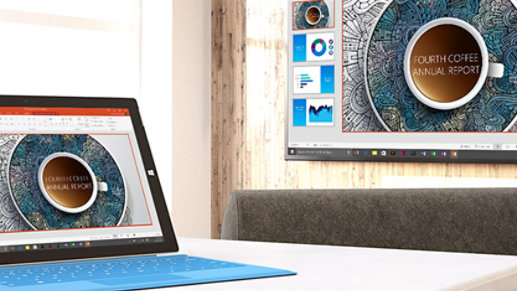
Modernise your meetings

Wi-Fi CERTIFIED Miracast technology

Easily connect
More products coming soon
Why shop at Microsoft Store

Instant software downloads

Fast, free shipping

Free returns

We're here to help
Microsoft Store Offer Terms
Offers available for a limited time, while supplies last. Availability and pricing vary by location. Offers may not be combined. Other exclusions and limitations may apply. Not valid on prior orders or purchases; cannot be transferred or redeemed. Microsoft reserves the right to modify or discontinue any offer at any time.
Price Promise
Valid on purchases of physical products made at Microsoft Store online with a valid Microsoft Account for 60 days from the date the customer receives the product (“Offer Period”). Excludes Surface Hub, and Windows DevKit. Customer is eligible only if price of the purchased product is reduced during the Offer Period and in stock. For purchases from Microsoft Store, contact Microsoft Store Sales and Support with your Microsoft Account information and any other information requested by a representative. Price adjustment will be provided in same manner as purchase method. Limit 1 price adjustment per product. Price adjustments apply only to purchase price and do not include taxes, shipping or other fees. Microsoft reserves the right to modify or discontinue offers at any time.
Returns
Available with eligible physical products purchased from Microsoft Store online. Return process must be started within 60 days after customer receives the product. Limit 5 product returns per eligible customer purchase. Excludes Surface Hub, and Windows DevKit. Applicable return policy applies. For purchases made at Microsoft Store, see applicable Microsoft Terms of Sale for more information. Microsoft reserves the right to modify or discontinue offers at any time.
Dimensions |
4.07 x .87 x .43 in (103.5 x 22.0 x 11.0 mm) exclude length 11.8 in (300 mm) cable length
|
Weight |
1.17 ounces (33.1 grams)
|
Color |
Dark titanium
|
Connector type |
HDMI (powered through USB)
|
Compatibility |
Surface devices, including Surface Laptop 5, Surface Studio 2+, Surface Pro 7+, Surface Pro 8, Surface Book, Surface Laptop, Surface Pro, Surface Pro 4, Surface 3, Surface Pro 3, Surface 2, Surface Pro 2, and other Miracast enabled.
Windows 11 Home/Pro/Windows 10/Windows 8.1 devices.* Full functionality not available with non-HDCP devices. |
Windows app support |
Supported Platforms – X86, X64 and ARM, with Windows 11 Home/Pro, Windows 10, and Windows 8.1+ operating system
Software Localization: Microsoft Wireless Display Adapter app may be installed from Windows Store in Traditional Chinese, Simplified Chinese, Dutch, Danish, English, French, French Canadian, German, Italian, Japanese, Korean, Portuguese Portugal, Finish, Norwegian, Swedish, Thai, Spanish Spain or Spanish Latin America. If available, the app will be installed in the default OS language. Otherwise, the English language version will be installed. |
Features |
|
Country of manufacture |
People's Republic of China
|
ISO 14001 qualified manufacturer |
Yes
|
Restriction on hazardous substances |
This device complies with all applicable worldwide regulations and restrictions including, but not limited to: EU directive 2002/95/EC on the Restriction of the Use of Certain Hazardous Substances in Electrical and Electronic Equipment and EU Registration Evaluation and Authorization of Chemicals (REACH) regulation regarding Substances of Very High Concern.
|
FCC ID |
This device complies with part 15 of the FCC Rules and Industry Canada ICES-003. Operation is subject to the following two conditions: (1)This device may not cause harmful interference, and (2)this device must accept any interference received, including interference that may cause undesired operation. Tested to comply with FCC standards. For home and office use. Model number: 1733, Microsoft Wireless Display Adapter. FCC ID: C3K1733.
|
Windows Certification Kit (WCK) |
ID: 1784646 Windows 10 (64-bit) and 8.1 (64-bit)
|
Warranty |
1-year limited warranty
|