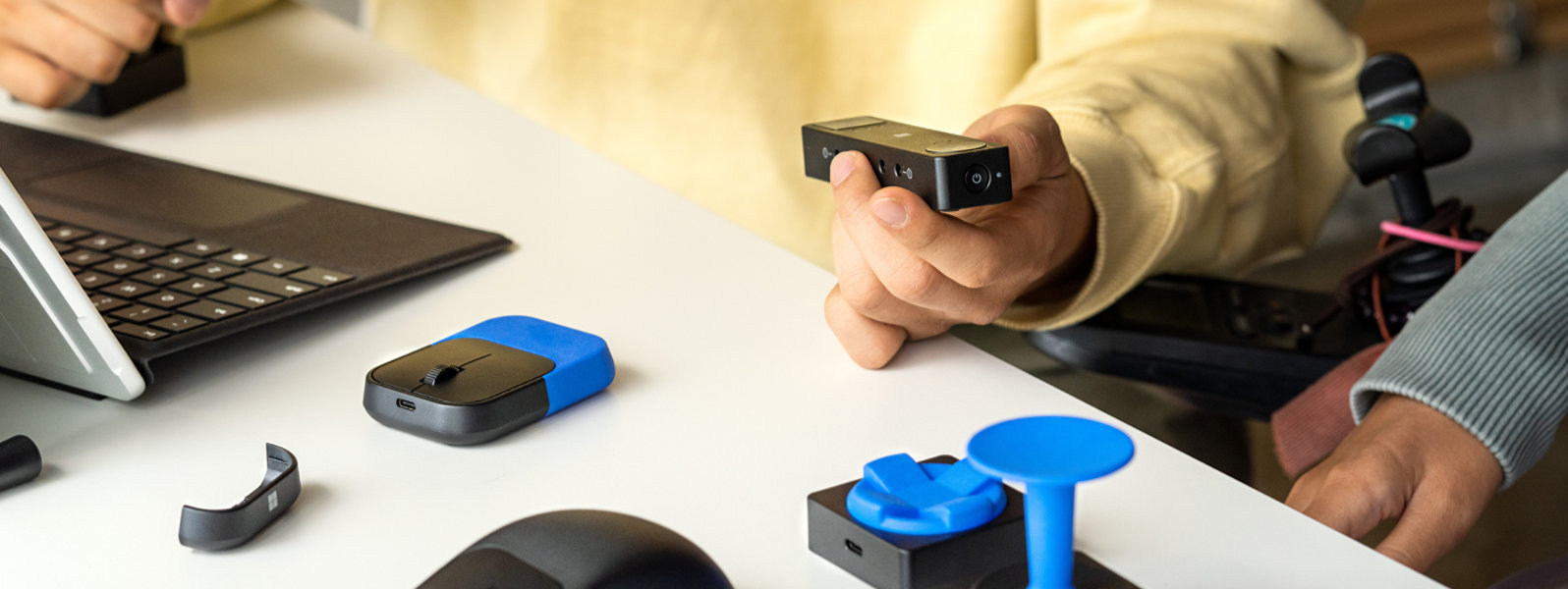
Discover a mouse you can customize and an adaptable hub that augments traditional keyboards. Unique mouse attachments and inputs let you create a system that truly works for you.
Microsoft exclusive
XBOX Adaptive Joystick
Game your way with a configurable controller designed for accessibility.
Customize your Surface Pen
Adapt your pen with 3D- printable designs from Microsoft,* designed to support creativity and productivity for users with limited mobility.
Microsoft Adaptive Mouse
Use the mouse core by itself as a comfortable, compact mouse. Connect wirelessly to up to three devices or via USB-C connection.
Microsoft Adaptive Mouse Tail and Thumb Support
Attach a Microsoft Adaptive Mouse Tail to the mouse core for a traditional experience. The thumb support accessory goes where you want, switching sides for left or right handedness.
Microsoft Adaptive Hub
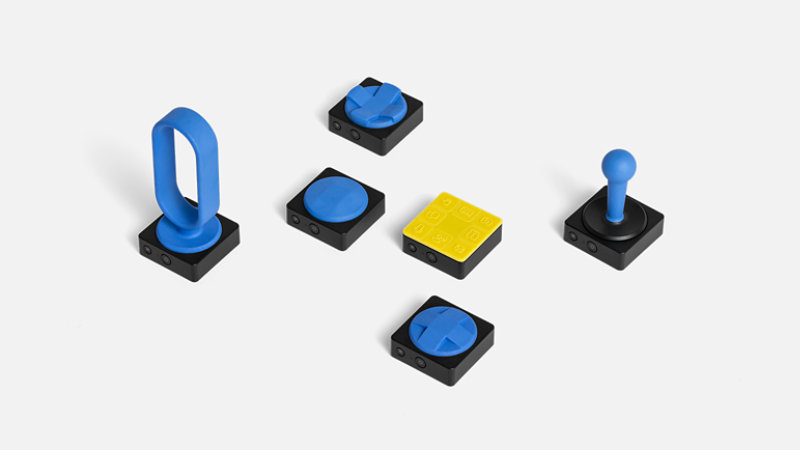
Microsoft Adaptive Hub connects to up to three devices wirelessly or via USB-C—and connects wirelessly to up to four Microsoft Adaptive Buttons.
Microsoft Adaptive D-pad Button
Pair the Microsoft Adaptive D-pad Button with the Microsoft Adaptive Hub to suit your specific needs, and program sequence macros to simplify complex tasks on a PC or phone.
Microsoft Adaptive Joystick Button
Pair the Microsoft Adaptive Joystick Button with the Microsoft Adaptive Hub to suit your specific needs, and program sequence macros to simplify complex tasks on a PC or phone.
Microsoft Adaptive Dual Button
Pair the Microsoft Adaptive Dual Button with the Microsoft Adaptive Hub to suit your specific needs, and program sequence macros to simplify complex tasks on a PC or phone.
3D printing to make it yours
Mouse tails and button toppers can be replaced with your choice of 3D-printable designs from Microsoft.*
Attach this mouse tail and thumb support to Microsoft Adaptive Mouse (sold separately...Select Microsoft Adaptive Mouse Tail and Thumb Support for more information.
We’ll ship your order for free. No minimum purchase required.
Free returns
Return almost any product in like-new condition in its original packaging within 30 days. Get up to 60 days for Surface devices.
Instant software downloads
Install most apps and software, like Microsoft 365, Windows, and Xbox games, via digital download.
Questions? We've got answers.
Get one-on-one support any time via chat or phone, or find answers fast with common FAQs.
*3D-printable designs from Microsoft do not include or require a permanent change to or opening an accessory; such actions will void the accessory's warranty. Microsoft does not guarantee that these 3D-printable designs will work for everyone. Use these 3D-printable designs at your own risk. Microsoft is not responsible for any damage resulting from the use of these 3D-printable designs. 3D printing services are provided and warrantied exclusively by the service provider. Microsoft is not responsible for the performance of any third-party service providers, or their compliance with applicable regulatory, compliance, safety or any other requirements.