

AI-powered protection that acts at machine speed.

Microsoft Perception


Multi-agent defense
- Attackers now move at machine speed, and defense has to match it. Microsoft Perception orchestrates red, blue, and green team agents as one team: red agents simulate attacks, blue agents detect and triage, and green agents remediate and harden. Agents share intelligence across tools and workflows, so a finding moves straight to a fix, with fewer handoffs and less repeated analysis.
- Security value is measured in outcomes, not completed tasks. Perception runs comprehensive playbooks that orchestrate teams of agents towards a security outcome, grounded in agent-ready context, informed by Microsoft Threat Intelligence and broad signals across Microsoft Security.
- Autonomous defense scales only when you trust it enough to turn it on. Microsoft Perception inherits your existing governance and compliance policies, runs agents with least-privilege access, and asks for approval before critical actions. Every agent action is logged and auditable, so your team delegates with confidence and stays in control.


Inside Microsoft Perception
Repeatable security outcomes
Red, blue, & green agents
Orchestration and governance for agents
Purpose-built cyber models
Agent-ready security context
From signal to action across your estate

Meet your team of red, blue, & green agents

What customers are saying


Agentic system in action

Pricing overview


Frequently asked questions
-
Microsoft Perception is an agentic system that brings a team of specialized AI agents to reason over your security data, tools, and workflows – delivering continuous, proactive defense with a human in control of every critical decision.
-
Microsoft Perception includes red, blue, and green agents; playbooks that coordinate agents toward a security outcome; purpose-built models, including the MAI-Cyber family; and an orchestration harness. These build on agent-ready security context and on signals, sensors, and actuators across Microsoft Security.
-
Microsoft Perception is an agentic system where specialized agents coordinate and act across your estate: AI that acts. Microsoft Security Copilot is a generative AI-assisted chat interface: AI that assists. They're complementary and priced separately.
-
An agentic security system uses AI agents to perform tasks autonomously or work together through coordinated workflows, using shared context to achieve security outcomes.
-
Red agents identify exploitable weaknesses, blue agents investigate threats, and green agents prioritize security risks and recommend actions to strengthen defenses.
-
Agentic security helps you investigate threats faster by automating repetitive tasks, correlating security signals, and coordinating response workflows.
-
You stay in control through role-based permissions, policy guardrails, human approval for high-impact actions, and auditable agent activity.
-
Start with focused, low-risk security use cases. Set clear policies and approval requirements, monitor agent activity, and expand automation as confidence grows.
-
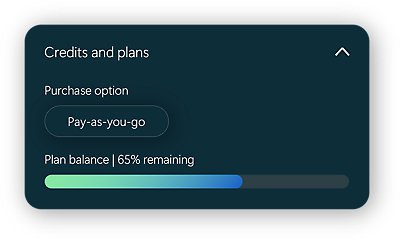
Microsoft Perception uses consumption-based pricing, with two ways to purchase: Pay-as-you-go or via the AI Flex plan. If you have an active Microsoft Azure Consumption Commitment (MACC), your pay-as-you go and AI Flex Plan usage counts toward it.
-
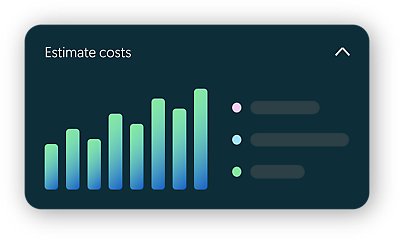
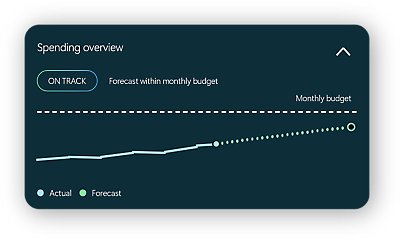
Perception comes with a cost estimator tool that customers can access at set up or at any time while using the product. You can access the usage dashboard in the Defender portal under Setup & configuration > Microsoft Perception. This shows spend and outcomes delivered across agents, playbooks and users. You can also set a budget and track spend against it.
- AI Flex Plan is a new, simpler way to buy services across the Microsoft AI portfolio. It’s one commitment you can use across eligible Microsoft AI services, including Microsoft Foundry, Microsoft Copilot, GitHub Copilot, Microsoft Perception, Microsoft Security Copilot, and Microsoft IQ. You can shift your usage between AI services as your priorities change.
Choose a 1- or 3-year term and pay monthly or up front.


Siga a Segurança da Microsoft