

Microsoft 365 Premium
Microsoft Corporation
For PC, Mac, iPhone, iPad, and Android phones and tablets
Up to 6 TB of cloud storage (1 TB per person)
For one to six people
- For one to six people (AI for subscription owner only)
- Sign into five devices at once
- Use on PCs, Macs, phones & tablets
- Up to 6 TB of secure cloud storage (1 TB per person)
- Productivity apps with Microsoft Copilot
- Extensive usage for select Copilot features
- Access to Copilot features currently exclusive to Premium
- Use Copilot in select apps with work files in a secure way
- Extensive usage to create and edit AI images
- Video editor with 4K export, brand kits, filters, and effects
- Data and device security
- All-day video calling and Copilot in Teams
CAD $270.00/year
Subscription automatically renews at the regular price and selected term, unless cancelled in Microsoft account. See Microsoft Store Terms of Sale.
See other Microsoft 365 options
Key benefits

For up to six people

Works across multiple devices

6 TB of cloud storage (1 TB per person)

For Windows, macOS, iOS, and Android
Microsoft 365 highlights

Research with ease
Transform your professional and personal ideas into epic starting points. From brainstorming the basics to deeply researching the details, get AI-powered1,2 tips, suggestions, and insights to help take your thoughts to the next level.
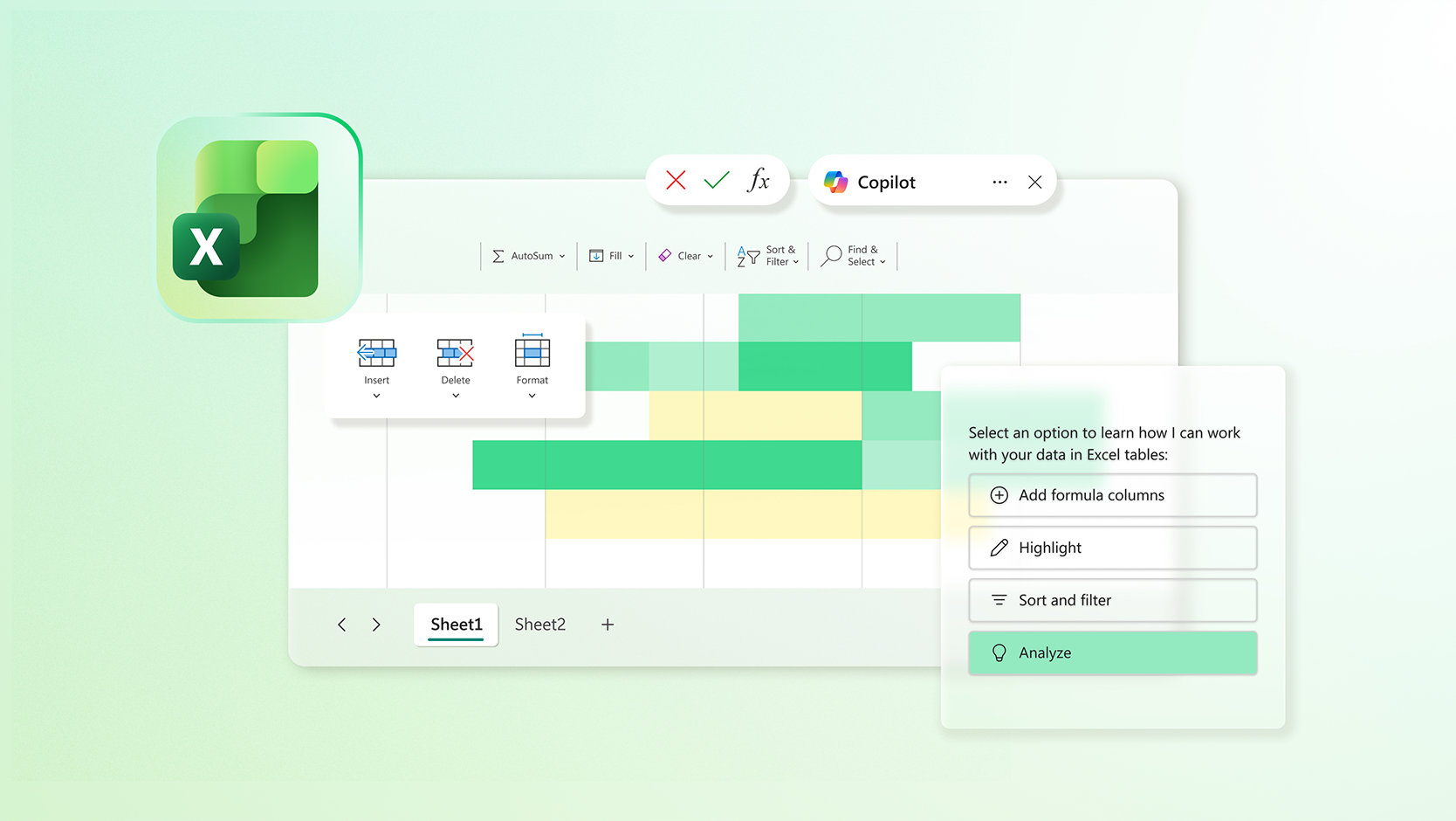
Plan with precision
Turn your brainstorms and research results into functional plans. With Copilot,1,2 effortlessly analyse data and organise your ideas to tackle everything from important work to personal budgets, home projects, and school assignments with greater clarity and ease.
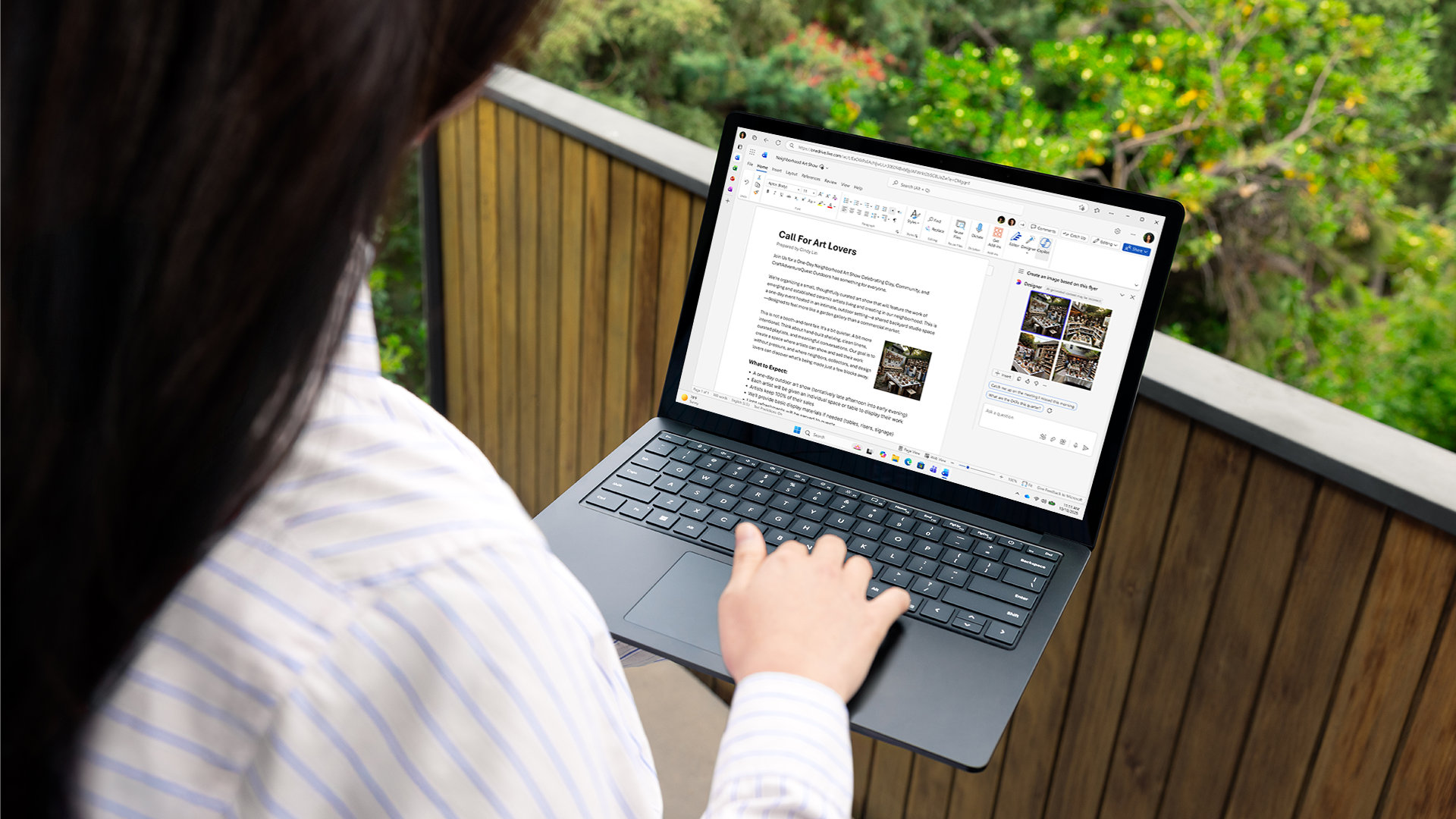
Create with confidence
Go from to-do to done easier than ever. Turn organized plans into actionable outputs with Microsoft 365 and Copilot.1 Generate, edit, enhance, and polish everything from professional emails, documents, and spreadsheets to images, presentations, and shareable videos.2
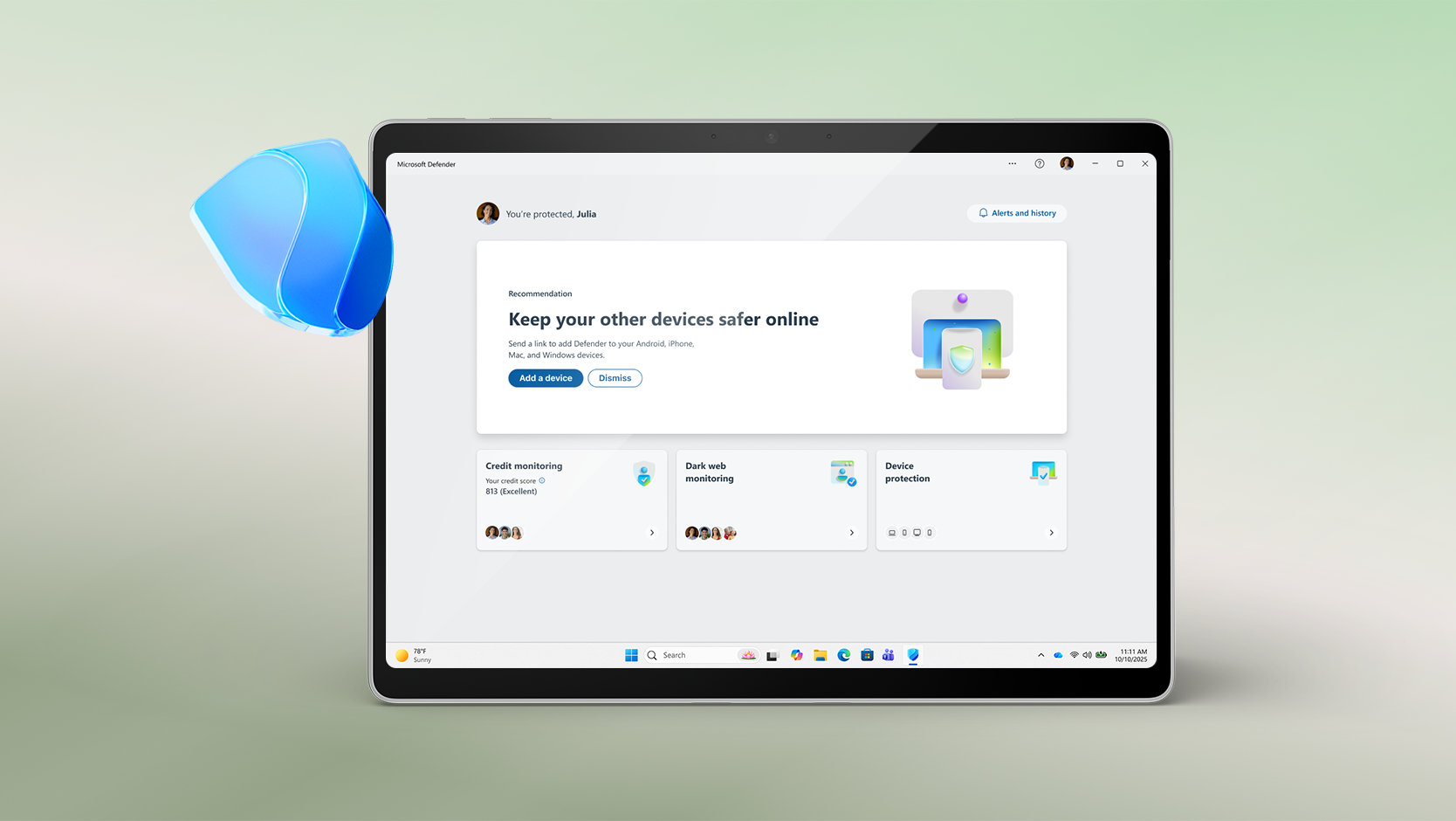
Protect what’s important
Take on the day with greater peace of mind. Use your favourite apps with Copilot1 while at work in a secure way that respects your employer’s security settings.3 And rest easier knowing your personal cloud storage, email, devices, and data are protected.2
Summary of benefits

Powerful productivity apps with Microsoft Copilot
Redefine what’s possible with Microsoft Copilot1 alongside you in Word, Excel,4 PowerPoint, and OneNote. Collaborate in real time, work offline, and get design, writing, and speaking suggestions in each app.

Extensive usage for AI features
With Microsoft 365 Premium, the subscription owner gets extensive usage for select AI features across Copilot in Microsoft 365 apps, the Microsoft Copilot app, and Designer.1

Exclusive access to Copilot features
With Microsoft 365 Premium, the subscription owner gets access to advanced Copilot features that are only available to Premium subscribers. See here for more information on what exclusive features are currently available.

Up to 6 TB of cloud storage (1 TB per person)
Each person you share the subscription with gets 1 TB (1000 GB) of secure storage for their photos, files, videos, emails, and more. And everyone can easily manage their storage anytime, on any device.

Personal data and device protection
Protect your phones and computers with Microsoft Defender. Continuous scanning5 checks for viruses, malicious apps, and ransomware. If risks are found, Defender will notify you and provide easy-to-follow steps to help keep your devices secure.

Secure photo and file storage
Each person can securely save their photos and files in their own personal OneDrive with built-in ransomware detection and file recovery.6 Access files across devices and protect what’s most important in individual Personal Vault folders secured with two-step identity verification.

Design and edit with AI
Create, design, and edit where and when you need it with Microsoft Designer and the power of generative AI.1 Make eye-catching images using only your words, craft next-level designs that pop, and even edit photos like an expert.

Video editor with exclusive filters and effects
Create and edit beautiful videos with ease using Clipchamp’s robust tools, intuitive controls, templates,7 and an extensive stock library.

Ad-free secure email with Copilot
Everyone can easily manage their own email accounts and calendars in Outlook with built-in security tools8 that keep their information protected. Subscription owners can use Copilot to draft emails and summarize longer threads.1

Unlock AI-powered experiences in select Windows apps
Boost your creativity with the help of AI. Easily enhance your photos with advanced editing capabilities from Designer in the Photos app and create high quality images using only your words in Paint. You can also use Copilot in Notepad to seamlessly rewrite or summarize text for you.1

All-day video calling
Join group calls and talk for up to 30 hours with up to 300 people with Microsoft Teams.

Quickly create forms and polls
Use Copilot1 in Forms to generate and rewrite polls and surveys. Easily create and refine your questions, improve response options, and get a detailed analysis of results.

Applications are always up to date
With a Microsoft 365 Premium subscription, every person gets innovative new features and updates as soon as they are released, so everyone is always working with the latest and the greatest.

Microsoft support
We’ve got your back with Microsoft 365 and Windows 11 technical support readily available to assist whenever you need help.
Top questions
-
Office 2024 is sold as a one-time purchase, which means you pay a single, up-front cost to get Office apps for one computer. One-time purchases are available for both PCs and Macs. However, there are no upgrade options, which means if you plan to upgrade to the next major release, you'll have to buy it at full price.
Microsoft 365 Personal, Microsoft 365 Family, and Microsoft 365 Premium are subscriptions that include powerful productivity apps and creativity tools with AI-powered features. In addition to desktop versions of popular Microsoft 365 apps like Word, PowerPoint, Excel, and Outlook with Microsoft Copilot, you also get spacious cloud storage, advanced security, and cloud-connected features that let you collaborate on files in real time. With a subscription, you'll always have the latest features, fixes, and security updates along with ongoing tech support at no extra cost. You can choose to pay for your subscription on a monthly or yearly basis, and use your apps on multiple PCs, Macs, tablets, and phones. Additionally, the Microsoft 365 Family plan lets you share your subscription with up to five more people. Everyone gets their own apps and storage. And with Microsoft 365 Premium, you also get extensive usage on advanced AI experiences and access to Copilot features currently exclusive to Premium subscribers. (AI features only available to subscription owner and cannot be shared; AI usage limits apply; minimum age limits may apply to subscription activation and use of AI features. Learn more.)
-
Microsoft 365 is compatible with PC, Mac, Android, and iOS. See system requirements for compatible versions of your devices, and for other feature requirements.
-
No. Microsoft 365 applications are tailored for each platform and each operating system. The applications available for Mac users and the specific features included may be different from those available for PC users. With Microsoft 365, you can be flexible. With your account, you are not limited to exclusively Mac or exclusively PC, so you can transition across devices.
-
Yes. Documents that you have created belong fully to you. You can choose to store them online on OneDrive or locally on your PC or Mac.
-
Internet access is required to install and activate all the latest releases of apps and services included in all Microsoft 365 subscription plans. If you are an existing subscriber, you do not need to reinstall or purchase another subscription.
For Microsoft 365 plans, internet access is also needed to manage your subscription account, for example to install Office apps on other PCs or to change billing options. Internet access is also required to access documents stored on OneDrive, unless you install the OneDrive desktop app.
You should also connect to the internet regularly to keep your version of Microsoft 365 up to date and to benefit from automatic upgrades. If you do not connect to the internet at least every 31 days, your apps will go into reduced functionality mode, which means that you can view or print your documents but cannot edit the documents or create new ones. To reactivate your apps, simply reconnect to the internet.
You do not need to be connected to the internet to use the Office apps, such as Word, Excel, and PowerPoint, because the apps are fully installed on your computer. -
Your Microsoft account is the combination of an email address and password that you use to sign in to services like OneDrive, Xbox LIVE, and Outlook.com. If you use any of these services, you already have a Microsoft account that you can use or you can create a new account. Learn more about a Microsoft account.
As part of signing up for a trial or purchasing Microsoft 365, you’ll be prompted to sign in with a Microsoft account. You must be signed in with this account to install and manage your Microsoft 365 subscription, or to use some subscription benefits, including OneDrive storage. -
You can share Microsoft 365 Family and Microsoft 365 Premium with five other people, for a total of six users. Microsoft 365 Personal can be used by one person.
-
If you have an active Microsoft 365 Family or Microsoft 365 Premium subscription, you can share it with up to five other people. Each person you share your subscription with can install Microsoft 365 on all their devices and sign in to five devices at the same time.
To add someone to your subscription, visit your Microsoft account and follow the instructions to add a user. Each person you add will receive an email with the steps they need to follow. Once they have accepted and completed the steps, their information, including the installs they are using, will appear on their My Account page. You can stop sharing your subscription with someone or remove a device they are using on your Microsoft account.
-
-
Microsoft Defender is a cross-device security app that helps individuals and families protect their data and devices, and stay safer online with malware protection, real-time security notifications, and security tips.
-
Microsoft Defender also brings valuable device protection to iOS, Android, Windows, and Mac, with malware protection, web protection, real-time security notifications, and security tips (Defender does not replace existing malware protection on iOS and Windows devices).
Windows Security, formerly known as Windows Defender Security Centre, is built-in security on Windows PCs to protect your device and data. Windows Security is pre-installed and automatically enabled. Windows Security includes Microsoft Defender Antivirus software that protects your Windows device and data against viruses, ransomware, trojans, and other malware unless non-Microsoft Antivirus software is active.
-
A free in-browser video editing platform designed to make video creation accessible for everyone.
-
AI features included in Microsoft 365 Family and Microsoft 365 Premium plans are only available to the subscription owner and cannot be shared with others.
-
To use Copilot in Word, Excel, PowerPoint, OneNote, and Outlook, make sure you have the latest version of Microsoft 365 installed. If you're signed in, have the latest updates installed, and still don't see Copilot, please restart your Microsoft 365 apps. Learn more about why I am not seeing Copilot in my apps.
-
Microsoft 365 supports Arabic, Chinese Simplified, Chinese Traditional, Czech, Danish, Dutch, English, Finnish, French, German, Hebrew, Hungarian, Italian, Japanese, Korean, Norwegian, Polish, Portuguese, Russian, Spanish, Swedish, Thai, and Turkish. Some Designer features, like inline editing capabilities are available only in English. We plan to add more languages soon. You can also learn more about Copilot supported languages here: Copilot for Microsoft 365 supported languages - Microsoft Support.
-
Visit our Copilot help & learning site to start using Copilot today.
-
Microsoft Designer is a graphic design and image editing app powered by AI. Create eye-catching images with your words, craft next-level designs that pop, and even edit photos like an expert. Designer is integrated across your favourite Microsoft apps like Word and PowerPoint to help you create when and where you need it.
-
Beyond the Microsoft Designer web and mobile app, certain Designer features are integrated across some of your favourite Microsoft apps like Word and PowerPoint, helping spark creativity where and when you need it. For Windows users, Designer is also integrated into Microsoft Photos.
-
Your Microsoft 365 Personal, Family, or Premium subscription unlocks higher AI usage limits to experience and engage with Copilot in your Microsoft 365 apps, the Microsoft Copilot app, and beyond. Learn more about credits.
-
Microsoft 365 Business Basic, Business Standard, and Business Premium are tailored for businesses, offering professional email with a custom domain, admin controls for managing access and devices, and scalability to add additional users as your business grows. They include advanced security features like Exchange Online Protection to guard against phishing and malware, with Business Premium adding Microsoft Defender for Business for ransomware protection and advanced threat management. Plus, you can access professional collaboration tools like Microsoft Teams with meeting recordings, transcription, and team workspaces, while business apps such as Microsoft Bookings can simplify meeting and appointment scheduling. Additionally, Microsoft 365 Copilot, an AI-powered assistant for work, is available as an add-on to boost productivity and creativity. Explore plans to find the right one for your business.
- [1] AI features only available to subscription owner and cannot be shared; usage limits apply. Learn more. Minimum age limits may apply to use of AI features. Details.
- [2] App availability varies by device/language. Features vary by platform.
- [3] Employer must have an enterprise subscription that includes Microsoft 365 desktop apps and have multi account access enabled (excludes government tenants). Applies to select AI features in Word, Excel, PowerPoint and Outlook desktop apps and in select mobile apps. See details.
- [4] Copilot in Excel requires AutoSave to be enabled, meaning the file must be saved to OneDrive; it doesn't function with unsaved files.
- [5] Available on Windows, Mac, iOS, and Android devices. Does not replace existing malware protection on iOS and Windows devices.
- [6] OneDrive files can be recovered for up to 30 days after malicious attacks, file corruption, or accidental deletions and edits.
- [7] Clipchamp templates only available in English.
- [8] Security features apply to @outlook.com, @hotmail.com, @live.com, or @msn.com email addresses.
-
PC
Computer and processor
1.6 gigahertz (GHz) or faster, 2-core
Operating system
Windows 11, Windows 10
For the best experience, use the latest versions of any operating system specified above.
Memory
4 GB RAM
2 GB RAM (32-bit)Hard disk
4 GB of available disk space
Display
1280 x 768 screen resolution
Graphics
Graphics hardware acceleration requires DirectX 9 or later, with WDDM 2.0 or higher for Windows 10 (or WDDM 1.3 or higher for Windows 10 Fall Creators Update)
.NET version
Some features may require .NET 3.5 or 4.6 and higher to also be installed
-
Mac
Computer and processor
Intel or Apple Silicon processor
Operating system
The 3 most recent versions of macOS
For the best experience, use the latest versions of any operating system specified above.
Memory
4 GB RAM
Hard disk
10 GB of available disk space.
HFS+ hard disk format (also known as Mac OS Extended) or APFS Updates may require additional storage over time.Display
1280 x 800 screen resolution
Graphics
No graphics requirements
-
Android
Computer and processor
ARM-based or Intel x86 processor
Operating system
The last 4 major versions of Android
For the best experience, use the latest versions of any operating system specified above.
Memory
1 GB
-
iOS
Computer and processor
N/A
Operating system
The 2 most recent versions of iOS
For the best experience, use the latest versions of any operating system specified above.
Browser
The current version of Microsoft Edge, Safari, Chrome, or Firefox. Get more details about browser requirements.
Other
Internet functionality requires an internet connection. Fees may apply.
A touch-enabled device is required to use any multi-touch functionality, but all features and functionality are always available by using a keyboard, mouse, or other standard or accessible input device.
Product functionality and graphics may vary based on your system configuration. Some features may require additional or advanced hardware or server connectivity.
Frequently asked questions
-
Office 2024 is sold as a one-time purchase, which means you pay a single, up-front cost to get Office apps for one computer. One-time purchases are available for both PCs and Macs. However, there are no upgrade options, which means if you plan to upgrade to the next major release, you'll have to buy it at full price.
Microsoft 365 Personal, Microsoft 365 Family, and Microsoft 365 Premium are subscriptions that include powerful productivity apps and creativity tools with AI-powered features. In addition to desktop versions of popular Microsoft 365 apps like Word, PowerPoint, Excel, and Outlook with Microsoft Copilot, you also get spacious cloud storage, advanced security, and cloud-connected features that let you collaborate on files in real time. With a subscription, you'll always have the latest features, fixes, and security updates along with ongoing tech support at no extra cost. You can choose to pay for your subscription on a monthly or yearly basis, and use your apps on multiple PCs, Macs, tablets, and phones. Additionally, the Microsoft 365 Family plan lets you share your subscription with up to five more people. Everyone gets their own apps and storage. And with Microsoft 365 Premium, you also get extensive usage on advanced AI experiences and access to Copilot features currently exclusive to Premium subscribers. (AI features only available to subscription owner and cannot be shared; AI usage limits apply; minimum age limits may apply to subscription activation and use of AI features. Learn more.)
-
Microsoft 365 is compatible with PC, Mac, Android, and iOS. See system requirements for compatible versions of your devices, and for other feature requirements.
-
No. Microsoft 365 applications are tailored for each platform and each operating system. The applications available for Mac users and the specific features included may be different from those available for PC users. With Microsoft 365, you can be flexible. With your account, you are not limited to exclusively Mac or exclusively PC, so you can transition across devices.
-
Yes. Documents that you have created belong fully to you. You can choose to store them online on OneDrive or locally on your PC or Mac.
-
Internet access is required to install and activate all the latest releases of apps and services included in all Microsoft 365 subscription plans. If you are an existing subscriber, you do not need to reinstall or purchase another subscription.
For Microsoft 365 plans, internet access is also needed to manage your subscription account, for example to install Office apps on other PCs or to change billing options. Internet access is also required to access documents stored on OneDrive, unless you install the OneDrive desktop app.
You should also connect to the internet regularly to keep your version of Microsoft 365 up to date and to benefit from automatic upgrades. If you do not connect to the internet at least every 31 days, your apps will go into reduced functionality mode, which means that you can view or print your documents but cannot edit the documents or create new ones. To reactivate your apps, simply reconnect to the internet.
You do not need to be connected to the internet to use the Office apps, such as Word, Excel, and PowerPoint, because the apps are fully installed on your computer. -
Your Microsoft account is the combination of an email address and password that you use to sign in to services like OneDrive, Xbox LIVE, and Outlook.com. If you use any of these services, you already have a Microsoft account that you can use or you can create a new account. Learn more about a Microsoft account.
As part of signing up for a trial or purchasing Microsoft 365, you’ll be prompted to sign in with a Microsoft account. You must be signed in with this account to install and manage your Microsoft 365 subscription, or to use some subscription benefits, including OneDrive storage. -
You can share Microsoft 365 Family and Microsoft 365 Premium with five other people, for a total of six users. Microsoft 365 Personal can be used by one person.
-
If you have an active Microsoft 365 Family or Microsoft 365 Premium subscription, you can share it with up to five other people. Each person you share your subscription with can install Microsoft 365 on all their devices and sign in to five devices at the same time.To add someone to your subscription, visit your Microsoft account and follow the instructions to add a user. Each person you add will receive an email with the steps they need to follow. Once they have accepted and completed the steps, their information, including the installs they are using, will appear on their My Account page. You can stop sharing your subscription with someone or remove a device they are using on your Microsoft account.
-
-
Microsoft Defender is a cross-device security app that helps individuals and families protect their data and devices, and stay safer online with malware protection, real-time security notifications, and security tips.
-
Microsoft Defender also brings valuable device protection to iOS, Android, Windows, and Mac, with malware protection, web protection, real-time security notifications, and security tips (Defender does not replace existing malware protection on iOS and Windows devices).
Windows Security, formerly known as Windows Defender Security Centre, is built-in security on Windows PCs to protect your device and data. Windows Security is pre-installed and automatically enabled. Windows Security includes Microsoft Defender Antivirus software that protects your Windows device and data against viruses, ransomware, trojans, and other malware unless non-Microsoft Antivirus software is active.
-
A free in-browser video editing platform designed to make video creation accessible for everyone.
-
AI features included in Microsoft 365 Family and Microsoft 365 Premium plans are only available to the subscription owner and cannot be shared with others.
-
To use Copilot in Word, Excel, PowerPoint, OneNote, and Outlook, make sure you have the latest version of Microsoft 365 installed. If you're signed in, have the latest updates installed, and still don't see Copilot, please restart your Microsoft 365 apps. Learn more about why I am not seeing Copilot in my apps.
-
Microsoft 365 supports Arabic, Chinese Simplified, Chinese Traditional, Czech, Danish, Dutch, English, Finnish, French, German, Hebrew, Hungarian, Italian, Japanese, Korean, Norwegian, Polish, Portuguese, Russian, Spanish, Swedish, Thai, and Turkish. Some Designer features, like inline editing capabilities are available only in English. We plan to add more languages soon. You can also learn more about Copilot supported languages here: Copilot for Microsoft 365 supported languages - Microsoft Support.
-
Visit our Copilot help & learning site to start using Copilot today.
-
Microsoft Designer is a graphic design and image editing app powered by AI. Create eye-catching images with your words, craft next-level designs that pop, and even edit photos like an expert. Designer is integrated across your favourite Microsoft apps like Word and PowerPoint to help you create when and where you need it.
-
Beyond the Microsoft Designer web and mobile app, certain Designer features are integrated across some of your favourite Microsoft apps like Word and PowerPoint, helping spark creativity where and when you need it. For Windows users, Designer is also integrated into Microsoft Photos.
-
Your Microsoft 365 Personal, Family, or Premium subscription unlocks higher AI usage limits to experience and engage with Copilot in your Microsoft 365 apps, the Microsoft Copilot app, and beyond. Learn more about credits.
-
Microsoft 365 Business Basic, Business Standard, and Business Premium are tailored for businesses, offering professional email with a custom domain, admin controls for managing access and devices, and scalability to add additional users as your business grows. They include advanced security features like Exchange Online Protection to guard against phishing and malware, with Business Premium adding Microsoft Defender for Business for ransomware protection and advanced threat management. Plus, you can access professional collaboration tools like Microsoft Teams with meeting recordings, transcription, and team workspaces, while business apps such as Microsoft Bookings can simplify meeting and appointment scheduling. Additionally, Microsoft 365 Copilot, an AI-powered assistant for work, is available as an add-on to boost productivity and creativity. Explore plans to find the right one for your business.
-
Microsoft 365 plans are available in most countries/regions. In countries/regions where Microsoft 365 plans are not available, you can still buy an Office 2024 suite, a one-time purchase which includes classic versions of the Office apps, but no additional security or storage features. When buying Microsoft 365, it’s important that you select the country/region in which you will be billed and in which you’ll use the software. Selecting a different country/region may cause problems with subscription set-up and renewal.
-
Yes. Microsoft offers simple and cost-effective solutions for multilingual individuals, families and small businesses. Each time you install Office apps on an additional PC or Mac, you can choose the language in which to install them.
-
To manage your billing information, install or remove Microsoft 365 or Office apps from additional PCs or Macs, and manage your installations of Office apps on other devices at any time, visit Install & Account management.
-
If you purchased a recurring billing subscription, your subscription starts when you complete your purchase.
Recurring billing subscriptions may be purchased from Microsoft Store, the iTunes® Store, the Mac App Store and some other retailers. If you purchased a pre-paid subscription, your subscription starts when you activate your subscription on Setup.office.com. Pre-paid subscriptions may be purchased from a retailer or reseller, or a Microsoft support agent. -
OneDrive is an online storage service that you can use to store documents, notes, photos, music, videos or other types of files. With OneDrive you can access your files from nearly any device, and you can share them with others. Sign up for OneDrive. The amount of additional storage that you get depends on your subscription:
Customers with an active Microsoft 365 Personal subscription receive an additional 1 TB of OneDrive storage per subscription plus 5 GB of storage for free.
Customers with an active Microsoft 365 Family subscription receive an additional 1 TB of OneDrive storage per user, for up to 6 users, plus 5 GB of storage for one user. Each additional user must have their own Microsoft account and be added to the Microsoft Account site.
The additional storage is applied to the OneDrive account that is linked to the Microsoft account used to create the Microsoft 365 subscription. For Microsoft 365 Family, the storage is tied to the Microsoft accounts of the household members who have been added to the subscription. -
To access documents stored on OneDrive, sign into Microsoft 365 with the Microsoft account that you used to set up Microsoft 365. If you have shared your Microsoft 365 subscription with other members of your household, they should sign in with their Microsoft account. Learn more about signing in to Microsoft 365. You can also sign in to OneDrive directly at OneDrive.com.
-
Yes. If you’re using Windows 8.1 or Windows 10, OneDrive is preinstalled. To access your documents when you’re not connected to the internet, open File Explorer on your PC and go to the OneDrive folder. When you reconnect, OneDrive updates the online versions with changes you made offline.
Visit the OneDrive for Windows 8.1 and OneDrive for Windows 10 support pages for more details.
You can also download and install OneDrive on Windows 7, Windows Vista or on your Mac. The OneDrive app creates a folder that automatically syncs between OneDrive and your computer, so you can work on your documents – even when you’re offline. -
Your Microsoft account can have only one active Microsoft 365 consumer subscription. You can either convert your Microsoft 365 Family subscription to Microsoft 365 Personal, or you can wait until your current subscription expires before purchasing your Microsoft 365 Personal subscription.
-
For help and how-to content, visit Microsoft Support. For free video-based training, visit Microsoft 365 Training.
-
Recurring billing is the simplest way to ensure continued service. You can set up monthly or annual recurring billing by visiting the Microsoft Account site.
If you have a monthly subscription you can save money by converting it to an annual subscription at the Microsoft Account site. -
As the expiration date approaches, you will receive notifications in the Office apps and via email, alerting you to the upcoming expiration. If you choose to let your subscription expire, the Office apps enter read-only mode, which means that you can view or print documents, but you can’t create new documents or edit existing documents.
In read-only mode, you can still access and download your files for up to three months by signing in to OneDrive directly using the Microsoft account you used to set up Microsoft 365. However, the additional storage that comes with your subscription is lost, so you must save your files elsewhere or buy more OneDrive storage if your OneDrive account exceeds the free storage quota of 5 GB.
Note: If you need to create or edit Office documents, you can use online versions of Word, Excel, PowerPoint and OneNote for free at Office.com. If you’re using a Windows 10 device, you may already have the free Office Mobile apps installed. To learn more, see Office Mobile apps for Windows 10: Getting started. -
They can still access and download their files by signing in to OneDrive directly using their Microsoft account. If their OneDrive account exceeds the free storage quota of 5 GB, they’ll need to save files elsewhere or buy more OneDrive storage.
-
You will be notified before you’re charged to continue your subscription for another year if you have an annual subscription. If you are signed up for a monthly subscription, your payment will be debited each month and you won’t be notified in advance. You can change your payment method or cancel your subscription to stop future charges at any time by visiting your Microsoft account and signing in with the Microsoft account that you used to buy Microsoft 365.
-
You have a few options to continue your subscription. Regardless of the option you choose, be sure to use the same Microsoft account that you used when setting up your subscription.
If you have a recurring billing subscription, it will continue until it’s cancelled. Your billing settings are shown on the Microsoft Account site after you sign in with the Microsoft account that you used to buy Microsoft 365.
If recurring billing is not enabled, visit the Microsoft 365 renewal page to purchase a Microsoft 365 recurring billing subscription. The additional time will be automatically added to the remaining time on your existing subscription. -
Yes. When you pay early to the same Microsoft 365 plan that you already have, the additional time is added to your existing subscription. For example, if you have two months left on your current subscription to Microsoft 365 Family and you pay for a one year subscription (12 months), your subscription will run for 14 more months.
-
If you purchased a recurring billing subscription from Microsoft via Microsoft Store or microsoft365.com, you have two options for cancelling:
You can cancel online by visiting the Microsoft Account site, signing in with the Microsoft account that you used to buy your subscription, and then turning off recurring billing. With this approach, your subscription will automatically expire when your remaining subscription time is up.
To cancel immediately, contact Microsoft support and request an immediate cancellation.
If you purchased a recurring billing subscription from another retailer, you may have to cancel your subscription with that retailer. You can confirm this by visiting the Microsoft Account site.