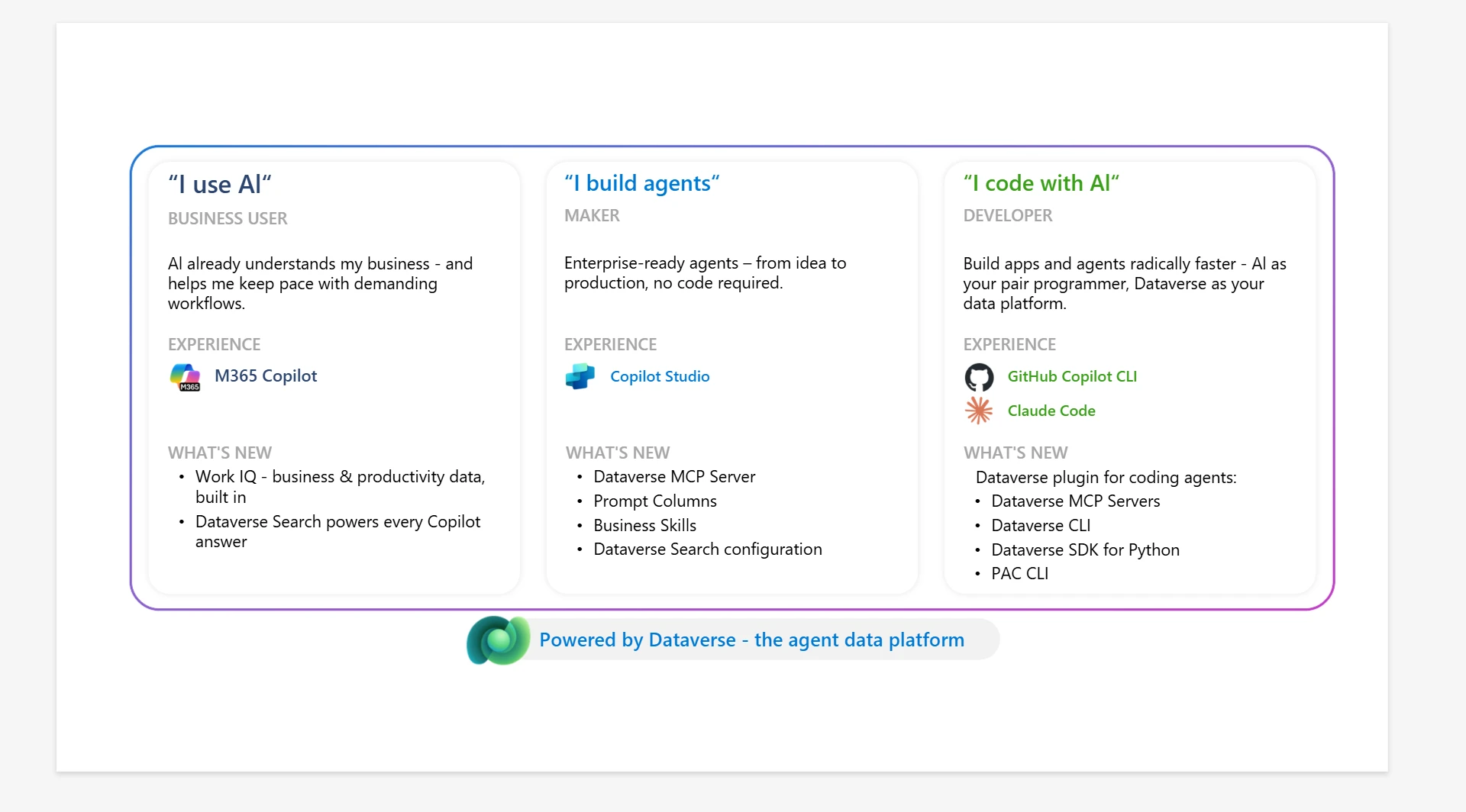
Companion post to our Build 2026 session: Microsoft Dataverse plugin: unleashing coding agents on the enterprise
Coding agents are powerful, but without domain tooling they hallucinate and produce broken solutions. The Dataverse plugin for coding agentssolves this by giving AI agents guardrailed access to tables, columns, relationships, views, security, and solutions.
In our Build 2026 session, we showed how a natural-language request triggers multi-step provisioning, data imports, and validation. This is all executed autonomously, through the plugin’s tool integration and patterns that make agent-driven Dataverse development reliable at scale.
To bring this to life, we built a series around Zava Coffee Co., a growing B2B roaster and distributor running on spreadsheets, email, and copy-paste. When it came time to modernize, they didn’t need a massive team and spend weeks in the the various portals. Instead, they installed the Dataverse plugin and described what they needed, in plain English, from a GitHub Copilot terminal.
This post, and accompanying video, walks through the three scenarios:
- Maya, a developer building her first data model, app form and view
- Riya, a Revenue Ops analyst running her CRM in natural language
- Amara, a platform admin locking down security across two regions.
Scenario 1: Zero to App in One Session
Persona: Maya, Developer, new to Dataverse
Goal: Turn four operational spreadsheets into a working Dataverse application with schemas, relationships, and real data.
Maya had never touched Dataverse. She didn’t know her org URL, didn’t know what a publisher prefix was, and shouldn’t have to. She installed the plugin, typed one sentence “Connect me to my Dataverse environment” and the agent discovered her environments from her Microsoft identity, configured everything, and verified the connection.
Then she describes her roast batch tracking system in business terms: beans, batches, quality checks, orders, and the relationships between them. One prompt produced four tables with choice columns, lookups, a self-referential parent-batch relationship for re-roasts, a many-to-many between batches and orders, a main form, and a filtered view — all packaged in a solution.
The data import is where it gets real. Maya pointed the agent at the team’s four Excel files. No GUIDs anywhere, just business keys for a bean variety and batch numbers. The agent figured out dependency order, loaded parent tables first, resolved the self-referential re-roast links, split a comma-separated batch list into proper many-to-many associations, and left an unlinked order alone instead of erroring out. That’s a data pipeline, not a sample generator.
What the plugin solved: Maya went from zero Dataverse knowledge to a connected, working application that included schemas, relationships, forms, views, and three years of real operational history, all without opening the maker portal, reading a setup guide, or writing a single line of FetchXML.
Scenario 2: Talk to Your CRM in Plain English
Persona: Riya, RevOps Analyst
Goal: Run Friday pipeline prep in five minutes instead of forty-five minutes, no Advanced Find, no Excel pivots, no chasing teammates in Teams.
Riya already lives in a terminal. Every Thursday she preps Carlos’s sales pipeline review by pulling open deals, flag at-risk cafés, makes sure last week’s calls are logged. Today that’s forty-five minutes of Advanced Find queries, Excel exports, and detective work.
With the Dataverse plugin, she asked: “Show me Carlos’s open opportunities over $100K closing this quarter.” The agent looked up Carlos by name in the systemuser table, translated “this quarter” into a date range, and returned café names, deal names, dollars, and stages — no GUIDs, no statecode = 0, no estimatedclosedate syntax.
Then she asked for “cafés in Portland that haven’t reordered in 30 days.” That’s not a field, it’s a relationship plus date math. The agent joined accounts to closed-won opportunities, computed the gap, and handed Riya a clean call list.
The trust moment: When Riya said “Add a note to the Portland cafe opportunity,” the agent found the open deal on that account. She also logged a phone call on behalf of Carlos, the agent set the owner to Carlos (his call), marked it completed (already happened), resolved the contact as a participant, and linked it to the right account, all inferred from one sentence.
What the plugin solved: Riya collapsed 45 minutes of Advanced Find, Excel pivots, and manual activity logging into five minutes of conversational CRM access. Carlos got a cleaner pipeline review without doing anything differently.
Scenario 3: Manage Your Environment Like a Pro
Persona: Amara, Platform Admin
Goal: Draw security boundaries for two regions and three job functions, validate every line, and package it in a deployable solution.
Zava doubled in size and opened a Seattle hub. Amara’s problem: warehouse staff can see deal sizes, sales reps can see quality scores, and anyone can read customer lifetime value. She needed to draw lines and she wanted to describe the security model once, not click through six sections of the admin portal.
She connected with an admin posture: “Verify I have System Administrator privileges before we start.” The agent confirmed her role before offering to do anything destructive. Then she described the full security plan in one prompt: two business units (Portland, Seattle), three custom roles scoped appropriately, field-level security on the sensitive lifetime_value column, an access team template for cross-region collaboration, and three user assignments, all in a ZavaSecurity solution.
The invisible prerequisites: The agent enabled the column for field-level security at the schema level before creating the Field Level Security (FLS) profile. This step, when missed, produces no error and no audit entries. It assigned the profile to roles, because a created-but-unassigned profile does nothing. It added every security component to the solution explicitly, since roles and FLS profiles don’t auto-add.
Validation by impersonation: Amara asked the agent to simulate each user’s access. The result was a clear pass/fail table — Diego can read accounts but not lifetime_value (FLS), Marcus can read roast batches but not accounts (role), nobody can see across business units. Red Xs and Green checkmarks in all the right places, with the why annotated next to each cell. That’s the admin equivalent of a unit test. Allconfiguration confirmed in seconds, not browser-tab-per-user.
She then shared one record cross-region via the access team template. This was one sentence, no GUIDs and enabled three-layer column auditing (org, table, column) so future reads are logged.
What the plugin solved: In one session, Amara stood up two BUs, three roles, FLS with proper assignments, a team template, three user assignments, validated by impersonation, configured a cross-region share, and turned on auditing. Every component lives in a solution she can version and redeploy across environments.
Three Users, Three Jobs, One Unified Approach
The common thread across all three scenarios is : describe your intent in plain language, the agent translates it into the right combination of Dataverse operations. Maya never learned what a publisher prefix is. Riya never wrote FetchXML. Amara never opened the BU management UI. Each person brought a different problem and a different level of platform expertise and the same plugin met all three where they were.
The Dataverse Skills pluginis available now on the Claude and GitHub Copilot marketplaces. Install it, connect, and start building.

👉 Watch the full Build 2026 session: Microsoft Dataverse plugin: unleashing coding agents on the enterprise
Learn more about what’s new in Dataverse: aka.ms/DataverseMay2026