The goal of fusion development is to create an environment where Citizen Developers, Professional developers (aka code-first) and IT Professional can collaborate seamlessly. We want to create great experience for makers creating an app for the first time and for code-first developers that want to have the transparency of the source code for their Power Apps.
We are proud to announce the public preview of a Code View in Power Apps Studio.
Developers can now view and use the source code, in readable YAML + Power Fx format.
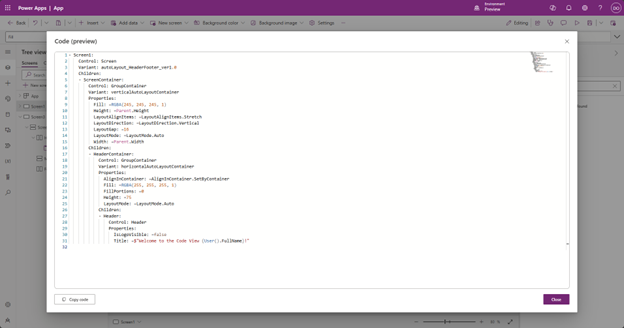
You can select any screen or specific control and visualize the underlying code.
Copy and paste with YAML code
Having the source code available will also allow new experiences. Developers can now copy any control in a code format. You can copy any visual control within Studio as a YAML Code.
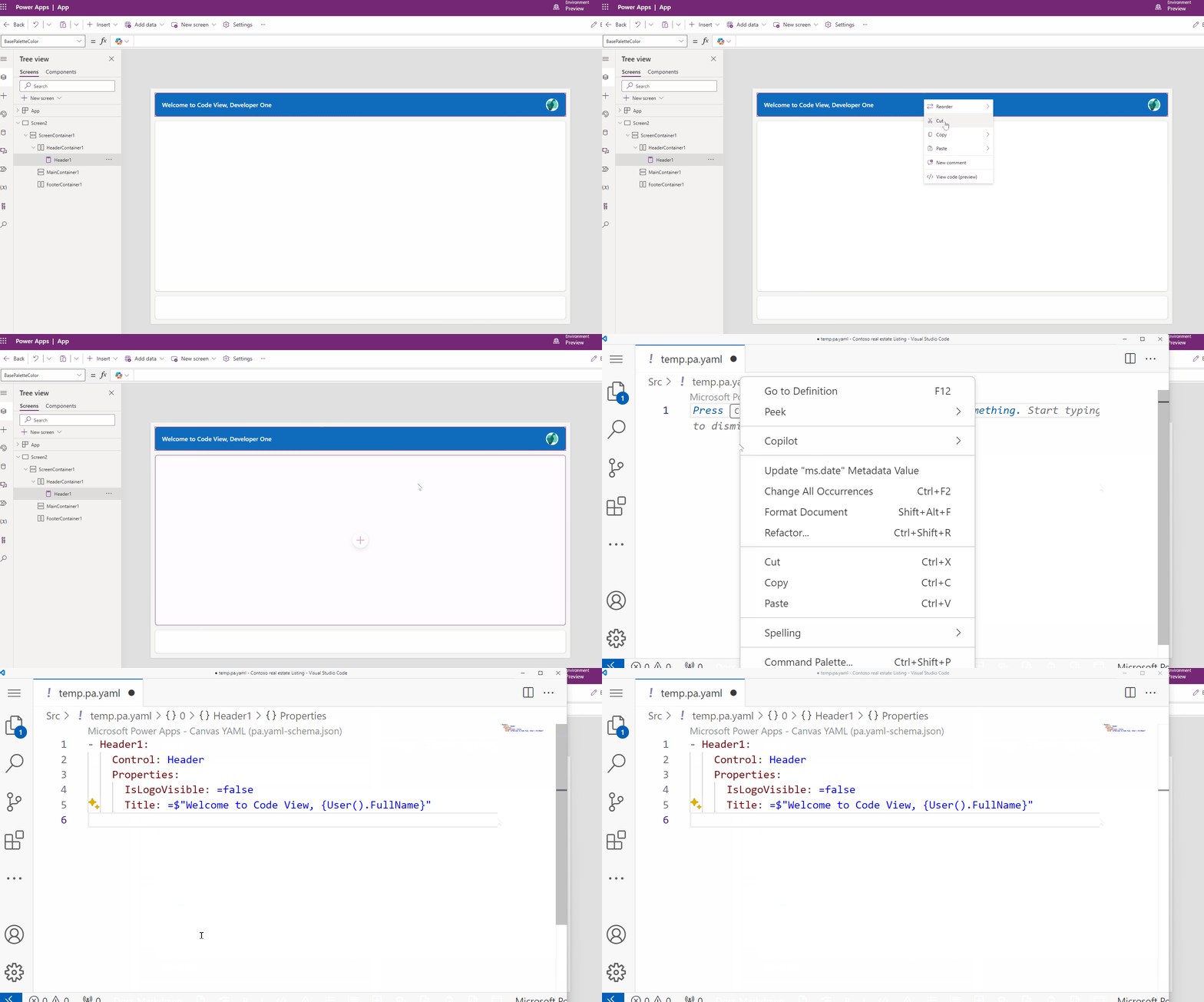
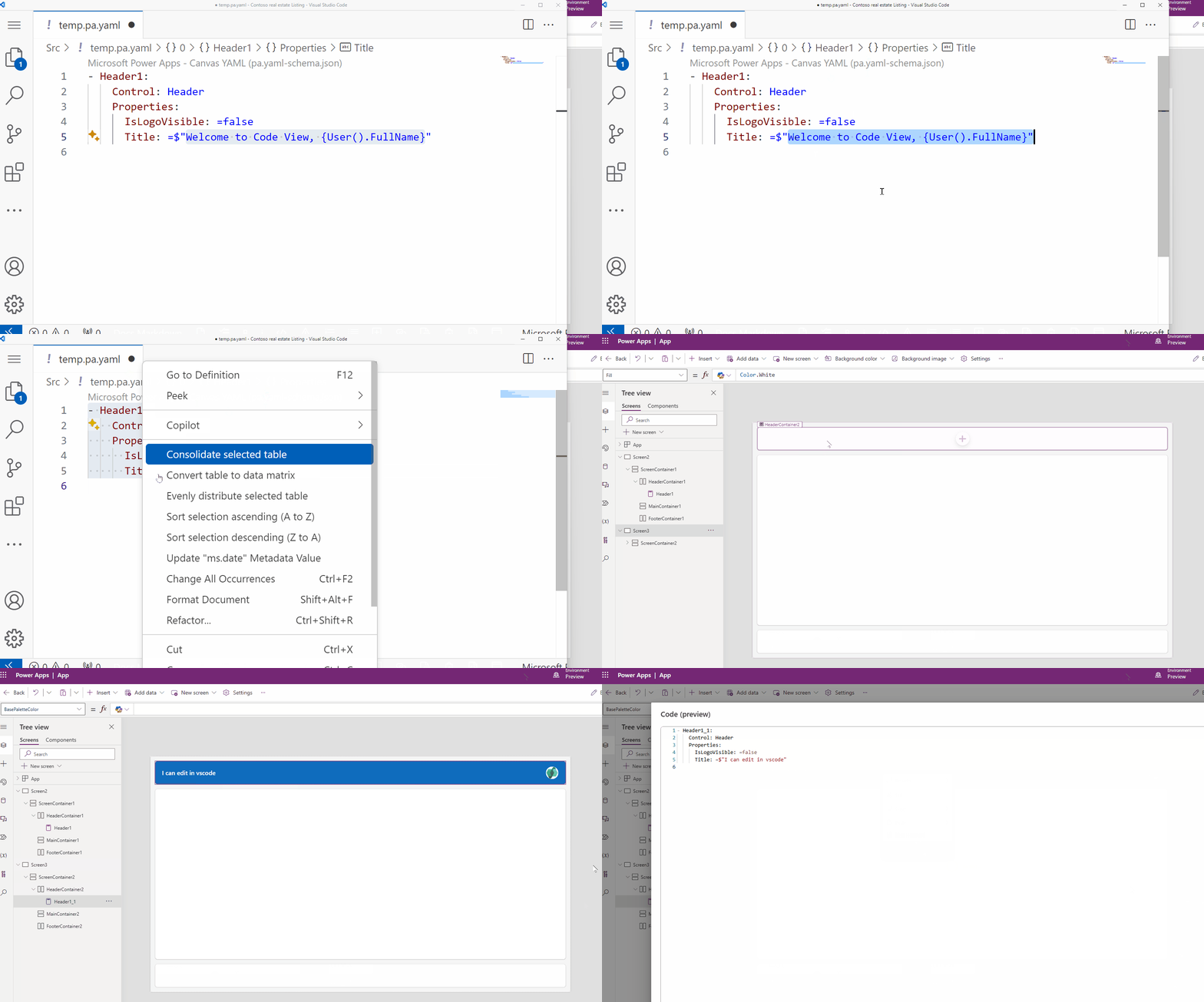
With the copy from Power Apps Studio, you can paste it to a text or to a code editor like Visual Studio Code to do small edits. Once you are done, you can paste it back to Power Apps Studio to create a new control.
You can share code snippets over Instant Message (like Microsoft Teams), email, post the code on a blog, use it to ask or answer questions in a forum or community.
What is next?
Code view and copying and pasting with code is available in Preview today.
The copy used in this sample is below. Try to paste it to you Power App now!
- Header1:
   Control: Header
   Properties:
      IsLogoVisible: =false
      Title: =$"Welcome to Code View, {User().FullName}"
This is just the first step to create more experiences for code-first developers in Power Apps Studio. We’ll support editing directly in the Studio soon as well, keep an eye out. Your code is also going to be available natively to your source code solutions, giving you transparency around changes like any other software project.
More content from Microsoft Build 2024
Using Power Platform to accelerate full-stack software development – To learn more about Code first development with Power Platform.
Enable every developer to collaborate with low code + pro code – To learn more about Low code and Pro code collaboration.