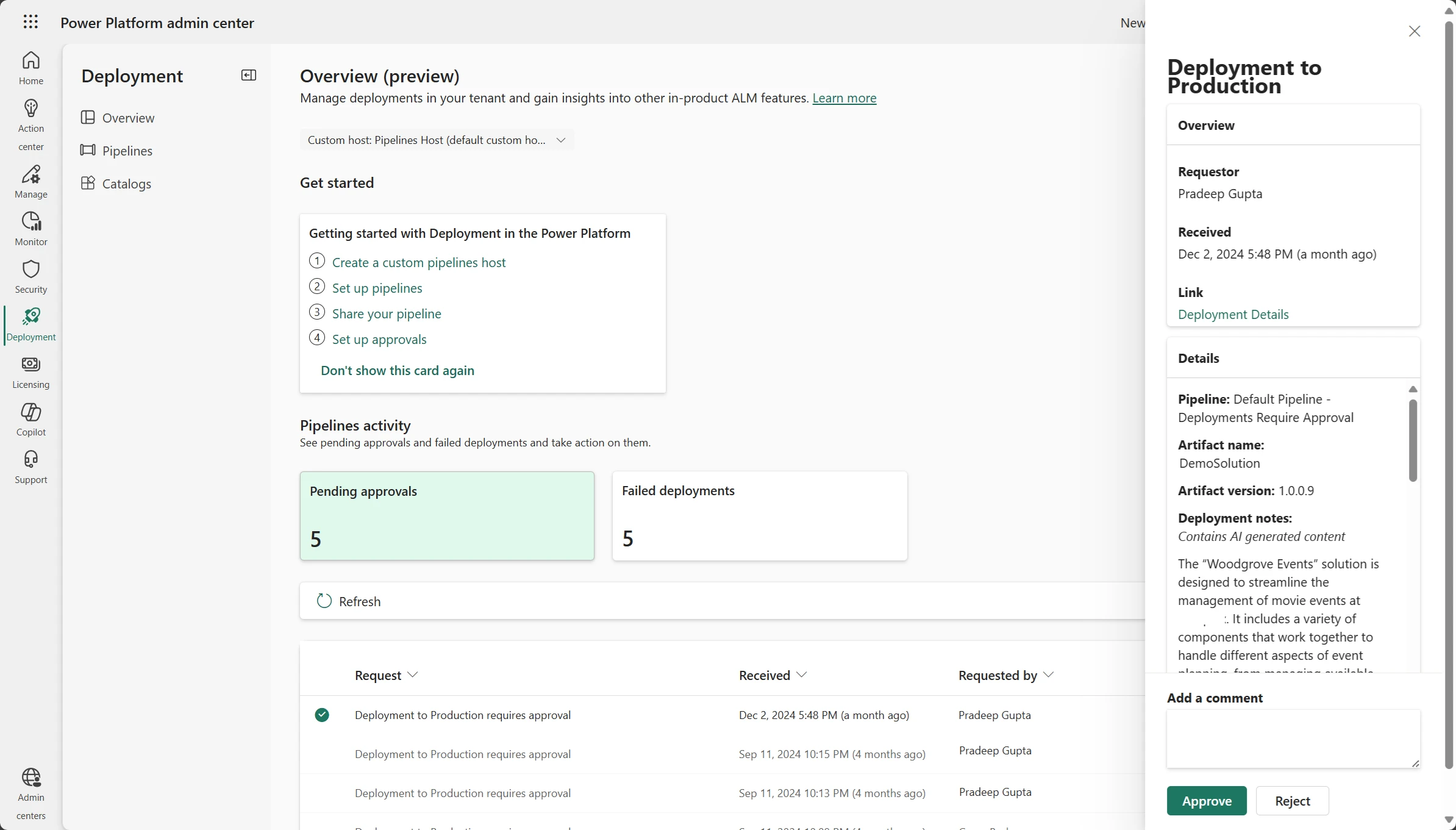
In the past two years, ALM in Power Platform has evolved significantly, offering many new inbuilt capabilities. Thousands of enterprises now enjoy healthy, org-wide ALM with less effort. But with new capabilities added monthly, it can be difficult to keep up. For many, the question isn’t what can I do? It’s what should I do? Admin and maker dedicated Deployment pages (preview) are now available to bridge the gap, helping each persona succeed throughout the process!
Maker Deployment page
Makers can now view all their deployments in one place, regardless of solution or pipeline. If their deployment began from (or was deployed to) the current environment, they will be able to view the run history status of it. Failed Deployments and Active Deployments are highlighted in a convenient overview, so you don’t have to go looking for them either!
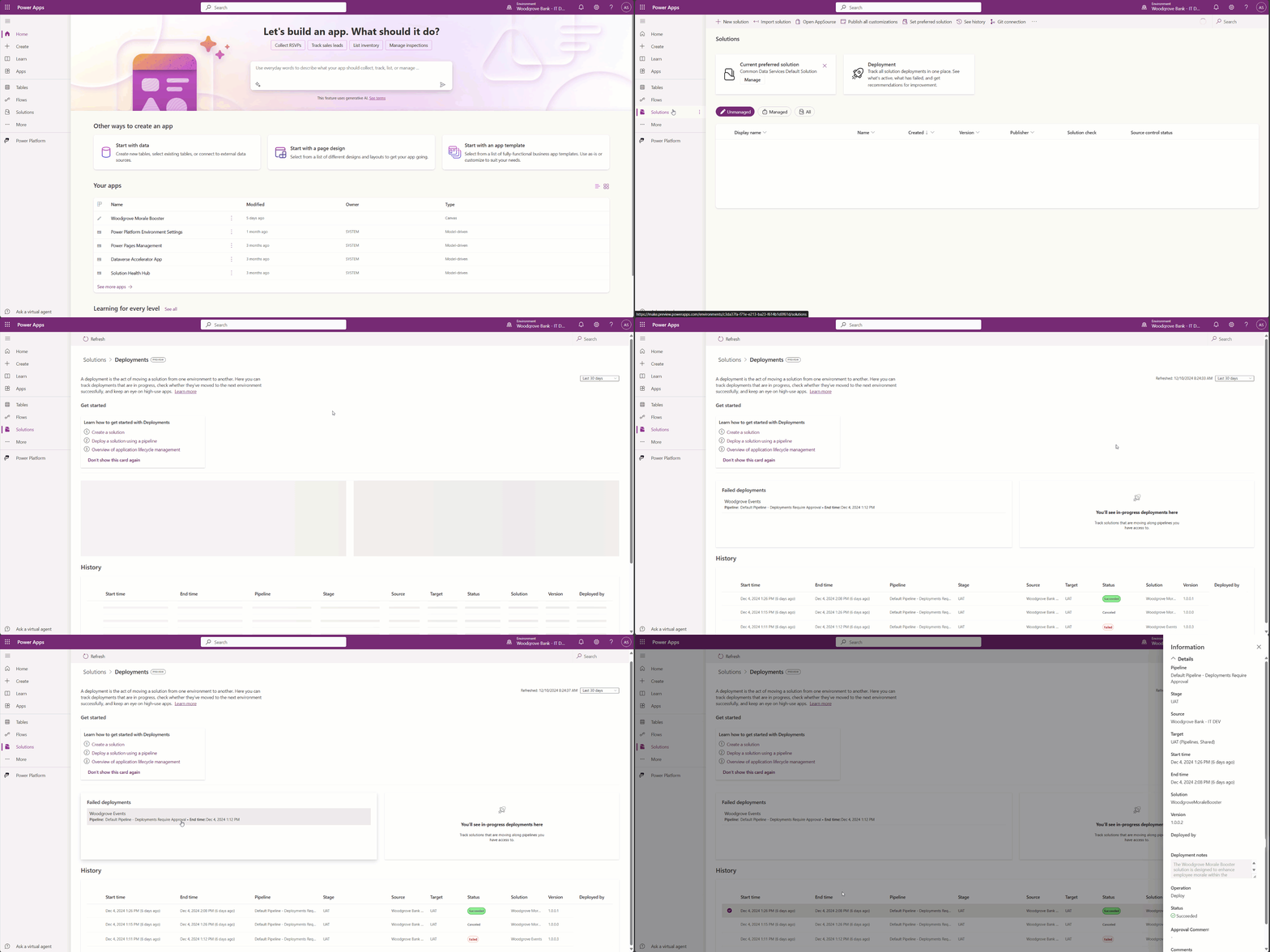
In addition to deployment visibility, we’ve included a Get started section that will evolve over time. For now, it will link to documentation to help a maker begin their journey to healthy application lifecycle management (ALM).
To further improve understanding of what healthy ALM looks like, we’ll soon be adding recommendations, where makers are alerted to resolve any potentially unhealthy ALM-related behavior, such as housing high-use apps outside of a solution.
Admin Deployment page
The Deployment page in the new admin center provides a streamlined experience to help administrators learn about, setup, and operation best-in-class ALM. The initial preview provides a central location to view all deployments in the tenant, approve deployment requests, and troubleshoot failures.
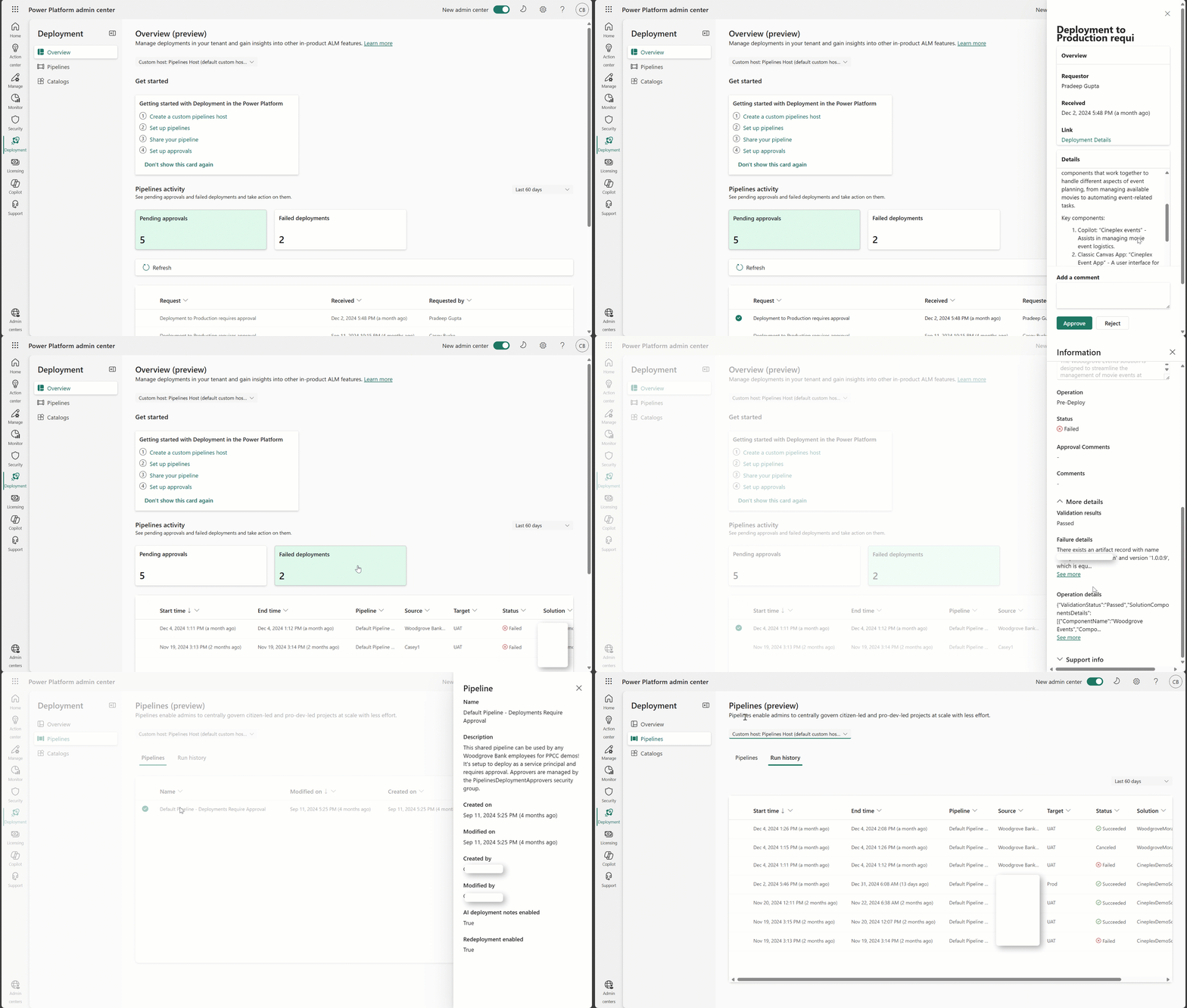
Select a pipelines host from the picker to see all the pipelines and deployment history managed with that host. A dedicated Failed deployments view helps admins quickly identify and troubleshoot failures and trending issues.
Admins can approve or reject deployment requests assigned to them. First setup Delegated deployments with service principals as the recommended way to deploy securely.
It is important that admins review changes in the solution and the sharing request. With the help of Copilot-generated deployment notes visible in the request, this becomes easier, but if you want a more granular look, be sure to set up Source control integration and link the repository to the approval.
Managed Operations
The Deployment pages are an offering of Managed Operations, allowing all who make or administrate to gain further insight into their Application Lifecycle Management to ensure that business solutions are reliable and performant in production. Aside from just deployment pipelines, these maker and admin experiences will evolve over the coming months and include many more Managed Operations intersections to take advantage of. So, stay tuned for more updates and please leave your feedback below!