Working with Dataverse is now becoming easier with ‘Developer environment’ that comes with premium capabilities, without any additional cost. You can work on Power Platform using Dataverse for building applications where now you can work with relationship modeling in Canvas applications, leverage Model driven applications, build virtual tables, Power FX, formula columns, ALM and much more.
Developer environment is great place for you to build and run the apps with Dataverse in your own personal space, without restriction and then eventually share and deploy to production environments. Developer environment honors tenant’s default DLP policy and hence a secure place for makers to start the experience while honoring their organization policy.
How to get started?
Learn with Power CAT Live – YouTube
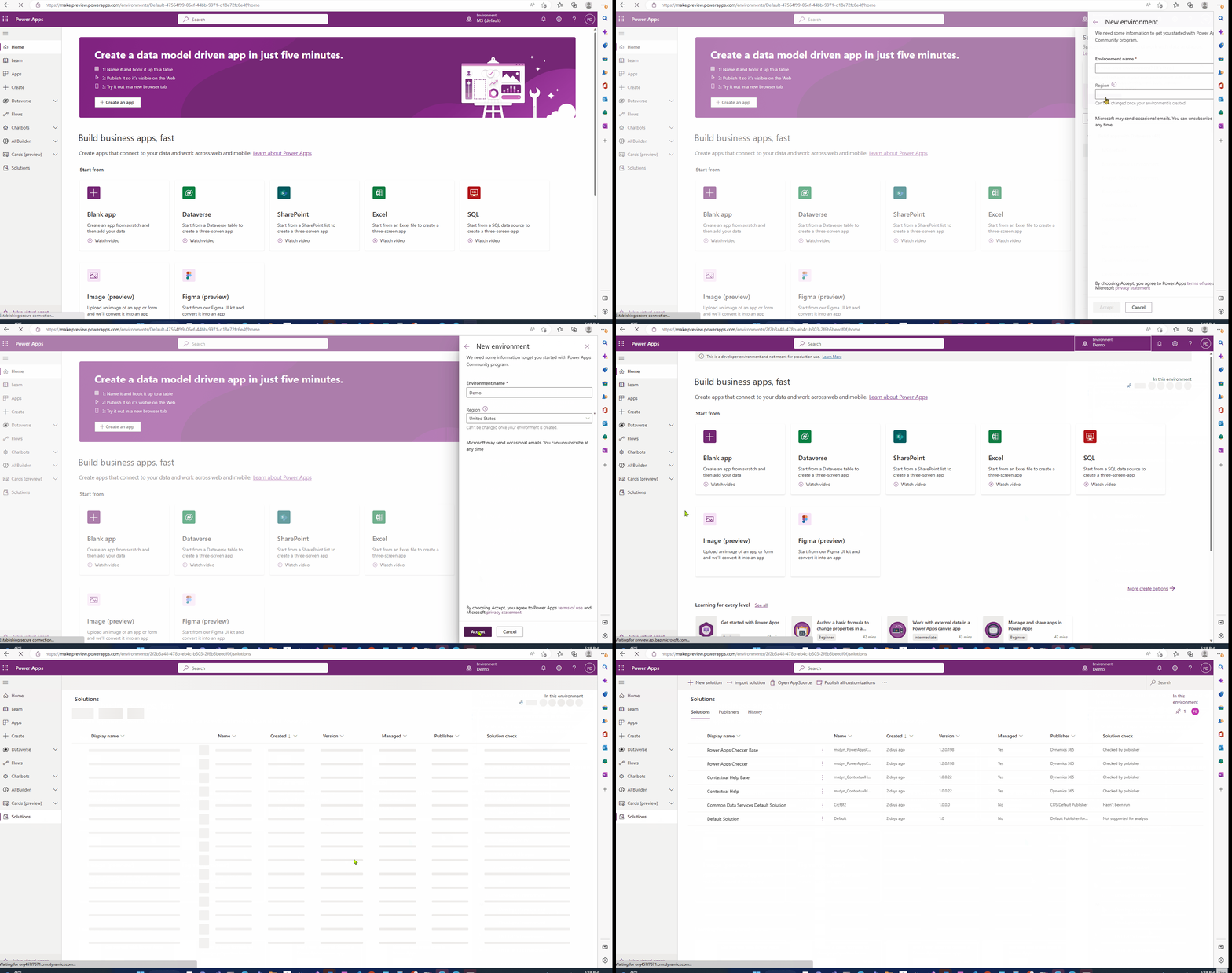
This experience is currently available in Preview. You can use Maker Portal or PPAC to easily get Developer environment type in 2 simple clicks and start your app building journey.
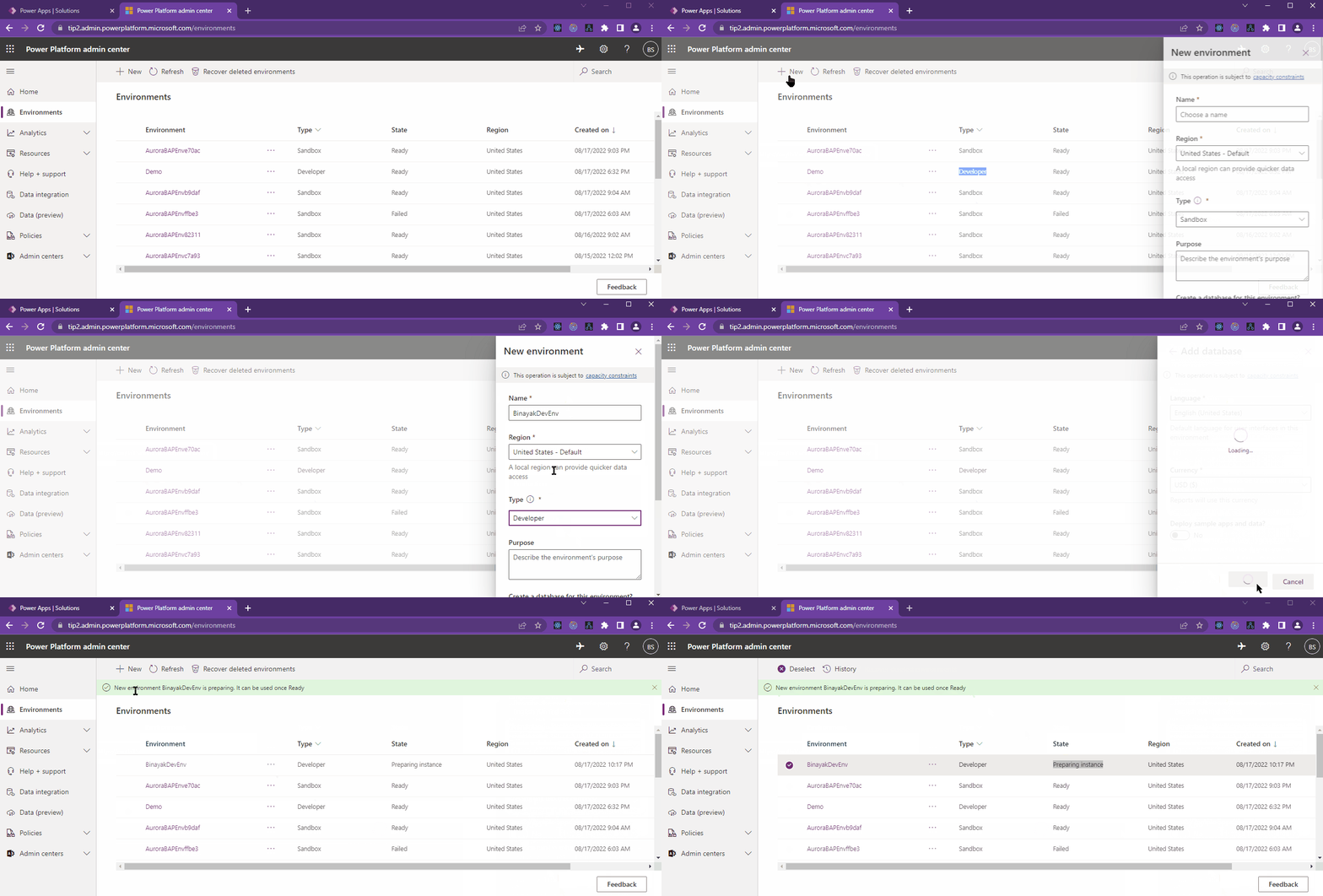
As you continue your app building journey you can use Dataverse capabilities and can now get up to 3 Developer environments to use capabilities like Data Pipelines and ALM. This environment type allows you to use Dataverse capabilities to build and run the applications. When you as a maker are ready to move Sandbox environments or want to move data from your current Developer environment, you can do it in 3 simple steps by going to PPAC and using the new ‘Copy’ capability added to Developer environment which will allow you to copy your work from your existing Developer environment to Sandbox or other Developer environment. After moving it to Sandbox environment you can convert the environment to production environment with a single click.
If you want to start over in your environment, you can reset using PPAC and start fresh.

Other links:
- Power Apps Developer Plan | Microsoft Power Apps
- Sign up for Power Apps Developer Plan – Power Apps | Microsoft Learn
- Why choose Microsoft Dataverse? – Power Apps | Microsoft Learn
- Automatic deletion of inactive Microsoft Dataverse for Teams environments – Power Platform | Microsoft Learn
- https://learn.microsoft.com/en-us/power-platform/developer/create-developer-environment
- https://learn.microsoft.com/en-us/power-platform/admin/environments-overview
- https://learn.microsoft.com/en-us/power-platform/admin/create-environment
- https://learn.microsoft.com/en-us/power-platform/admin/control-environment-creation
- https://learn.microsoft.com/en-us/power-platform/admin/backup-restore-environments
- Enable Managed Environments – Power Platform | Microsoft Learn