We are constantly looking for ways to help you get the most out of your data. Today we are excited to announce the introduction of a new model in AI Builder: Receipt processing. Now available in preview, you can test the feature right away, no trial or subscription required.
Expense reports can be a very cumbersome and time-consuming task. Between all the manual data entry, approval workflows, and auditing, there are many pain points across the end-to-end process. With the AI Builder receipt processing prebuilt model, you can minimize those pain points and increase the productivity of your employees, delivering real value back to your business.
Receipt processing lets you read and save key information from common sales receipts, like those used in restaurants, gas stations, retail, and more. Using this information, you can automatically pre-populate expense reports simply by scanning photos of your receipts. And when you automate the process at a large scale, there is the potential to save you and your business valuable time and money.
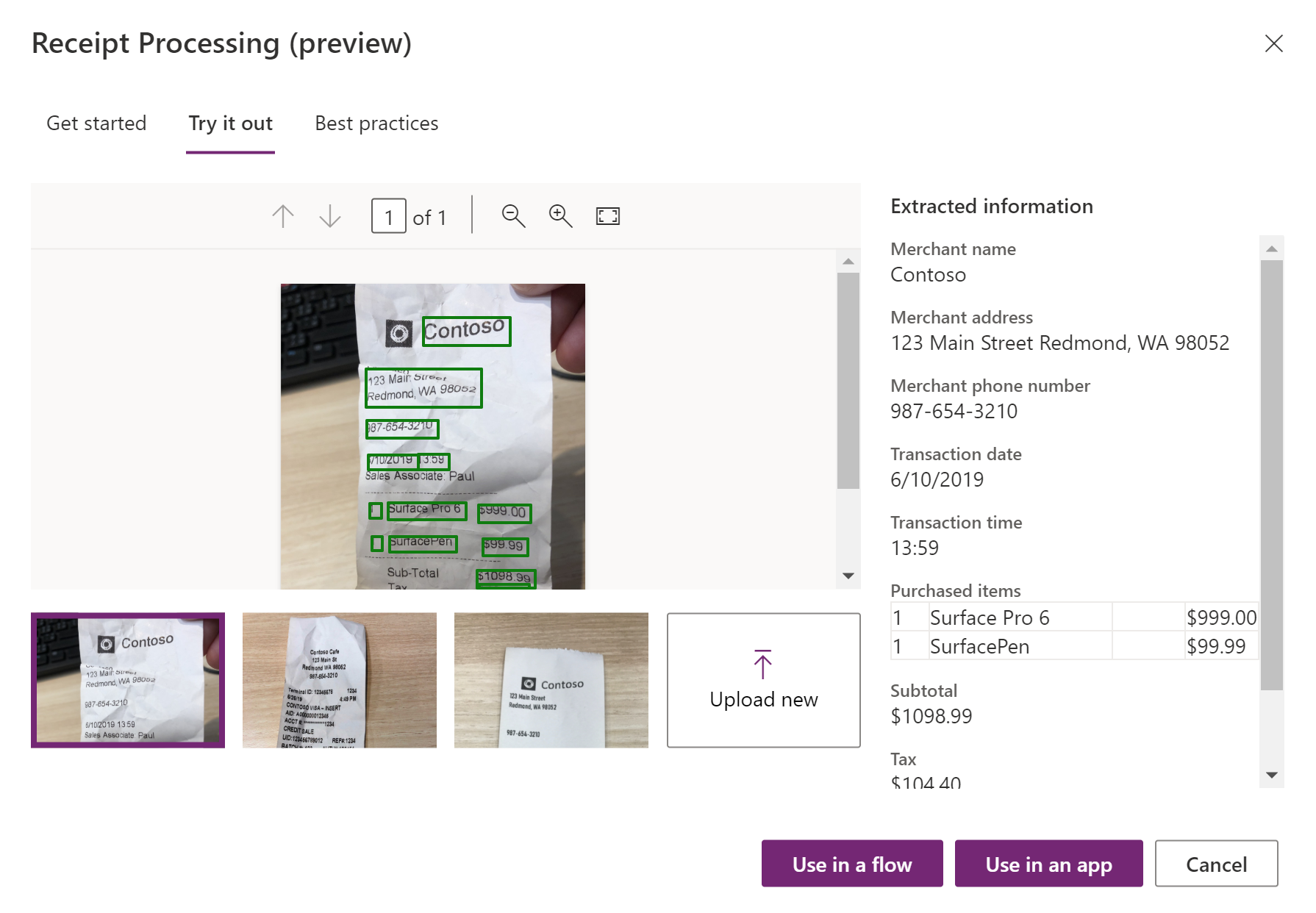
The prebuilt model uses state-of-the-art optical character recognition (OCR) to extract both printed and handwritten text from receipts. You can retrieve valuable information such as the merchant details, transaction date and time, list of purchased items, tax, and totals.
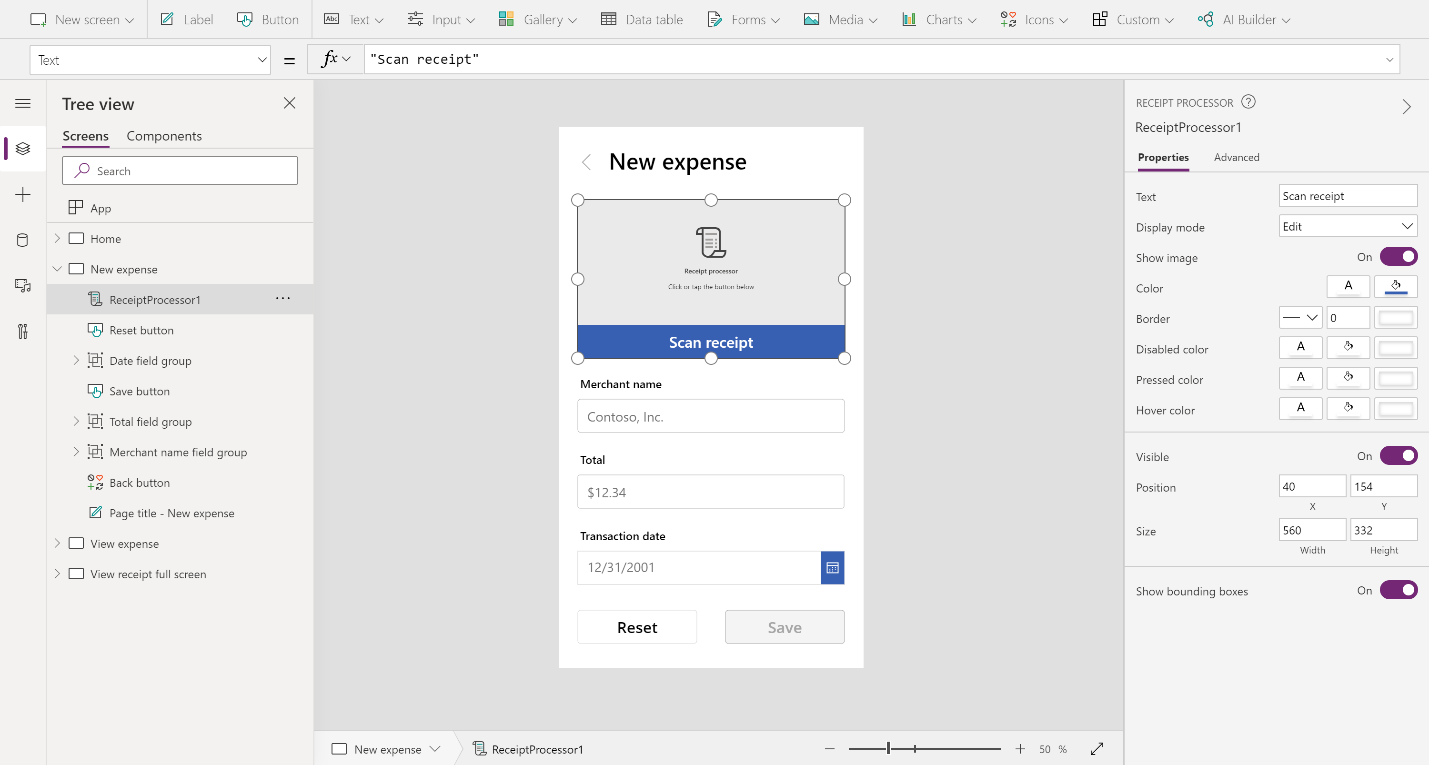
No training or prior configuration is required to use this prebuilt model. Start processing receipts right away in your apps and flows using the new canvas app component and AI Builder flow action.