We are excited to announce the availability of loops and array inputs inside UI flows. This is another example of our commitment to rapidly iterate on features to drive value in UI automation use cases.
With this feature, we are providing the ability to add a loop to your UI automation as a post-recording activity. You will be able to pass an array object as input variable from an API flow to a UI flow, and then create a loop within UI flow script to perform repetitive action within your UI automation.
Here are the steps to create a loop within UI flows using an array input
- Create a UI flow by launching the recorder
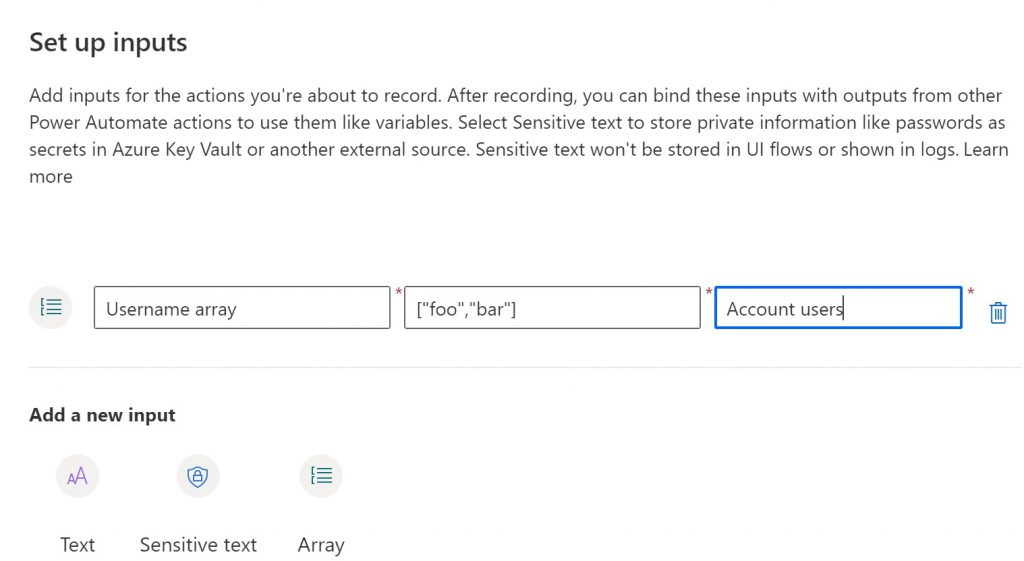
- Navigate to the input section of the newly created UI flow script. Add an Array as your input by providing the name, sample value and description
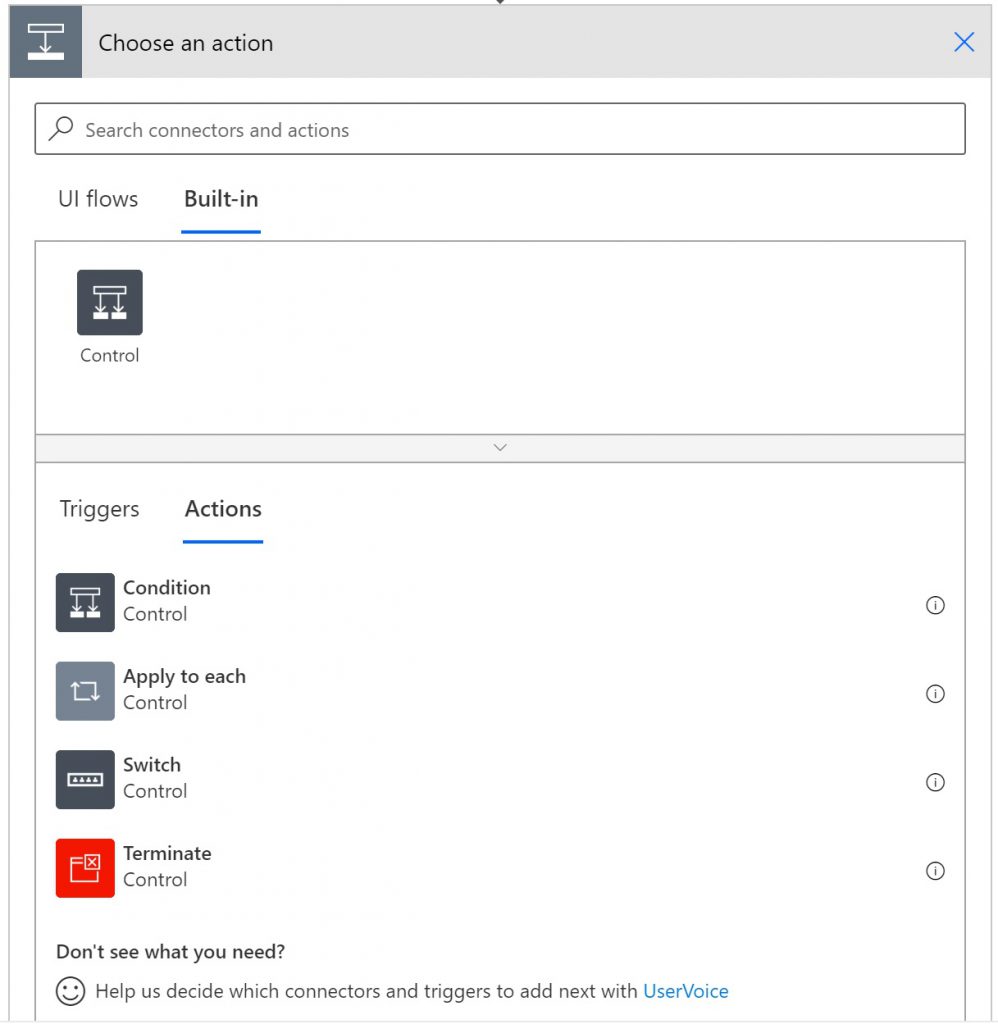
- Navigate to the UI flow script and add “Apply to each” action at the location where you want to start the loop
- Use the previously created array as the token from the Dynamic content
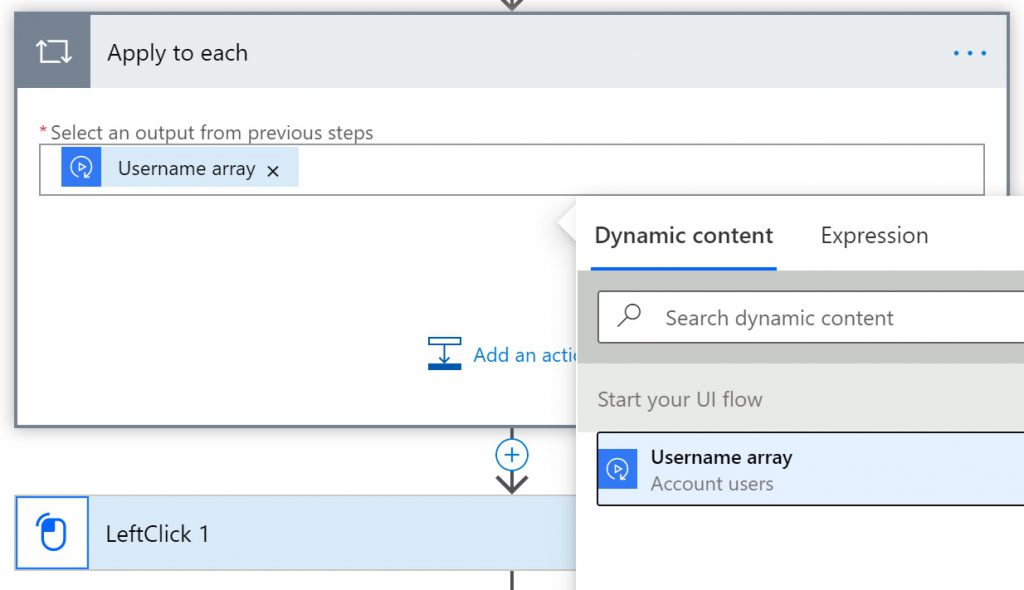
- Drag and drop the recorded actions you want to repeat into the ‘Apply to each’ scope
- Replace the input tokens created during recording with the array values as needed. These can be input using either dynamic content or expressions
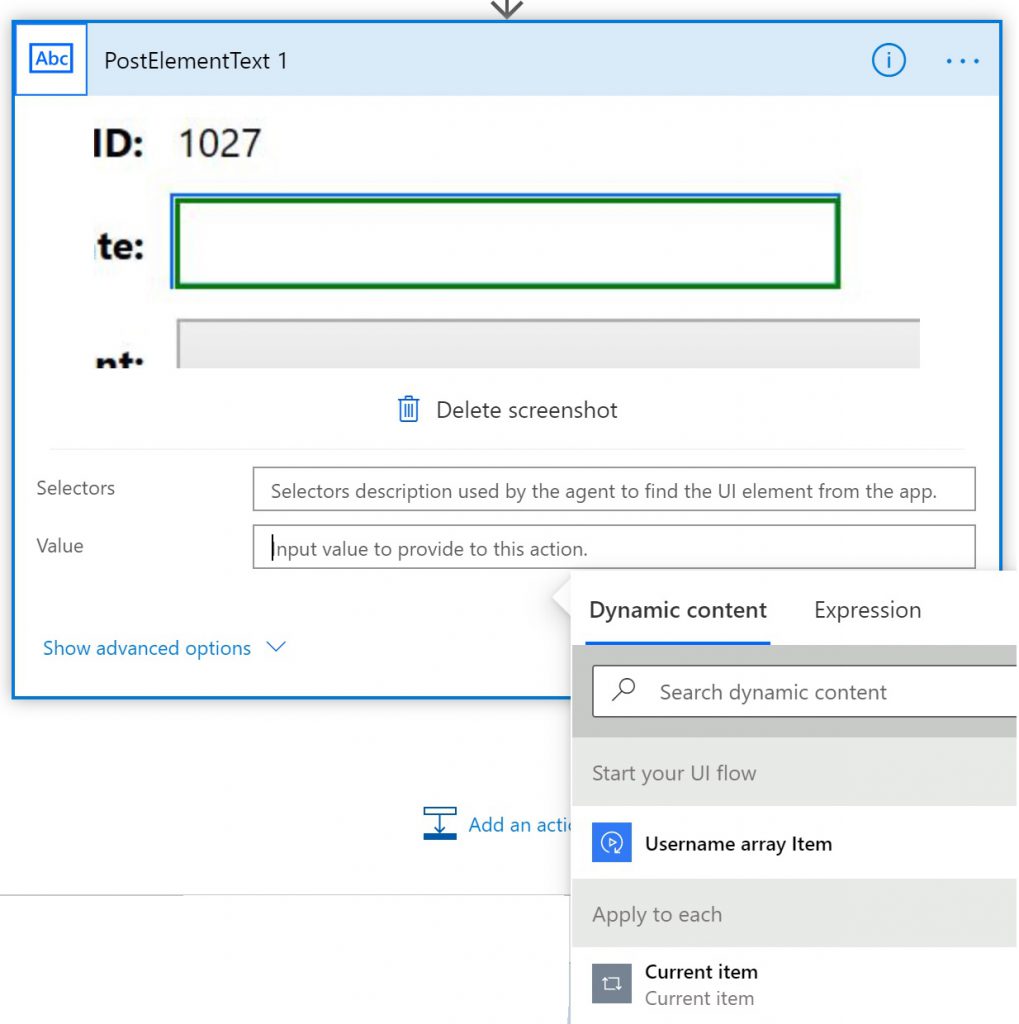
For more details on this feature, please see the documentation here
Please do not forget to share any feedback at the Power Automate Community Forum and use “UI flows” label.
Happy automating!