With AI Builder form processing, you can automate the extraction of fields and tables from documents you work with every day, such as purchase orders, application forms, delivery orders, tax forms, and others.
To extract tables from documents, previously these had to be clearly delimited for AI Builder to detect them. The ability to support more complex tables is one area where we’ve seen great customer demand.
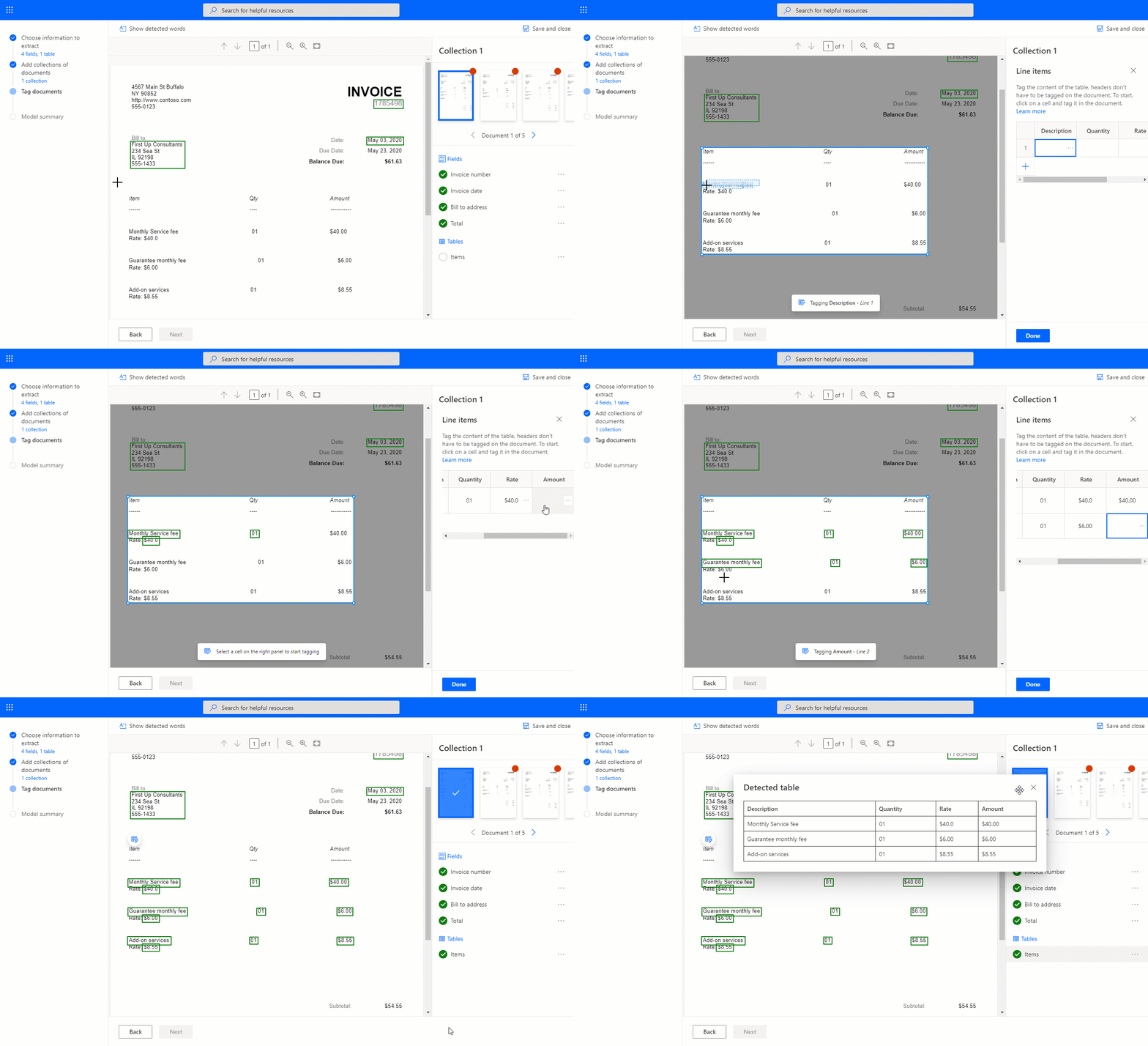
We are excited to announce that you can now train a form processing model to recognize tables that were not supported until today, available in public preview. Tables can range from simple ones with clear delimitations between rows and columns, to more complex ones without borders, that have merged cells, or even nested items. Just tag the tables you want to extract on the document the same way you tag fields. This way, you’ll teach the AI model how to extract the tables.
Here’s the new table tagging experience in action. Nested items, like Rate in the below example, are now supported:
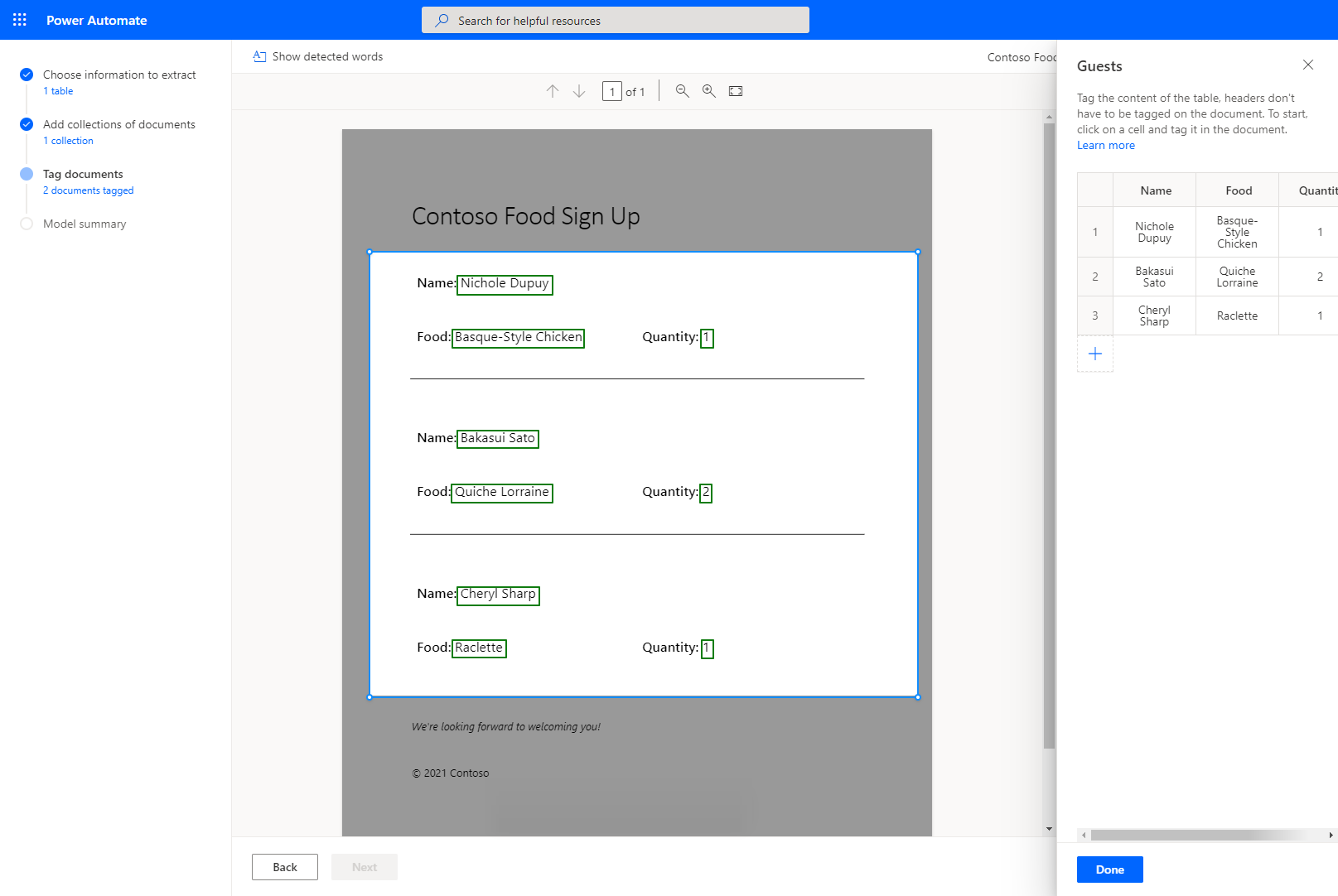
This new table tagging experience also gives the flexibility to tag repeating items in a document that you would like to extract in a tabular structure, like the example below:
Once your form processing model has been trained and published, you can use your model in your automation flows in Microsoft Power Automate or apps in Microsoft Power Apps. You can also leverage it in the recently released end-to-end document automation solution.
Learn more
To learn more about creating your form processing model, including table extraction, see this documentation page.
The Get started with form processing in AI Builder module in Microsoft Learn is also a great way to discover the basics of form processing in AI Builder and how it can benefit your business.
And If you prefer video, Steve Winward, Technical Specialist at Microsoft, has published the following how-to video showcasing this new form processing feature.
We are always working to improve AI Builder to meet your needs. Feel free to share your feedback with us in the AI Builder forum or email us directly at aihelpen@microsoft.com.
We are looking forward to seeing all the intelligent document automation scenarios you will enable with this new functionality in AI Builder form processing!