


Surface Pro, Copilot+ PC
This laptop's unrivalled flexibility and AI features like Cocreator, enable you to do more than you ever imagined.

Surface Laptop, Copilot+ PC
Unlock next-gen AI experiences like Recall—so you can search your PC’s past to find the content you need.
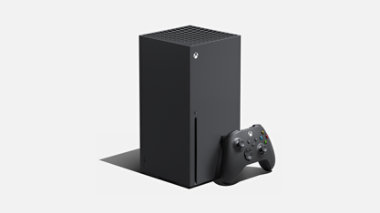
Xbox Series X
The fastest, most powerful Xbox ever.

Maximize the everyday with Microsoft 365
Get online protection, secure cloud storage, and innovative apps designed to fit your needs—all in one plan.

Unlock your potential with Microsoft Copilot
For business
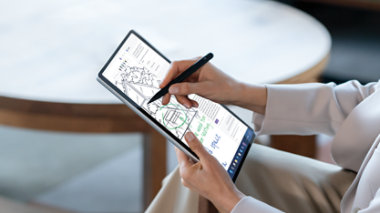
Surface Pro 10 for Business
Tablet flexibility and laptop performance in an ultraportable design with the latest Intel processors and AI-powered tools.

Copilot+ PCs for Business
Surface Pro for Business and Surface Laptop for Business unlock new AI-accelerated features like Recall and Windows Studio Effects.

Windows 11 Pro for Business
Explore a new class of business devices with powerful performance and unique AI experiences.

Tune into Microsoft Build today
Now through May 23, find out how to grow your skills in AI-related areas like building copilots, generative AI, cloud platforms, and more.
Explore more about AI and Copilot

10 AI terms everyone should know
Machine learning is impacting many parts of modern life. We’ve broken down some of the key buzzwords.

Get the most out of Microsoft Copilot
Learn how to get better AI answers with ASK: a three-step formula for acing your prompts.

The art of inclusion
Copilot is serving the blind and low-vision community by creating greater access to the Rijksmuseum’s collection.