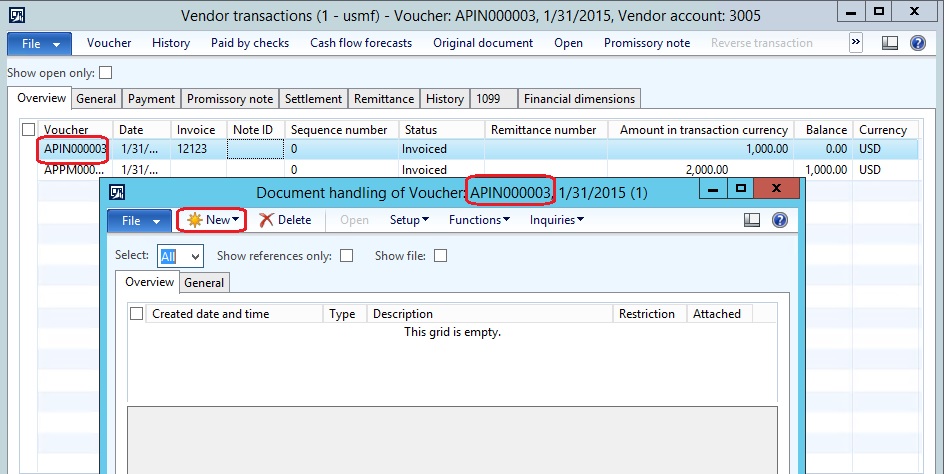
You may get into the following situation where trying to attach a document on a paid “settled” transaction, and the new button is dimmed.
Assuming that there is a vendor settled invoice transaction, and go to document handling by Go to File| Command| Document handling
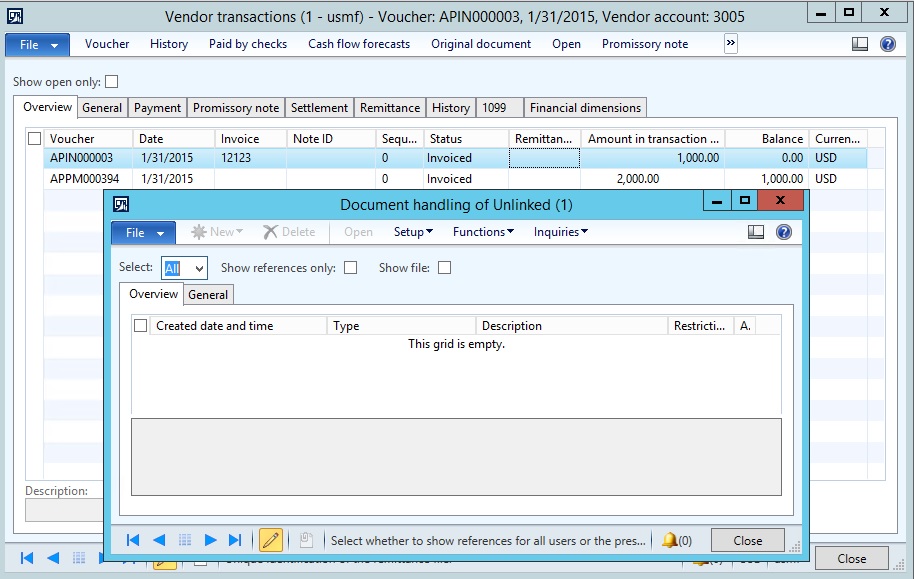
There is an option in Microsoft Dynamics AX where to be able to activate the document handling for the closed “settled” transactions.
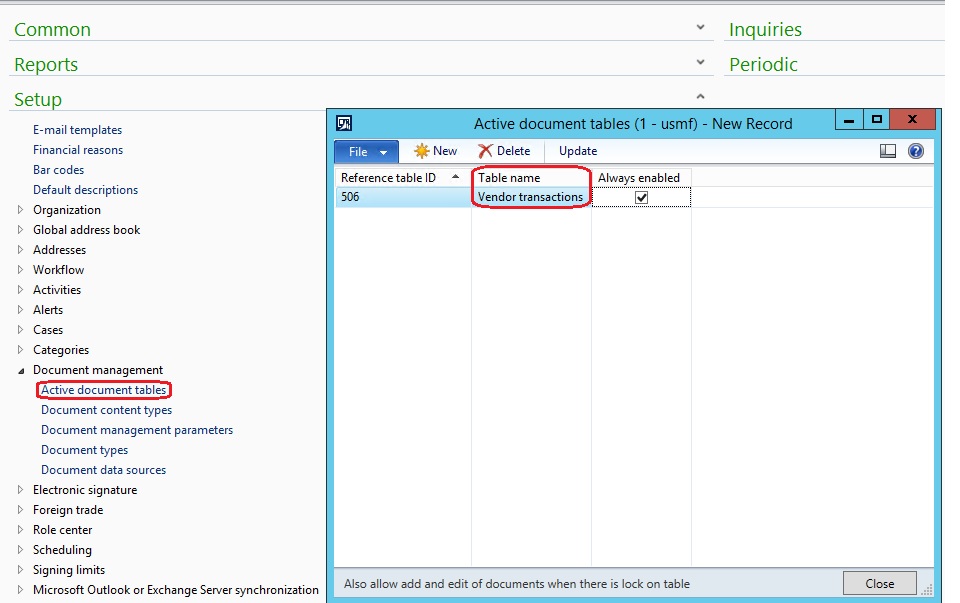
First need to specify a table(s) for document handing:
- Go to Organization and administration| Setup| Document management| Active document tables
- In the active document tables form, press Ctrl + N to create a new record
- Select table name “in my example I’ve selected Vendor transactions table [VendTrans]”
- Mark always enabled
- Go to Accounts payable| Common| Vendors| All vendor
- Select a particular vendor, then press Transactions
- Highlight the closed transaction in my example “APIN000003”
- Go to File| Command| Document handling
- In the document handling form you can add new file