You may need a report which considers information from different modules. For example: One report that contains the financial transactions of a purchase order linked to a project.
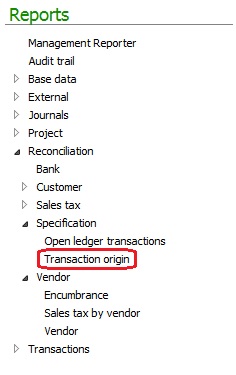
The Transaction origin report can assist in achieving this requirement. The report path is: General ledger | Reports | Reconciliation | Specification | Transaction origin
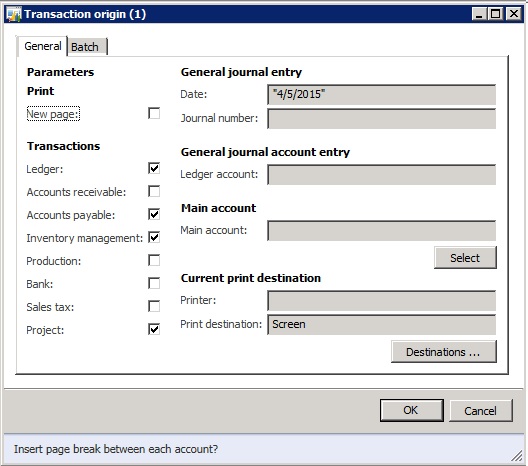
The report dialog box will open, where you can mark the transactions that you want included in the report.
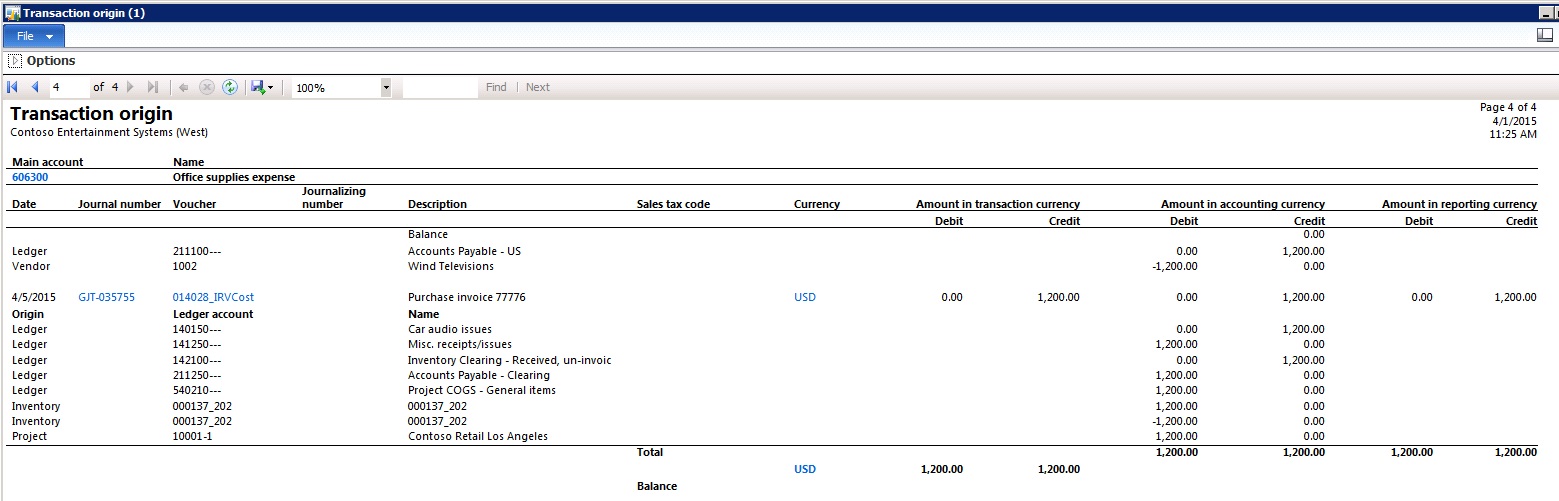
In this example the generated report contains the main accounts, Vendor ID, Project ID, and Item ID, in addition to the voucher number, and journal number.