As organizations advance in the digital era, strong data governance is essential. With AI-driven operations and growing business demands, greater transparency and oversight are required. Microsoft Dataverse, central to Power Platform solutions, now offers enhanced auditing features—including AI-assisted agent events, user label tracking, privacy compliance, retention policies, and improved audit storage management.
1. New Audit Create and Update Events for AI-Assisted Agent Activity
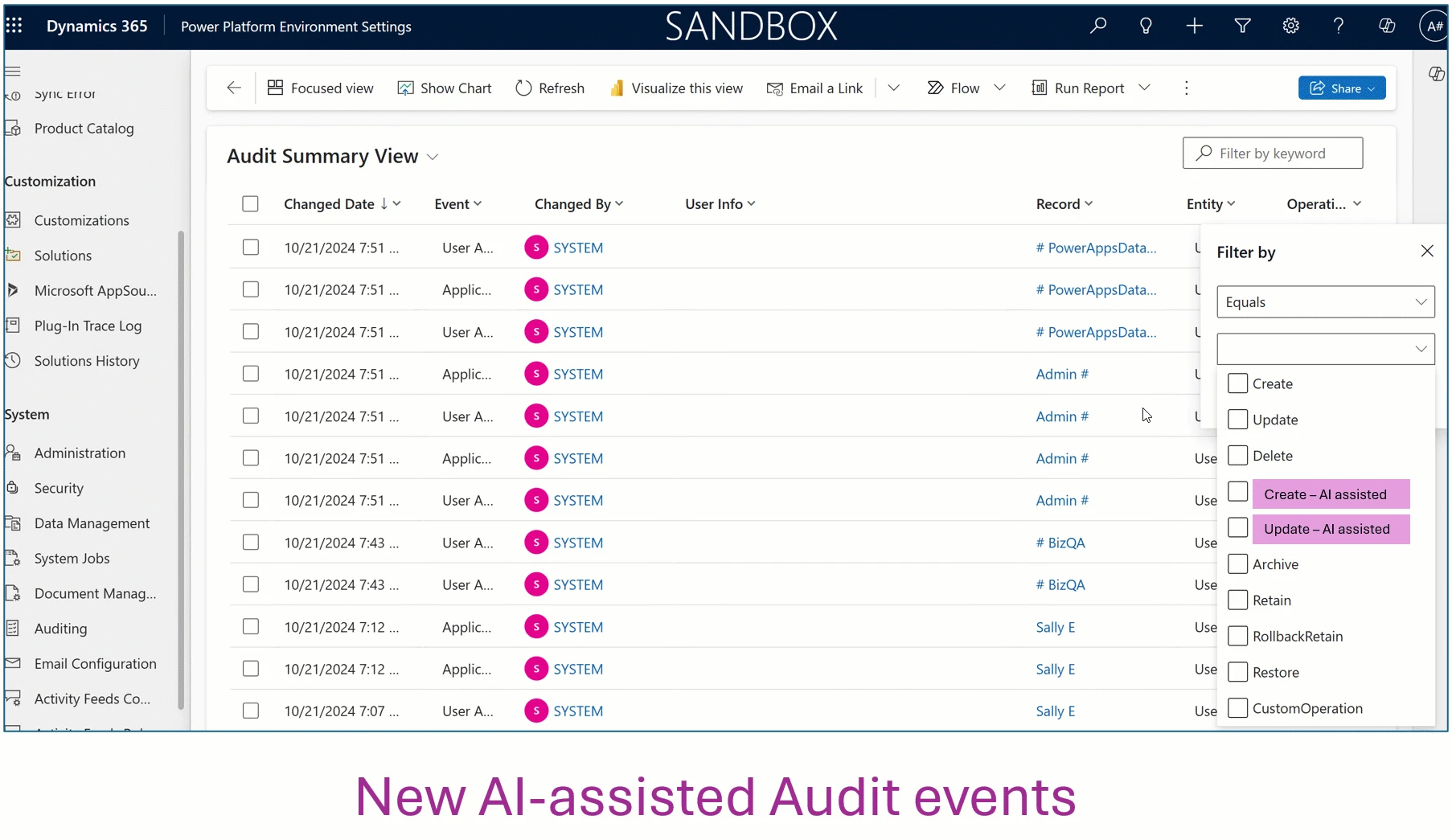
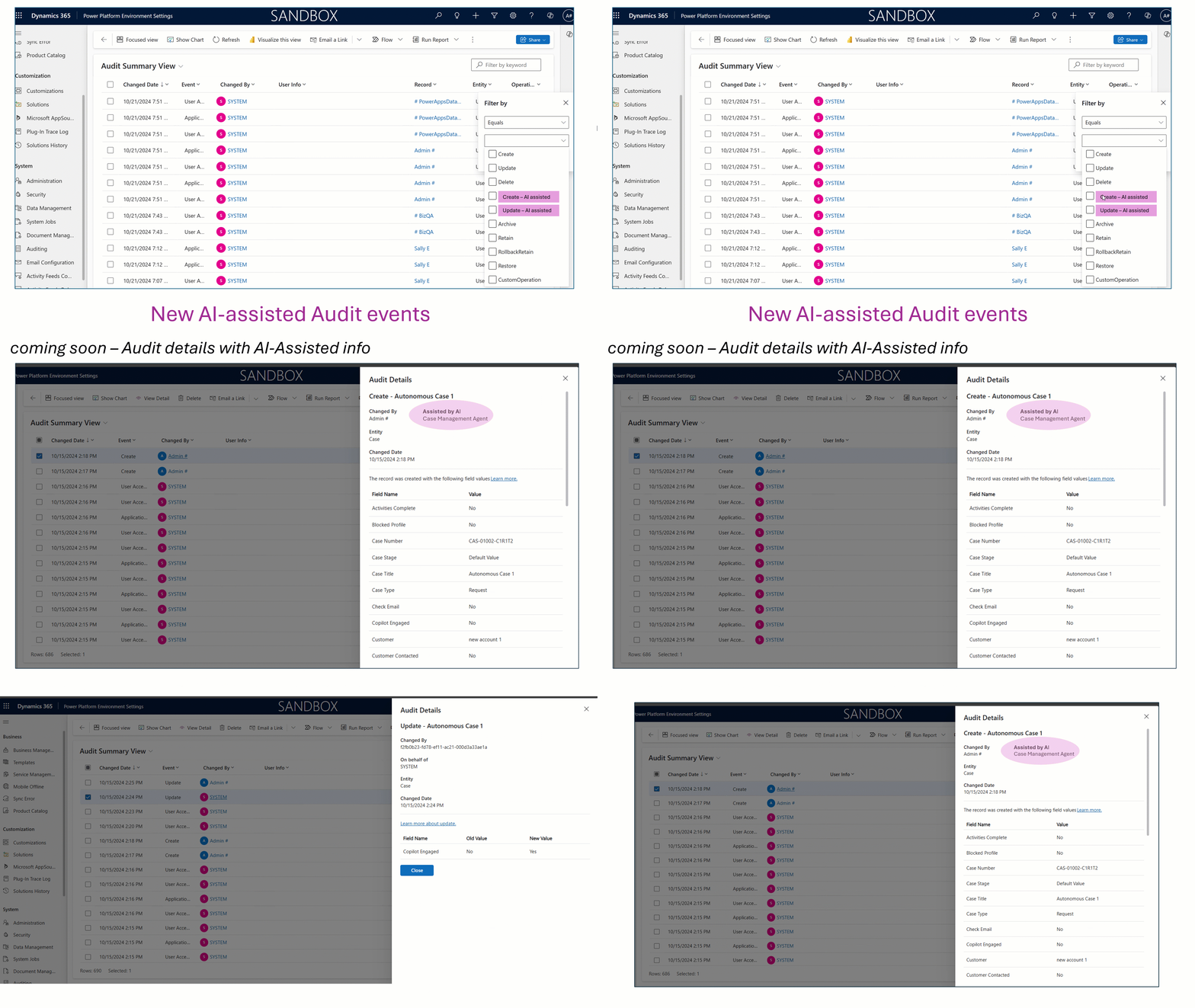
Dataverse now provides detailed auditing for AI-assisted data changes. Every update by an AI agent is logged, allowing organizations to monitor AI actions and maintain transparency.
Why is this important?
- Organizations can identify when AI alters data.
- Audit trails distinguish AI activities from human ones for tracking and review.
- Compliance is easier as regulations demand documentation of automated changes.
For example, if a chatbot updates customer preferences, admins can see the event, agent, affected columns, and timestamp—helping sustain trust as automation grows.
2. Auditing Core Business Tables and Security-Related Tables for Data Privacy Compliance
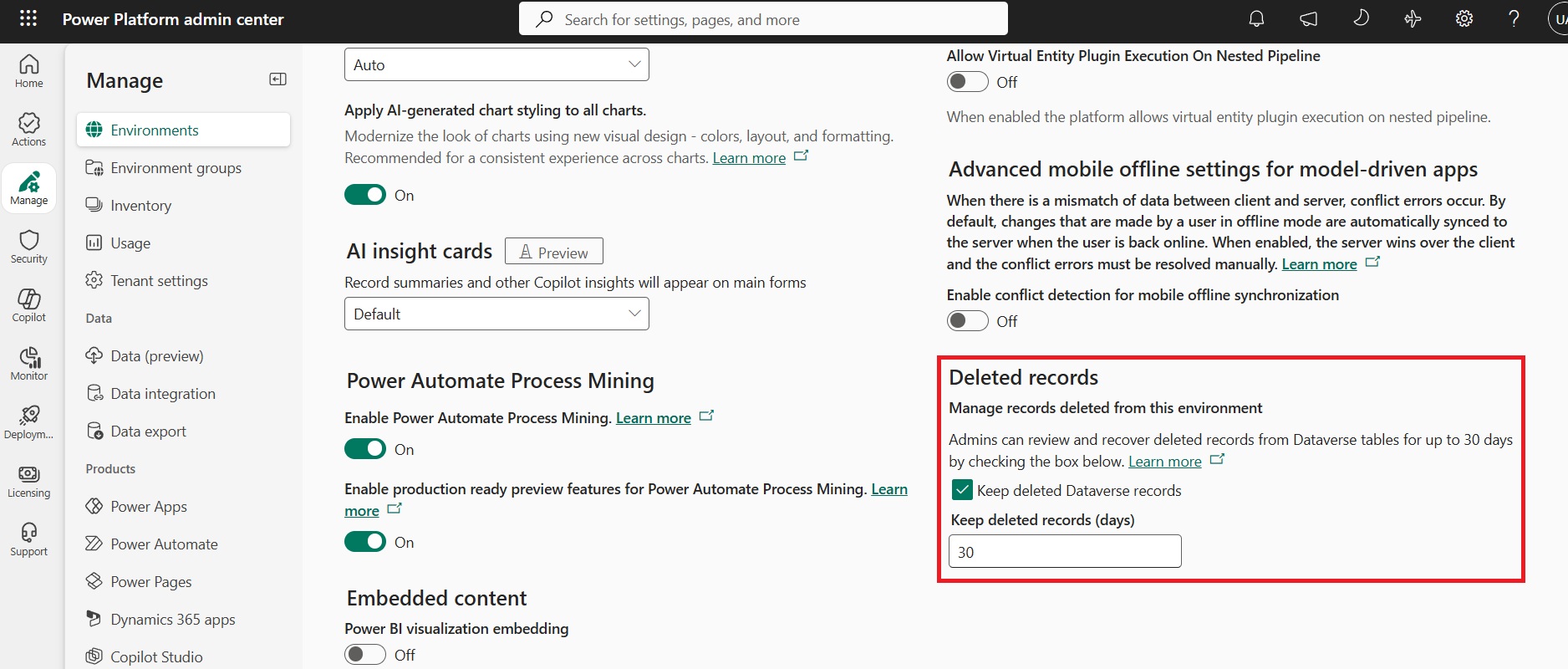
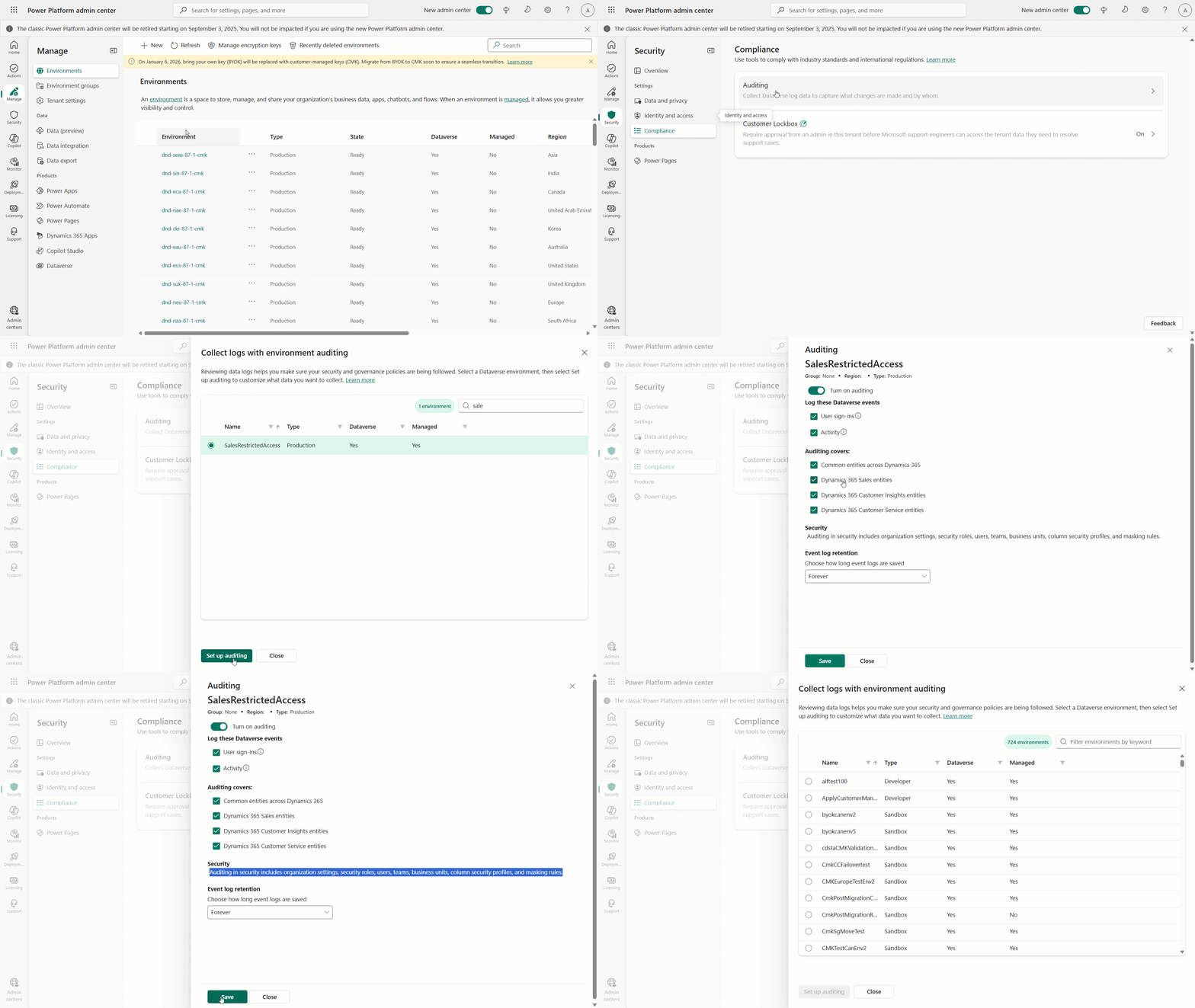
Dataverse offers auditing for essential business and security tables to help organizations comply with evolving privacy regulations like GDPR. Administrators can enable audits for critical data such as Contacts, Accounts, Opportunities, security roles, permissions, and access logs.
- Auditing ensures strong data governance, tracks user activity, and maintains regulatory compliance.
- Security table auditing increases visibility into permission changes and supports forensic investigations.
Organizations can configure these audits to meet privacy requirements and maintain thorough records of sensitive data.
Administrators can turn on auditing for their environment via the Security hub:
3. Auditing Original User Selected Label Values
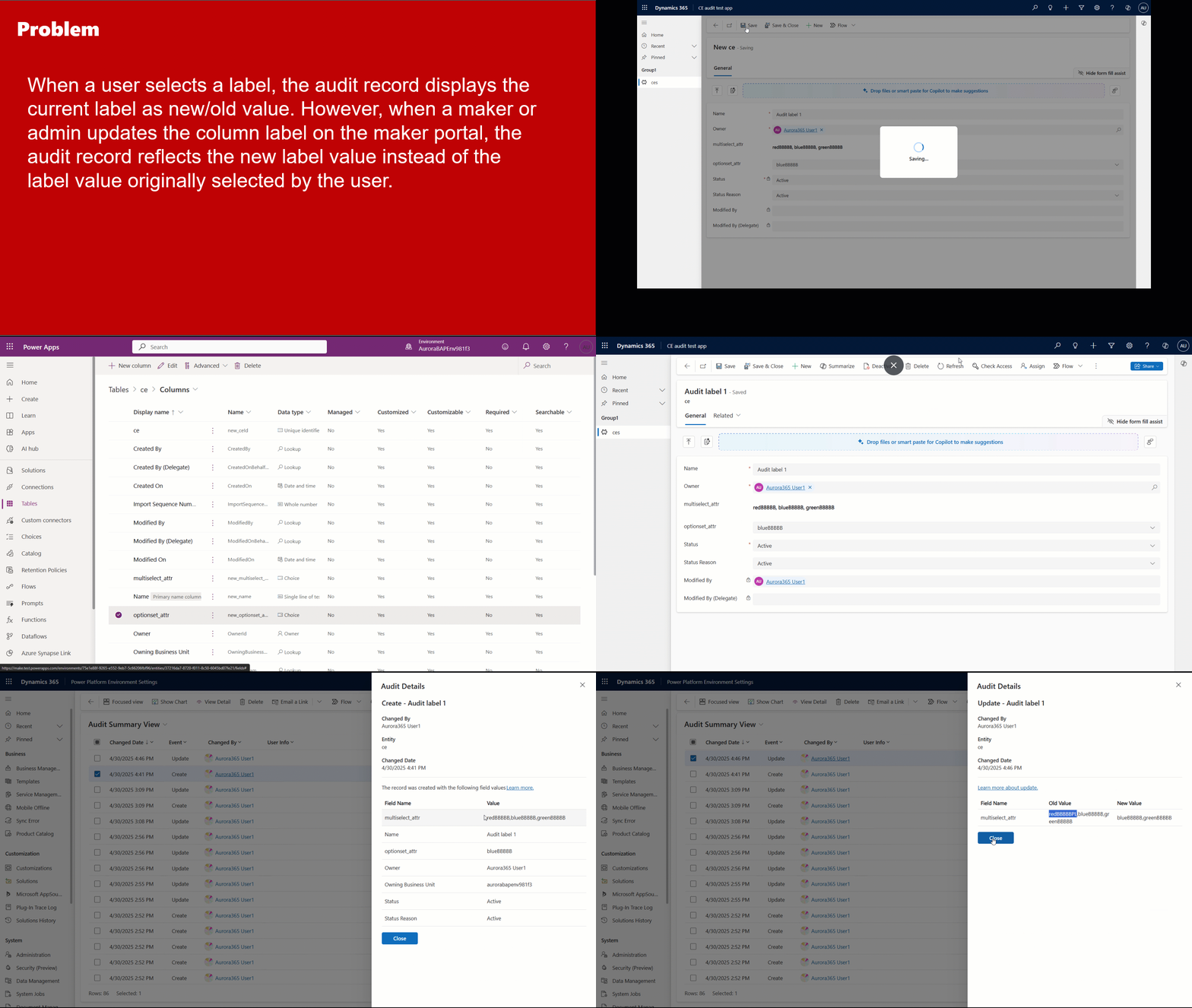
Dataverse improves auditing for option sets and dropdowns by tracking both the selected label and its backend value. This ensures accurate records even if labels change, supporting audits and compliance. Logs keep the user’s original choice for better dispute resolution and data integrity. This preserves user intent for clarity and compliance.
4. Enhanced Audit Summary Viewing in the Environment Settings App
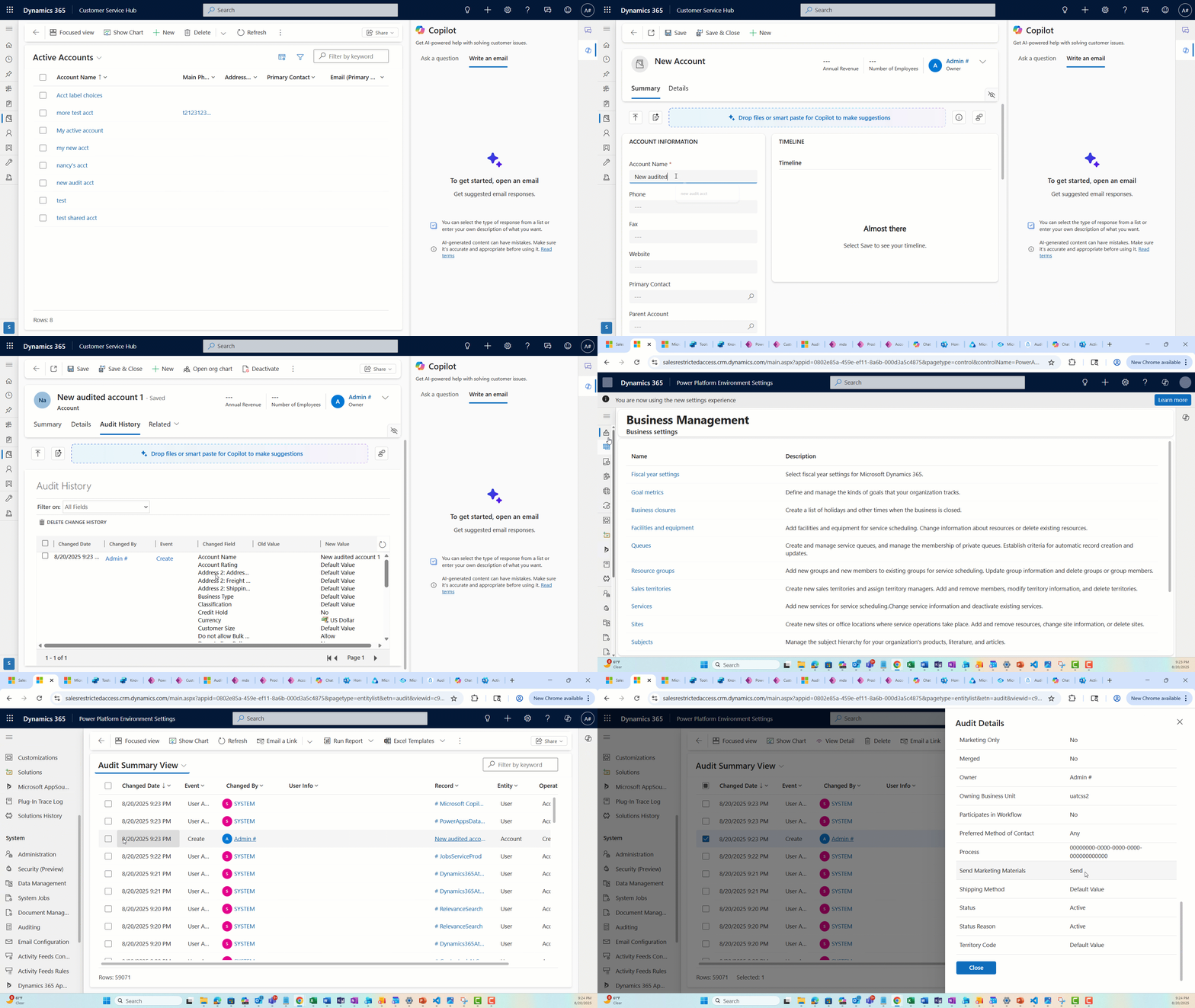
Dataverse now offers a streamlined audit summary view within Environment settings, giving administrators and data stewards direct access to audit logs. The interface standardizes layouts for quick comparison, allows filtering by agent type, improves search and sorting, and supports exporting or sharing data for compliance and reporting. This update enables efficient review and management of audit data, ensuring transparency and regulatory readiness.
5. Retention Policy for Audit Records
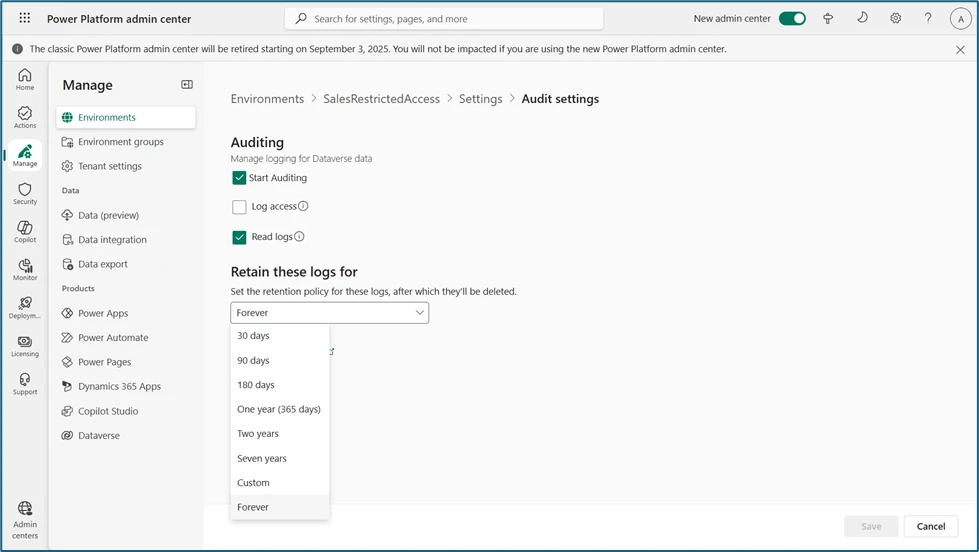
As audit logs grow, Dataverse lets administrators set retention policies to automatically delete records after a chosen period, helping comply with privacy laws and cut storage costs. Policies can be customized by table or process. For example, HR might keep logs for seven years while marketing deletes them sooner.
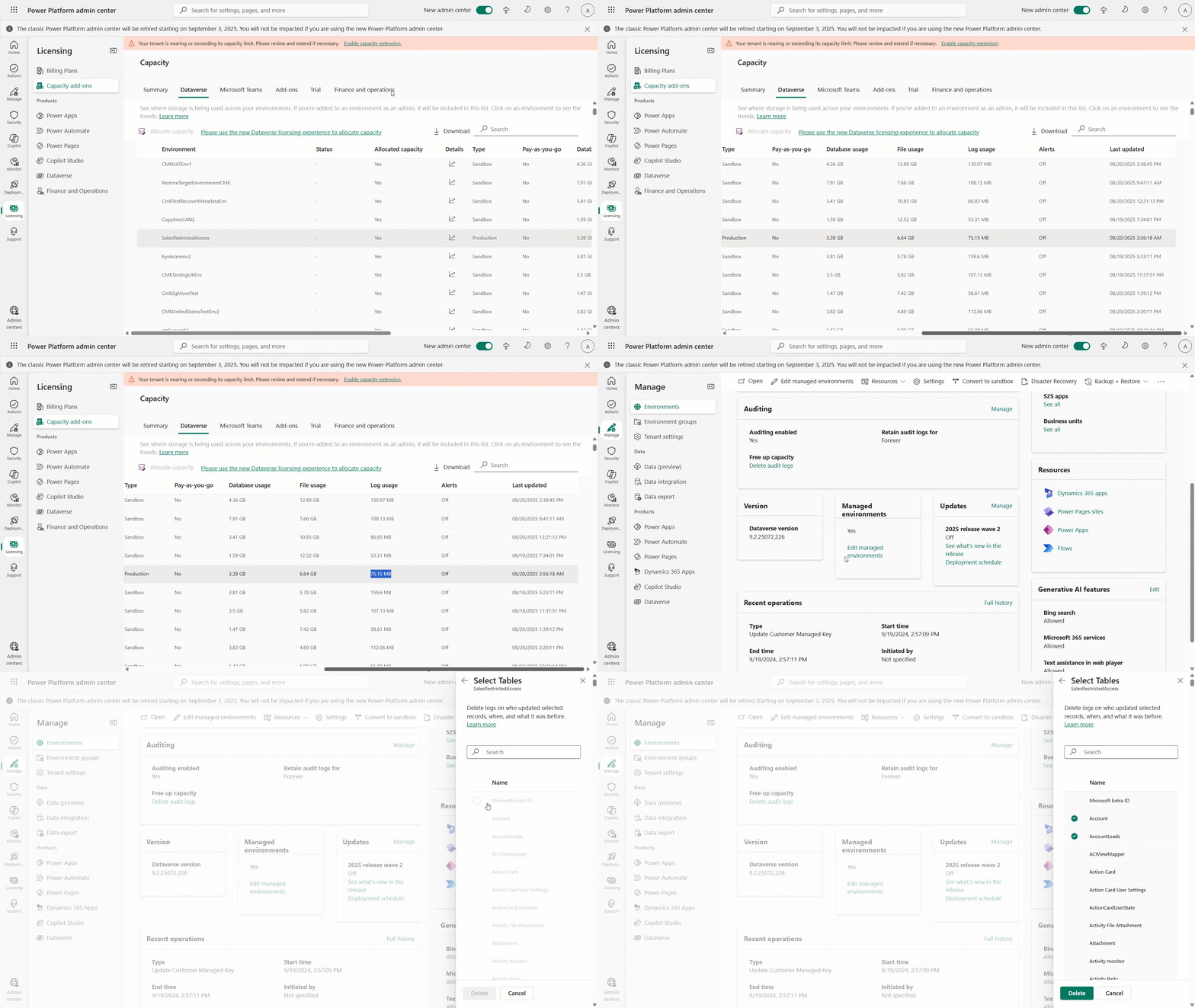
6. Managing Audit Storage: Identify and Delete Audit Records by Table
Dataverse lets admins track audit storage by table and delete audit logs per table, reducing storage costs and improving performance.
- Organizations can retain audits for important tables and clear less critical ones.
- Example: If “Leads” generates excessive audits, admins can apply retention policies and delete its records without impacting other tables.
7. Retention Policy for completed System Jobs
Effective management of job audit history in Dataverse promotes system health and compliance. Organizations can set retention policies for system job audit data, enhancing performance by automatically deleting outdated records.
- Only relevant job histories are kept, improving efficiency and supporting compliance.
- Retention settings can be tailored to business unit requirements and legal obligations.
For instance, audit logs for routine imports may be retained for 90 days, while financial operations may need up to a year of audit history.

8. Dataverse audit events sent to Purview audit
When an administrator turns on Auditing or checks Activity for an environment, these activities are sent to Purview as audit trail.
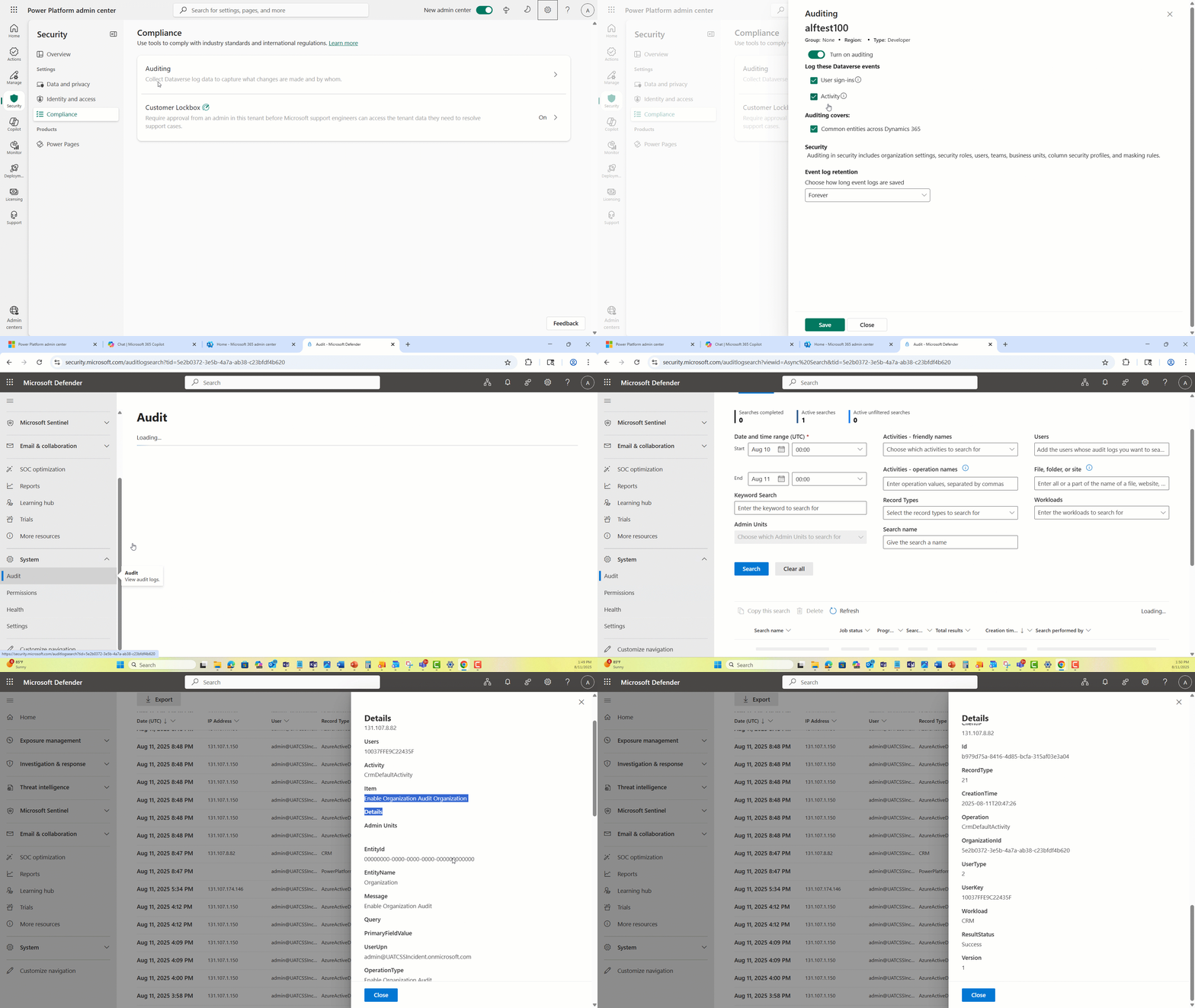
See the list of Dataverse audit events that are sent to Purview – Microsoft Dataverse and model-driven apps activity logging – Power Platform | Microsoft Learn
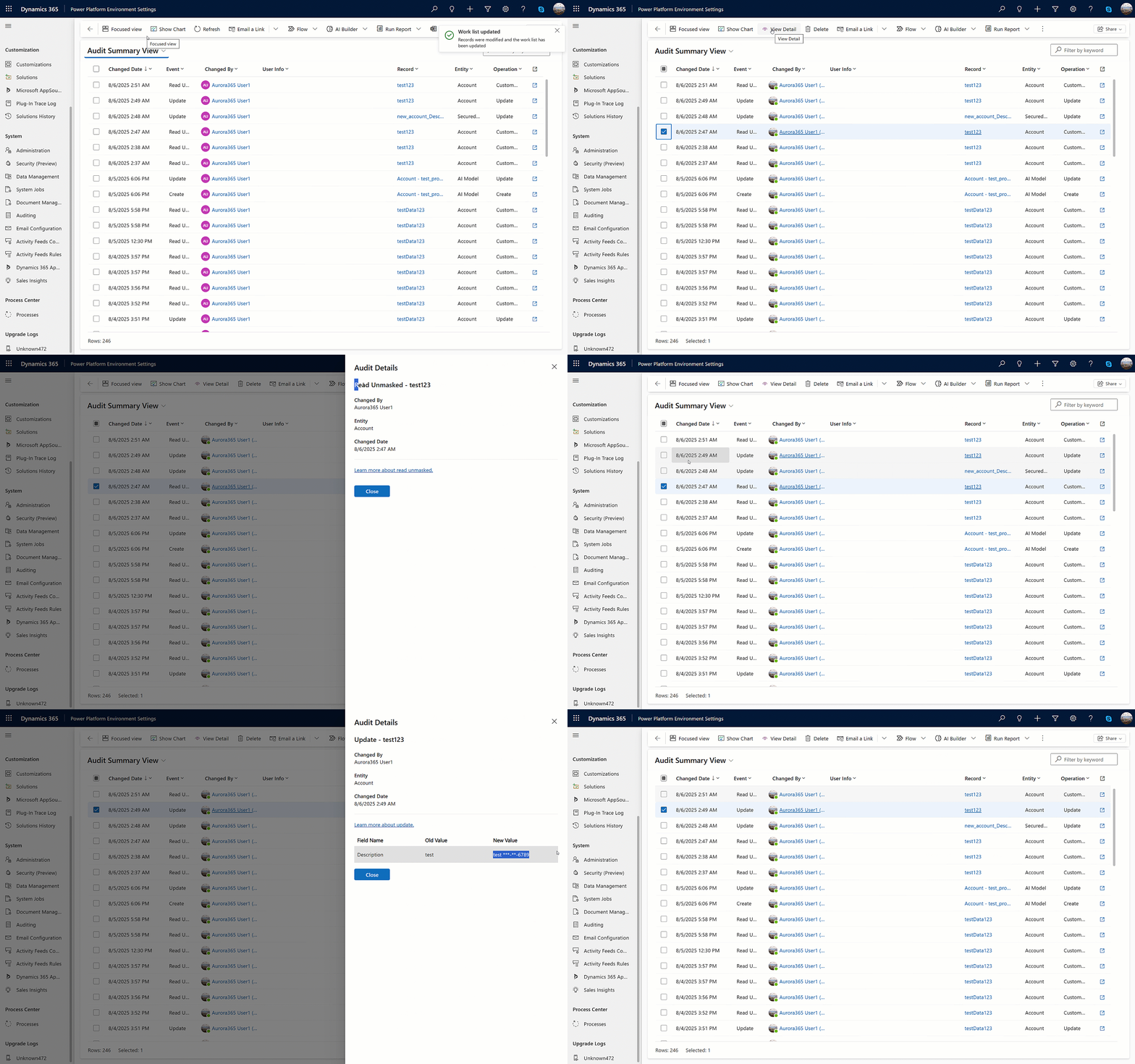
9. Auditing sensitive data with masked fields
Sensitive data is protected by masking, ensuring that confidential information remains concealed. This masking is consistently applied within audit logs, so sensitive details are never exposed during audits. Whenever someone read sensitive information, the Read event is audited.
Get started today
With so many key updates, check out the documentation to learn more and get started with empowering data stewardship, privacy, and control:
- Use the Power Platform Environment Settings app – Power Platform | Microsoft Learn
- GetAuditStorageDetails Action (Microsoft.Dynamics.CRM) | Microsoft Learn
- Delete completed system jobs and process log to comply with retention policy – Power Platform | Microsoft Learn
- Create and manage masking rules (preview) – Power Platform | Microsoft Learn
- Microsoft Dataverse and model-driven apps activity logging – Power Platform | Microsoft Learn