We’re excited to announce that Process Maps in Power Apps plans are now generally available! This feature brings a new level of clarity and efficiency to solution planning by enabling makers to visualize workflows directly within their plans. Whether you’re building a new app or refining an existing solution, process maps help teams align on steps, roles, and decision points before development begins.
What’s New?
With process maps integrated into Plans, you can:
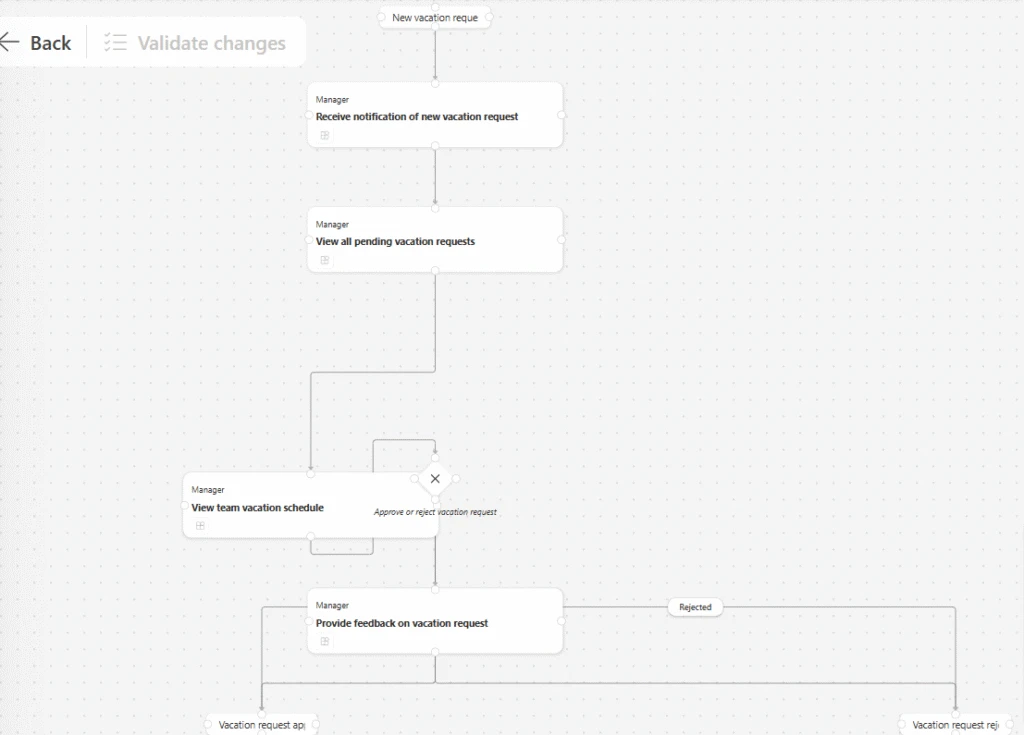
- Visualize workflows: See the entire process flow, including events, tasks, and gateways, in a structured diagram.
- Collaborate effectively: Provide stakeholders with a clear picture of how user stories translate into actionable steps.
- Edit with AI assistance: Use natural language to update or refine processes, or make manual edits that AI validates for consistency.
This AI-first experience ensures that your process diagrams remain accurate and adaptable as requirements evolve.
Why Process Maps Matter for Business Solutions
Process maps aren’t just diagrams—they’re strategic tools. By embedding them into your planning workflow, you gain:
- Improved Decision-Making: Visualizing processes helps identify bottlenecks, redundancies, and dependencies early, enabling smarter resource allocation.
- Enhanced Communication: Teams across business and IT can align on the same visual representation, reducing misunderstandings and accelerating approvals.
- Risk Reduction: Mapping out decision points and user roles upfront minimizes surprises during implementation and ensures compliance with organizational policies.
In short, process maps transform planning from a static document into a dynamic blueprint for success.
Business Impact
Organizations using process maps report:
- Faster project cycles: Clear workflows reduce rework and speed up development.
- Higher adoption rates: Stakeholders understand the solution better, leading to smoother rollouts.
- Better ROI: Early clarity means fewer costly changes later in the lifecycle.
When planning is visual and collaborative, every decision becomes data-driven and aligned with business goals.
Get Started Today
To start using process maps:
- Open Plan Designer in Power Apps.
- Create or select a plan.
- Navigate to the Process Map section and begin visualizing your workflows.
For detailed guidance, check out Use plans to simplify process diagrams.