Announcing Power Platform dataflows general availability
A few months ago we announced a Public Preview of Power Platform analytical dataflows. Now, we’re extremely excited to announce that Power Platform analytical dataflows are generally available!
As the volume of data continues to grow, so does the challenge of converting messy data into accurate well-structured information that’s ready to be consumed by apps, AI workloads, or analytics so that Enterprises can quickly turn volumes of data into actionable insights.
Today, Power Platform dataflows empowers citizen developers with a no-code experience for self-service data preparation capabilities at scale within the Power Apps maker portal. This enables citizen developers to connect to data from different data sources (both cloud and on-prem), clean and transform the data by leveraging the familiar Power Query experience, map to standard entities using the Common Data model, and land the data into Common Data Service or Azure Data Lake Storage, thereby making it available for reuse across multiple Power Apps and Flows created within Power Automate.
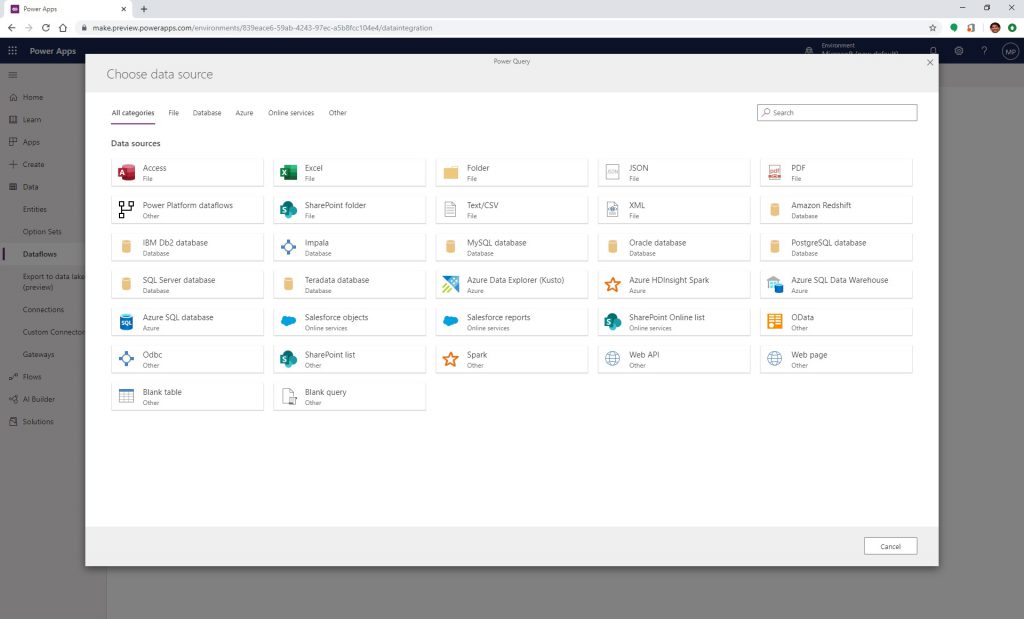
By storing these entities from dataflows within Azure Data Lake Storage, your data engineers and data scientists can leverage the full power of Azure Data Services such as Azure Machine Learning, Azure Databricks, and Azure SQL Datawarehouse for advanced analytics and AI.
Since our public preview, we have been working closely with our top Power Apps customers and the community, to gather feedback to improve Power Platform dataflows capabilities towards GA. Based on your suggestions and valuable feedback, we are excited to share that we have expanded Power Platform dataflows with additional capabilities such as incremental refresh, e-mail notifications for refresh failures, and a Power Platform dataflows connector within Power BI Desktop.
Incremental refresh:
Once a dataflow is created and saved, select the “Edit incremental refresh” option by tapping on “…” where you can find more commands.
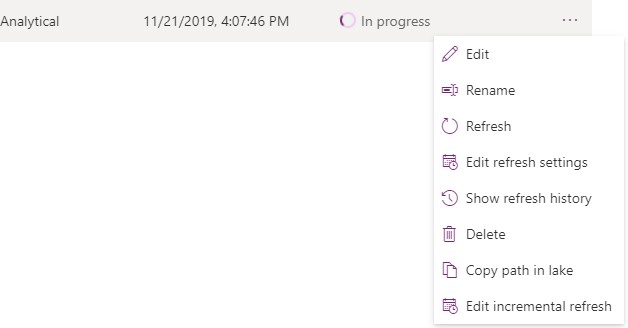
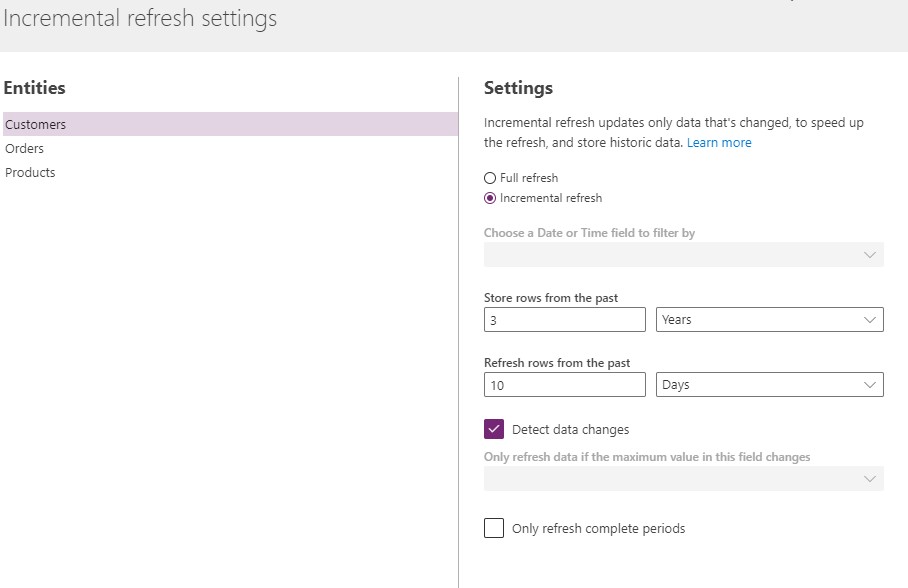
When you select “Edit incremental refresh”, the incremental refresh settings window appears. A dataflow may contain many entities and the example below shows 3 entities – Customers, Orders and Products. Incremental refresh is set up at the entity level, allowing a dataflow to hold both fully refreshed entities and incrementally refreshed entities. You can set your incremental refresh policy by configuring “store rows from the past” and “refresh rows from the past”. For this example, we define a refresh policy to store 3 years of data from the past in total, and incrementally refresh 10 days of data.
When you select the “Detect data changes” checkbox, you can select a date/time column to identify and refresh only the days with changed data. This assumes such a column exists in the source system, which is typically for auditing purposes. The maximum value of this column is evaluated for each of the periods in the incremental range. If that data has not changed since the last refresh, there is no need to refresh the period. In the example below, this could further reduce the days incrementally refreshed from 10 to perhaps 2.
E-mail notifications following a refresh failure:
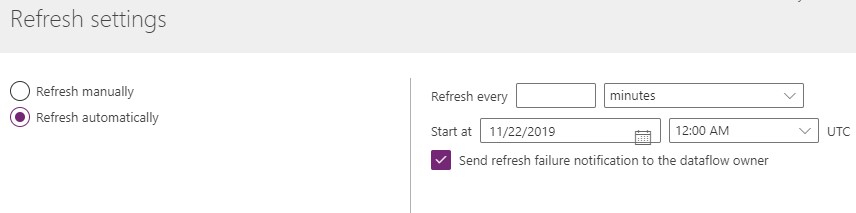
This feature allows dataflow owners to receive an email notification upon refresh failure. To enable refresh notifications as a dataflow owner, go to the dataflow, tap on more commands, choose “Edit refresh settings”, and select the checkbox “Send refresh failure notification to the dataflow owner”.
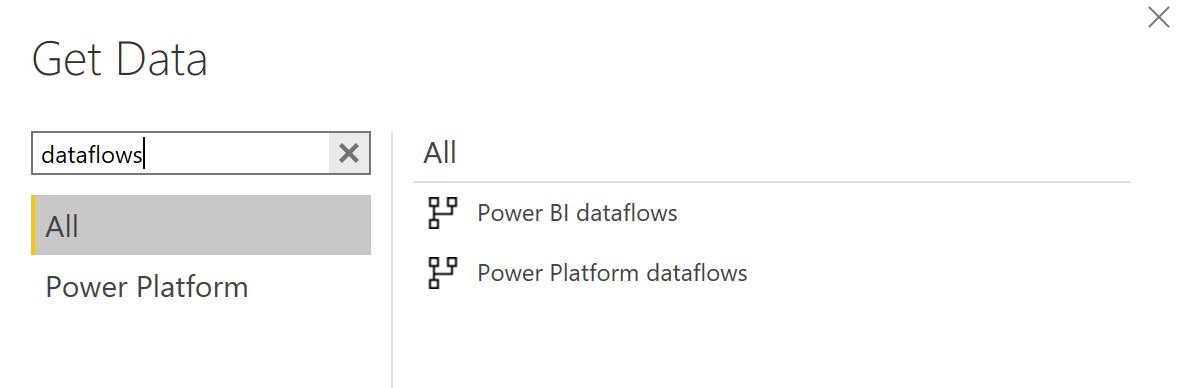
Power Platform Dataflows connector within Power BI Desktop:
Now you can connect to the dataflow created within Power Platform just like any other data source within Power BI Desktop.
In addition to the above features, we recently launched 50+ new features within Dataflows including 7 new data connectors, 40+ new data transformations as well as other Power Query authoring enhancements such as data profiling, query parameters, function authoring, M intellisense support and selecting related tables.
We want to thank you again for all your feedback. To get started with Power Platform Dataflows, click here. To learn more about Power Platform dataflows click here.