I’m excited to announce that Power Platform is now a connected service in Visual Studio 2022 Preview!
Code-first developers will now be able to create both APIs and connectors from within Microsoft Visual Studio, thereby minimizing context switching when developing custom connectors for Microsoft Power Platform.
Let’s explore how to create a simple Power apps canvas app from an ASP.NET Web API project.
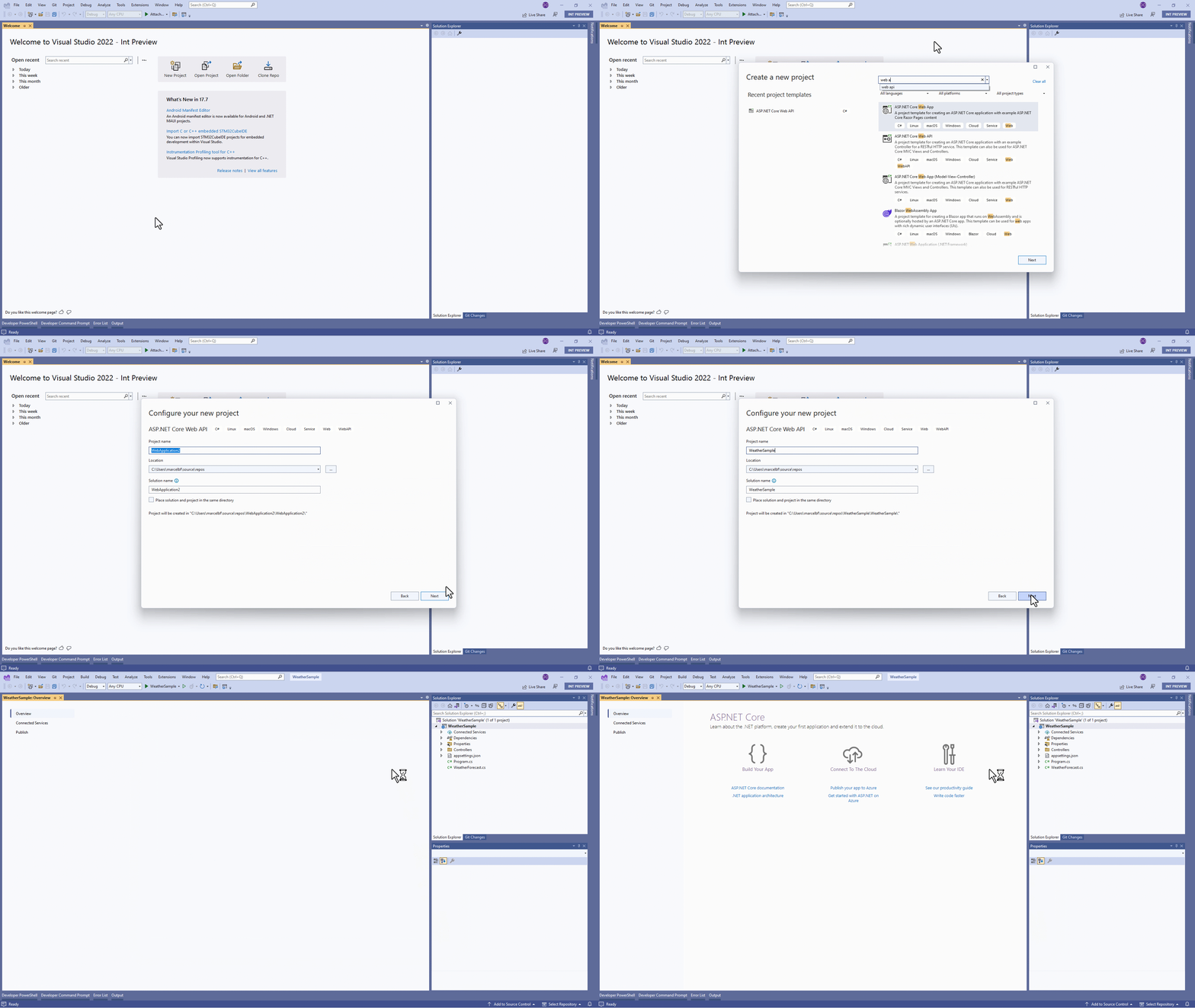
Create a new ASP.NET web API.
Create a new ASP.NET Web API project in Visual Studio. This project template provides you a sample web API that you can use to create power apps. This sample returns random numbers as temperature.
Add Power Platform as a connected service.
By adding Power Platform as a service dependency, you can update an existing custom connector, or create a new one from your API.
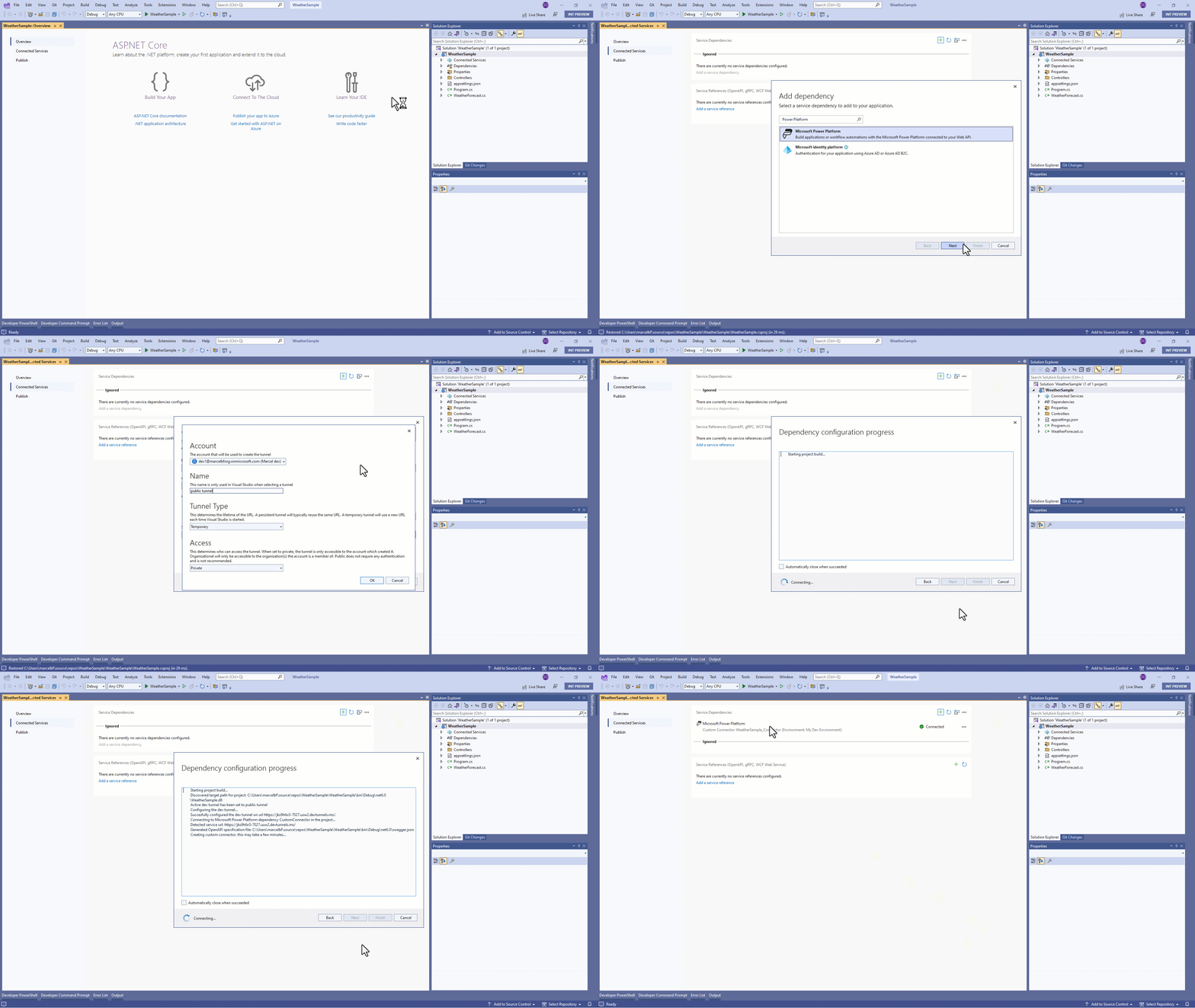
Visual Studio leverages dev tunnels feature to expose your local running API to a public endpoint. It means you can use Power Apps with your API running in your local environment!

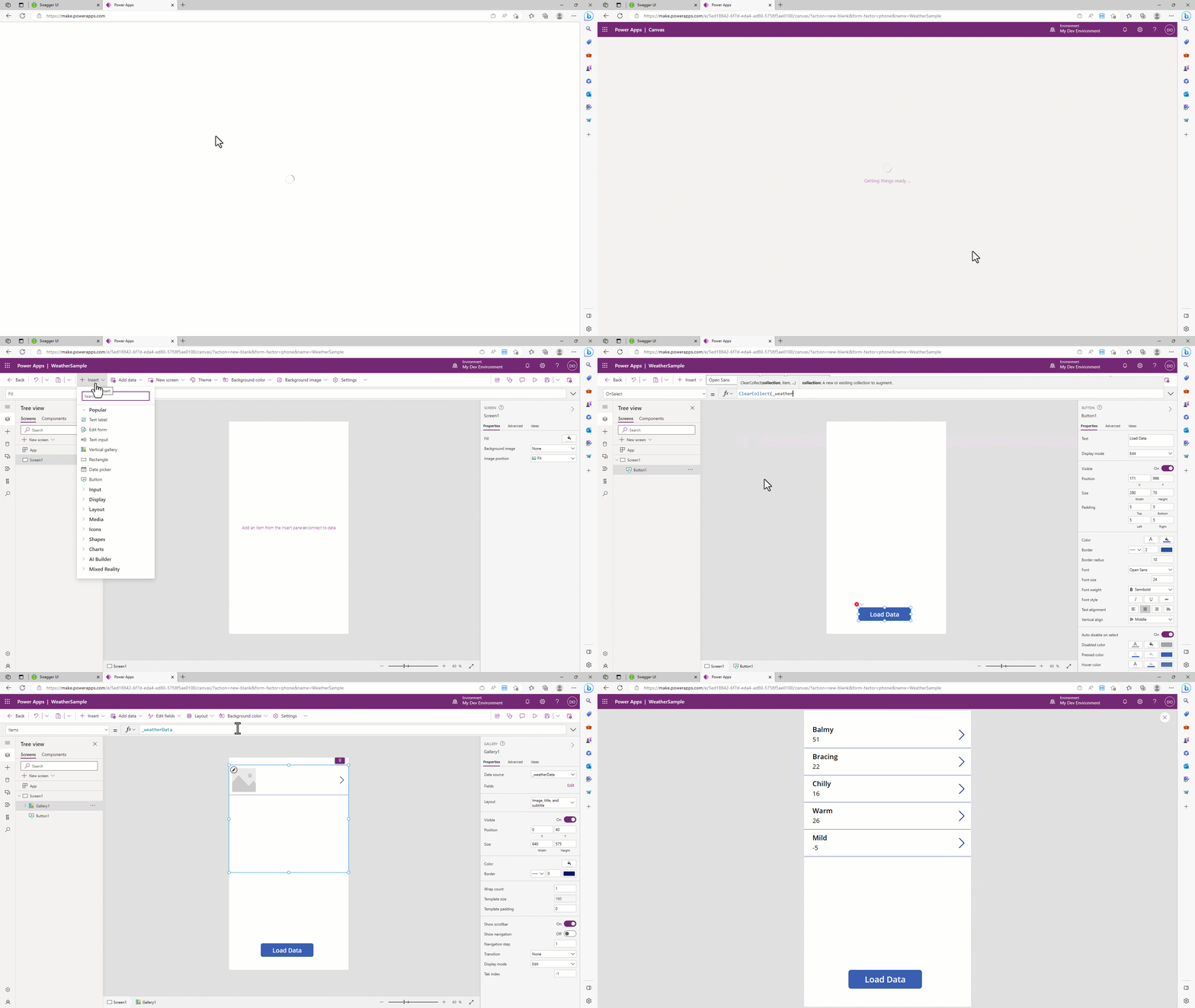
Create a mobile app by using Power Apps
With you API running you can use Power Apps to quickly create a phone app with the custom connector that Visual Studio created for you.
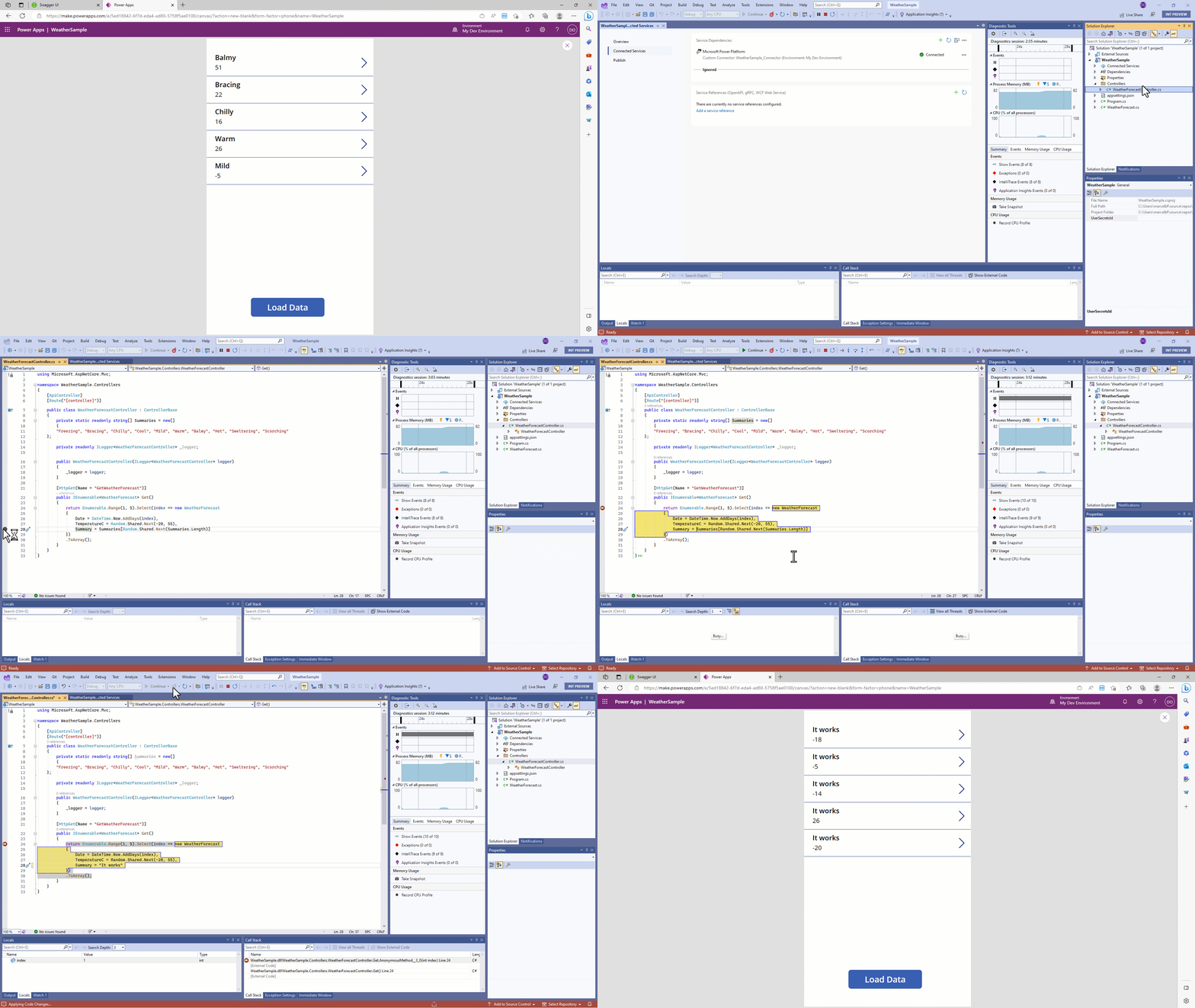
Debug and Hot Reload
Once the web API is running in your development environment, you can debug in real time and even Hot Reload your code.
What’s next
If you don’t have already, create your own Power Platform Developer Environment for free.
Download Visual Studio Preview to try it today!
Documentation:
Visual Studio connected service (Preview)
Create a Canvas App front end for your ASP.NET web API (Preview)
If you have any questions, issues or feedback, please reach out to ppdevtools@microsoft.com.
Happy coding.