We’re excited to announce that code apps in Power Apps are now generally available, empowering developers and IT alike at a moment when organizations are building more custom applications than ever. With the rise of AI‑accelerated and code‑generation‑assisted development, teams can build high‑quality web apps faster than before while IT faces mounting expectations around governance, security, and operational oversight.
Code apps bridge that gap by giving developers full code‑first flexibility and giving IT the enterprise‑grade guardrails needed to manage a growing app landscape.
What are code apps in Power Apps?
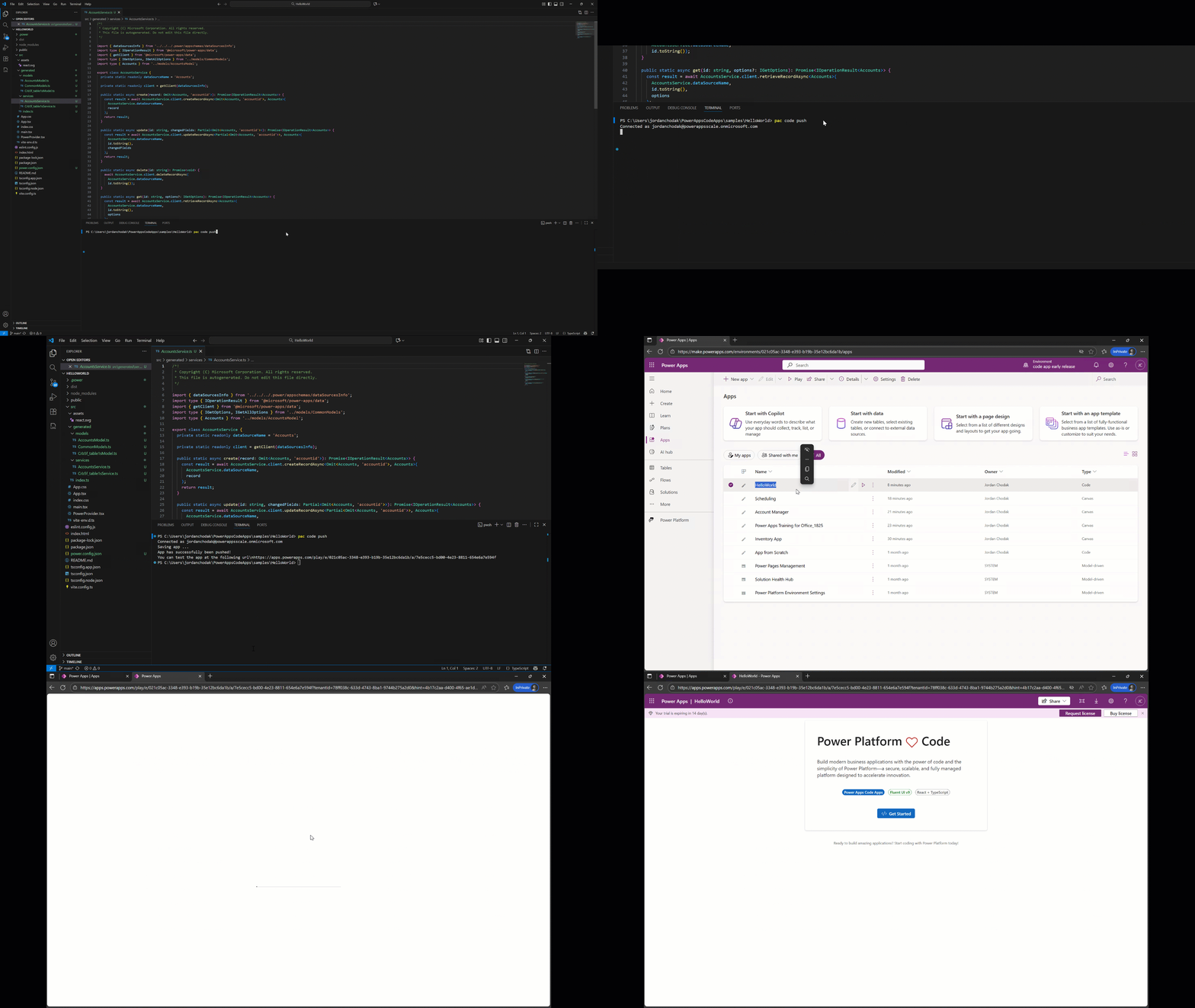
Power Apps code apps bring the full strength of Power Platform to web developers. Build in any code‑first IDE, iterate locally, and run the same app seamlessly within Power Platform. Build with popular frameworks (React, Vue, and others) while keeping full control over your UI and logic.
For developers: build your way
Code apps give developers complete freedom in how they build using the tools and patterns they already know.
- Build with modern frameworks like React, Vue, or your framework of choice
- Develop locally in your preferred IDE with the tools and workflows you already know
- Access 1,400+ connectors directly from JavaScript—call them just like any other API
- Deploy to the Managed Host where your app automatically inherits enterprise security and compliance
- Leverage enterprise governance including Data policies, Conditional Access, and app sharing controls—all provided by the Managed Host
For IT: govern at scale
Every code app automatically becomes a governed Power Platform asset, giving IT visibility and control without creating friction for developers.
- Zero-config authentication through Microsoft Entra ID—no custom auth flows to build
- Built-in connector authorization with automatic consent flows
- DLP policy enforcement at runtime—protecting your data without code changes
- Conditional Access compliance respecting your organization’s security policies
- Health monitoring and diagnostics through the Power Platform Monitor
- App lifecycle management with Power Platform’s deployment and versioning tools
Join the developer community
Ready to build your first code app? Check out Quickstart: Create a code app from scratch
Explore the documentation to learn more and check out the GitHub repo to browse sample projects and starter templates shared by the community and Microsoft, helping you learn best practices and accelerate development.
We can’t wait to see what you create with code apps.
For more information about code apps in Power Apps, visit the Code Apps documentation. Questions or feedback? Join the conversation in the Power Apps Community.