Building solutions in Power Apps is all about speed, flexibility, and innovation. But what happens when you need to revisit an existing solution—maybe to enhance it, document it, or share its design with stakeholders? Traditionally, this meant manually analyzing apps, tables, and flows to piece together the bigger picture – a time consuming and error prone process.
With Plans, we’re making this process effortless. You can now create a plan directly from your existing solution, giving you a clear, structured view of what you’ve built and where you can take it next.
Why This Matters
Every solution tells a story: the business problem it solves, the roles it serves, and the data it manages. But as solutions grow, understanding that story becomes harder—especially if you weren’t the original maker. This new capability helps you:
- Save time by automatically generating a plan from your solution.
- Improve collaboration by sharing a clear blueprint with your team.
- Accelerate innovation by identifying gaps and opportunities for improvement.
What’s New
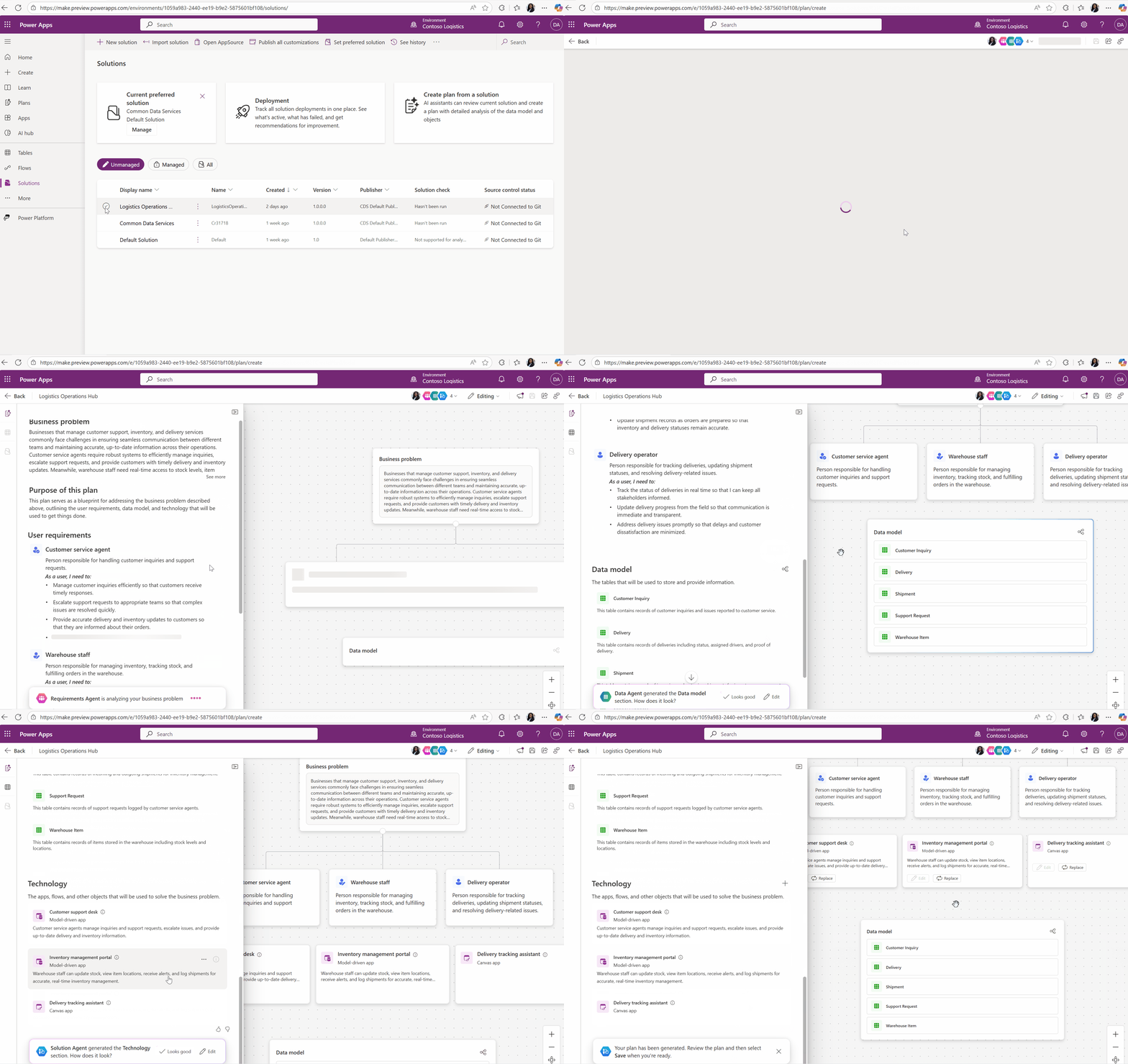
The Create a plan from your solution feature uses AI to analyze your existing solution and generate:
- Business problem and objectives
- User roles and stories
- Data model overview
- Technology stack (apps, flows, and more)
The result? A comprehensive, editable plan that you can refine, expand, and use as a foundation for future enhancements.
How It Works
Getting started is simple:
- Navigate to Solutions in Power Apps.
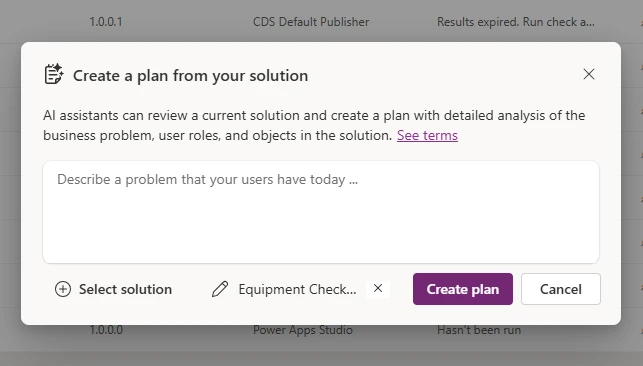
- Select your solution and choose Create plan from solution.
- Optional: Use the prompt input box to give any additional context about the existing solution or improvements you want to make to the solution.
- Ensure your solution includes at least one app and one table.
- Copilot will generate a plan and save it:
- In the same solution (if unmanaged).
- In a new unmanaged solution (if managed).
From there, you can edit the plan, add new requirements, and even generate additional apps, tables, and flows—all within the same experience.
Business Impact
This feature isn’t just about convenience—it’s about unlocking agility. Whether you’re onboarding a new team member, preparing for an audit, or planning the next phase of your app lifecycle, having a structured plan accelerates decision-making and reduces risk.
Get Started Today
Ready to try it? Head to https://make.powerapps.com and open your solution. For detailed guidance, check out the Learn article for more information.
Pro tip: Combine this feature with other Plan capabilities to design, iterate, and deliver solutions faster than ever.