Skip to main content Build an agentic enterprise Get Started Guided Tours Security & Governance Dataverse Connectors Power BI Desktop Pro Premium Embedded Report Server Power Apps Power Automate Power Pages Copilot Studio Pricing Resources by Product Power Platform Learn Power Platform Blog Documentation Power Platform Topics Contact us Start free
1 min read

Announcing Variable support in UI flows


We are excited to announce the availability of variables inside UI flows. This is another example of our commitment to rapidly iterate on features to drive value in UI automation scenarios.

With this feature, users can add variables to perform multiple actions within your UI automation. You can use variables for data types such as integer, float, array, string etc.

For example, you can use a variable to count how many times an operation was performed in a loop. Or you can use variables to create a string array with screen recordings done in a UI flow loop.

Here are the steps to create and use variables in a UI flow.

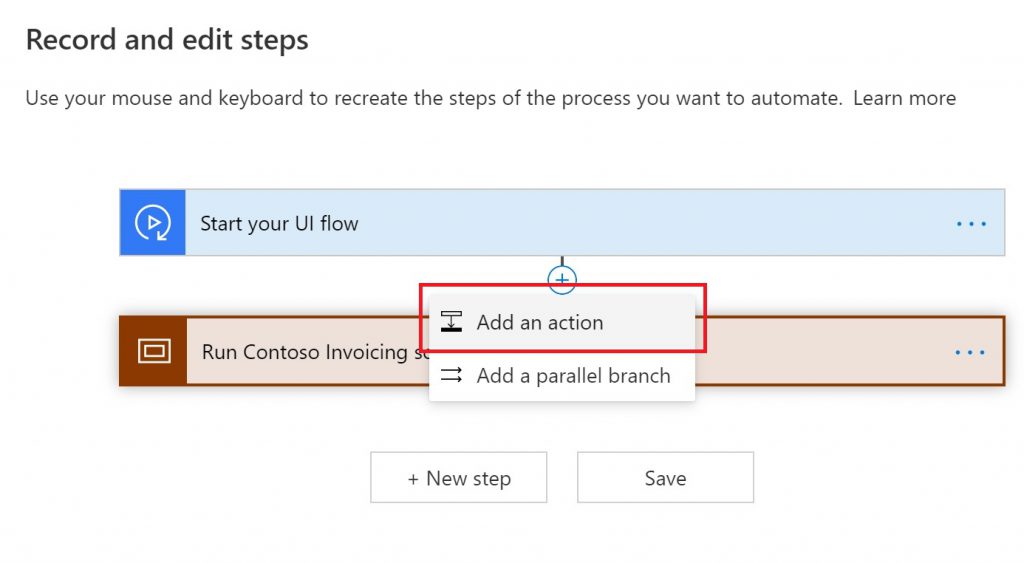
1.  Go to the beginning of the UI flow and select Add an action
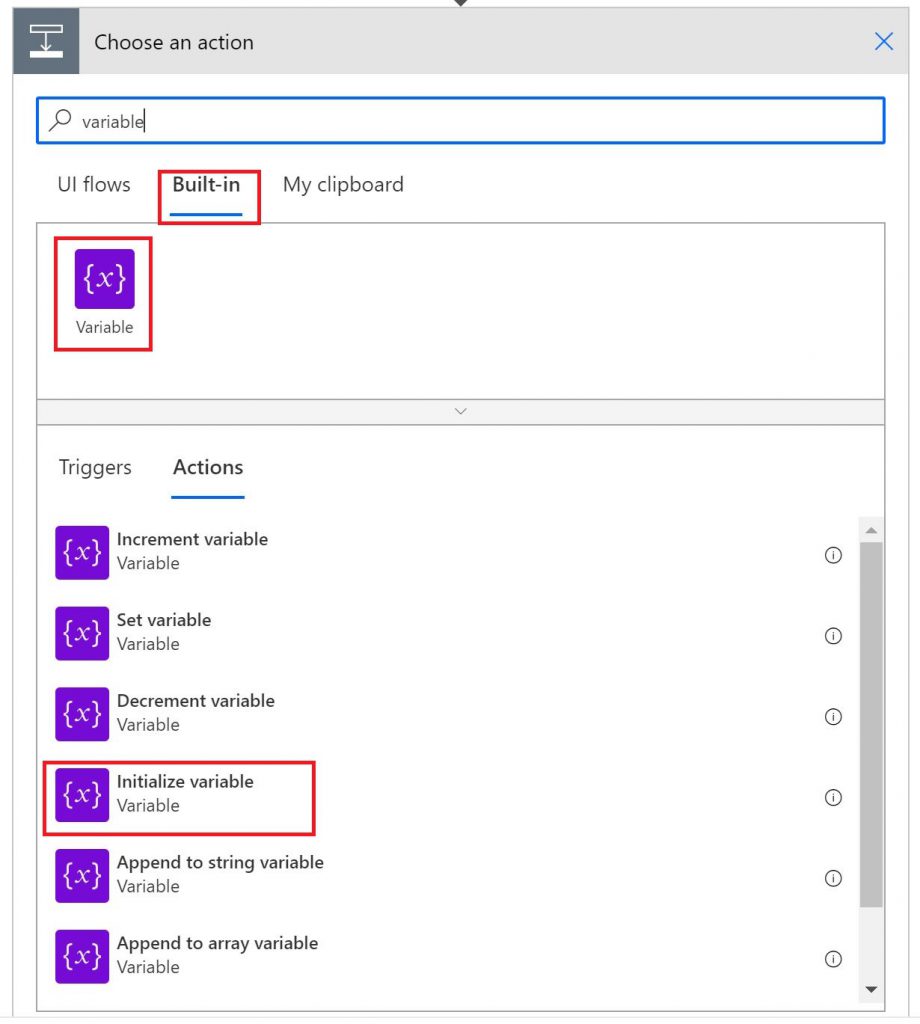
2.  Search for variable and select Initialize variable action
Once initialized, you may use variables within your UI automation to perform multiple actions.

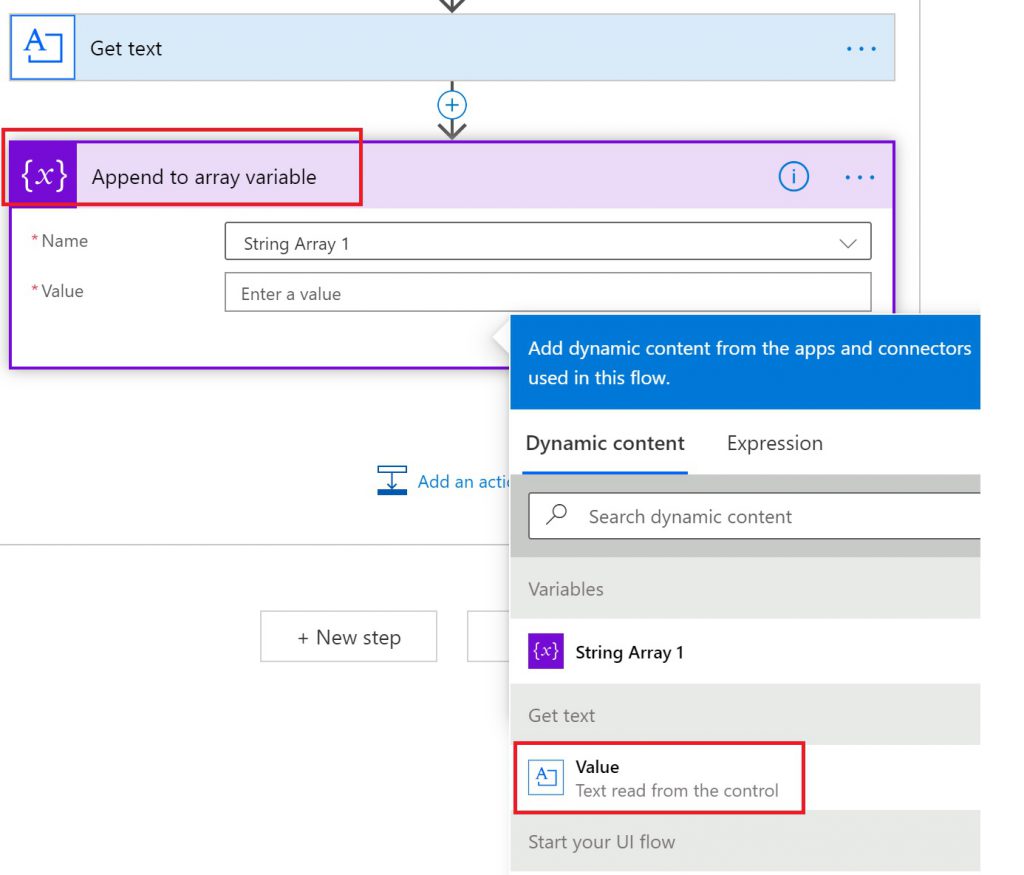
For example, if your UI automation scenario involves reading values from a screen in a loop, you could achieve this by initializing the variable as an array type. Then, within the UI flow, simply select the Append to array variable action and use the output of Get Text action from dynamic content


Please do not forget to share any feedback at the Power Automate Community Forum and use “UI flows” label.

Happy automating!

  • Power Pages
    Two coworkers working in cubicle looking at computer monitor
    1 min read

    Modern List in Power Pages is now generally available

    Today, we’re announcing the general availability of Modern List in Power Pages, a refreshed data presentation experience that helps makers showcase Dataverse data with modern Fluent UI components, seamless infinite scrolling, inline filtering, shimmer loading, flexible low-code customization and custom JavaScript support.
  • Power Apps
    Power Platform Feature Update (hero image)
    20 min read

    What’s new in Power Platform: September 2026 feature update

    Power Platform Build hands-on Power Platform and AI expertise with Power Series Developed by the Power CAT team, Power Series is now available with 20 hands-on labs that help customers, partners, and field teams build practical Power Platform and AI skills at their own pace.