

Parent Resources
The Translator app helps parents and teachers communicate with live, translated captions
What is the Microsoft Translator multi-device conversation feature?
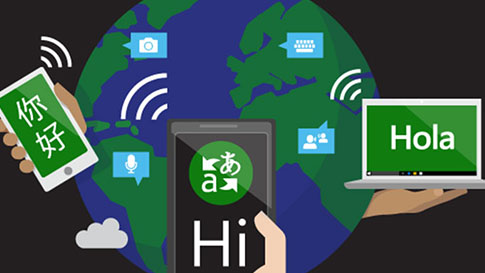
The Microsoft Translator multi-device conversation feature translates live, in-person conversations, enabling two or more people to interact either one-on-one or for larger group interactions.
Why use the multi-device conversation feature during Parent-Teacher Conferences?
The Translator multi-device conversation feature lets you speak to teachers and school staff when there are communication barriers. You can use the conversation feature for:
- One-on-one meetings with teachers and school staff
- Group settings such as school orientation meetings
- Assemblies for parents that are not yet fluent in the school staff’s language
Parent-Teacher Conferences
Learn how Microsoft Translator can be used to engage parents with their children's teachers and school community by providing real-time language translation for parent-teacher conferences.
LEARN MORE & DOWNLOAD THE APPMulti-device conversation in action
The Microsoft Translator multi-device conversation feature transforms your favorite device into your own personal universal translator where you can have captioned and translated conversations with people who speak other languages. In this demo video, English, French, and German are spoken and translated into Italian.
LEARN MORE & DOWNLOAD THE APPParents can join live conversations using the Translator app, once teachers or school staff have created the conversation.
Here’s how to join a live Translator multi-device conversation:
1. Choose a device: Android, iOS, or your browser. Here is a list of compatible devices and platforms
2. Join a conversation by entering the conversation code or scanning the conversation’s QR code
3. Choose your language
4. Start chatting! Use the microphone feature by pressing and speaking, or simply type your text. You’ll see the translated text of the Conversation in your language – even if other users are speaking in a different language.
Supported Languages
Visit our languages page to see if your language is supported in the apps.
LANGUAGES PAGE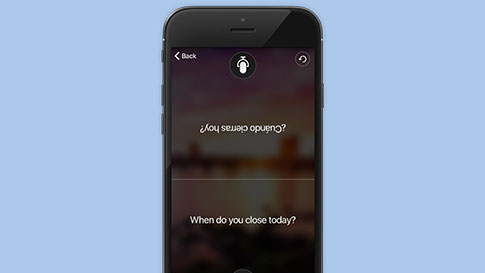
Translator multi-device conversation feature
Learn how to use the Translator multi-device conversation feature from the app or in your browser. Visit this page to check out all the features and download the app.
TRANSLATOR APP FEATURES PAGE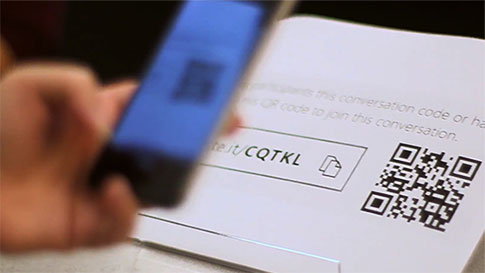
Case Study
Learn how a middle school used the Translator app to have a multilingual parent meeting.
READ THE CASE STUDY


