When linking a prepayment to a sales order and the sales order is partially invoiced, the settlement for the remainder of the prepayment appears to be no longer linked.
The best practice when settling a prepayment against a Sales orders is as follows:
- Create Prepayment Payment Journal for $10,000
Accounts receivable > Journals > Payments > Payment journal
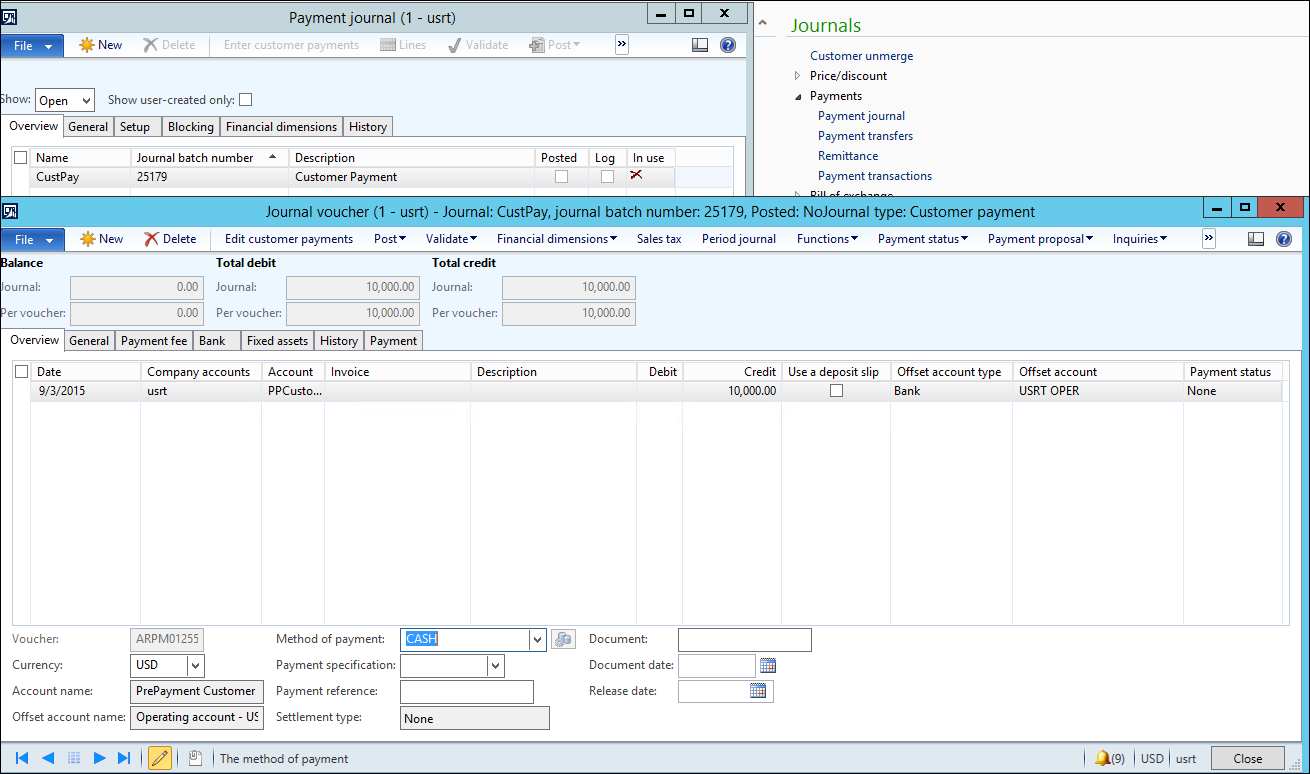
Select the Payment tab and mark the “Prepayment journal voucher” box
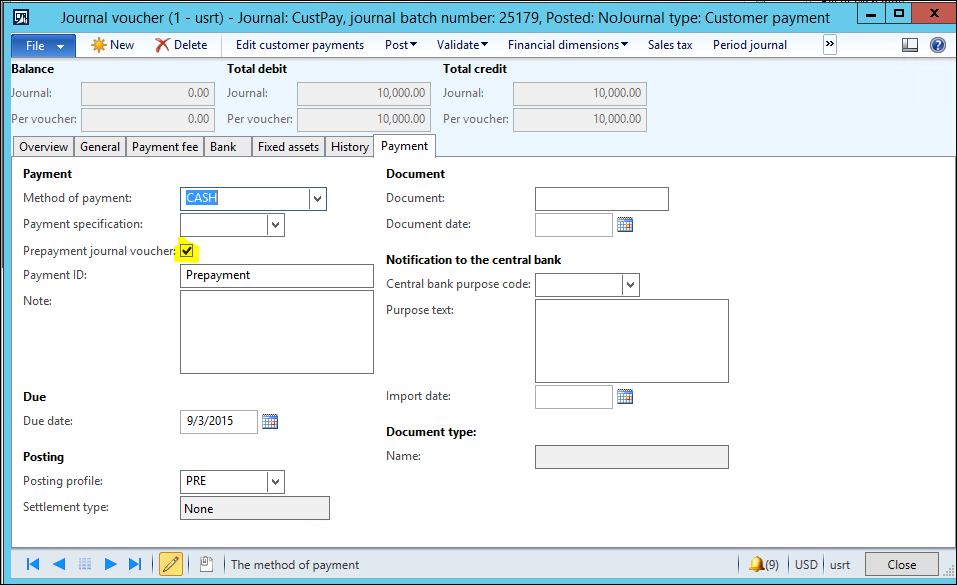
Post the Prepayment
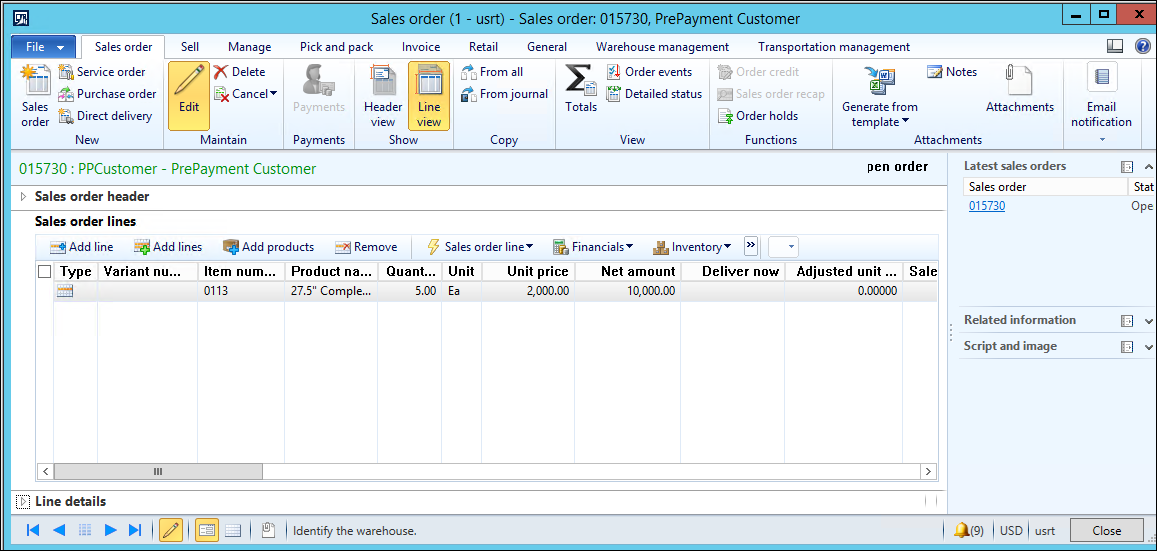
- Create a Sales order and link the Prepayment
Accounts receivable > Common > Sales orders > All sales orders
The Net amount for my item is $10,000 with a quantity of 5.
To link the Prepayment, click the Invoice tab > Settle > Open transactions and Mark the box next to the Prepayment. Click Yes when you receive the message that the transaction is a prepayment.
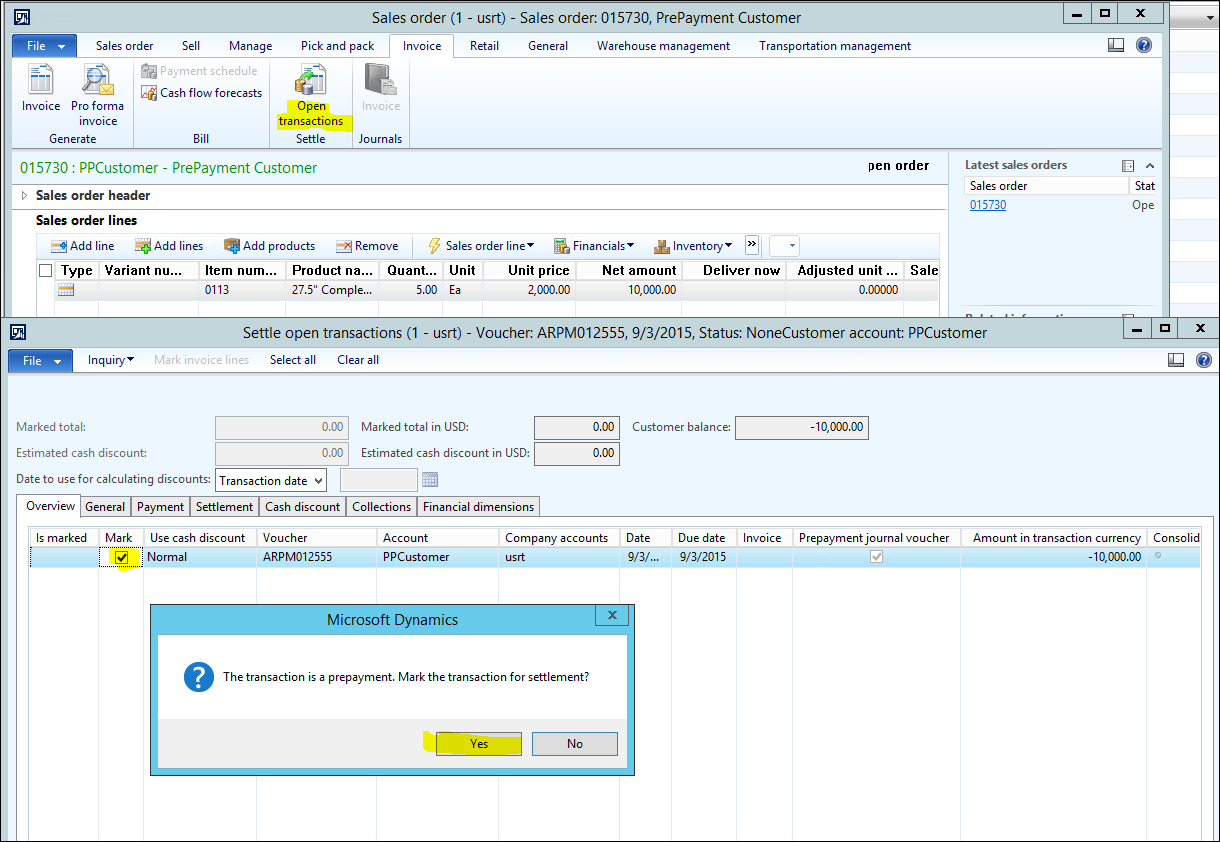
Close the Settlement open transaction form.
- Partially Invoice the Sales order.
On the Sales order, change the Deliver now to 3 and partial invoice the sales order for the Delivery now quantity.
Post the invoice.
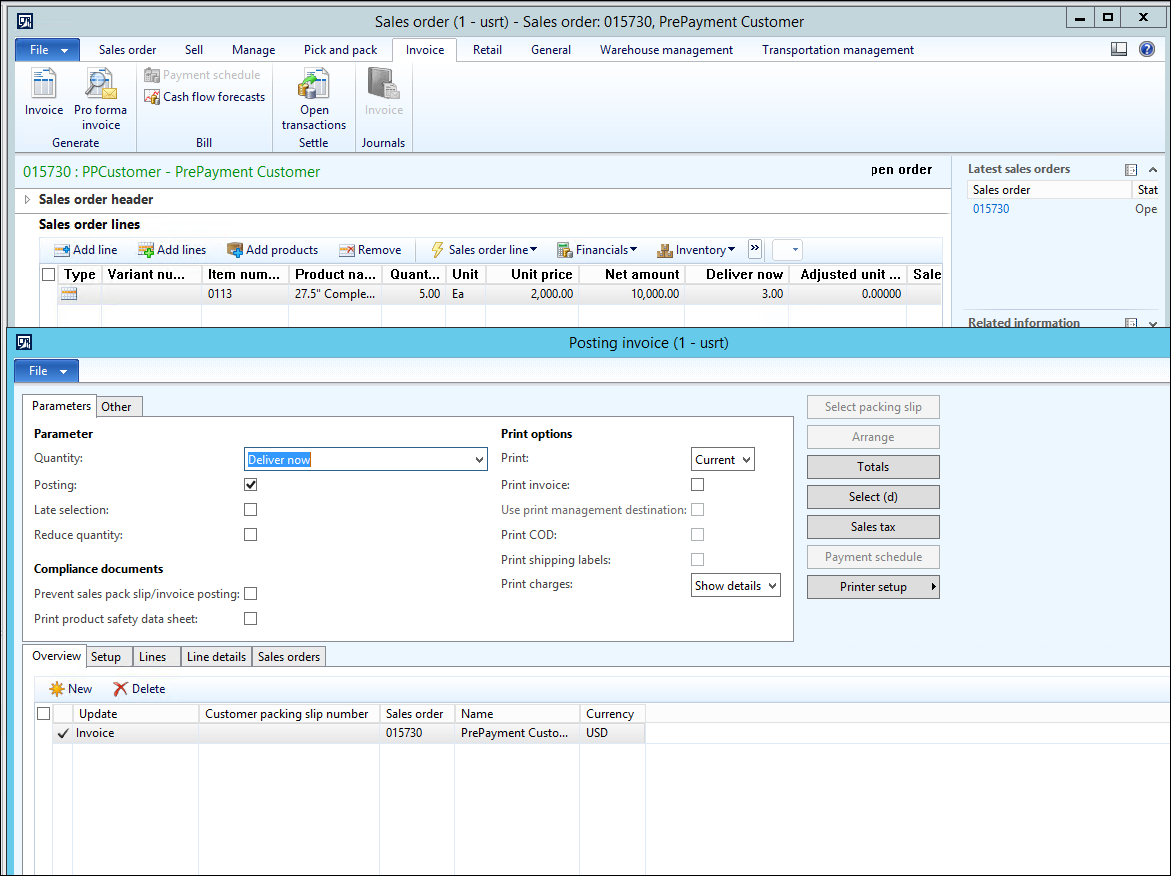
Click Invoice > Settle > Open transactions
Note that the remainder of the Prepayment is not settled.
Mark to settle the remaining prepayment amount
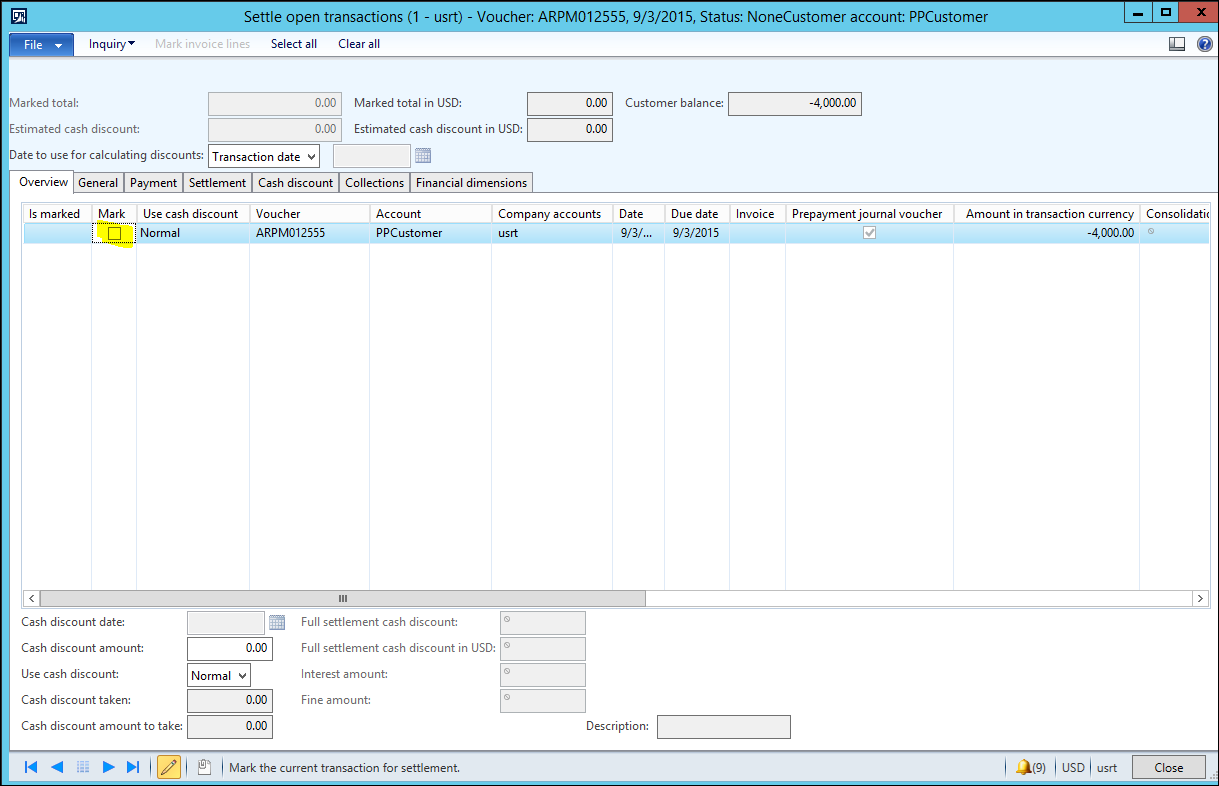
In the Sales order, change the Deliver now to the remaining 2 quantity and invoice
If you go to the Customer > Collect tab > Settle > Closed transaction editing, you can see that the entire prepayment has been settled.
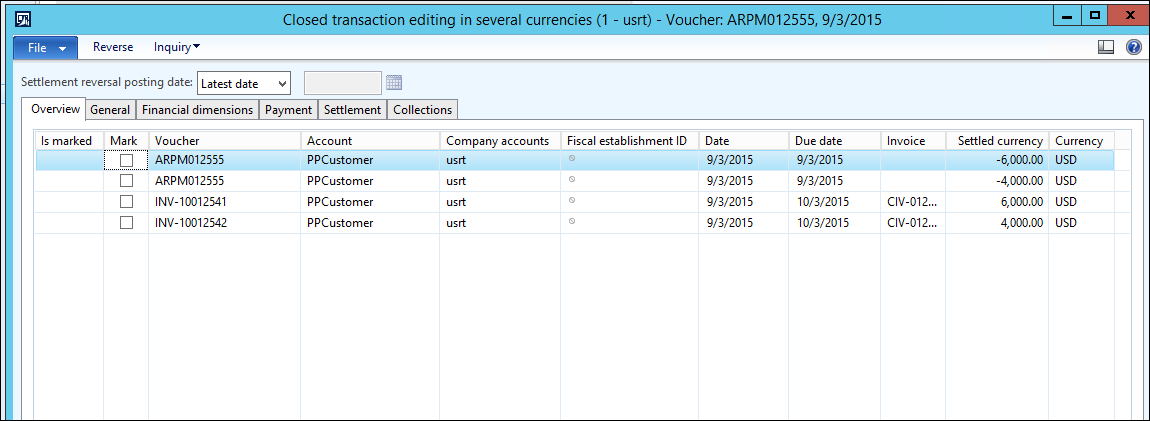
Note: If you wish to settle the prepayment to the remaining invoiced quantity after the invoice has been posted, you must use the Customer form and then open the Open Transaction Editing form.