There’s a possibility to add two types of environments to LCS project – On-premise and cloud environments. Cloud environments are added by deploying a machine into Azure. On-premise environment is added by System diagnostics installation. It is fairly easy to delete cloud hosted environment from the system. But it is not possible to delete On-premise environment in the current design. The issue has been reported to LCS development team, and fix should be released in August 2016.
In order to delete the On-premise environment in current design, please follow these steps:
- Open Project
-
Click on On-premise environment
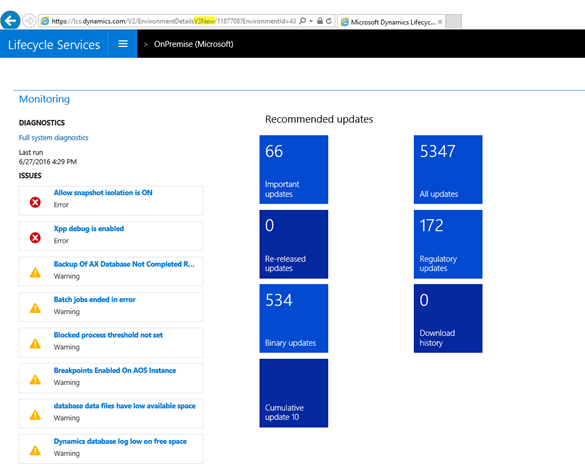
You see there’s no possibility to delete the environment
-
Remove from URL address the highlighted string “V3New” press enter
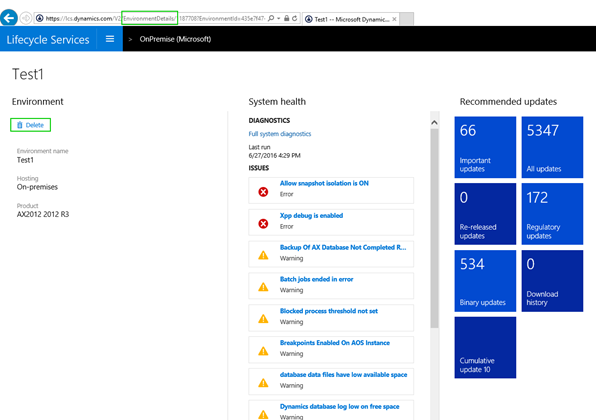
Now there’s a possibility to delete the On-premise environment from project
-
Confirm your decision to delete the environment