Since launching in late 2024, Copilot on WhatsApp has helped millions of people connect with their AI companion in a familiar, everyday setting. We’re incredibly proud of the impact it’s had. But starting January 15, 2026, Copilot will no longer be available on WhatsApp.
This change is due to recent updates to WhatsApp’s platform policies prohibiting all LLM chatbots from the platform effective January 15th, and as a result, Copilot will be discontinued. Copilot will also no longer be supported on other third-party messaging apps starting January 15, 2026.
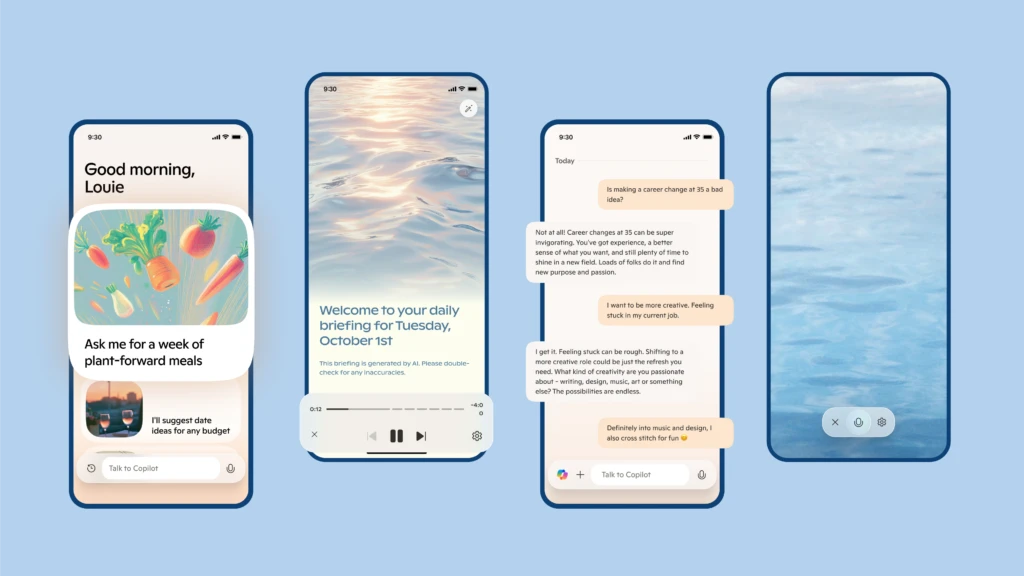
We’re working to ensure a smooth transition for users and enable their continued Copilot access on mobile, web, and PC.
What happens next?
Copilot on WhatsApp will remain available through January 15, 2026. After that date, the service will no longer function. This timing also applies to Copilot on other messaging platforms where it has been available.
You can continue chatting with Copilot anytime through our surfaces:
- Copilot mobile app: Available on iOS and Android
- Copilot on the web: copilot.com
- Copilot on Windows: https://apps.microsoft.com/detail/9nht9rb2f4hd?hl=en-us&gl=US&form=MA13ZF&ocid=MA13ZF
- Copilot for Mac: https://apps.apple.com/us/app/microsoft-copilot/id6738511300?mt=12
These experiences offer all the core features you’ve come to expect—plus even more functionality like Copilot Voice, Vision, and Mico (a companion presence), to name a few. You can also chat with Copilot on the GroupMe app and don’t forget to check out the new Groups feature in Copilot.
If you’d like to keep a record of your conversations, we recommend exporting your chat history using WhatsApp’s built-in tools prior to January 15, 2026.
FAQ
Why is Copilot leaving WhatsApp?
WhatsApp updated its platform policies, and as a result Copilot will no longer be available on WhatsApp after January 15, 2026. This policy shift also informed our decision to discontinue Copilot support across other third-party messaging apps.
Are other messaging apps impacted?
Copilot will also no longer be supported on other third-party messaging apps starting January 15, 2026. For continued access, we recommend transitioning to the Copilot mobile app, website, or desktop apps on Windows and Mac.
When will access end across third-party messaging apps?
Copilot access across other third-party messaging apps will end on January 15, 2026. After this date the service will no longer function.
Can I transfer my chat history to the Copilot apps or website?
No. Since access to Copilot across third-party messaging apps is unauthenticated, Copilot cannot transfer the chat history to other Copilot surfaces. If you need to retain your conversations, please export them using the respective app’s export tools before January 15, 2026
Will the Copilot app and website offer the same features as Copilot across third-party messaging apps?
Yes. The Copilot mobile and desktop apps and the Copilot website provide the core features available on third-party chat apps plus many additional capabilities currently not supported across the third-party messaging app integrations.
Is there a cost to use Copilot on the app or website?
No. You can get started with Copilot on the web or in the desktop and mobile apps at no cost. Certain features require a subscription and usage limits may apply.
Are my Copilot conversations saved?
By default, all the conversations you have had with Copilot across third party messaging apps are deleted after about 30 days.
For more information, please review Copilot Privacy FAQ.
Can I delete my past conversations on these chat apps?
Yes. You can delete the conversations you had with Copilot across supported third-party messaging apps.
Below are instructions for the third party messaging apps where Copilot has operated:
- WhatsApp: type /help → Support topics → Delete chat history → Send → confirm Yes, delete history.
- Telegram: tap the Menu or type /help → Delete chat history → confirm Yes, delete history.
- Viber: type /help → Delete chat history → confirm Yes, delete history.
For more information, please review Copilot Privacy FAQ.
Can I delete my Copilot account on these chat apps?
Yes. You can delete your Copilot account across supported third-party messaging apps.
Below are instructions for the third party messaging apps where Copilot has operated:
- WhatsApp: Type /help → select Support topics → Delete Copilot account → tap Send → confirm Yes, delete account.
- Telegram: Tap the Menu or type /help → select Delete Copilot account → confirm Yes, delete account.
- Viber: Type /help → select Delete Copilot account → confirm Yes, delete account.
- For more information, please review the Copilot Privacy FAQ.
Where can I use Copilot after access across third-party messaging apps ends?
You can continue chatting with Copilot anytime on the following platforms:
- Copilot mobile app: Available on iOS and Android
- Copilot on the web: copilot.microsoft.com
- Copilot on Windows: https://apps.microsoft.com/detail/9nht9rb2f4hd?hl=en-us&gl=US&form=MA13ZF&ocid=MA13ZF
- Copilot for Mac: https://apps.apple.com/us/app/microsoft-copilot/id6738511300?mt=12
- Copilot on GroupMe: https://aka.ms/copilotongroupme