

SQL Server 2022
The most Azure-enabled release yet, with continued performance, security, and availability innovation.
Explore SQL Server 2022 capabilities

Business continuity through Azure
Help ensure uptime with fully managed disaster recovery in the cloud through the link feature in Azure SQL Managed Instance. Continuously replicate data to and from the cloud.2

Seamless analytics over on-premises operational data
Drive insights in near real time by breaking the wall between operational and analytical stores. Analyze all your data using both Spark and SQL runtimes in the cloud with Azure Synapse Link.

Visibility over your entire data estate
Manage and govern your entire data estate to overcome data silos with Microsoft Purview.

The most secure database over the last 10 years
Achieve your security and compliance goals using the database rated as least vulnerable over the last 10 years.1 Use an immutable ledger to help protect data from tampering.

Industry-leading performance and availability
Take advantage of performance and availability for faster queries and to help ensure business continuity. Accelerate query performance and tuning with no code changes required. Keep multi-write environments running smoothly for users across multiple locations.
Hybrid capabilities and pay-as-you-go pricing are now available for all versions of SQL Server environments with Azure Arc
SQL Server, enabled by Azure Arc, extends Azure services on-premises, and manages your SQL Server estate from the Azure portal for a more unified and streamlined management experience. Monitor the health of your SQL Servers with SQL assessment—available at no additional cost—and bring enhanced security capabilities through Microsoft Defender for Cloud.
Use cloud-native features including a new pay-as-you-go model and pay for only what you use.



“Features like Query Store hints and the next generation of intelligent Query processing are awesome. The possibility of improving and maintaining great performance over time without code changes is getting better on every new SQL Server version.”
- Javier Villegas, IT Director for DBA and BI Service, Mediterranean Shipping Company

“With the arrival of Synapse Link for SQL Server 2022, we can finally achieve near real-time analytics over our most important operational data, all without the need to build and manage complex packages and pipelines.”
- Nic Hopper, Data Architect, Atrium

“As a company with 24/7 availability requirements, we are looking forward to embracing all SQL Server 2022 features that can make database failover faster, such as Buffer Pool Parallel Scan, ParallelRedo, and Accelerated Database Recovery (ADR) enhancements.”
- Milos Radivojevic, Head of MSSQL Database Engineering at Entain
Featured SQL Server 2022 resources

SQL Server 2022 Announcement Blog
Check out the blog post announcing the general availability of SQL Server 2022. Rohan Kumar, Microsoft CVP, Azure Data, discusses the innovations and enhancements in this release.

SQL Server 2022 datasheet
Learn about all the latest features in this free SQL Server 2022 datasheet.

SQL Server 2022 documentation
Dive into the technical details including installation guidance and stay up to date on the latest release notes.
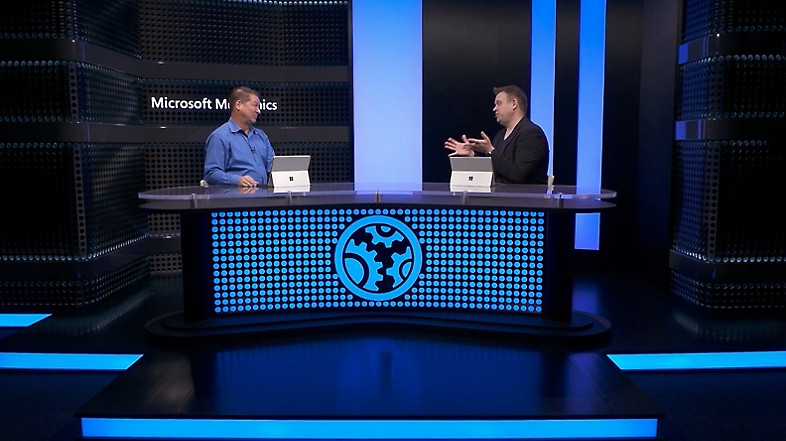
SQL Server 2022 Microsoft Mechanics video
Watch Microsoft Engineering’s Bob Ward explain and demonstrate SQL Server 2022 capabilities.
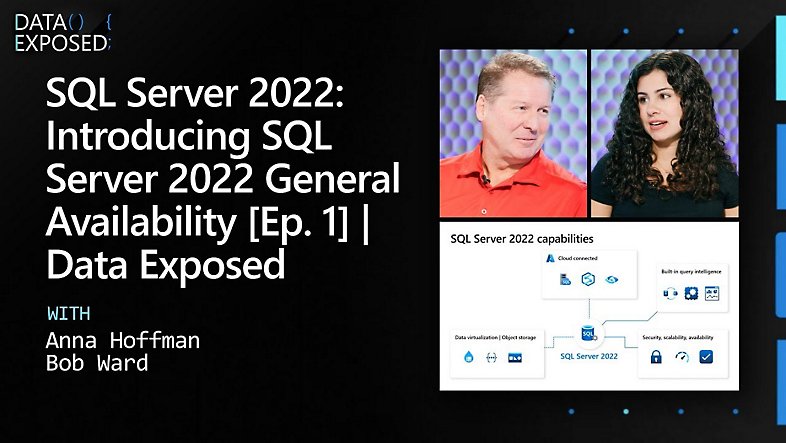
Data Exposed web series
Learn more about what’s new in SQL Server 2022. Join Anna Hoffman and engineering leaders for this series of short videos as they explore hero features and benefits.
Additional resources
Microsoft Intelligent Data Platform
Easily pivot and adapt in rapidly evolving landscapes, add layers of intelligence to applications, uncover predictive insights, and govern data anywhere with an integrated data platform.
Tech Community forums: SQL Server and Azure databases
Connect with Microsoft Engineering experts and other members of the community in message boards, and access additional resources.
SQL Bits 2023
SQLBits is the largest Microsoft Intelligent Data Platform conference with over 300 sessions from March 13-18, including SQL Server, Azure SQL, Power BI, Machine Learning, and more! Your customers can reconnect with old friends, build new relationships, gain new skills, and get world-class training.
Blogging Series
Check out the blog series to get in-depth technical learning on the latest features available with SQL Server 2022.
Workshops
Learn how to solve modern data challenges with SQL Server 2022 using a hands-on lab approach with the SQL Server 2022 workshop.
Get started with SQL Server 2022
- [1] According to the National Institute of Standards and Technology Comprehensive Vulnerability Database, as of September 2022.
- [2] The bidirectional disaster recovery capability of the Link feature for Azure SQL Managed Instance is available in limited public preview. Learn more.
Follow us
Share this page