Here’s a summary of all the new and updated content published this month!
New and revised content at www.CRMcustomercenter.com
 |  |  |
| Topic | Description of changes |
|---|---|
| Videos & eBooks rollup page | All videos and eBooks listed |
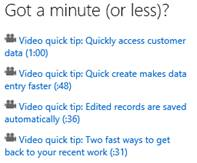
| 4 new minute-or-less videos | Videos added |
| Business process solutions available for download | Content updates |
| Training & Adoption Kit | New! Editable materials you can use to create training materials |
| Customer Service quick reference card | New! Visual walkthrough of common tasks for customer service agents |
| Customer Service Best Bets page | Content updates |
| List of all eBooks, videos, & end-user how-to topics | Content updates |
| eBook – Change a Business Process | New eBook |
| Known issues for tablets and phones | Content updates |
| CRM for tablets and phones | Content updates |
| CRM for tablets: set up and use | Content updates |
| View or turn off Bing maps | |
| Admin Best Bets page | |
| Sales Best Bets page | Content updates |
| Billing support | Content updates |
| Product support | Content and layout updates |
| What’s new? | Content updates |
| Context sensitive help for CRM on-premises | Added topics created since August |
Please give us feedback or content suggestions any time via the Doc Feedback link on any Customer Center topic page.
December Updates for Implementation Guide Version 6.0.2
Here’s what’s new with our second update to the IG and Manage your CRM Online subscription guide documentation for the Microsoft Dynamics CRM Online Fall ’13 and Microsoft Dynamics CRM 2013 releases.
We are still working to have the IG published to TechNet. We appreciate your patience and will announce when it is available.
Microsoft Dynamics CRM 2013 Implementation Guide (IG) 6.0.2, December 2013
Here’s some of the additions and updates you’ll find in this release:
| Topic | Description of changes |
|---|---|
| Create and edit views | Added new topic. |
| Create and edit business rules Create and edit fields Create and edit quick create forms Create and edit quick view forms Customize CRM for tablets What’s new for customization | Added links to these videos: Microsoft Dynamics CRM 2013 Customization New Features – Quick Forms Microsoft Dynamics CRM 2013 Customization New Features – Business Rules Microsoft Dynamics CRM 2013 Customization New Features – Customizable Tool Tips Microsoft Dynamics CRM 2013 Customization New Features – Phone Number Format Microsoft Dynamics CRM 2013 Customization New Features – Image Data Type Microsoft Dynamics CRM 2013 Customization New Features – Quick Create Forms Microsoft Dynamics CRM 2013 for Tablets – Customizations Microsoft Dynamics CRM 2013 Business Process Overview |
| Install Microsoft Dynamics CRM Server 2013 on multiple computers Set configuration and organization databases for SQL Server 2012 AlwaysOn failover Configure an organization database for SQL Server 2008 database mirroring Install Microsoft Dynamics CRM Server 2013 to use a Microsoft SQL Server 2008 cluster environment Sample server XML configuration file for installing with pre-created groups | Microsoft Dynamics CRM Server 2013 deployment topics added. |
| Advanced deployment options for Microsoft Dynamics CRM for Outlook | Added CRM for Outlook deployment topics. |
| Change a Microsoft Dynamics CRM service account or AppPool identity | Added new topic. |
| Microsoft Dynamics CRM 2013 supported configurations Support for Microsoft Dynamics CRM multiple-server topologies | Added server configuration and topology topics. |
December Updates for SDK Versions 6.0.2, 6.0.3 and 5.0.18
Microsoft Dynamics CRM SDK Version SDK Version 6.0.2 is now live on MSDN download center.
We are still working to have the Dynamics CRM 2013 SDK content published to MSDN. We appreciate your patience and will announce when it is available.
Here’s some of the additions and updates you’ll find in this release:
| Topic | Description of changes |
|---|---|
| Microsoft Dynamics CRM 2013 User Interface Integration package is available for download | User Interface Integration (UII) for Microsoft Dynamics CRM uses the features of Dynamics CRM to deliver composite applications that share a common user interface. UII includes development and run-time components. Applications built with UII can provide unified access to customer information spread across different systems, and can aggregate different modes of customer interactions or channels. Unlike expensive, rip and replace approaches or risky investments on custom development, UII provides non-intrusive integration with existing systems. MicrosoftDynamicsCRM2013UII.exe is available as a separate download from the SDK download page. |
| Handle exceptions in your code | Added information about how to view the details of an exception that are hidden from the user because of insufficient permissions. |
| Organization entity attributes | Added topic listing all the attributes that can be set for an organization. |
| Sample: Set and retrieve entity images | New sample to show how to work with entity images. |
| Xrm.Page.ui control (client-side reference) | Added information about a new parameter in the setNotification and clearNotification methods. The uniqueId parameter allows you to clear a specific notification set on a field, based on the uniqueId value used when the notification was set. |
| SDK Versions 6.0.3 and 5.0.18 coming this week | Adding authentication related documentation and updated sample code to support the transition of Microsoft account subscriptions to Microsoft online services. This applies only to Microsoft Dynamics CRM Online customers. |
Please give us feedback or content suggestions any time via the Doc Feedback link on any SDK topic page.
Thanks for all the hard work by the content publishing team!