Windows is fast, powerful, and more secure than ever
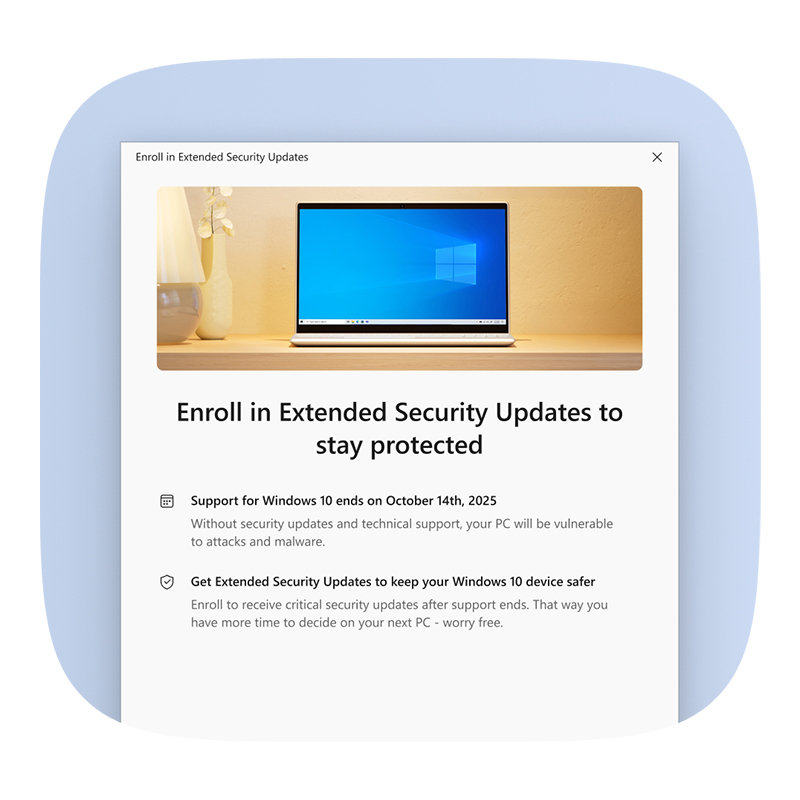
Windows 10 support has ended. Learn about trade-in offers below20 or find a recycling program21. Need more time? Enroll in Extended Security Updates (ESU) to receive critical security updates through October 13, 2026.
Windows is fast, powerful, and more secure than ever
Windows 10 support has ended. Learn about trade-in offers below20 or find a recycling program21. Need more time? Enroll in Extended Security Updates (ESU) to receive critical security updates through October 13, 2026.
Explore Windows 11 PCs built for your superpowers
Select how you’ll primarily use your device and we’ll help you discover your next faster, smarter, and more secure Windows PC.
- The multitasker
- The student
- The creator
- The gamer
- The AI enthusiast
- The entertainment fan
More power. Less pause.
Windows 11 PCs are built to keep up with you. Copilot+ PCs are the most advanced Windows 11 PCs—with all-day battery life17 and up to 5 times faster than many older Windows PCs**. Need something? Ask Copilot. Copilot Vision22 can analyze content on your screen, and you can use Copilot Voice to ask questions about it and get suggestions and insights. That’s multitasking, uninterrupted.
** Based on Cinebench 24 Multi-Core benchmark. See aka.ms/cpclaims.
Recommended laptop specifications for multitaskers
|
Processor
Mid-level
Processors like Intel® Core™ i5, Intel® Core™ i7, Intel® Core™ Ultra 5, Intel® Core™ Ultra 7, or AMD Ryzen™ 5, AMD Ryzen™ 7 or for Copilot+ PCs AMD Ryzen™ AI 300 Series, Intel® Core™ Ultra 7 200V Series 2, or Qualcomm Snapdragon® X series offer those interested in performance, speed, and graphics everything they need and can even handle some gaming. Watch now to learn more about your computer’s CPU.
RAM
8 GB to 16 GB
RAM is your computer’s memory, which affects its speed and performance. To make sure your device can keep up with you without a glitch, we recommend between 8 GB and 16 GB of RAM. Watch now to learn more about your computer’s RAM.
Storage
128 GB to 1 TB
If you want to save a lot of photos, videos, and documents on your PC, look for higher storage in the 512 GB to 1 TB range. If you prefer cloud storage, like OneDrive, look for 128 GB to 256 GB. Watch now to learn more about your computer’s SSD.
NPU
Built for AI
The NPU in Copilot+ PCs runs over 40 trillion operations per second (TOPS). The new NPUs in these devices deliver ultrafast performance, rich AI experiences10, and all-day battery life17. Watch now to learn more about NPUs.
NPU
NPU
Neural processing units (NPUs) are chips specialized for machine learning tasks. NPUs on Copilot+ PCs run at 40+ trillions of operations per second (TOPS) to provide new Copilot+ PC experiences3. Watch now to learn more about NPUs.
Display resolution
HD, FHD, or QHD
Resolution is the number of pixels on the screen and determines the image sharpness. For example, an FHD display is 1920 x 1080 pixels, while a 4K display measures 3840 x 2160 pixels.
Learn smarter
Windows 11 PCs are fast, powerful, and more secure than ever. Copilot on Windows is your AI companion to help you research, create content, and meet deadlines.12
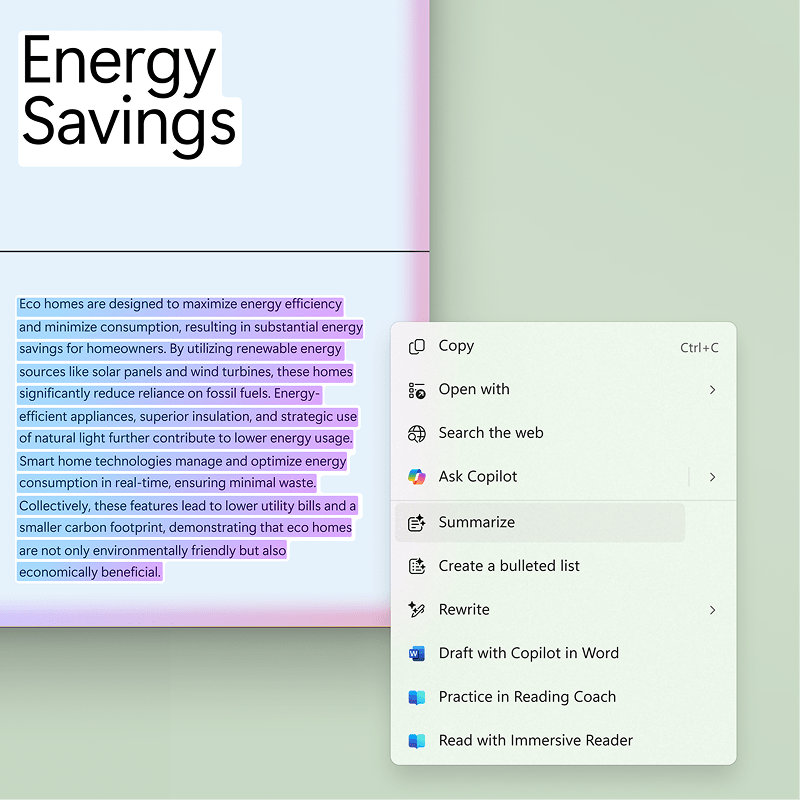
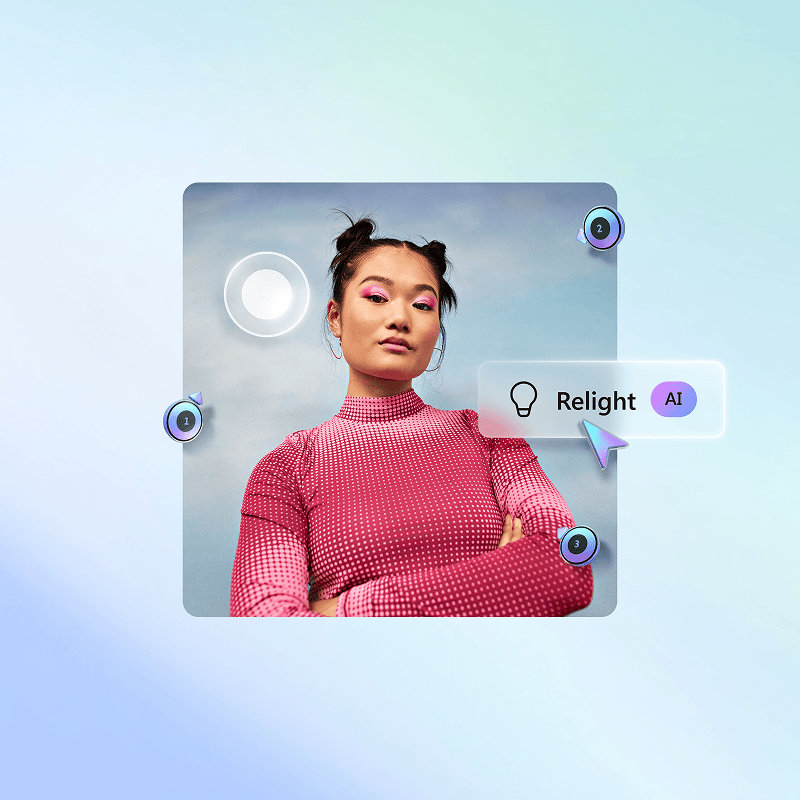
Want the best of Windows PCs? Step up to Copilot+ PCs, available at nearly every price point. Top-performing Copilot+ PCs are faster than the MacBook Air M4**. With up to 22 hours of local video playback17, you can forget your charger and go all day. With AI features like Photos relight13, you can create professional lighting effects in seconds. Can’t remember a file name? Describe it like “slide with heart anatomy” and find it fast with improved Windows search18.
** Based on Cinebench 24 Multi-Core benchmark. See aka.ms/cpclaims.
Recommended student laptop specifications
|
Processor
Mid-level
Processors like Intel® Core™ i5, Intel® Core™ i7, Intel® Core™ Ultra 5, Intel® Core™ Ultra 7, or AMD Ryzen™ 5, AMD Ryzen™ 7 or for Copilot+ PCs AMD Ryzen™ AI 300 Series, Intel® Core™ Ultra 7 200V Series 2, or Qualcomm Snapdragon® X series offer those interested in performance, speed, and graphics everything they need and can even handle some gaming. Watch now to learn more about your computer’s CPU.
RAM
8 GB to 16 GB+
RAM is your computer’s memory, which affects its speed and performance. 8 GB is fine for light browsing and most tasks, but we recommend you get 8 GB to 16 GB RAM to support your needs. Watch now to learn more about your computer’s RAM.
Storage
256 GB to 1 TB+
If you want to save a lot of photos, videos, and documents on your PC, look for higher storage. If you tend to keep more in the cloud, you may not need as much storage. Watch now to learn more about your computer’s SSD.
NPU
Built for AI
The NPU in Copilot+ PCs runs over 40 trillion operations per second (TOPS). The new NPUs in these devices deliver ultrafast performance, rich AI experiences10, and all-day battery life17. Watch now to learn more about NPUs.
NPU
NPU
Neural processing units (NPUs) are chips specialized for machine learning tasks. NPUs on Copilot+ PCs run at 40+ trillions of operations per second (TOPS) to provide new Copilot+ PC experiences3. Watch now to learn more about NPUs.
Security feature
Windows Hello
Windows Hello is a faster, more personal, more secure way to get instant access to your Windows devices using only your facial recognition, fingerprint1, or a PIN—there’s no password to remember.
Interactive screen
Touchscreen
With a touchscreen PC, you can feel like you’re really in control by navigating the screen with your fingers and creating customized gestures for your most used actions.2
Display resolution
HD, FHD, or QHD
Resolution is the number of pixels on the screen and determines the image sharpness. For example, an FHD display is 1920 x 1080 pixels, while a 4K display measures 3840 x 2160 pixels.
Create without limits
Windows 11 PCs are built for creators, makers, and storytellers. Copilot on Windows is your AI companion—ready to help you brainstorm, script, and storyboard your next idea.12
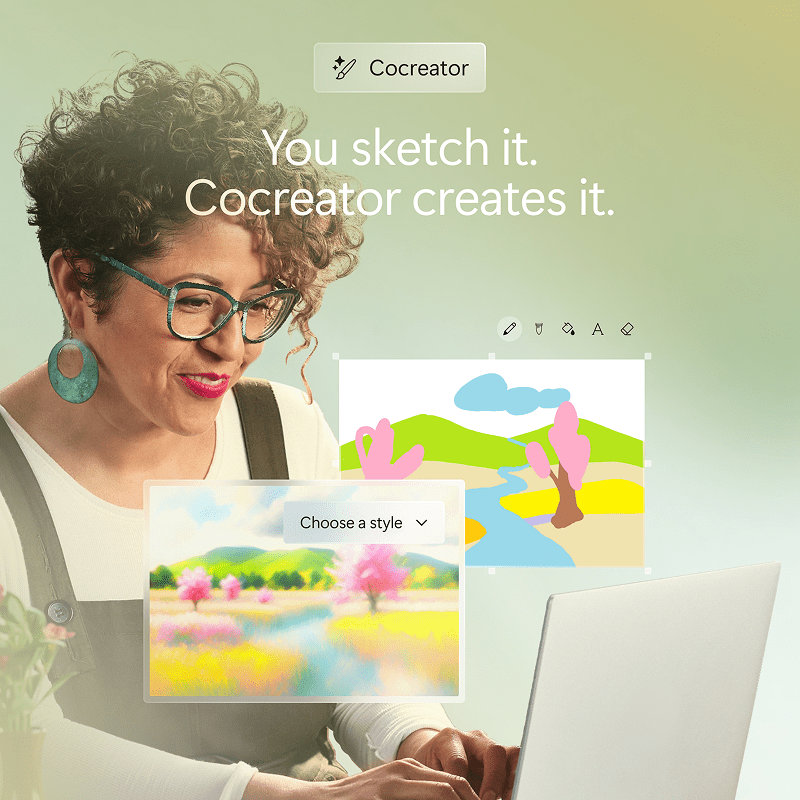
Want the best of Windows PCs? Step up to Copilot+ PCs—the fastest, most intelligent Windows PCs ever. Top-performing Copilot+ PCs are faster than the MacBook Air M4** and offer up to 22 hours of local video playback17, so you're ready when inspiration strikes. Move from draft to done, faster. AI features like Cocreator5 evolve your artwork in real time, blending brush strokes and text prompts, like “sunset with butterflies” into stunning visuals. Super resolution in Photos14 can transform blurry, low-resolution images into sharp 4K.
** Based on Cinebench 24 Multi-Core benchmark. See aka.ms/cpclaims.
Recommended laptop specifications for creators
|
Processor
Mid-level
Processors like Intel® Core™ i5, Intel® Core™ i7, Intel® Core™ Ultra 5, Intel® Core™ Ultra 7, or AMD Ryzen™ 5, AMD Ryzen™ 7 or for Copilot+ PCs AMD Ryzen™ AI 300 Series, Intel® Core™ Ultra 7 200V Series 2, or Qualcomm Snapdragon® X series offer those interested in performance, speed, and graphics everything they need and can even handle some gaming. Watch now to learn more about your computer’s CPU.
RAM
8 GB to 16 GB+
RAM is your computer’s memory. It affects the speed and performance of your PC. 8 GB is fine for light browsing and most tasks. But for photo or video editing, you might need closer to 16 GB. Watch now to learn more about your computer’s RAM.
Storage
256 GB to 1 TB+
If you want to save a lot of photos, videos, and documents on your PC, look for higher storage. If you tend to keep more of your creative files in the cloud, you may not need as much storage. Watch now to learn more about your computer’s SSD.
Graphics
dGPU
The discrete graphics processing unit (dGPU) helps perform graphically intense tasks for creative pursuits. Depending on the programs you use, a dGPU may be required. Check the system requirements for the programs you plan to use. Watch now to learn more about your computer’s dGPU.
NPU
Built for AI
The NPU in Copilot+ PCs runs over 40 trillion operations per second (TOPS). The new NPUs in these devices deliver ultrafast performance, rich AI experiences10, and all-day battery life17. Watch now to learn more about NPUs.
NPU
NPU
Neural processing units (NPUs) are chips specialized for machine learning tasks. NPUs on Copilot+ PCs run at 40+ trillions of operations per second (TOPS) to provide new Copilot+ PC experiences3. Watch now to learn more about NPUs.
Display resolution
QHD to 4K
Visual creators will want a high display resolution to get the sharpest images. We recommend a QHD, or Quad HD, or 4K display for the best experience.
Interactive screen
Touchscreen (optional)
With a touchscreen PC, you can feel like you’re really in control by navigating the screen with your fingers and creating customized gestures for your most used actions.2
You, leveled up
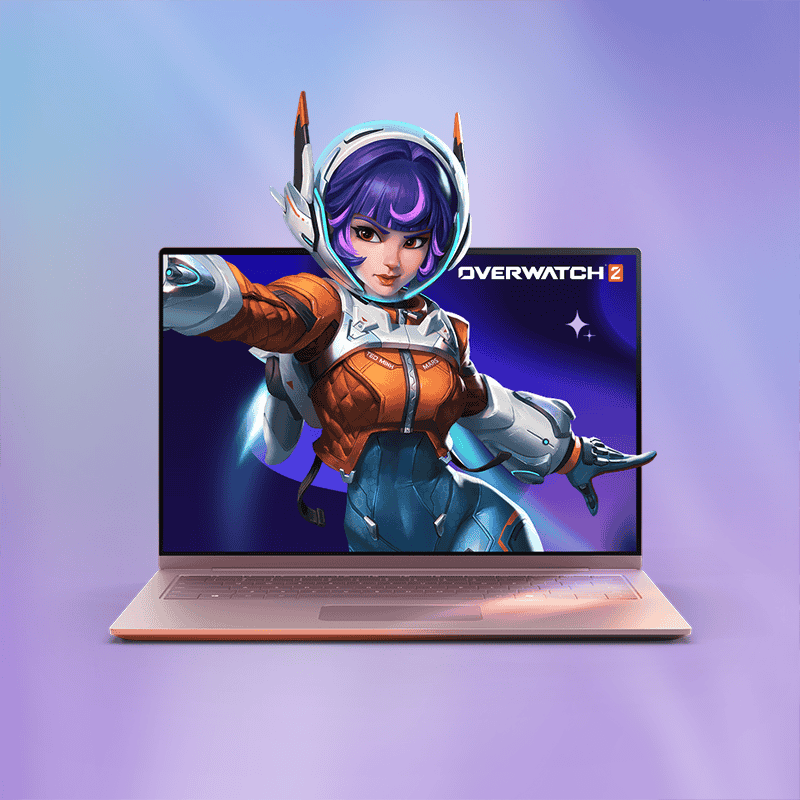
Windows 11 PCs are built for life in and out of the game. Want the best of Windows PCs? Top-performing Copilot+ PCs outperform the MacBook Air M4**. Windows has the best23 and most PC games24. With Game Pass, get instant access to a massive library of games including popular releases to play solo or with friends.25 Share your screen with Copilot Vision22 and get step-by-step guidance, so you can master new apps, games, and level up faster.
** Based on Cinebench 24 Multi-Core benchmark. See aka.ms/cpclaims.
Recommended specifications for gaming laptops
|
Processor
Advanced
The Intel® Core™ i7, Intel® Core™ i9, Intel® Core™ Ultra 7, Intel® Core™ Ultra 9, or AMD Ryzen™ 7, AMD Ryzen™ 9 or for Copilot+ PCs AMD Ryzen™ AI 300 Series or Intel® Core™ Ultra 7 200V Series 2 are advanced processors that have some of the highest gaming frame rates and cutting-edge features. Watch now to learn more about your computer’s CPU.
RAM
16 GB to 64 GB
RAM is your computer’s memory. It affects the speed and performance of your PC. 8 GB is fine for many tasks. But for gaming or streaming, you might need closer to 16 GB of RAM. Watch now to learn more about your computer’s RAM.
Storage
512 GB to 2 TB+
Game files take up space. If you’re going to keep them alongside photos, videos, and more on your PC, we suggest 512 GB-2 TB+ of storage. If you use cloud storage for content other than your game files, you may not need as much. Watch now to learn more about your computer’s SSD.
NPU
Built for AI
The NPU in Copilot+ PCs runs over 40 trillion operations per second (TOPS). The new NPUs in these devices deliver ultrafast performance, rich AI experiences10, and all-day battery life17. Watch now to learn more about NPUs.
NPU
NPU
Neural processing units (NPUs) are chips specialized for machine learning tasks. NPUs on Copilot+ PCs run at 40+ trillions of operations per second (TOPS) to provide new Copilot+ PC experiences3. Watch now to learn more about NPUs.
Graphics
dGPU
You need support for intense graphics. We recommend a discrete graphics processing unit (dGPU) like NVIDIA® GeForce RTX®, AMD Radeon™ RX, or Intel® Arc™. Game requirements may vary. Watch now to learn more about your computer’s dGPU.
Display resolution
FHD, QHD, or 4K
Sharp pictures and high-contrast images matter when you’re gaming. To get the best visual experience, look for a high-resolution screen like an FHD, QHD, or 4K display.
Build your next breakthrough
Windows 11 PCs are made for those who never wait for what’s next. Copilot on Windows is your AI companion—ready to help you write, brainstorm, or create content.12
Want the most advanced Windows PC experience? Copilot+ PCs are the fastest, most intelligent Windows PCs ever. Top-performing Copilot+ PCs outperform the MacBook Air M4**. With up to 22 hours of local video playback17, you can forget your charger and go all day. AI features like Click to Do (preview)15 let you blur a background or rewrite with a click—no app switching required. Live Captions16 breaks down language barriers with instant translations of live or pre-recorded content—whether you're watching a video or in a video call.
** Based on Cinebench 24 Multi-Core benchmark. See aka.ms/cpclaims.
Recommended laptop specifications for AI enthusiasts
|
Processor
Mid-level
Processors like the AMD Ryzen™ AI 300 Series, Intel® Core™ Ultra 7 200V Series 2, or Qualcomm Snapdragon® X series offer those interested in performance, speed, and graphics everything they need and can even handle some gaming. Watch now to learn more about your computer’s CPU.
RAM
16 GB+
RAM is your computer’s memory, which affects its speed and performance. These PCs have 16 GB+ to help with everyday tasks and smooth AI experiences. Watch now to learn more about your computer’s RAM.
Storage
256 GB to 1 TB+
If you want to save a lot of photos, videos, and documents on your PC, we suggest between 256 GB to 1 TB+ of storage. If you prefer to use cloud storage, you may need less. Watch now to learn more about your computer’s SSD.
NPU
Built for AI
The NPU in Copilot+ PCs runs over 40 trillion operations per second (TOPS). The new NPUs in these devices deliver ultrafast performance, rich AI experiences10, and all-day battery life17. Watch now to learn more about NPUs.
NPU
NPU
Neural processing units (NPUs) are chips specialized for machine learning tasks. NPUs on Copilot+ PCs run at 40+ trillions of operations per second (TOPS) to provide new Copilot+ PC experiences3. Watch now to learn more about NPUs.
Security feature
Windows Hello
Windows Hello is a fast and secure way to access Windows 11 devices and Copilot+ PCs with a PIN, facial recognition, or fingerprint.1
Interactive screen
Touchscreen (optional)
With a touchscreen PC, you can feel like you’re really in control by navigating the screen with your fingers and creating customized gestures for your most used actions.2
Display resolution
FHD, QHD, to 4K
Resolution is the number of pixels on the screen and determines the image sharpness. You’ll want a resolution that supports AI experiences. Look for FHD, QHD, or 4K displays.
Recommended laptop specifications for entertainment
|
Processor
Mid-level
Processors like Intel® Core™ i5, Intel® Core™ i7, Intel® Core™ Ultra 5, Intel® Core™ Ultra 7, or AMD Ryzen™ 5, AMD Ryzen™ 7 or for Copilot+ PCs AMD Ryzen™ AI 300 Series, Intel® Core™ Ultra 7 200V Series 2, or Qualcomm Snapdragon® X series offer those interested in performance, speed, and graphics everything they need and can even handle some gaming. Watch now to learn more about your computer’s CPU.
RAM
8 GB to 16 GB+
RAM is your computer’s memory, which affects its speed and performance. We recommend getting between 8 GB to 16 GB+ of RAM for the best entertainment experiences. Watch now to learn more about your computer’s RAM.
Storage
256 GB to 1 TB+
If you want to save a lot of photos, movies, or games with big files on your PC, we recommend you get between 256 GB to 1 TB+ of storage. Watch now to learn more about your computer’s SSD.
NPU
Built for AI
The NPU in Copilot+ PCs runs over 40 trillion operations per second (TOPS). The new NPUs in these devices deliver ultrafast performance, rich AI experiences10, and all-day battery life17. Watch now to learn more about NPUs.
NPU
NPU
Neural processing units (NPUs) are chips specialized for machine learning tasks. NPUs on Copilot+ PCs run at 40+ trillions of operations per second (TOPS) to provide new Copilot+ PC experiences3. Watch now to learn more about NPUs.
Display resolution
FHD, QHD, or 4K
You’ll want a high-resolution display with more pixels per screen to get sharper images when streaming media and gaming. We recommend an FHD, QHD, OLED, or 4K display.
Deals on PCs start here
From everyday essentials to high-performance devices, discover PC deals that fit your needs and your budget.
Not ready for a new PC?
If you need a little more time before you make the switch to Windows 11, keep your device secure with Extended Security Updates (ESU).
Keep your device protected
Extended Security Updates (ESU) will ensure your Windows 10 PC continues to receive important security updates until October 13, 2026.
Frequently asked questions
|
Microsoft announced last October, the Extended Security Updates (ESU) consumer program that gives the option to receive security updates for eligible Windows 10 PCs enrolled in the program. The program provides customers more time before moving to a Copilot+ PC or other Windows 11 device.
For additional information on Consumer ESU programs, please visit the ESU support page or Windows 10 End of support page.
For additional information on Commercial ESU programs, please visit the Microsoft Learn page.
Windows 11 PCs are faster, more efficient, and built to keep up with your pace and your ideas so you can be you in every way. You'll experience quicker performance, longer battery life, and enhanced security with features like Smart App Control and Windows Hello to protect what matters most. Snap layouts, the improved Snipping Tool, and Phone Link make staying focused and connected effortless. Plus, Copilot on Windows gives you an AI companion that's always ready to help you create, brainstorm, learn, and find what you need. For more details on Windows 11, please visit Compare Windows versions. And get even more out of Windows 11 with Copilot+ PCs—the fastest, most intelligent, and secure Windows PCs ever—with options for different budgets.
When you are ready to purchase a new Windows 11 PC, we encourage you to leverage trade-in and recycling programs available at many of our Windows ecosystem partners including, OEMs such as Acer, ASUS, Dell, HP, Lenovo, Samsung and global retailers like Best Buy, Boulanger, Costco, Currys, Elkjøp, Fnac, Harvey Norman, JB Hi-Fi, MediaMarkt & SATURN, officeworks, Sharaf DG and Walmart.
If you have an eligible device, you can also take advantage of the Microsoft trade-in program20 in qualifying markets to securely and responsibly recycle21 your PC—and get some extra cash. This resource can help you learn the trade-in value of your used device. You can also return and recycle your device responsibly with our end-of-life management and recycling initiatives.
Yes, Windows 11 is the latest version of Windows and the recommended replacement for Windows 10. As of October 14, 2025, Windows 10 has reached End of Support. PCs running Windows 10 will continue to function; however, they will no longer receive software and feature updates, security updates and fixes, or technical support. For more details about your options, please visit the End of Support page.
To see if your PC qualifies, go to Settings > Update & Security > Windows Update and select Check for updates if there is not already a notification that your PC can upgrade to Windows 11.
The answer depends on your specific needs. Many people find everything they need right on their new PC, but sometimes there is a need to add additional hardware to augment your experience. If you use CD-ROM software, with most modern PCs you’ll need an external CD-ROM. If you’re switching from a laptop to a desktop, you might need to purchase a monitor (and potentially a docking station). If you already own hardware that you want to continue to use, most software and accessories that worked with Windows 10 are expected to work with Windows 11. If you want to be sure, please check with your accessory manufacturer.
It’s free. But only Windows 10 PCs that are running Windows 10 20H1 or later and meet the minimum hardware requirements will be able to upgrade. You can check to see if you have the latest updates for Windows 10 in Settings > Update & Security > Windows Update. To determine if your device is eligible to upgrade to Windows 11, see Get Windows 11.
Windows Backup automatically backs up most files, settings, apps, and log-in credentials from PCs running Windows 10 or 11, so you can restore your stuff and feel instantly at home on your new PC. Windows Backup requires a Microsoft account and any data transfers exceeding 5 GB requires a Microsoft subscription or trial. Many apps will reinstall after completing a backup, but others will require manual reinstallation from the original app provider. Some apps may not be compatible with Arm devices, although many apps do work on Arm PCs. Learn more at https://www.worksonwoa.com/en/ and at Windows Backup details.
- Screens simulated. Features and app availability may vary by region.
- Trademarks are the property of their respective owners.
- 1 Hardware dependent.
- 2 Requires a PC with touchscreen capability.
- 3 On some devices, some Copilot+ PC experiences require free updates continuing to roll out through early 2025. Timing varies by device and region. See aka.ms/copilotpluspcs.
- 4 All specifications are subject to change without notice. Please check with each retailer for exact offers. Products may not be available in all markets. Displayed prices are current lowest prices offered by stated retailers and are subject to change. Prices are not offered by Microsoft unless stated.
- 5 Optimized for English text prompts. Requires Microsoft account and internet connection to access cloud services that help ensure the responsible use of AI. See aka.ms/copilotpluspcs.
- 6 Requires Windows Hello Enhanced Sign-in Security. Coming to the European Economic Area later in 2025. Optimized for select languages (English, Chinese [Simplified], French, German, Japanese, and Spanish). Content-based and storage limitations apply. See aka.ms/copilotpluspcs.
- 7 Listed battery life for each computer is provided by manufacturers or retailers unless otherwise stated. Please check individual specifications on retailer or manufacturer site for full battery life details. Battery life varies with settings, usage, and other factors.
- 9 Based on Speedometer benchmark. Performance will vary significantly by device. See aka.ms/w11claims.
- 10 Copilot+ PC experiences vary by device and market and may require updates continuing to roll out through 2025; timing varies. See aka.ms/copilotpluspcs.
- 11 Surface battery life varies significantly based on usage, network and feature configuration, signal strength, settings, and other factors. See Surface battery testing and estimated performance - Microsoft Support for details.
- 12 Copilot on Windows: May require Windows Update or app download from the Microsoft Store.
- 13 Available now on Copilot+ PCs with Snapdragon® X Series processors and on other devices starting mid-2025. See aka.ms/copilotpluspcs.
- 14 Available now on Copilot+ PCs with Snapdragon® X Series processors and on other devices starting mid-2025. See aka.ms/copilotpluspcs.
- 15 Available image and text actions vary by device, region, language, and character set. Subscription required for some actions. Click to Do (preview) coming to the European Economic Area later in 2025. See aka.ms/copilotpluspcs.
- 16 Translation for video and audio subtitles into English from 40+ languages and from 27 languages into Chinese (Simplified). See aka.ms/copilotpluspcs.
- 17 Battery life varies significantly by device and with settings, usage and, other factors. See aka.ms/cpclaims for details about the battery capabilities of Copilot+ PCs.
- 18 This feature works with specific text, image, and document formats only; optimized for select languages (English, Chinese (Simplified), French, German, Japanese, and Spanish). See aka.ms/copilotpluspcs.
- 20 Microsoft recycling programs available in select markets. See site for details.
- 21 Available through the Microsoft Store in select countries only. See site for details.
- 22 Copilot Vision on Windows is available in over 170 markets worldwide through the Copilot on Windows app. Extended usage limits available through 12/31/25; additional limits that vary by plan apply after.
- 23 Based on 150 PC titles estimated to represent ~70% of gaming time 3/2025-9/2025. Source: The Preferences Powering PC Gaming report by Ampere Analysis, commissioned by Microsoft, September 2025.
- 24 Based on Steam’s catalog of PC games. Source: The Preferences Powering PC Gaming report by Ampere Analysis, commissioned by Microsoft, September 2025.
- 25 Subscription required. Terms and exclusions apply. Game catalog varies over time by region and by device. xbox.com/xbox-game-pass.
Follow Microsoft Windows
Share this page