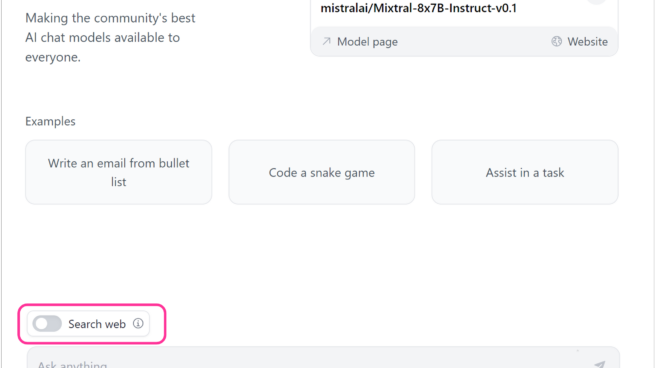
Hugging Chat’s interface showing input examples, prompt box and a switch option for search web.

Hugging Chat | G17: Provide global controls
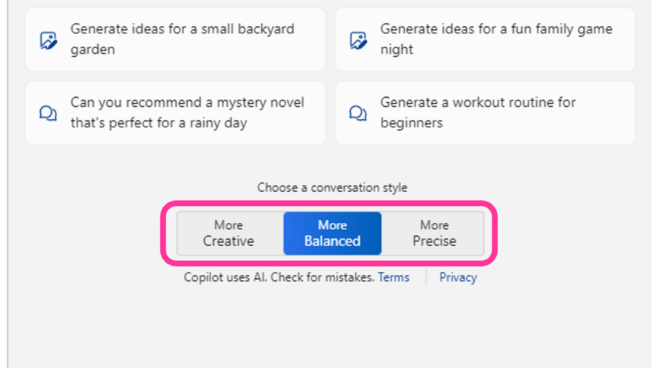
Copilot your everyday companion. Windows Copilot pane showing two controls one, work or web tab selection and two, conversation style, more creative, more balanced and more precise.

Windows Copilot | G17: Provide global controls
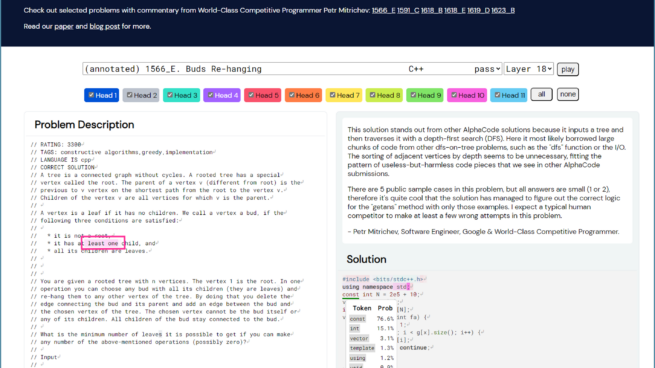
AlphaCode attention visualization interface showing a coding problem description and generated solution. Selecting the token const in solution highlighted tokens in the problem based on model’s attention to them.

AlphaCode | 11D: Map system input attributes to system outputs
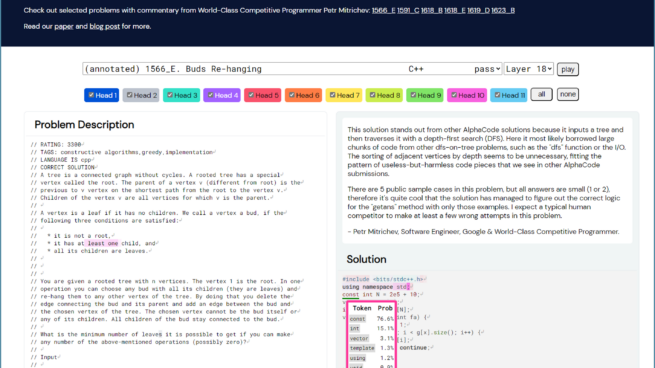
Alphacode attention visualization interface showing a a coding problem description and generated solution. Token probabilities highlighted in solution for underlined token const

AlphaCode | 11A: Local explanations

Copilot in PowerPoint | G10: Scope services when in doubt
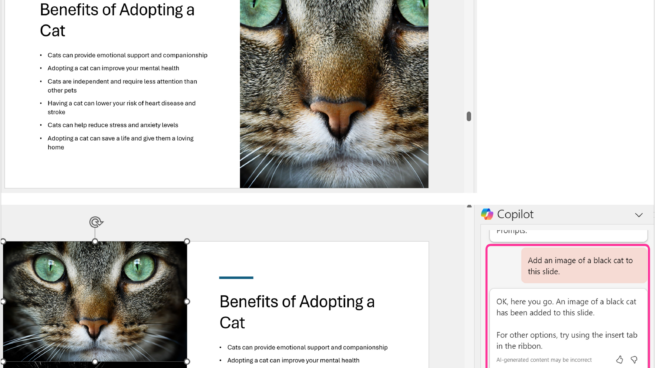
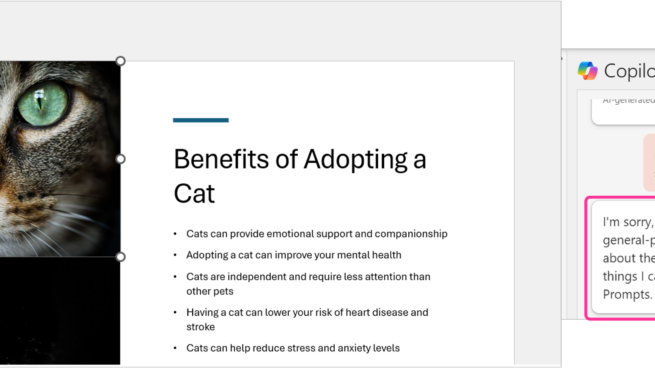
2 PowerPoint slides about Benefits of adopting a cat. Copilot in PowerPoint pane showing user prompts – add an image of black cat to this slide. Copilot’s response – OK, here you go. An image of a black cat has been added to this slide. For other options, try using insert tab in the ribbon.

Copilot in PowerPoint | 9B: Rich and detailed edits
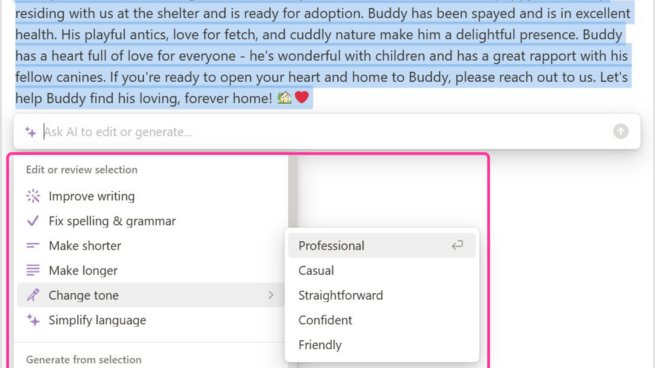
Notion showing a draft note generated by AI along with a related menu to edit or review selected text in the note. Change tone selected and Professional selected from the menu.

Notion | 9B: Rich and detailed edits

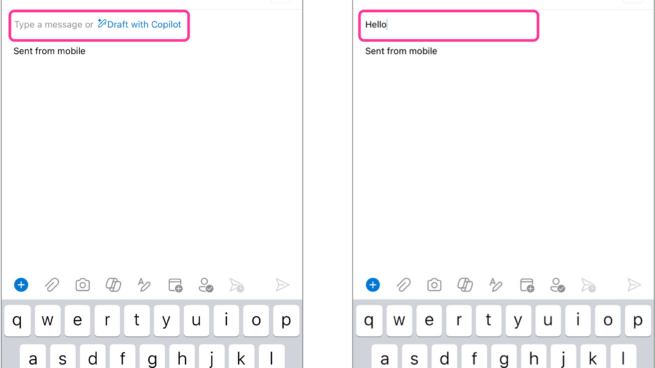
Two screenshots of Copilot in Outlook. In the first screenshot Draft with Copilot suggestion is displayed when the user first open a new message. In the second screenshot, the user types hello and the Draft with Copilot suggestion is not shown to user.

Copilot in Outlook | G8: Support efficient dismissal
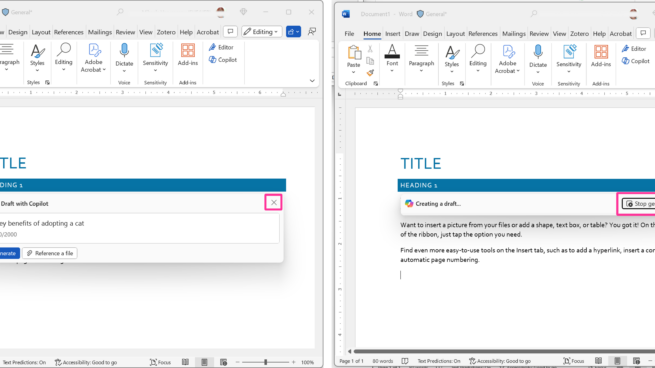
2 screen shots of Microsoft Word document with Title and and heading 1. Screenshot 1 has draft with Copilot window with an ”X” icon to dismiss it. Screenshot 2 has Copilot creating a draft with an “stop generating” button available to users.

Copilot in Word | G8: Support efficient dismissal
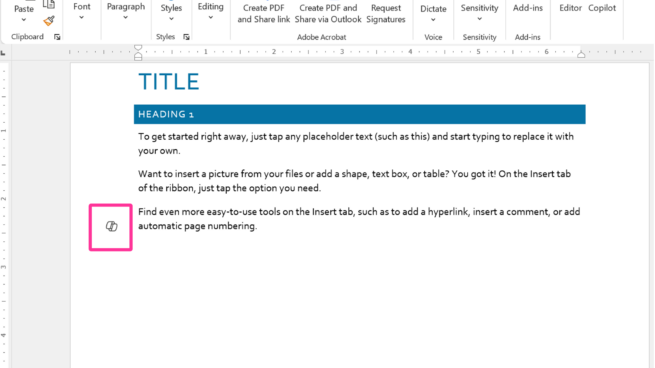
Copilot in Word draft document with Title, Heading 1 and placeholder text. Copilot’s icon appears in the document margin.

Copilot in Word | G7: Support efficient invocation
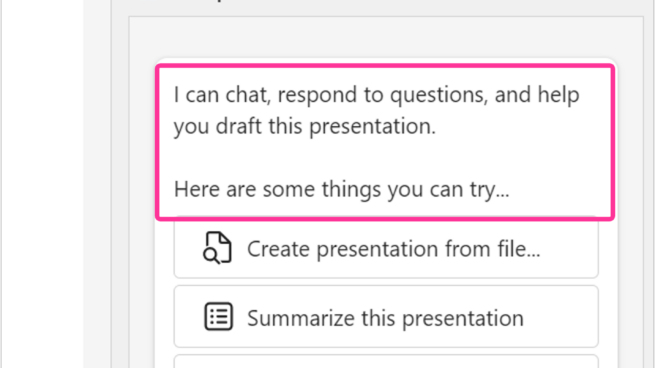
Copilot pane in PowerPoint. I can chat, respond to questions, and help you draft this presentation. Here are some things you can try…Create presentation from file, summarize this presentation, organize this presentation.

Copilot in PowerPoint | G5: Match relevant social norms
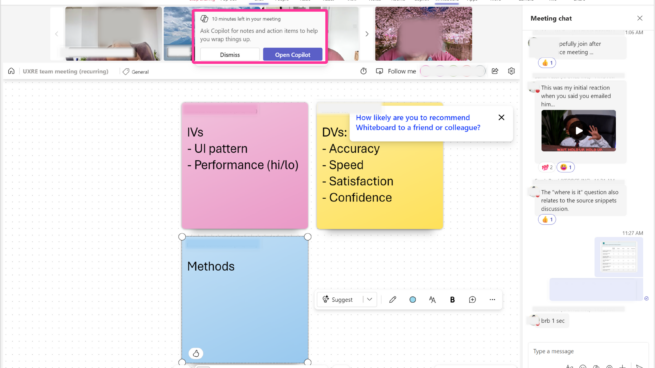
Copilot in Teams notification. Ask Copilot for notes and action items to help you wrap things up.

Copilot in Teams | G3: Time services based on context