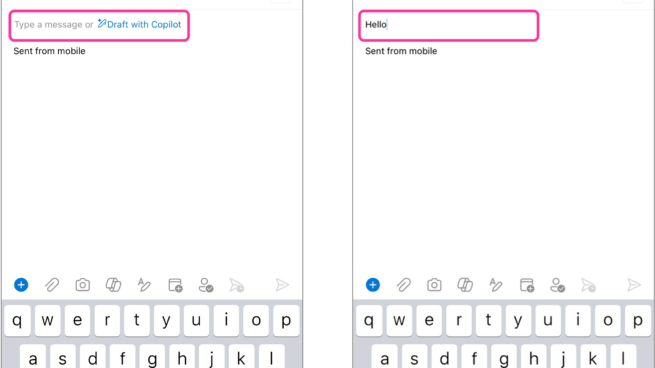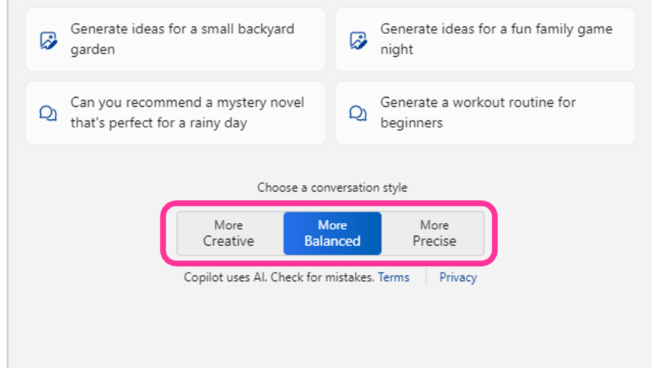
Copilot your everyday companion. Windows Copilot pane showing two controls one, work or web tab selection and two, conversation style, more creative, more balanced and more precise.

Windows Copilot | G17: Provide global controls
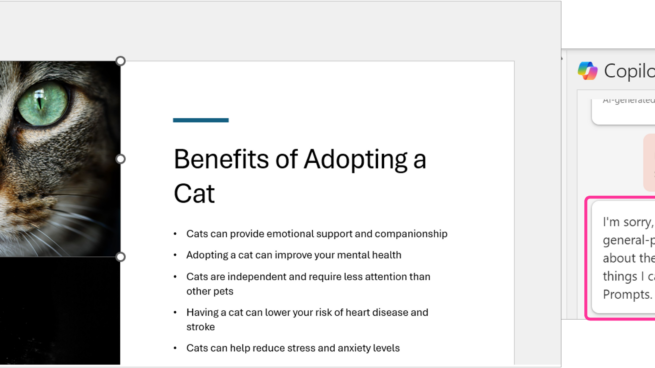
Copilot in PowerPoint | G10: Scope services when in doubt
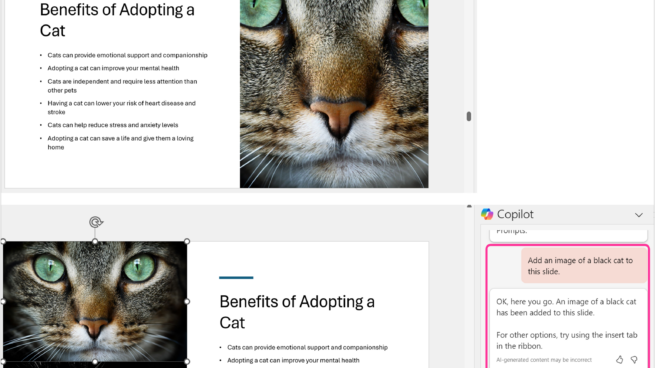
2 PowerPoint slides about Benefits of adopting a cat. Copilot in PowerPoint pane showing user prompts – add an image of black cat to this slide. Copilot’s response – OK, here you go. An image of a black cat has been added to this slide. For other options, try using insert tab in the ribbon.

Copilot in PowerPoint | 9B: Rich and detailed edits
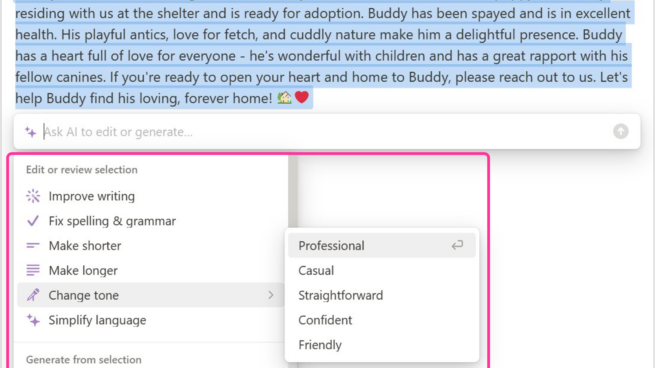
Notion showing a draft note generated by AI along with a related menu to edit or review selected text in the note. Change tone selected and Professional selected from the menu.

Notion | 9B: Rich and detailed edits

Two screenshots of Copilot in Outlook. In the first screenshot Draft with Copilot suggestion is displayed when the user first open a new message. In the second screenshot, the user types hello and the Draft with Copilot suggestion is not shown to user.

Copilot in Outlook | G8: Support efficient dismissal
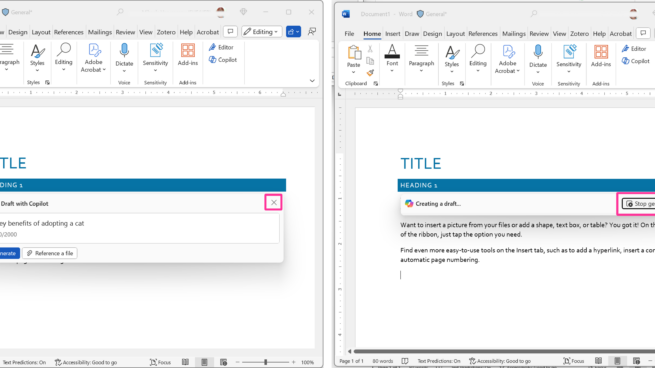
2 screen shots of Microsoft Word document with Title and and heading 1. Screenshot 1 has draft with Copilot window with an ”X” icon to dismiss it. Screenshot 2 has Copilot creating a draft with an “stop generating” button available to users.

Copilot in Word | G8: Support efficient dismissal
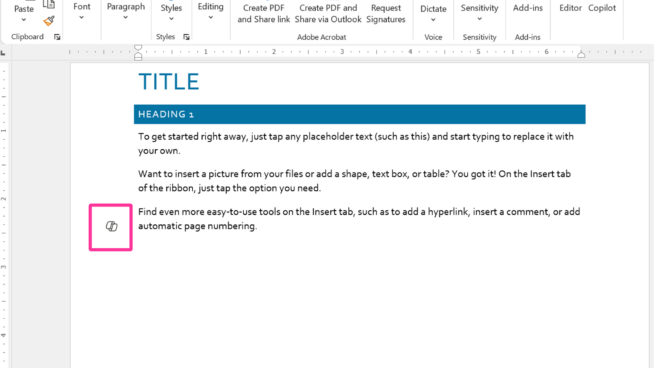
Copilot in Word draft document with Title, Heading 1 and placeholder text. Copilot’s icon appears in the document margin.

Copilot in Word | G7: Support efficient invocation
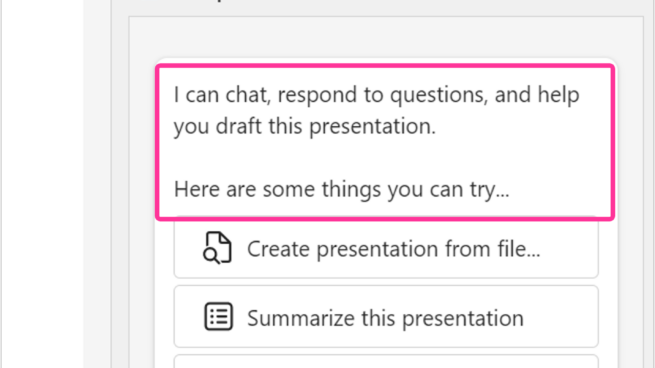
Copilot pane in PowerPoint. I can chat, respond to questions, and help you draft this presentation. Here are some things you can try…Create presentation from file, summarize this presentation, organize this presentation.

Copilot in PowerPoint | G5: Match relevant social norms
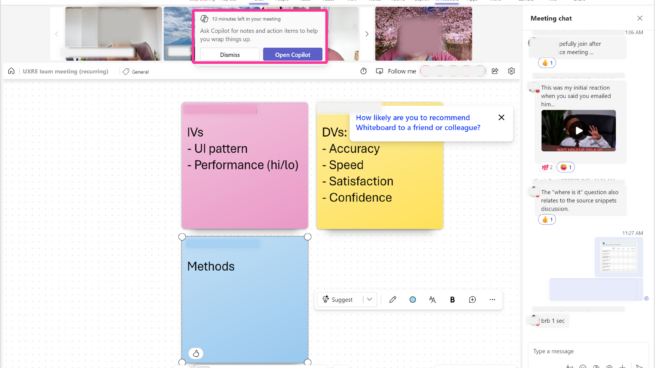
Copilot in Teams notification. Ask Copilot for notes and action items to help you wrap things up.

Copilot in Teams | G3: Time services based on context

M365 Chat your copilot for work- What’s new? What’s the latest from person, organized by emails, chats and files? Get key info- list key points from file. Share meeting notes. Draft an email with notes and action items from meeting.

M365 Chat | 1D: Make clear what the system can do

Selecting the prompt box with placeholder text "Ask AI to edit or generate" opens a "draft with AI" menu with a list of choices. See more is selected and pros and cons list is selected.

Notion | G1: Make clear what the system can do
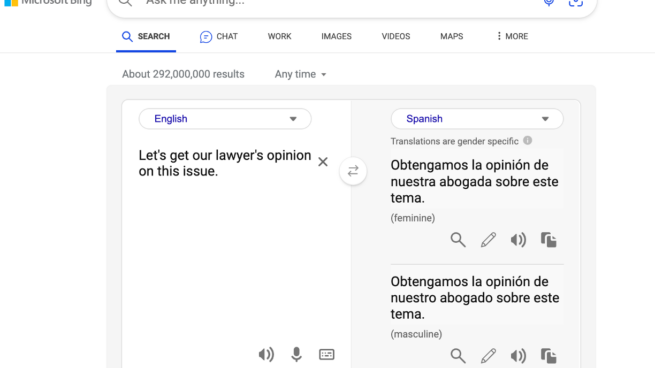
Bing Search | G6: Mitigate social biases