This is the Trace Id: 736cb48dd69f14da539693a33efb86f8
Skip to main content
Windows
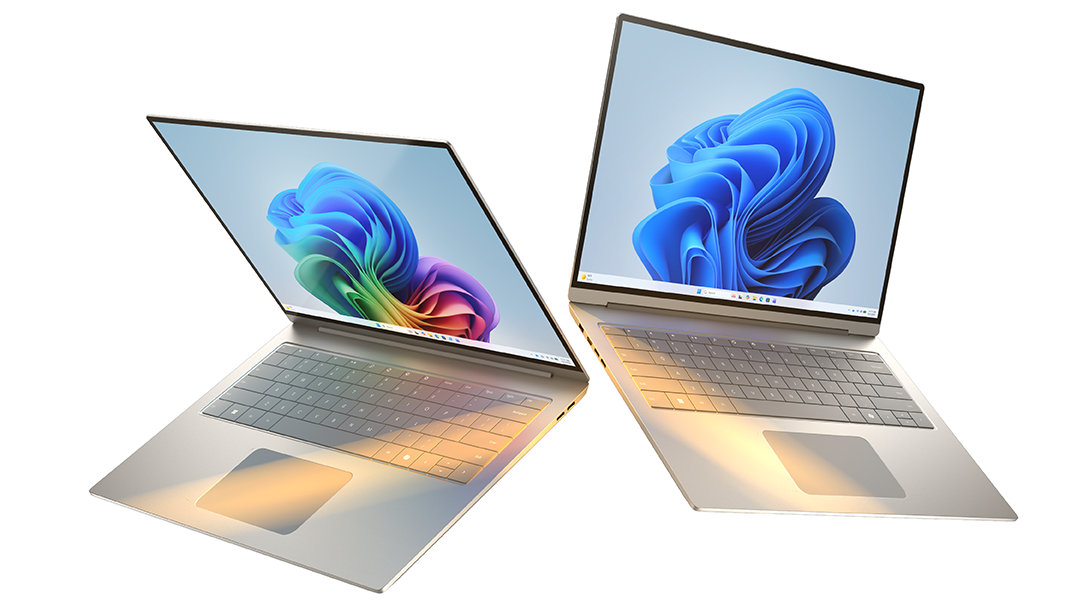
A Copilot+ PC and a Windows 11 PC side by side

December 19, 2025

Copilot+ PCs vs. Windows PCs: What’s the difference?

Windows PCs have been a trusted companion for decades—powering work, school, creativity, and entertainment around the world. Over the years, they’ve grown from simple productivity machines into powerful platforms built for collaboration, content creation, and immersive experiences.

Now, there’s a new class of Windows PCs designed for the AI generation: Copilot+ PCs. These PCs run Windows 11 and come equipped with dedicated AI hardware to unlock industry-leading AI features right on your device.

Copilot+ PCs are the fastest, most intelligent Windows PCs ever. All Copilot+ PCs are Windows 11 PCs, but not all Windows 11 PCs are Copilot+ PCs.

Let’s look at what exactly a Copilot+ PC is, and how they differ from traditional Windows PCs.

What Is a Copilot+ PC

Copilot+ PCs are a class of Windows 11 AI PCs that are powered by a turbocharged neural processing unit (NPU)—a specialized computer chip powering brilliant new AI features to enrich your everyday life. The NPU performs more than 40 trillion operations per second (TOPS). With the NPU built for secure, on-device AI processing, Copilot+ PCs empower users to work, create, and communicate more effectively.

To be a Copilot+ PC, a consumer system must have these hardware requirements:

  • NPUs: Specialized chips capable of at least 40 TOPS, enabling AI tasks like real-time translation, image generation, and intelligent search to run locally.
  • ARM-based processors: Many Copilot+ PCs are powered by Snapdragon® X Elite Plus processors, though support is expanding to Intel Core Ultra and AMD Ryzen AI processors.
  • Minimum specs: 16GB RAM, 256GB SSD, and Windows 11 version 24H2 or newer.

These components work together to deliver fast, AI-powered performance while keeping sensitive data secure and local.

What makes Copilot+ PCs different?

Copilot+ PCs stand out from traditional Windows PCs in several key areas, including:

  • Speed and responsiveness: With turbocharged NPUs and optimized processors, Copilot+ PCs offer significantly faster performance across apps and workflows. Top-performing Copilot+ PCs are faster than MacBook Air with the M4 chip1.
  • Battery life: Designed for mobility, many Copilot+ PCs deliver all-day battery life2, with up to 22 hours of video playback or 15 hours of web browsing.
  • Security: Copilot+ PCs feature the highest standard of Windows 11 security, including TPM 2.0, Windows Hello, and Enhanced Sign-in Security. Copilot+ PCs are secure to the core with the Microsoft Pluton security processor to safeguard you and your data. It's like having your own digital bodyguard.

Exclusive features of Copilot+ PCs

Copilot+ PCs unlock a unique suite of Windows 11 AI experiences3 that accelerate your productivity and creativity, including:

  • Copilot on Windows: Your built-in AI companion helps you find, create, summarize, and analyze content with ease and just a keystroke4 away.
  • Recall: Search your digital memory by describing how you remember something. Instantly locate documents, emails, or web pages without needing exact filenames.
  • Live Captions with Translations5: Translate live or recorded audio from over 40 languages into English captions across any app, even offline.
  • Cocreator6: Use text or image prompts to generate visuals in real time. Cocreator interprets your ideas and brings them to life.
  • Windows Studio Effects: Enhance video calls with intelligent lighting, gaze correction, and voice clarity.
  • Photos: AI tools help you edit and enhance images effortlessly, ensuring your content looks its best.

These features are powered by the NPU and run locally, ensuring speed, privacy, and reliability.
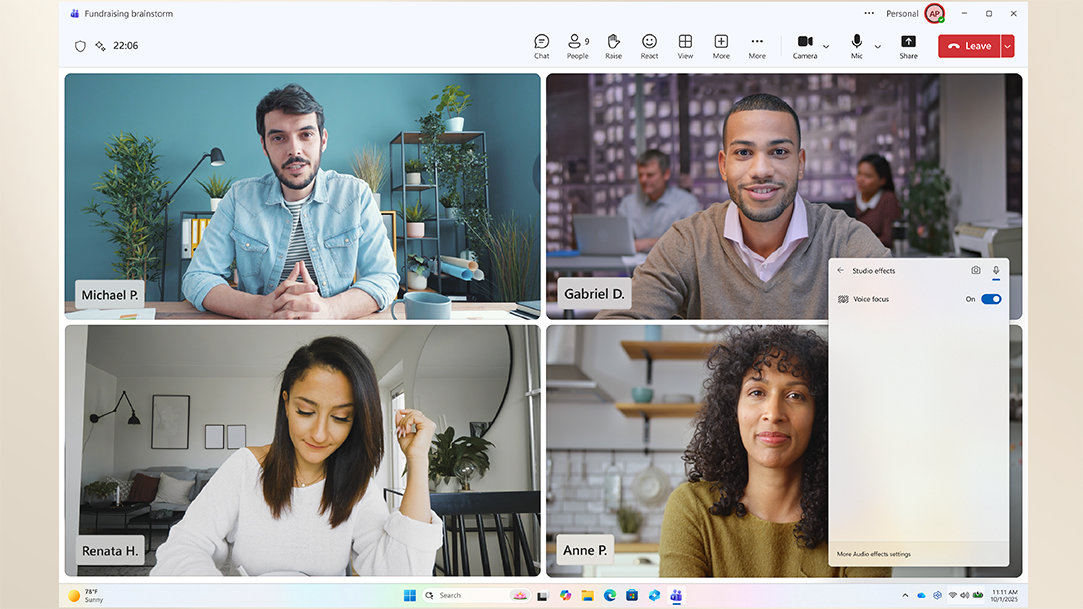
A woman using a Copilot+ PC on a video call in a home office setting

AI art created by Copilot

How Copilot+ PCs make your day easier

Copilot+ PCs are built to help you with a wide range of daily tasks:

  • Productivity: From summarizing notes to organizing your day, features like Copilot on Windows help streamline workflows while features like Click to Do offer contextual shortcuts for faster task completion.
  • Creativity: Designers and content creators benefit from tools like Cocreator, Restyle Image, and AI-enhanced photo editing.
  • Accessibility: Real-time translation and intelligent captions make digital content more inclusive and easier to navigate. For example, you're watching a recorded webinar in another language, and Live Captions instantly translates the audio into English. Meanwhile, while staying focused on the webinar, you can say “Hey Copilot, what’s the forecast for this afternoon’s weather?” Copilot Voice replies aloud with the latest weather update. No scrolling. No distractions.

Whether you're working, studying, or creating, Copilot+ PCs offer a smarter way to engage with your device.

Who should consider a Copilot+ PC?

Copilot+ PCs are ideal for:

  • Professionals who need fast, secure multitasking. For example, you're prepping for a meeting and ask Copilot on Windows to summarize yesterday’s notes—it instantly pulls key points from your documents and emails. Then, use Click to Do to suggest a follow-up task like “Draft Q4 proposal,” adds it to your to-do list, and links the relevant files, helping you stay organized without switching apps.
  • Students who manage research, notes, and collaboration. For example, you're working on a group project and use Recall to quickly find a chart you viewed last week, then ask Copilot on Windows to summarize your notes and draft a message to share with your team.
  • Creatives working with images, video, or design. For example, you're designing a social media graphic and use Cocreator to generate a visual based on a quick sketch and prompt. Then, you refine it with Restyle Image and apply AI-enhanced photo edits—all without switching apps or needing advanced design skills.

Fast, intelligent, secure: Copilot+ PCs for the AI era

Copilot+ PCs are designed to support AI innovations of today and for tomorrow. Upgrading to a Copilot+ PC helps ensure you’re prepared for the next generation of computing.

Count on Copilot+ PCs to deliver the seamless integration of speed, security, and intelligence—from the professional who needs instant summaries to the student managing complex notes and online learning and to the creative using resource-intensive tools for video, images, and design work. Copilot+ PCs are defined by the powerful NPU and turbocharged processors like Snapdragon® X Elite Plus, all-day battery life, and exclusive Windows 11 AI features like Recall, Live Captions, and more.

Work smarter, create faster, and communicate more effectively than ever before with the fastest, most intelligent Windows PC ever. Explore the full range of Copilot+ PCs today.

  • DISCLAIMER: Features and functionality subject to change. Articles are written specifically for the United States market; features, functionality, and availability may vary by region. 
  • [1] Based on Cinebench 24 Multi-Core benchmark. See aka.ms/cpclaims.
  • [2] Battery life varies significantly based on device configuration, usage, network and feature configuration, signal strength, settings and other factors. See Surface battery performance for details.
  • [3] On some devices, some Copilot+ PC experiences require free updates continuing to roll out through early 2025. Timing varies by device and region. See aka.ms/copilotpluspcs.
  • [4] Use Copilot key with supported Windows 11 devices; feature availability varies by device and market, see aka.ms/KeySupport.
  • [5] Currently supports translation for video and audio subtitles into English from 40+ languages. See http://aka.ms/copilotpluspcs.
  • [6] Cocreator in PaintRestyle Image in Photos, and Image Creator in Photos Optimized for English text prompts and requires a Microsoft account and internet connection to access cloud services that help ensure the responsible use of AI.

Mentioned in this article

Windows 11 bloom

Shop Copilot+ PCs

Windows 11 bloom

Benefits of Windows 11

Windows 11 bloom

Find the Windows PC that's right for you

You may also like

Overhead view of a person with a laptop box and gift-wrapping material, while also using a laptop

Get Started with Copilot+ PCs

Unlock AI-powered productivity with Copilot+ PCs. Personalize your PC for smarter, faster performance.
Two Surface devices, one showing the Copilot bloom

Why a Microsoft Surface is the best Copilot+ PC experience

Learn the advantages of Surface Copilot+ PCs and how Copilot+ PCs differ from other computers.
Copilot+ PCs for productivity and play

Copilot+ PCs for productivity and play

See how Copilot+ PCs use built-in AI to boost creativity, gaming, and multitasking.