 Discover Windows
Discover Windows
Discover Windows

September 02, 2025
Share this page


For millions of people with disabilities, accessibility features aren’t “nice to have”—they’re essential. Copilot+ PCs take that seriously, offering a new generation of built-in tools that make it easier to navigate, communicate, and create, no matter your ability.
And here’s the thing: these features are not just smart—they’re delightful to use. Whether you need them every day or simply want to work more efficiently, here are four Copilot+ PC accessibility tools that flex to fit your world.
1. Voice Access: Run your PC with your voice
Speak naturally. Work freely.
With Voice Access on Copilot+ PCs1, your voice does more. You can open apps, navigate, scroll, edit text, and switch between windows—all with everyday language. No need to slow down or change how you talk.
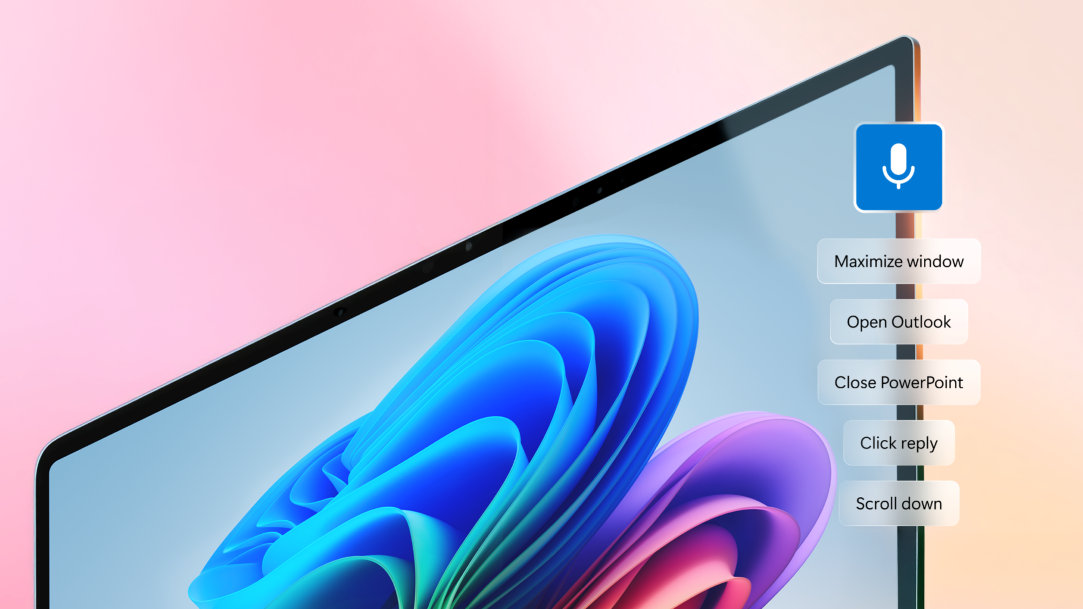
But what really makes it powerful? Precision and flexibility. You can now describe actions—like “select the third paragraph and make it bold”—and your PC understands. It’s fast, responsive, and tuned to support users with limited mobility or anyone who prefers hands-free interaction (hello, coffee drinkers).
Exclusive to Copilot+ PCs with Snapdragon X Series processors, this is accessibility made effortless.1
2. Live Captions: Subtitles for your digital life
Understand more—without missing a moment.
Whether you use captions for hearing support, staying focused, or following along in a different language, Live Captions on Copilot+ PCs makes it all feel effortless.2 Just turn it on—and everything from calls to videos to podcasts gets transcribed instantly, right on your screen.
Even better? It translates speech from 44 languages into English and from 27 into Simplified Chinese. So you can connect, learn, or just binge content from anywhere in the world—no subtitles required.
Pro tip: Turn on Live Captions during a call with a non-native speaker—you’ll get real-time subtitles and better clarity for both sides.
3. Immersive Reader: Customize the way you read
Less clutter. More clarity.
Microsoft Immersive Reader gives you a suite of tools that turn dense text into something easier to see, hear, and focus on—however your brain works best.
With Immersive Reader, you can:
Line focus dims everything on the page except one, three, or five lines—so you can concentrate without distractions. And Read aloud turns any text into speech, which is perfect for reading fatigue, comprehension boosts, or simply giving your eyes a break.
These tools are especially helpful for people with dyslexia, ADHD, low vision, or cognitive processing differences—but honestly, they make reading online easier for just about everyone.
Pro tip: Turn on syllable separation in Immersive Reader for trickier words—it’s a great tool for language learners, too.
4. Narrator: Let your PC read it out loud—naturally
Voices so natural, you might forget it’s your computer.
Need a break from staring at text? Narrator3 on Copilot+ PCs reads what’s on your screen out loud—in clear, expressive voices that actually sound good. Emails, articles, web pages, reports? Just hit play and listen.
You can tweak the speed, pitch, and voice style to match your vibe—whether you’re flying through content or taking it slow. And if you’re using a braille display, it fits right in with smooth, responsive support.4
Pro tip: Choose a warm, conversational voice for long reads—it’s like having your own personal narrator on standby.
Accessibility empowered by Copilot+ PCs
These tools aren’t just helpful—they’re kind of amazing. Copilot+ PCs give you built-in ways to read, speak, listen, and navigate that actually adapt to how you do things. Whether these features are must-haves or just nice-to-haves, they’re designed to make everyday computing feel smarter, faster, and way more personal.
So go ahead—talk to your PC, have it read to you, turn on captions, and take the pressure off your eyes, ears, and hands.
Explore Copilot+ PCs and try the tools that are making accessibility work better for everyone.


