This is the Trace Id: 7302af4c28b5c9c697d9dbc204a025ae
Skip to main content
Windows
A young entrepreneur launches his side hustle online using Copilot+ PC tools

October 06, 2025

How to start an online side hustle

Thinking about launching an online side hustle? You're tapping into something big. Side hustles aren’t just for influencers and tech bros anymore. They’re for creatives, organizers, writers, makers, tutors, dreamers—you. Whether you want extra cash, career flexibility, or to finally put that passion project into motion, starting an online side hustle is one of the smartest moves you can make right now.

Let’s walk through how to turn your idea into income, and how a Copilot+ PC can make it that much easier to do.

So… what side hustle should you start?

Short answer: the one that fits your skills, interests, and schedule. Long answer? Let’s break down a few side hustles you can actually do, from anywhere.

Freelancing - Turn your experience into income by offering writing, editing, design, or strategy support.
Sell digital products - Templates, eBooks, planners, or downloadable guides—once you create them, they can sell repeatedly.
Content creation - Share your perspective in a blog, podcast, or video series. Build your audience and monetize over time.
Coaching or tutoring - Teach what you know. One-on-one or in groups. From math help to career advice, there’s a market for it.

5 simple steps to get your business going

Starting a side hustle doesn’t have to be complicated. Whether you’ve got an hour a day or just your weekends, here’s a simple path to turn your idea into income:

  1. Start with what you know
    Choose something you’re already good at or enjoy doing. Look for problems you can solve or knowledge you can share.
  2. Define your offer
    Decide how you’ll deliver value: Is it a service? A digital product? A course? Keep it simple and specific—something you can explain in one sentence.
  3. Set up your workspace
    Use your Copilot+ PC and Microsoft 365 apps like Word, Excel, and OneNote to plan your business, organize ideas, and draft your first content or product.
  4. Use Copilot to accelerate the work
    Ask Copilot to write your first product description, generate business name ideas, or create a checklist for launching. You don’t have to do it all from scratch.
  5. Get it out there
    Post your offer, send an email, share a link. The first version doesn’t have to be perfect, just real. You can improve it as you go.

Need more structure? Check out Microsoft’s Jump start your side hustle guide for templates and tools to help you build with confidence.

Why Copilot+ PCs are built for side hustlers

When you’re growing something on your own time—after work, between meetings, on weekends—your tools need to be fast, flexible, and built to help you move quickly. Copilot+ PCs were designed with exactly that in mind: performance, creativity, and AI support that keeps pace with your ambition.
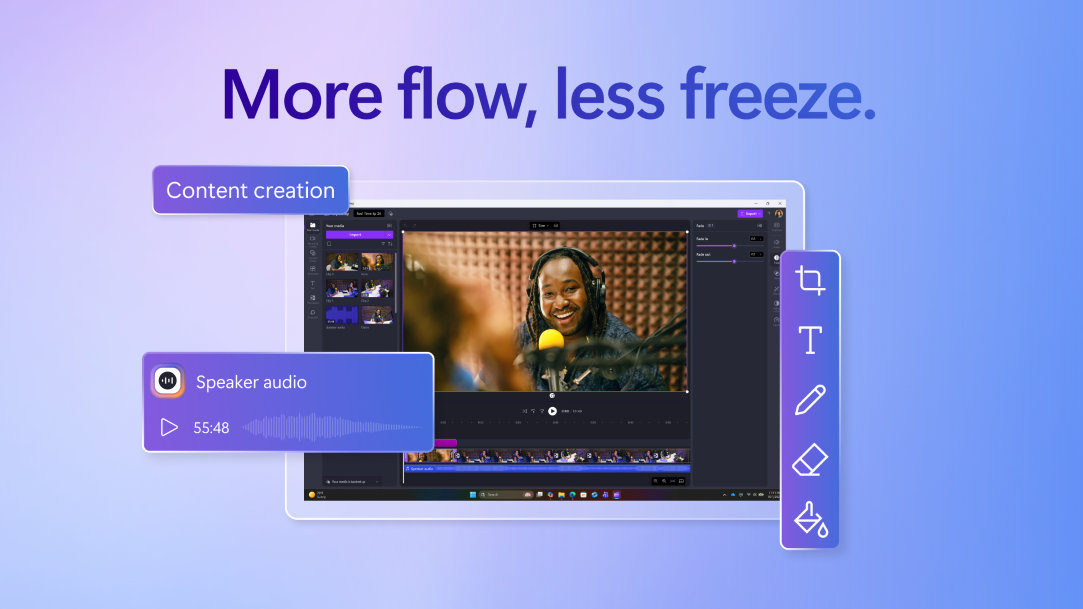
Copilot+ PC performance tools illustrate the ease of content creation

Time is limited—get more done

Side hustles live in the margins: early mornings, late nights, and lunch breaks. Copilot+ PCs help you make every minute count.

  • Performance that keeps up. Copilot+ PCs are faster than MacBook Air M4 and up to 5x faster than a 5-year-old Windows device, so you’re never waiting on your tech.1
  • Battery that lasts as long as you do. With up to 22 hours of local video playback or 15 hours of web browsing, you can take your work anywhere, without reaching for a charger.2
  • AI that lightens your workload. Copilot can help you summarize articles, write outlines, polish emails, and generate ideas, so you spend less time stuck and more time building.

Looking professional shouldn't require a design team

Most side hustles need more than just a great idea, they need visuals that sell. If you’re launching a digital product, writing a blog, offering services, or building a coaching business, you’ll likely need a logo, social posts, product mockups, course materials, or email visuals.

Hiring a designer is great if you can swing it, but with a Copilot+ PC, you don’t have to wait (or pay extra) to get started.

  • Cocreator turns ideas into images. Describe what you need—like a product mockup, social post, or course graphic—and Cocreator generates a custom image in seconds.3
  • Restyle Image refreshes your look. Give your visuals a fresh look using new styles, textures, or color palettes without having to redesign from scratch.3
  • Relight helps your visuals stand out in any setting. Adjust lighting and shadows in your photos to match your brand aesthetic or highlight your product—no reshoots needed.4

These tools help you look sharp, stay on-brand, and show up like a business, even if you're just starting out.

Turn momentum into income

Having a great idea is one thing. Knowing how to move it forward consistently is where many side hustles stall. With a Copilot+ PC, you don’t have to do everything the hard way. Built-in AI can help you uncover angles, plan smarter, and stay focused—all with the right prompt. Try using Copilot like this:

  • Brainstorm smarter: “Give me 10 side hustle ideas based on skills in writing, photography, and Excel.”
  • Write faster, sound better: “Write a friendly product description for a downloadable social media planner targeting solopreneurs.”
  • Refine your value prop: “Summarize the benefits of a coaching service that helps remote workers build routines and avoid burnout.”
  • Plan your next move: “Create a simple 3-week plan to launch a digital download side hustle with no audience.”
  • Find what others miss: “List under-the-radar pain points new freelancers have when working with their first clients.”

These are the kinds of insights that move you forward, faster.

You’ve got the drive, now you’ve got the tools

You’re closer than you think. With a Microsoft Copilot+ PC, you can take your side hustle from idea to income—faster, smarter, and with far less guesswork. Explore Copilot+ PCs.

  • DISCLAIMER: Features and functionality subject to change. Articles are written specifically for the United States market; features, functionality, and availability may vary by region. 
  • [1] Performance claims based on Cinebench 24 Multi-Core benchmark. Battery life varies significantly by device and with settings, usage and other factors. See aka.ms/cpclaims
  • [2] Battery life varies significantly by device and with settings, usage, and other factors. See aka.ms/cpclaims
  • [3] Optimized for English text prompts and requires a Microsoft account and internet connection to access cloud services that help ensure the responsible use of AI. See aka.ms/copilotpluspcs
  • [4] Available now on Copilot+ PCs with Snapdragon® X Series processors and on other devices starting mid-2025. See aka.ms/copilotpluspcs

Mentioned in this article

Windows 11 bloom

Benefits of Windows 11

Windows 11 bloom

Shop Windows 11 PCs

Windows 11 bloom

Help me choose a Windows 11 PC

You may also like

Overhead view of a person with a laptop box and gift-wrapping material, while also using a laptop

Get Started with Copilot+ PCs

Unlock AI-powered productivity with Copilot+ PCs. Personalize your PC for smarter, faster performance.
Two Surface devices, one showing the Copilot bloom

Why a Microsoft Surface is the best Copilot+ PC experience

Learn the advantages of Surface Copilot+ PCs and how Copilot+ PCs differ from other computers.
Copilot+ PCs for productivity and play

Copilot+ PCs for productivity and play

See how Copilot+ PCs use built-in AI to boost creativity, gaming, and multitasking.