This is the Trace Id: 3f56da73c025b67e55d137a895019907
Skip to main content Copilot Word Excel PowerPoint Outlook OneDrive Teams Copilot Studio Copilot Managed Runtime Work IQ Cowork Autopilot Code Plugins Enterprise Business Individuals Education Legal Finance Service Sales Plans and pricing Support Customer stories Blog Copilot vs. competitors Tech community Frontier program AI for Work Roadmap Agents New user onboarding Roll-out and adoption Prompts and use cases AI knowledge Connectors Open Copilot Download the app

Explore the latest Copilot announcements at Microsoft Ignite.


Read the blog
MICROSOFT COPILOT MANAGED RUNTIME

Build where you want,
host and run with confidence

Build your way. Host and govern code artifacts with Copilot Managed Runtime, without assembling and operating infrastructure for each workload.
Explore capabilities Learn more
Screenshot of the “Simpler Performance” page displaying two feedback entries with profile images, text, controls, and a purple character illustration on the right.
Overview Capabilities Creation experiences Developer tools Platform integrations Resources FAQ Next steps
OVERVIEW

Build on your terms. Run on a
managed foundation.

Build

Keep the tools. Keep the code. Create apps with your preferred authoring experience, then use the SDK and CLI to connect them to the managed host.

Renewable energy dashboard showing live performance and generation analytics.
Host

Release deliberately. Run on a managed host.

Microsoft operates the runtime. Build, preview and deployment remain distinct steps in the app lifecycle.
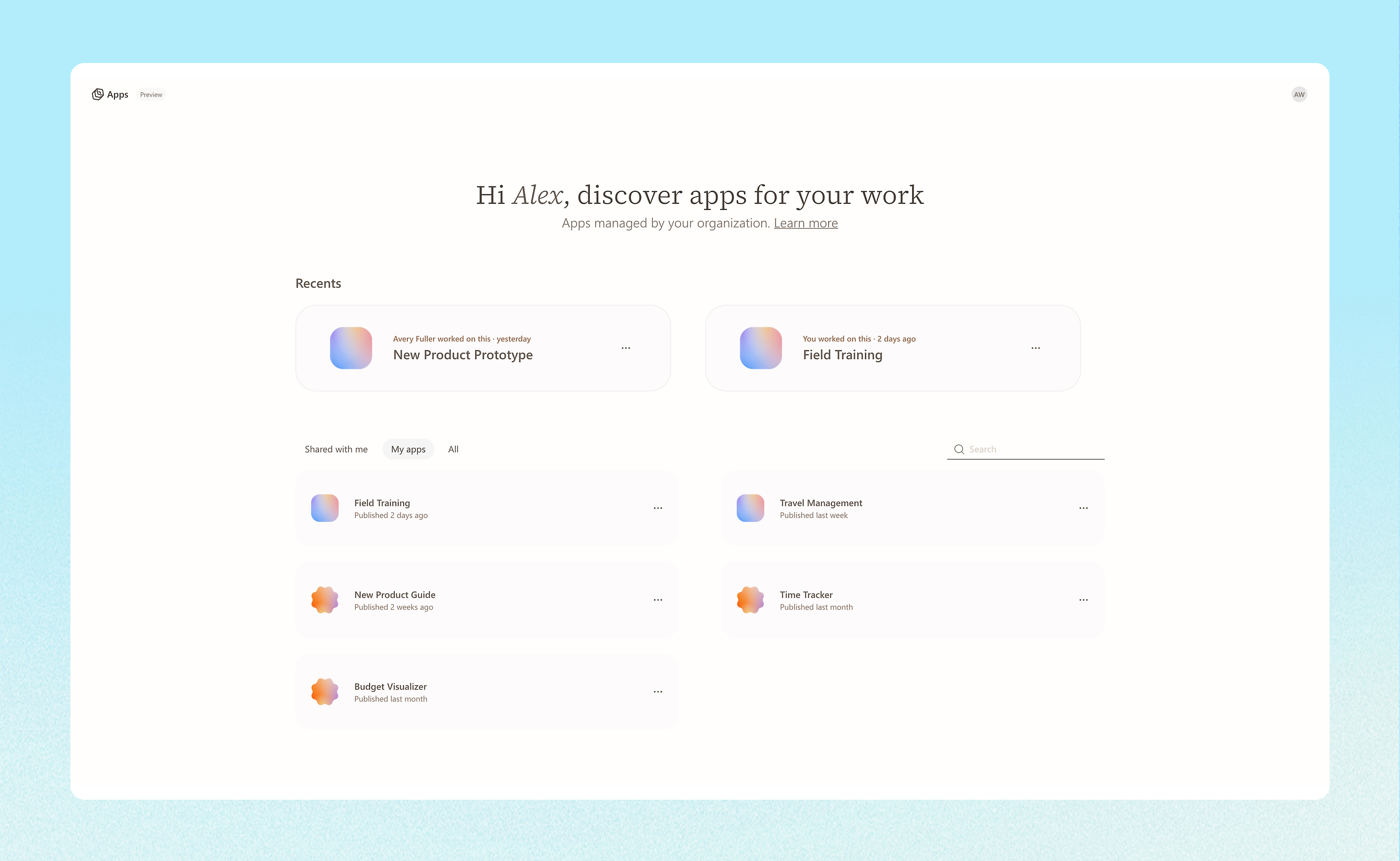
App marketplace displaying recently used and available workplace apps
Govern

Put IT controls around the app lifecycle.

Administration is centered in the Microsoft 365 admin center. Your organization retains its policy and access decisions.
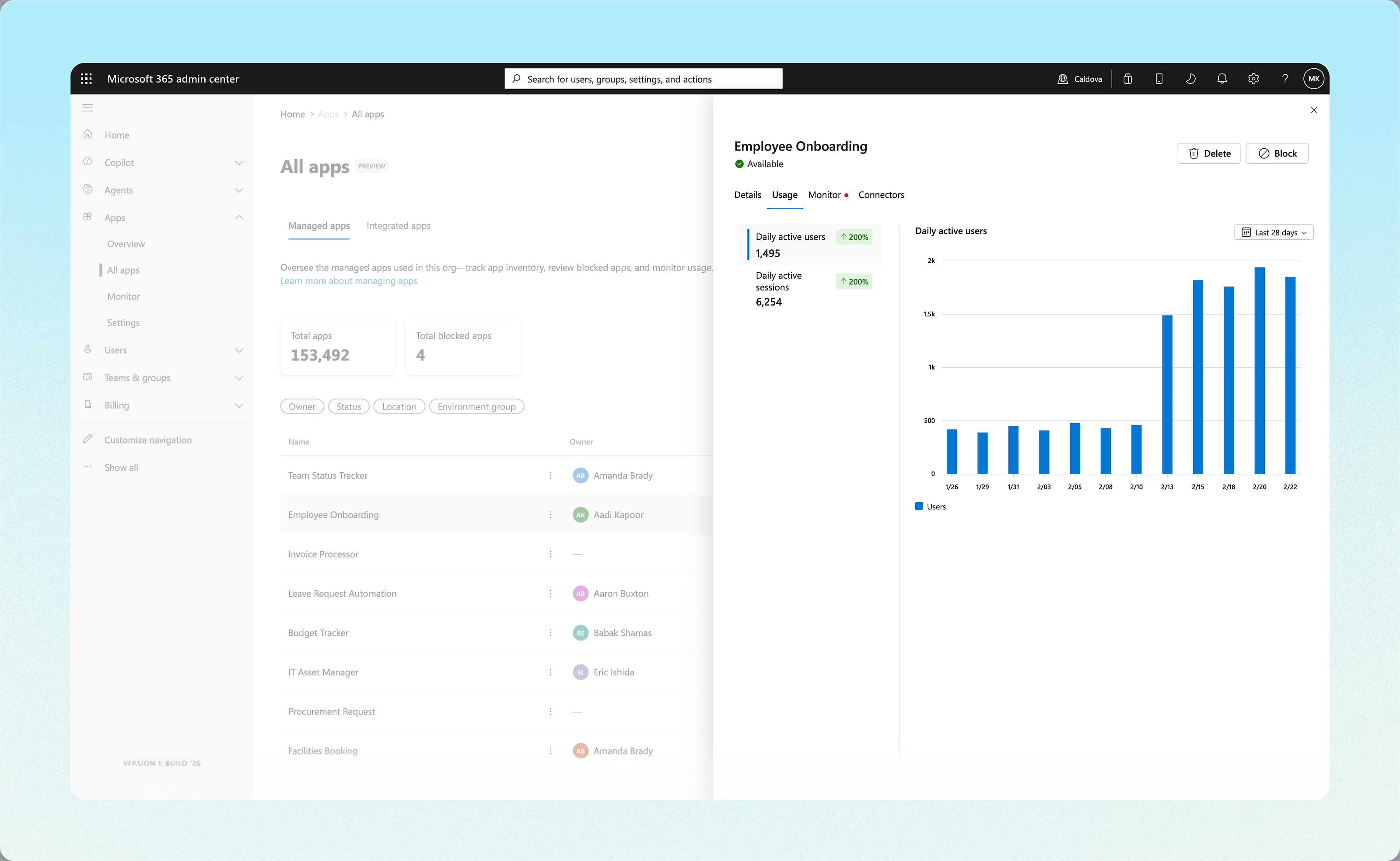
Microsoft 365 dashboard displaying Employee Onboarding app usage analytics.
CAPABILITIES

Build, host, and govern

CREATION EXPERIENCES

Start with the tools that work for you

Microsoft experiences

Copilot Code

Create and refine apps conversationally, then publish supported apps for team use.

Explore Copilot Code
Microsoft experiences

Copilot Cowork

Bring apps created in Cowork to Microsoft-managed hosting.

Explore Copilot Cowork
Microsoft experiences

Copilot Studio

Create with Copilot Studio and explore local agent development with our CLI.

Explore Copilot Studio
Developer tools

Your preferred tools

Connect supported code projects to the runtime with the SDK and CLI.

Explore developer docs
DEVELOPER TOOLS

Keep your workflow. Connect to the
runtime.

Use the SDK and CLI to connect supported projects to managed hosting, work with Git-backed source,
and explore local development for Copilot Studio agents.
Platform integrations

Client-independent dev loop

Bring supported projects created with third-party tools to Copilot Managed Runtime through the SDK and CLI, while Microsoft manages the hosting and governance layer.

Integrate today
RESOURCES

Explore Copilot Managed Runtime

Read the documentation, explore the product story, and see how supported projects move from development to Copilot Managed Runtime.
Get started

Explore the developer documentation

Learn about supported projects, the SDK and CLI, and deployment.

Read the docs
Blog

Meet Copilot Managed Runtime

Explore the approach to developer choice, managed hosting, and governance.

Read the blog

Frequently Asked Questions

Collapse All Expand All
01/
What is Copilot Managed Runtime?

Copilot Managed Runtime is Microsoft’s managed hosting and execution layer for supported apps, agents, and workflows. It connects projects built with Microsoft and third-party tools to managed hosting and enterprise capabilities, including identity, governed data access, and IT visibility.

02/
Is Copilot Managed Runtime an app-building tool?
Copilot Managed Runtime is separate from the experience used to create your app, agent, or workflow. Build with supported Microsoft experiences or your preferred development tools, then connect supported projects to the runtime for hosting and execution.
03/
Can I use my preferred development tools?
Yes. The SDK and CLI provide a path for supported projects created with Microsoft tools, third-party tools, open technologies, and existing codebases. Available capabilities depend on the workload and supported development path.
04/
What does Microsoft manage?
Microsoft operates the underlying hosting and execution layer for supported workloads. Published apps can gain work-account identity, sharing, governed data connections, and IT visibility without requiring you to assemble and operate the infrastructure app by app. You remain in control.
05/
How does IT manage and govern workloads?

Microsoft 365 admin center provides inventory and monitoring for supported workloads, building on existing app and agent management foundations. Available controls vary by workload. Supported apps use documented identity, sharing, data-access, and policy controls.

06/
How does Copilot Managed Runtime work with Copilot Studio?

Copilot Studio provides an experience for building apps, agents and workflows. Copilot Managed Runtime provides the Microsoft-managed hosting and execution layer for the apps built, and developers can also use the CLI to develop and test Copilot Studio agents locally before deploying changes.

07/
Can apps connect to existing business data?

Supported projects can use connectors and custom APIs to connect to business data and work context. Available connections and permissions depend on the workload and configuration. Governed data access is part of the managed runtime foundation.

Next steps

Bring what you build to a managed
runtime

Explore the development path for your next project, or learn how your organization can manage workloads with Microsoft 365 admin center.

Explore learn docs
Build and deploy

Connect your next project

Explore the SDK, CLI, and supported paths for app and agent development.

Explore developer repo
Get started today

Start building with Copilot Code

Sign in and get started building your app today.

Sign in

Follow Microsoft Copilot

English (United States) Consumer Health Privacy Sitemap Contact Microsoft Privacy Manage cookies Terms of use Trademarks Safety & eco Recycling About our ads