HAX Toolkit
Design Library
Guidelines
Design Library
Design Patterns
Workbook
Playbook
About
Share ideas
Microsoft Security
Azure
Dynamics 365
Microsoft 365
Microsoft Teams
Windows 365
Microsoft AI
Azure Space
Mixed reality
Microsoft HoloLens
Microsoft Viva
Quantum computing
Sustainability
Education
Automotive
Financial services
Government
Healthcare
Manufacturing
Retail
Find a partner
Become a partner
Partner Network
Microsoft Marketplace
Software companies
Blog
Microsoft Advertising
Developer Center
Documentation
Events
Licensing
Microsoft Learn
Microsoft Research
View Sitemap
HAX Design Library
Interactive collection of the 18 Guidelines for Human-AI Interaction, with design patterns for applying them and examples.
Guideline 1 > Pattern 1D > Example
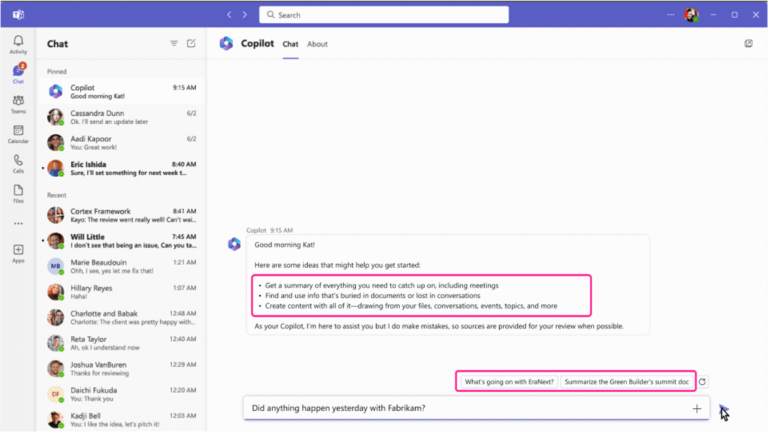
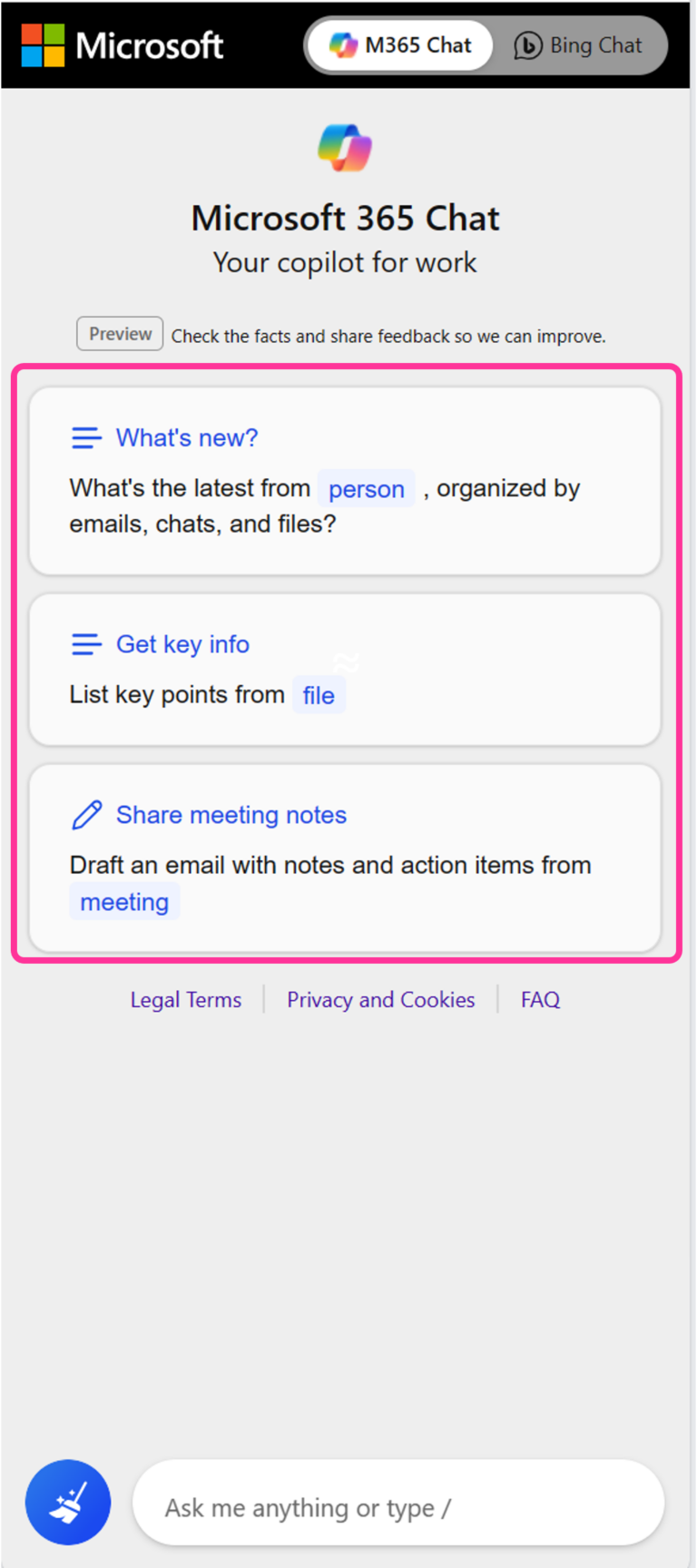
M365 Chat | 1D: Make clear what the system can do
Guideline 1 > Pattern 1D > Example
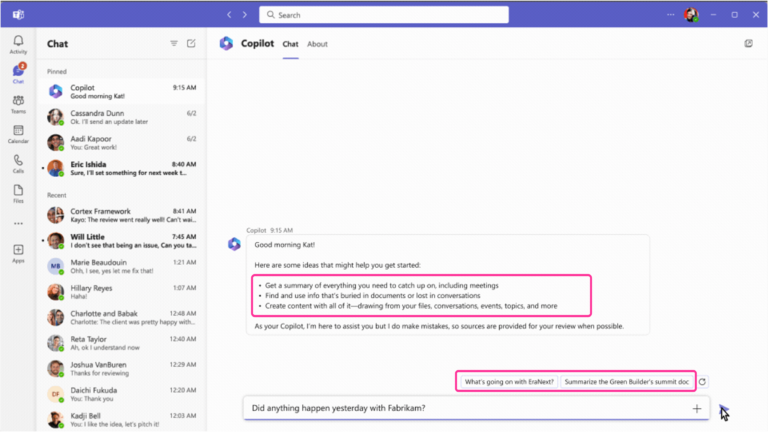
Business Chat | 1D: Demonstrate possible system inputs
Guideline 1 > Example
Business Chat | G1: Make clear what the system can do
Guideline 2 > Pattern 2A > Example
Linguistic uncertainty expressions | 2A: Match the level of precision in UI communication with the system performance – Language
Guideline 2 > Pattern 2D > Example
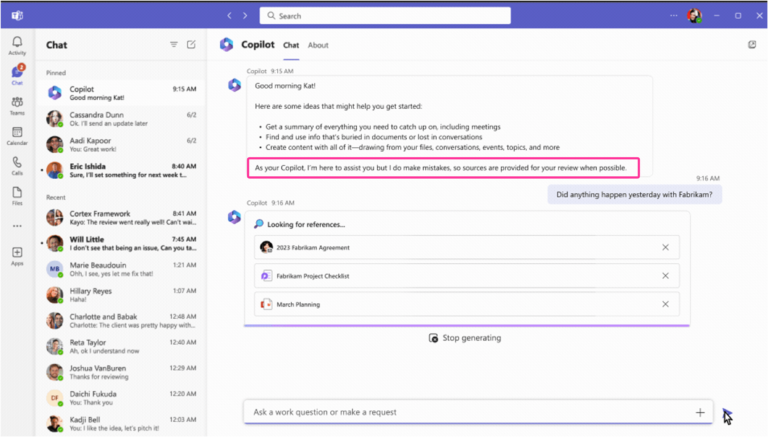
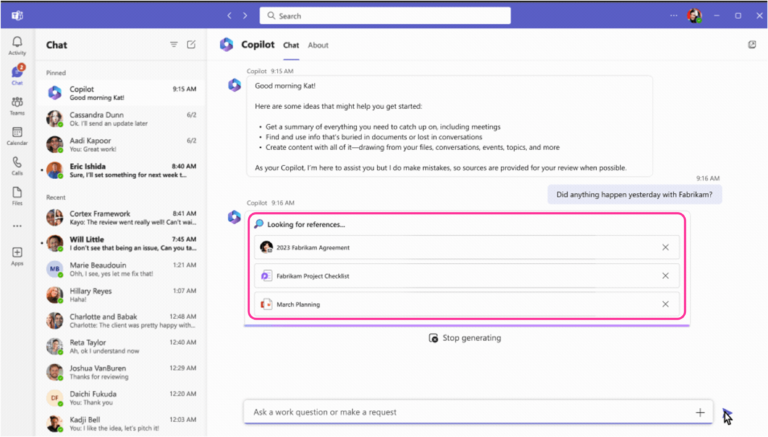
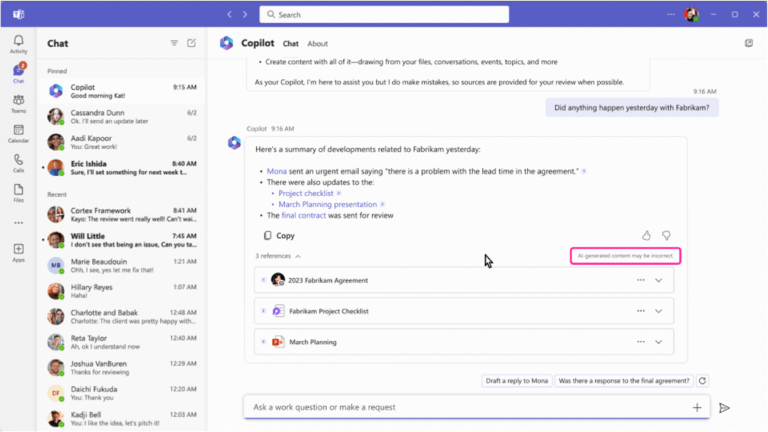
Business Chat | 2D: Provide low performance alerts
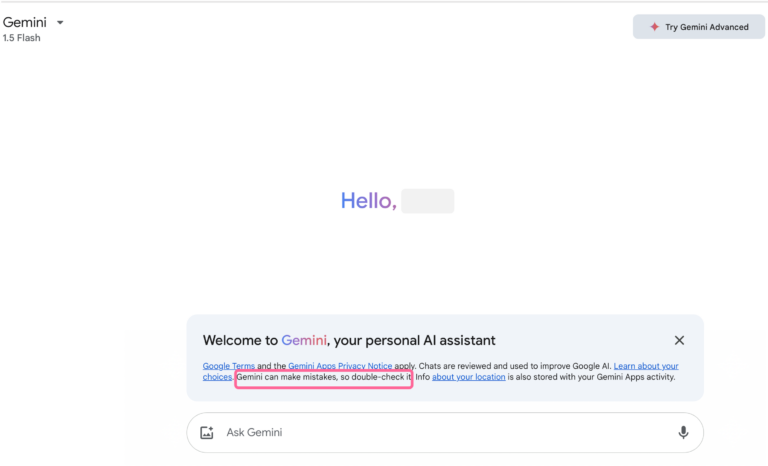
Guideline 2 > Example
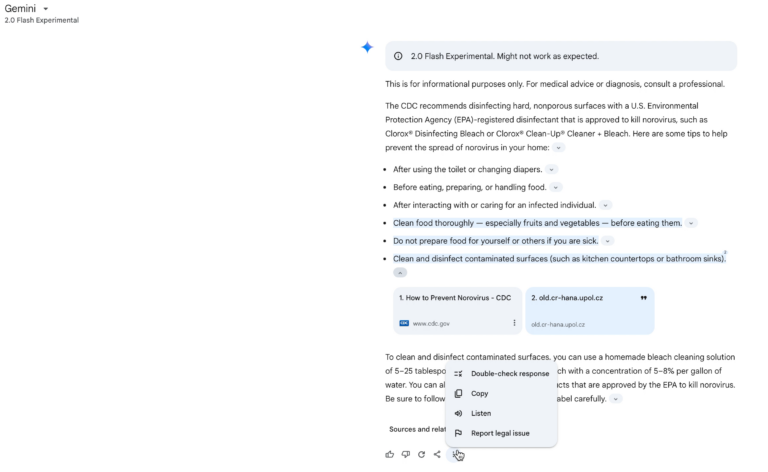
Google Gemini | G2: Make clear how well the system can do what it can do
Guideline 2 > Example
Google Gemini | G2: Make clear how well the system can do what it can do
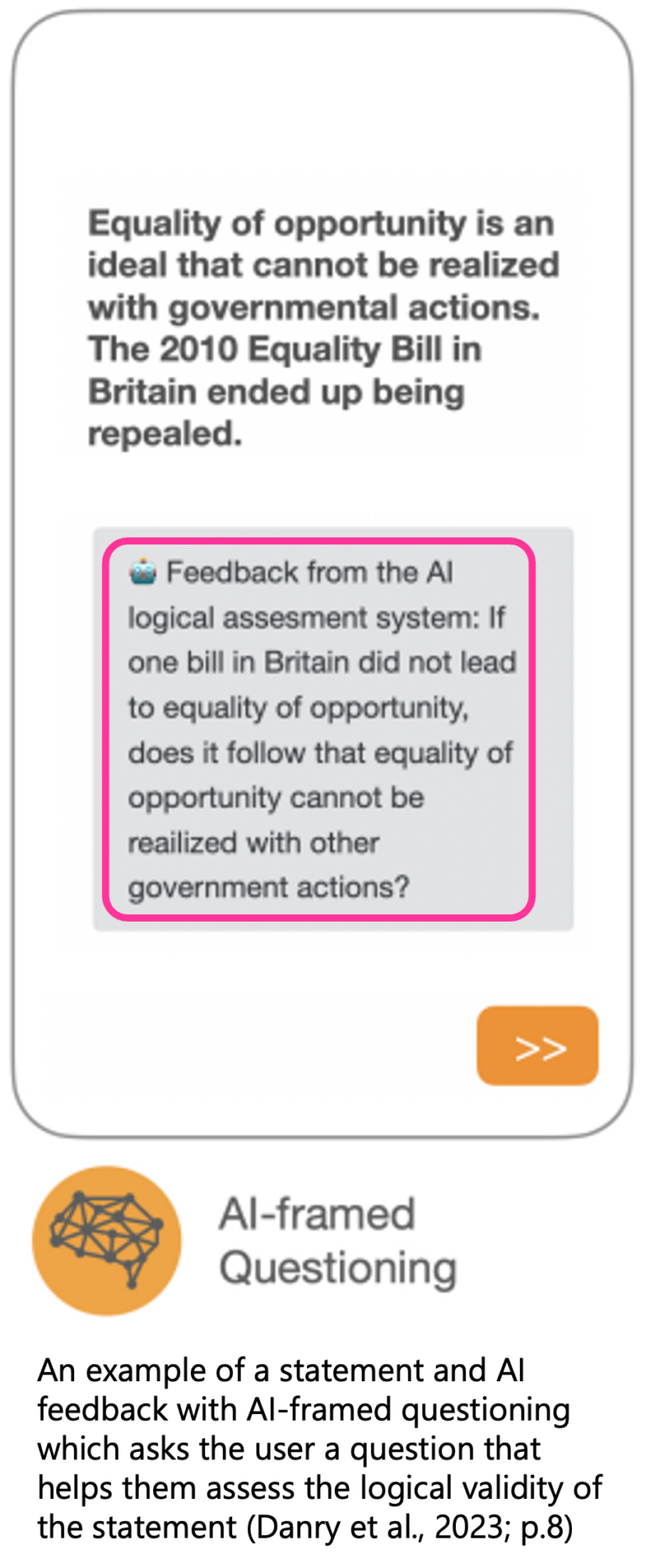
Guideline 2 > Example
AI-framed questioning | G2: Make clear how well the system can do what it can do
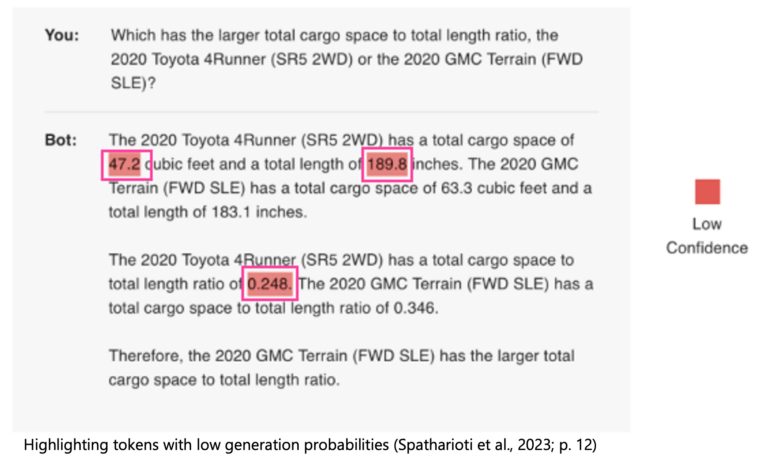
Guideline 2 > Example
Visual uncertainty highlighting | G2: Make clear how well the system can do what it can do
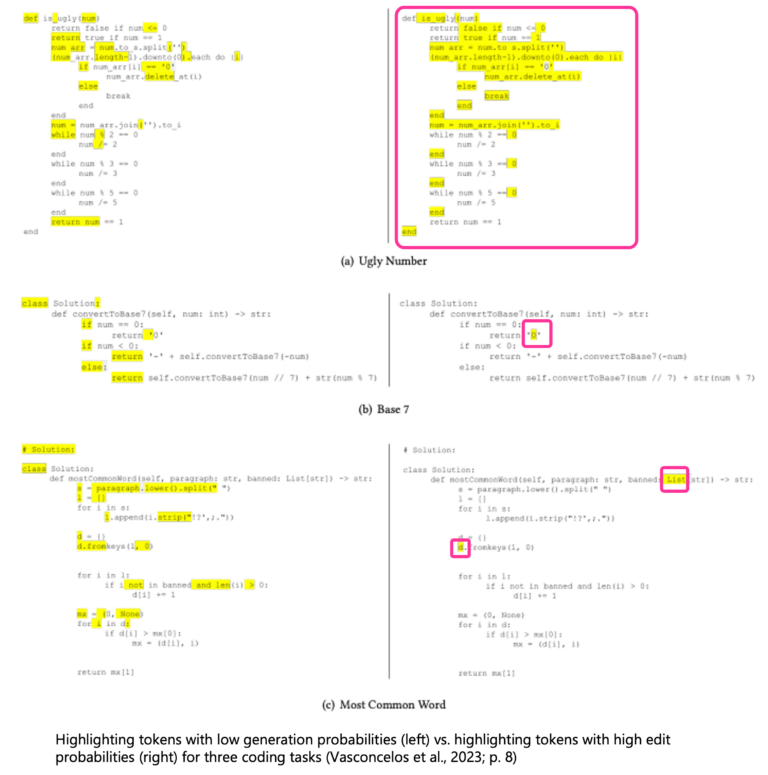
Guideline 2 > Example
Uncertainty highlighting | G2: Make clear how well the system can do what it can do
Guideline 2 > Example
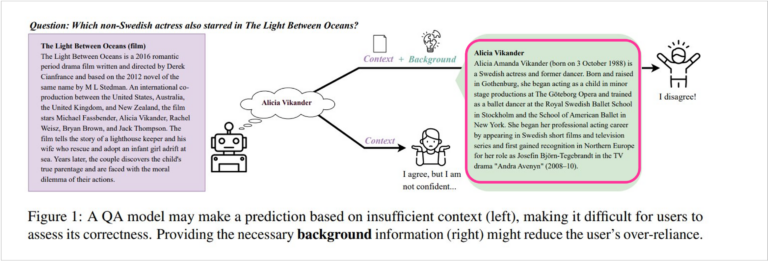
Background explanations | G2: Make clear how well the system can do what it can do
Guideline 2 > Example
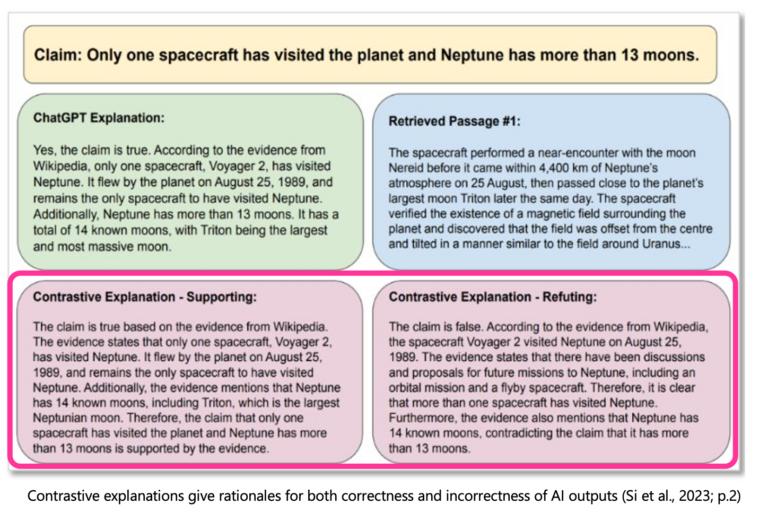
Contrastive explanations | G2: Make clear how well the system can do what it can do
Guideline 2 > Example
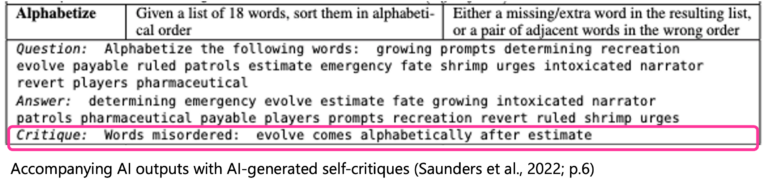
AI Critiques | G2: Make clear how well the system can do what it can do
Guideline 2 > Example
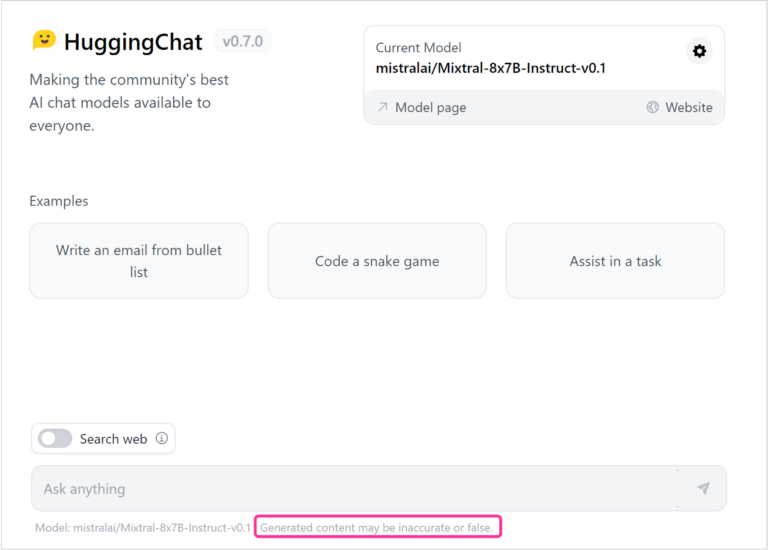
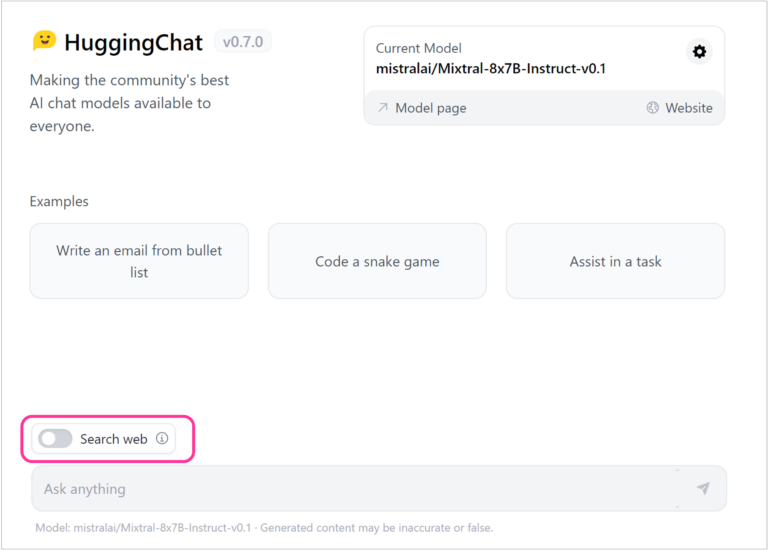
Hugging Chat | G2: Make clear how well a system can do what it can do
Guideline 2 > Example
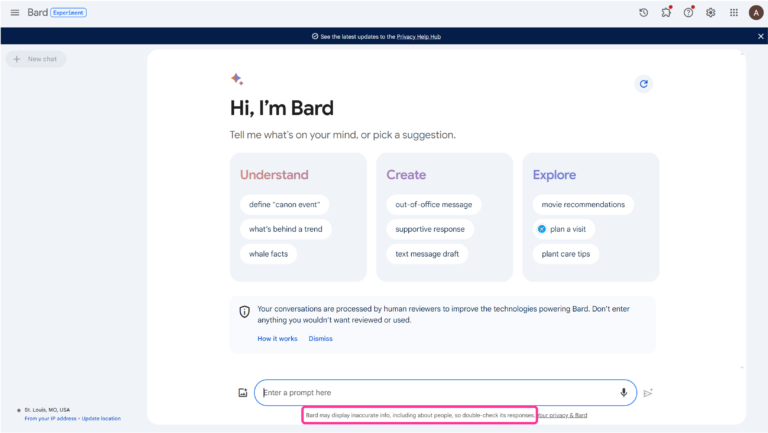
Google Bard | G2: Make clear how well a system can do what it can do
Guideline 2 > Example
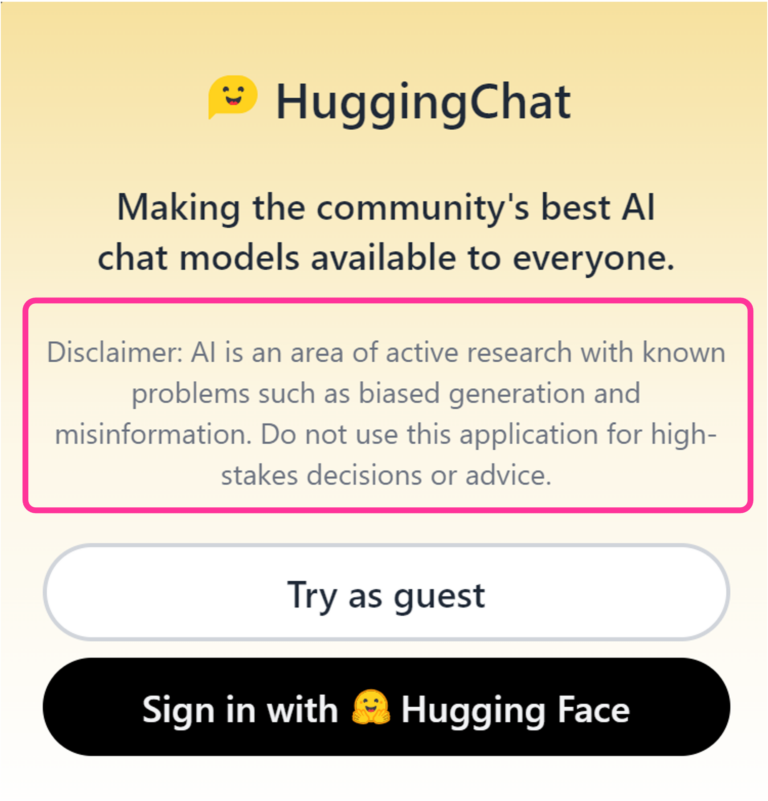
Hugging Chat | G2: Make clear how well a system can do what it can do
Guideline 2 > Example
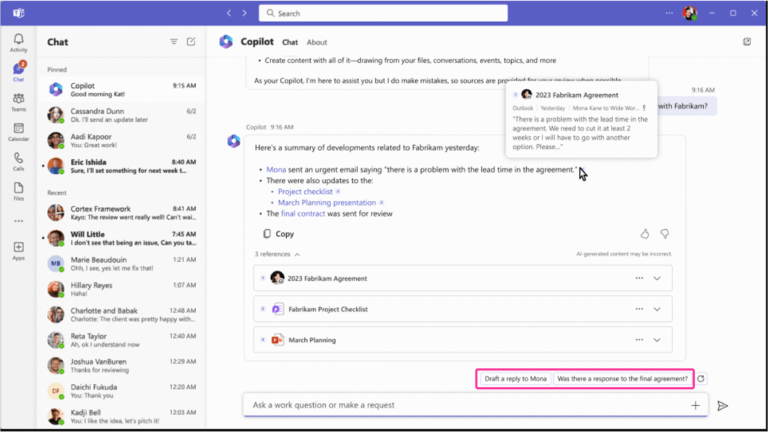
Business Chat | G2: Make clear how well the system can do what it can do
Guideline 4 > Example
Business Chat | G4: Show contextually relevant information
Guideline 5 > Example
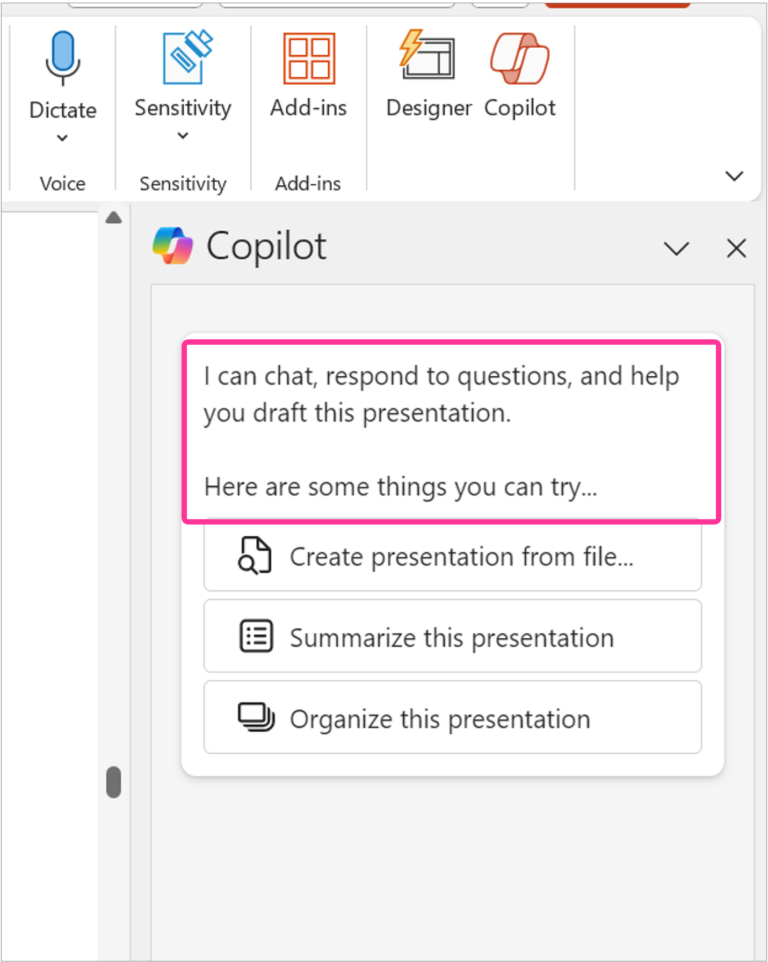
Copilot in PowerPoint | G5: Match relevant social norms
Guideline 7 > Example
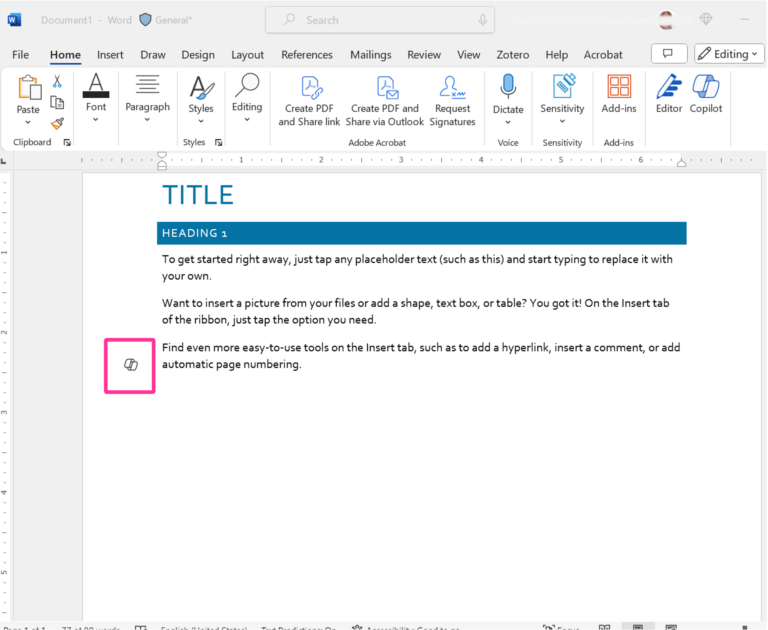
Copilot in Word | G7: Support efficient invocation
Guideline 8 > Example
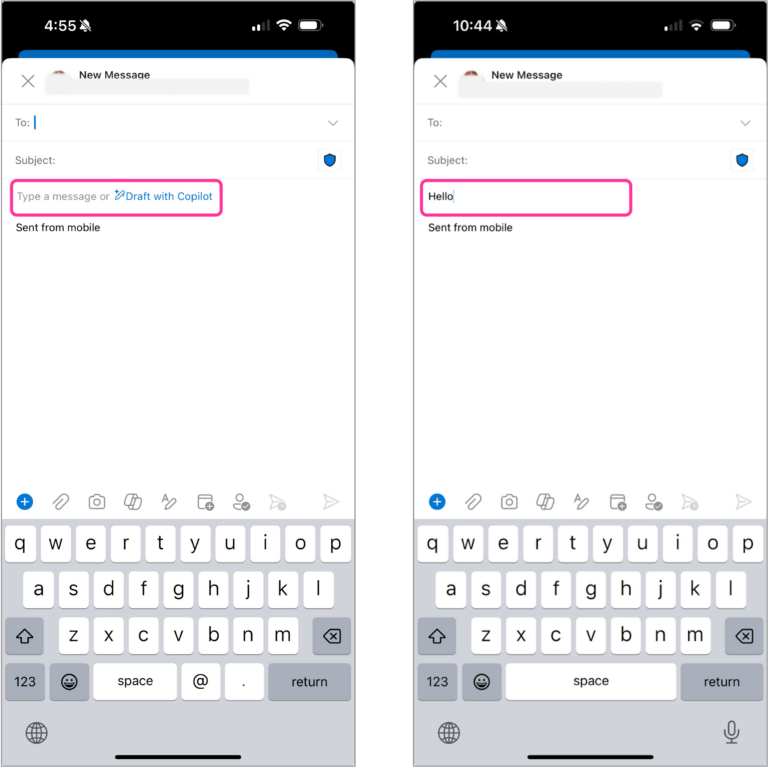
Copilot in Outlook | G8: Support efficient dismissal
Guideline 8 > Example
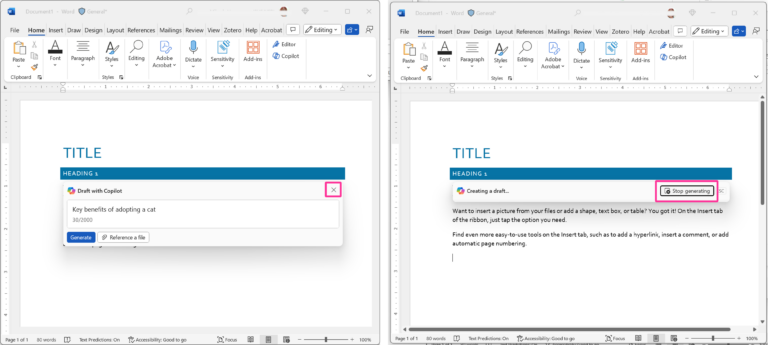
Copilot in Word | G8: Support efficient dismissal
Guideline 10 > Pattern 10C > Example
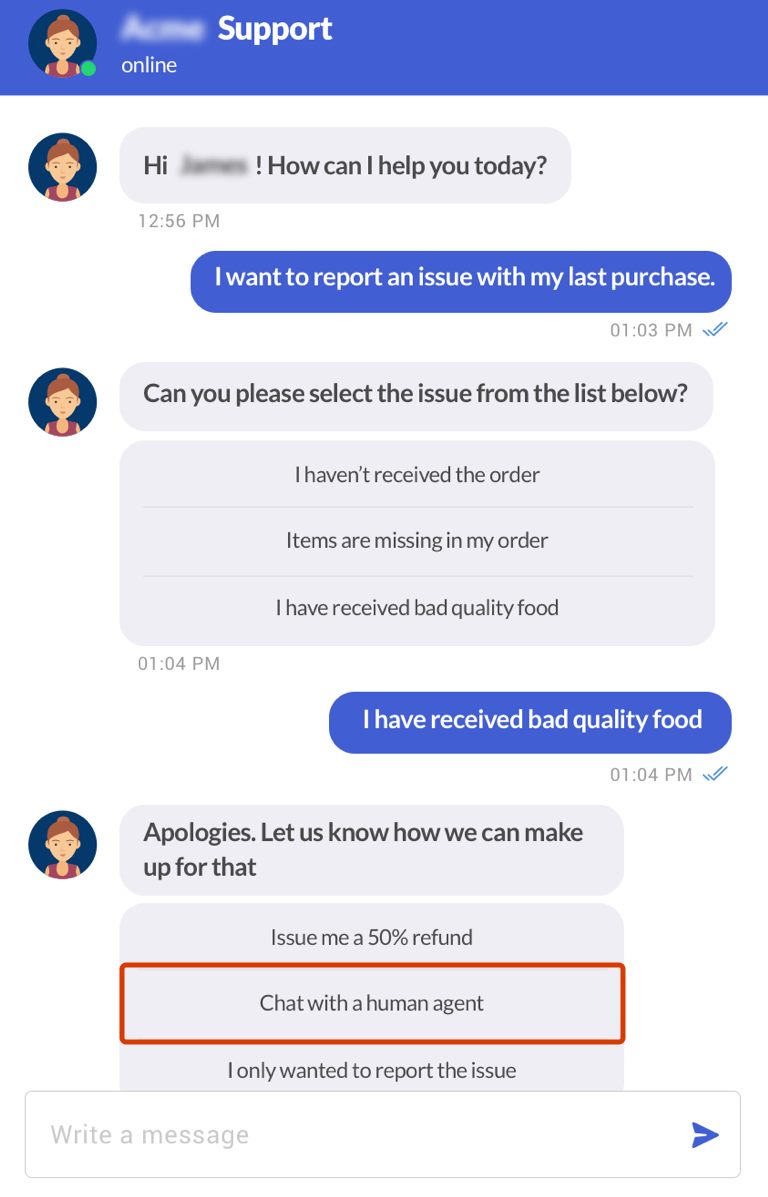
Kommunicate chatbot | 10C: Fall back to other strategies
Guideline 11 > Pattern 11A > Example
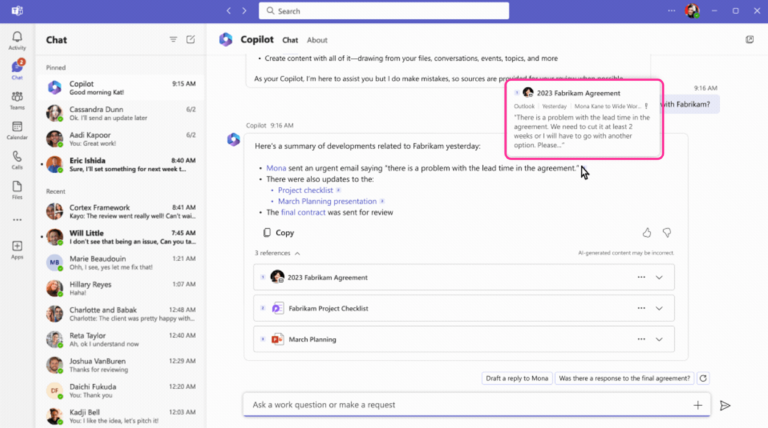
Business Chat | 11A: Local explanations
Guideline 12 > Example
Business Chat | G12: Remember recent interactions
Guideline 17 > Example
Hugging Chat | G17: Provide global controls
Guideline 17 > Example
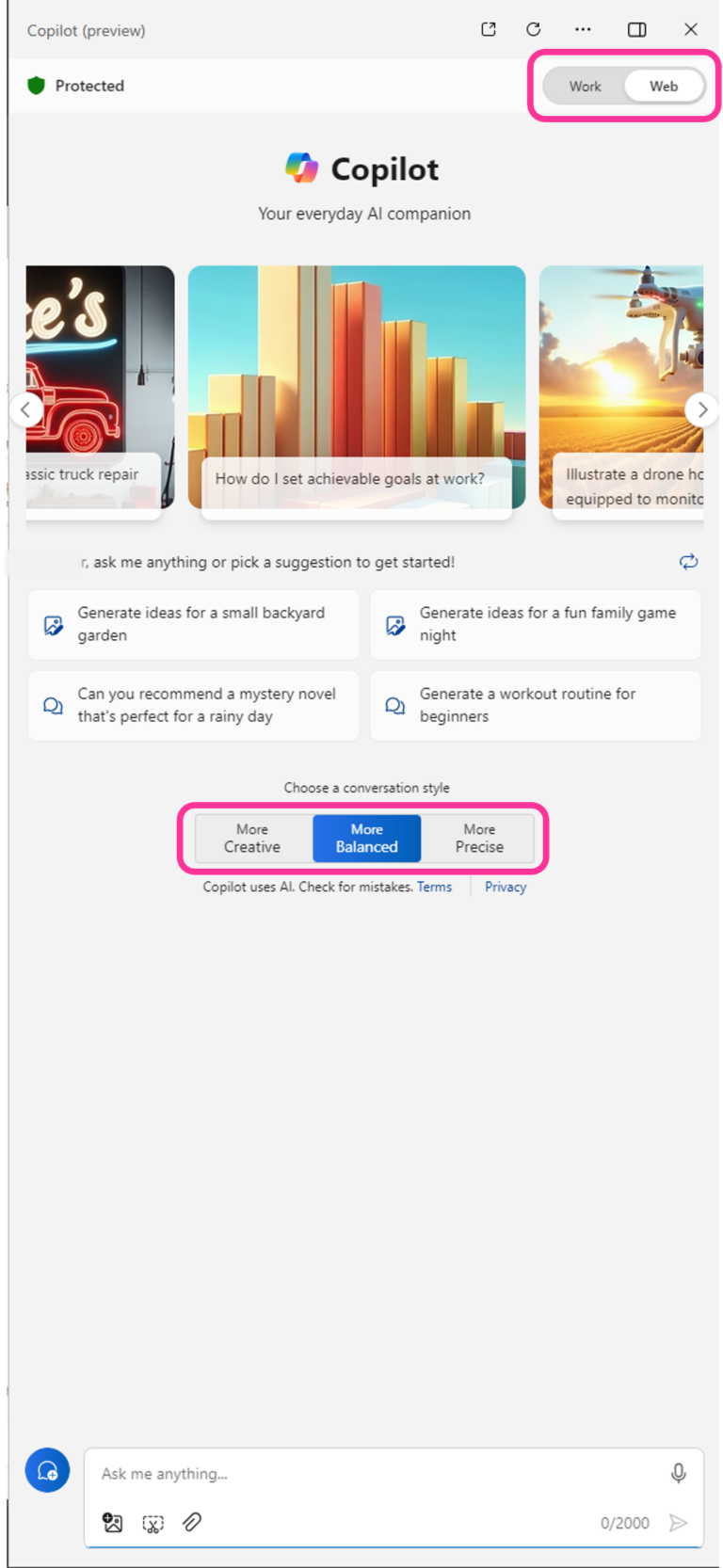
Windows Copilot | G17: Provide global controls
English (United States)
Your Privacy Choices Opt-Out Icon
Your Privacy Choices
Your Privacy Choices Opt-Out Icon
Your Privacy Choices
Consumer Health Privacy
Sitemap
Contact Microsoft
Privacy
Manage cookies
Terms of use
Trademarks
Safety & eco
Recycling
About our ads

 HAX Toolkit