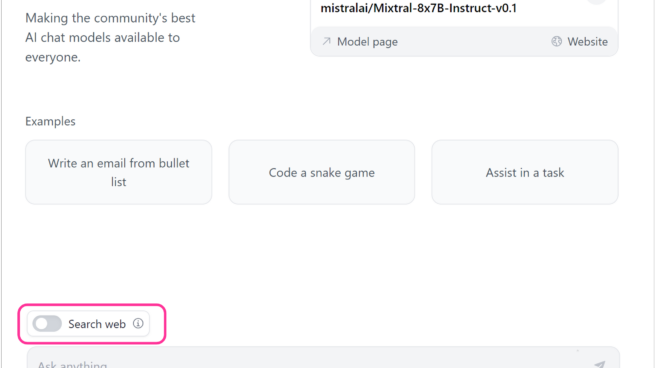
Hugging Chat’s interface showing input examples, prompt box and a switch option for search web.

Hugging Chat | G17: Provide global controls
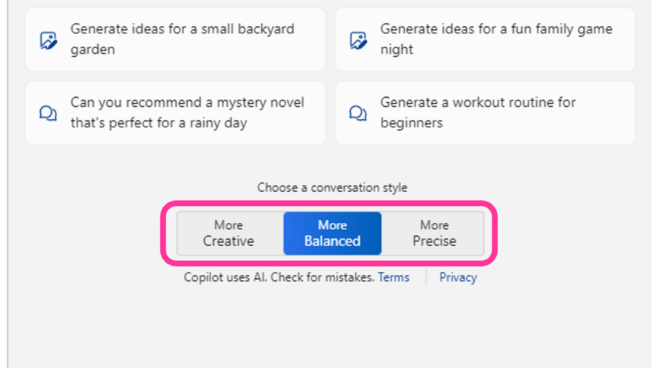
Copilot your everyday companion. Windows Copilot pane showing two controls one, work or web tab selection and two, conversation style, more creative, more balanced and more precise.

Windows Copilot | G17: Provide global controls
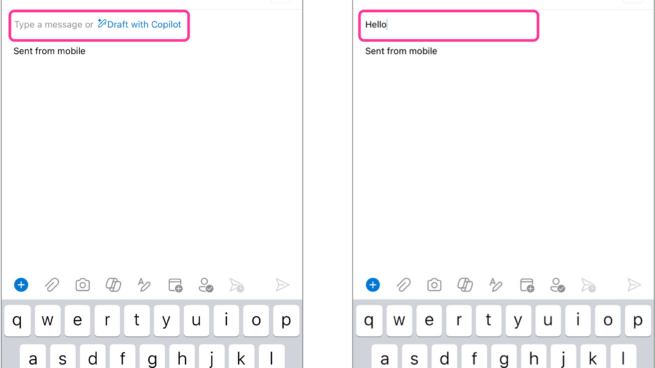
Two screenshots of Copilot in Outlook. In the first screenshot Draft with Copilot suggestion is displayed when the user first open a new message. In the second screenshot, the user types hello and the Draft with Copilot suggestion is not shown to user.

Copilot in Outlook | G8: Support efficient dismissal
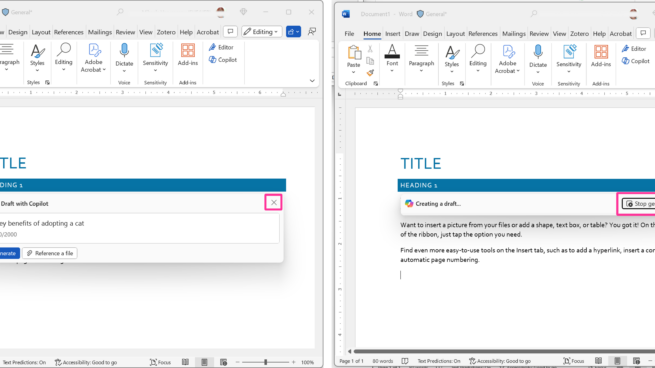
2 screen shots of Microsoft Word document with Title and and heading 1. Screenshot 1 has draft with Copilot window with an ”X” icon to dismiss it. Screenshot 2 has Copilot creating a draft with an “stop generating” button available to users.

Copilot in Word | G8: Support efficient dismissal
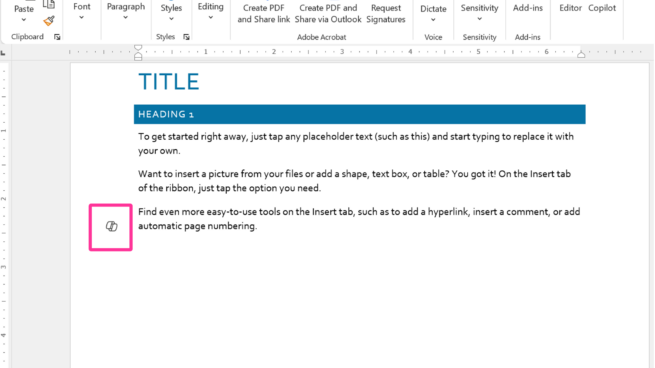
Copilot in Word draft document with Title, Heading 1 and placeholder text. Copilot’s icon appears in the document margin.

Copilot in Word | G7: Support efficient invocation
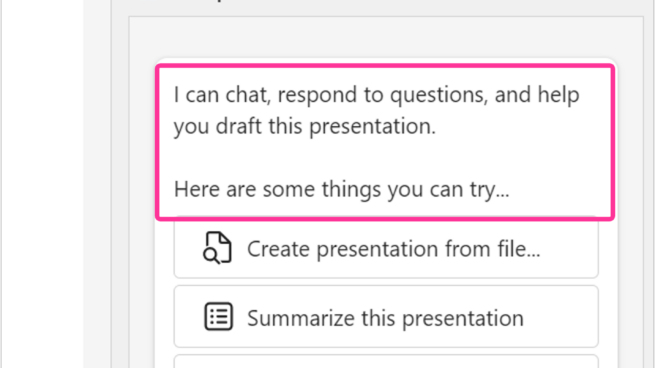
Copilot pane in PowerPoint. I can chat, respond to questions, and help you draft this presentation. Here are some things you can try…Create presentation from file, summarize this presentation, organize this presentation.

Copilot in PowerPoint | G5: Match relevant social norms
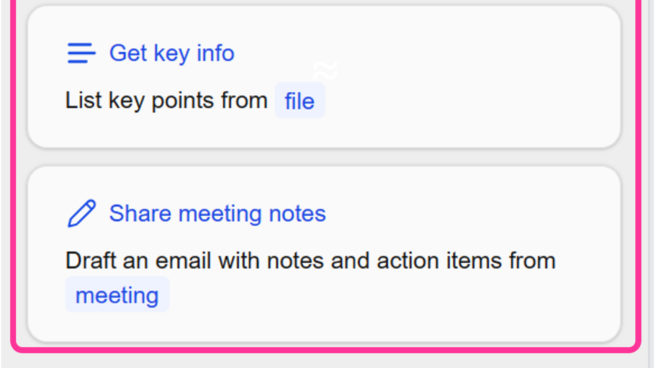
M365 Chat your copilot for work- What’s new? What’s the latest from person, organized by emails, chats and files? Get key info- list key points from file. Share meeting notes. Draft an email with notes and action items from meeting.

M365 Chat | 1D: Make clear what the system can do
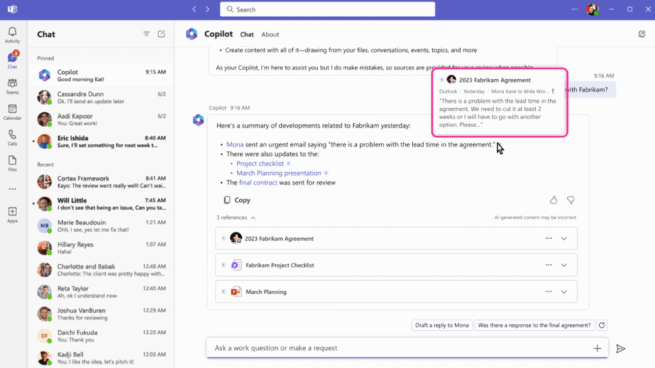
Business Chat | 11A: Local explanations
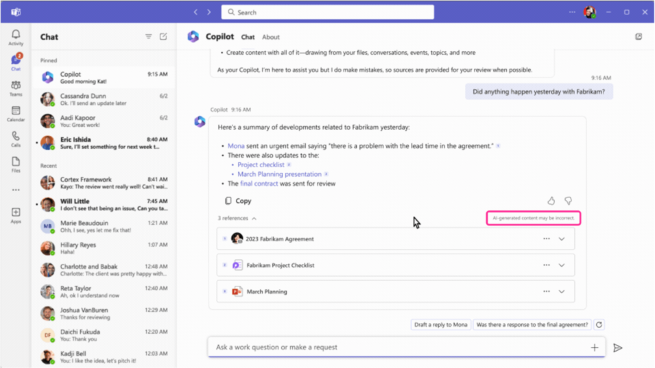
Business Chat | 2D: Provide low performance alerts
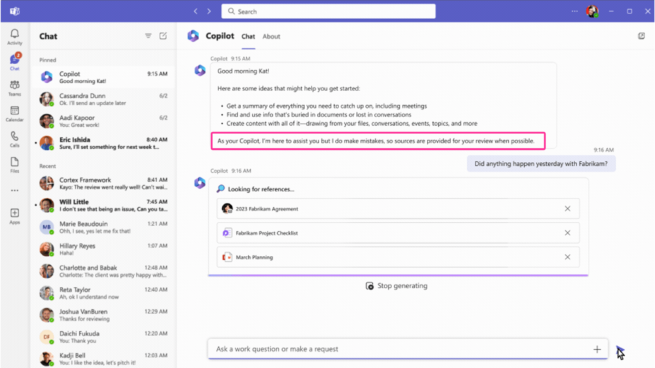
Business Chat | G2: Make clear how well the system can do what it can do
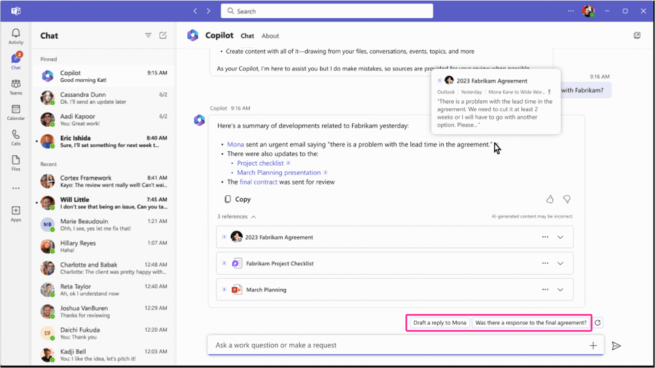
Business Chat | G12: Remember recent interactions
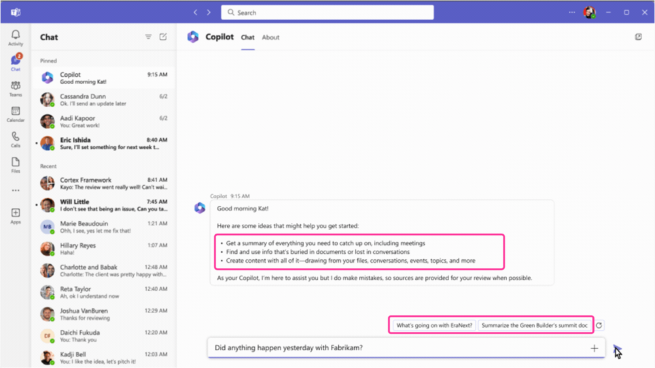
Business Chat | G4: Show contextually relevant information