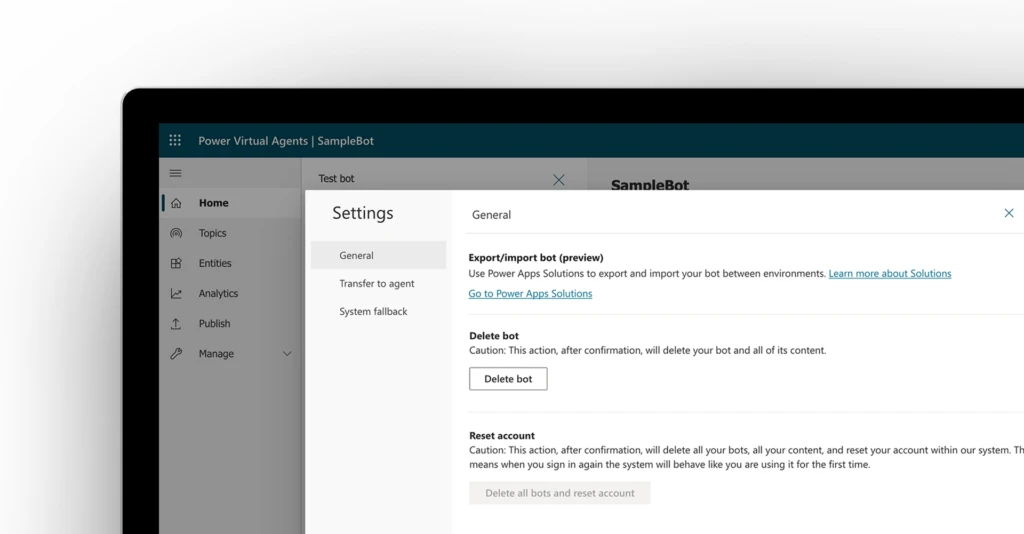
We recently announced the public preview of export and import of Power Virtual Agents bots using solutions. With this ability, administrators can now easily manage the chatbot’s lifecycle to address change control, governance, data residency, and latency requirements.
Enterprise organizations can use different environments for different purposes, or employ ring-deployment methodologies. For example, they might have a specific environment where they test and validate bots, another environment where they test bots for only a subset of users, and a final production environment where they share bots with their customers and end-users.
You use solutions to export bots from one environment and import them into another. The solution acts as a “carrier” for the bots, and you can import multiple bots in one solution. Here is a quick look at how you can move a bot across the environments. Watch this short video to learn how you can export and import a bot across environments.
To learn how to use export and import bots using solutions, see documentation here.
We’d love to hear about your experience with this feature! Please visit our community forum at https://aka.ms/PowerVirtualAgentsForum and share your feedback.
If you have any idea requests, please submit them at https://aka.ms/PowerVirtualAgentsIdeas.
Disclaimer
This feature is in preview, which means that it is made available to you before general availability so you can test and evaluate them and provide feedback to Microsoft.
Preview may employ reduced or different privacy, security, or compliance commitments than commercial versions. As such, previews are not meant to be used with any “live” or production Customer Data, Personal Data, or other data that is subject to heightened compliance requirements. Any use of “live” data is at your sole risk and it is your sole responsibility to notify your end users that they should not include sensitive information with their use of the Preview.
This preview, and any support Microsoft may elect to provide, are provided “as-is,” “with all faults,” “as available,” and without warranty.