Today we are introducing new capabilities in Microsoft Copilot Studio that help you automate your business processes by mixing AI agents and workflows. Agents and workflows already exist in Copilot Studio as two complementary capabilities with unique strengths. Agents bring reasoning and adaptability; workflows bring structure and consistency.
So how do you know when to use agents vs. workflows?
It’s no longer an either-or decision. Here’s how to use agents and workflows together to combine strengths and reduce risks.
What are agents and workflows?
Agents are flexible AI solutions that rely on foundational models to act, share knowledge, and handle tasks. They are powerful precisely because they are flexible. They can interpret unstructured inputs, reason over context, and make decisions beyond fixed logic.
However, organizations often need to know that repetitive parts of their processes will behave consistently, every time they run. Pure agent autonomy doesn’t always hold up to that requirement in production.
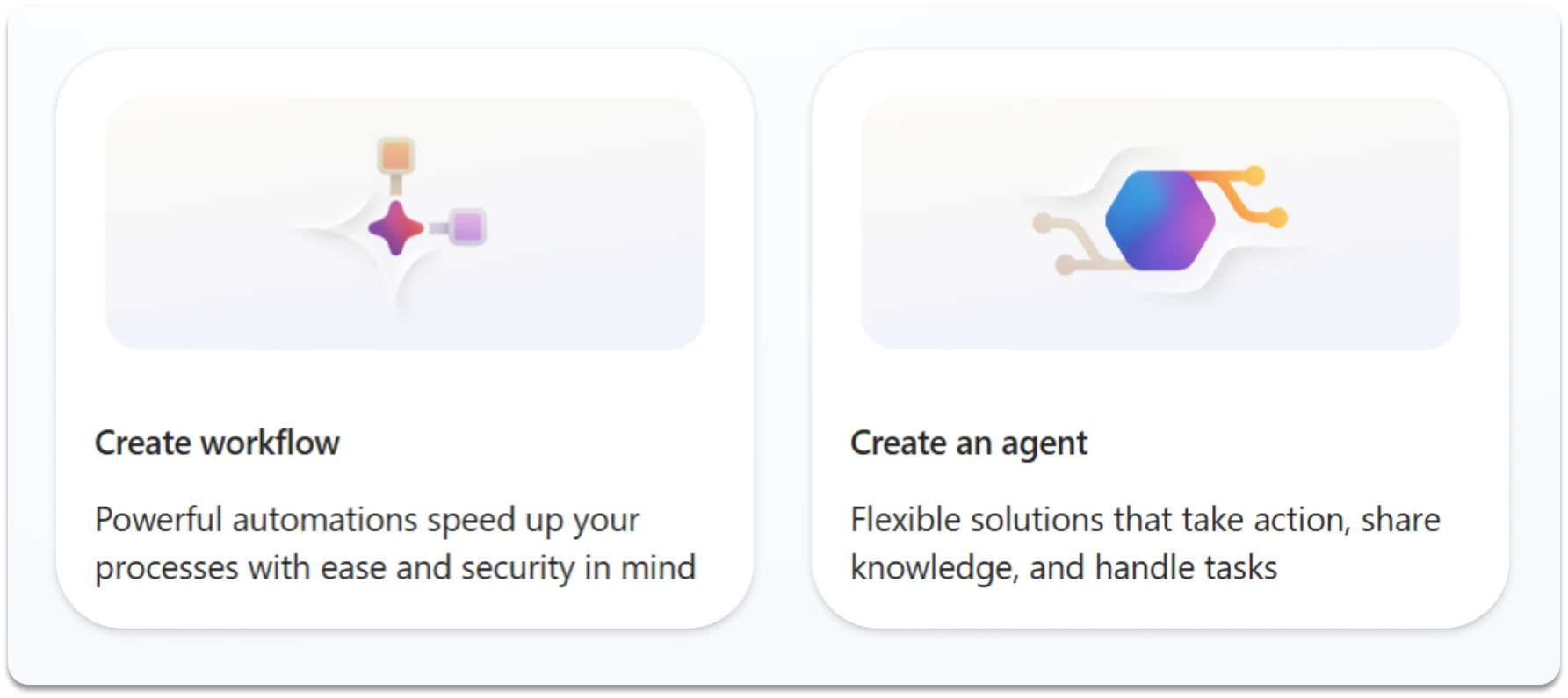
Workflows, by contrast, are powerful automations that drive process execution with consistency and speed. They’re designed to deliver the reliability that many business processes require.
At the same time, rigid, rules-based automation has its own ceiling. It’s nearly impossible to anticipate every potential input format, edge case, and decision-making context when building a workflow ruleset. Thus, when the workflow automation encounters something unexpected, it can’t move forward.
Two patterns for scaling automation with AI
While both agents and workflows have their strengths, we’re seeing customers get the most value in Copilot Studio by combining the two. In practice, we’re observing two patterns emerge in how customers apply Copilot Studio, and we’re continuing to deliver product improvements to strengthen and support them.
Workflows that use agents
The first pattern is workflows that call agents. In these instances, the workflow provides the structure for the business process—the defined steps, branching logic, handoffs, and an audit trail. Meanwhile, the agent handles the parts of the process that require judgement. This might include interpreting a document, synthesizing information from multiple sources, or deciding how to route an exception.
Once the agent completes its work, control returns to the workflow, and execution continues predictably.
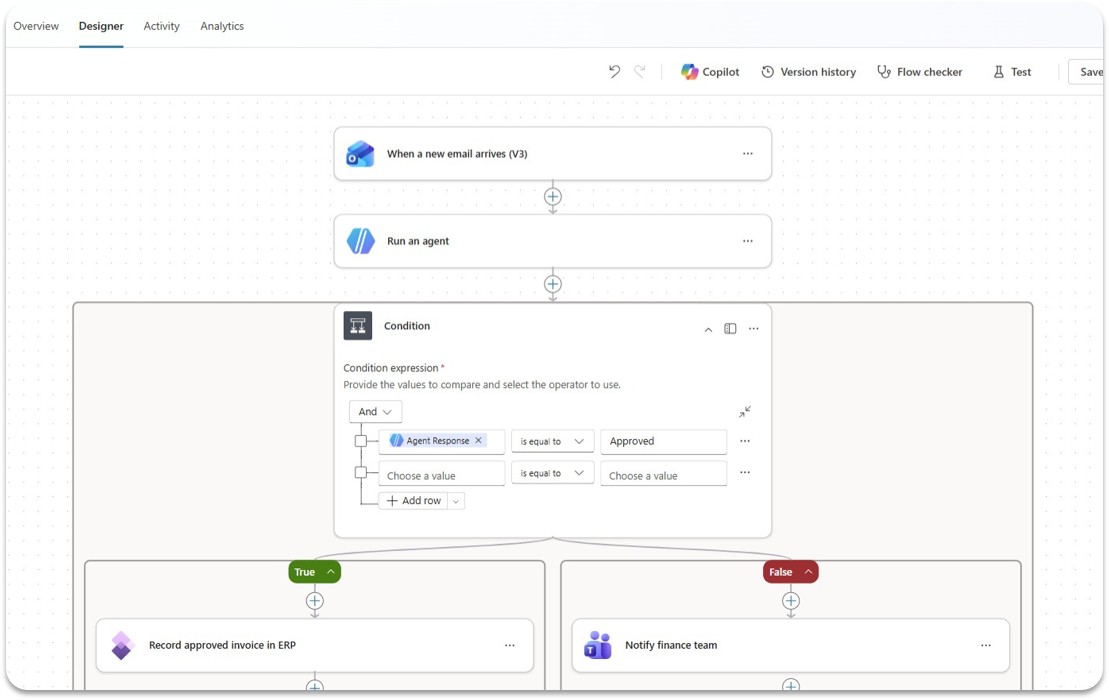
To make it easier to add agents to workflows in Copilot Studio, we’re introducing agent nodes: the ability for workflows in Copilot Studio to call an agent directly within a workflow. You can build a deterministic, reliable automation, and at the exact moment you need AI reasoning, the flow simply hands it off to an agent.
Setting up an agent node inside a workflow is simple:
- Create a workflow step called “Add an agent.”
- Select any Copilot Studio agent you’d like to be include in the workflow.
- Provide the instructions or task the agent needs to fulfill, and include an option to contact a designated person if specific clarification is needed.
- Add the rest of the workflow’s steps.
When you run the workflow, the agent will do its job at the appropriate stage, and then the rest of the workflow will automatically continue.
When to use agents inside workflows
Using agent nodes to include agents in your workflows unlocks scenarios that rigid automation alone can’t handle. Some potential uses include the following:
- A procurement workflow that routes to an agent to evaluate vendor proposals against company policies.
- An HR onboarding workflow that personalizes welcome materials based on role and department.
- A customer service process that escalates complex cases to an AI agent for resolution recommendations.
In general, anywhere your workflow hits a decision that can’t be captured in simple if-then logic—where it needs to use reasoning over context, orchestrate tools, or retrieve knowledge from multiple sources—an agent node can help bridge the gap and make your workflow more effective. This capability is available now in all regions.
Agents that use workflows
The second pattern is equally important: agents that use workflows as tools. When an agent is working through a complex task, it doesn’t need to rediscover how to act every time. Instead, it can call a reliable, tested workflow to execute a well-defined subprocess—and then use the result to continue its reasoning and response.
This ability helps agents to build on existing process infrastructure rather than reinventing it. Moreover, it helps give organizations more confidence that the high-frequency or high-stakes parts of the processes can run with the consistency and controls the org requires.
There are two ways to add workflows into an agent:
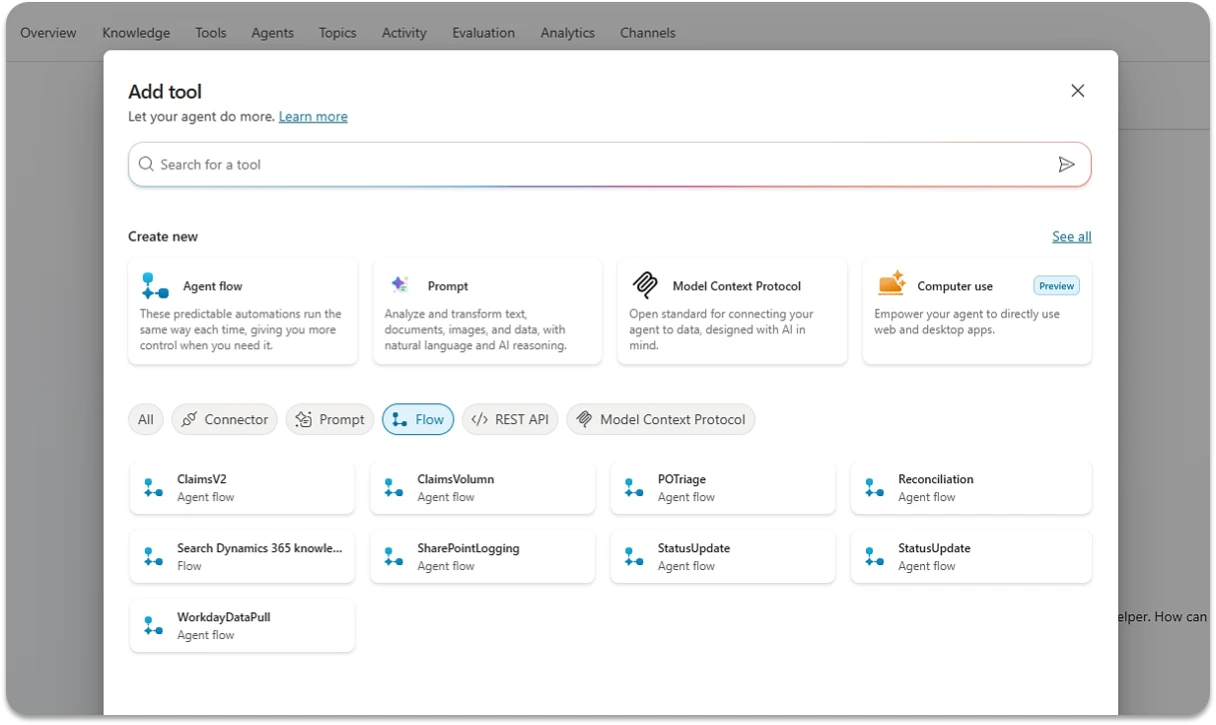
- Use natural language to build a workflow directly inside Copilot Studio and include that new workflow in an agent.
- Alternatively, from within the agent, you can access your library of pre-existing workflows and add them as tools. Then, provide explicit instructions to your agent on when to use the workflow.
That’s it—your agent’s orchestrator will select the right workflows at the right time when needed to complete its work.
When to use workflows inside agents
Adding workflows inside your agents helps add structure and consistency to interactions that still require flexibility. Some potential uses include the following:
- A sales agent assembles the right product details and pricing tier for a deal, then calls a workflow to generate the quote, apply discount rules, and route it for approval.
- A customer service agent determines a refund is warranted, then calls a workflow to validate it against business rules, process the payment reversal, and send the confirmation.
- A procurement agent evaluates which vendor and terms apply to a request, then calls a workflow to create the purchase order in the ERP system and routes it through the approval chain.
Generally, anywhere your agent needs to reliably execute a repeatable process—enforcing business rules, coordinating systems, or ensuring key steps are completed—a workflow can help ground its actions and make outcomes more consistent.
Start using agents and workflows together
Together, these two ways to combine agents and workflows provide you with flexibility to build automations that work better for your real-world needs. Agents handle ambiguity where workflows go brittle; workflows enforce structure where agents might drift.
By embracing a combination of agents and workflows, it becomes easier for different teams to engage in ways that fit the way they work best. Business teams can extend and adapt these automation solutions without rebuilding from scratch. Compliance teams can audit them. Finally, your security and governance teams can choose the right balance of consistency and agility, based on what each scenario requires.
In organizations already using Copilot Studio to support their daily work, both patterns—workflows using agents and agents using workflows—show up regularly:
- A procurement workflow calls an agent to evaluate supplier contracts that arrive in inconsistent formats.
- A customer service agent, handling an open-ended request, calls a workflow to initiate a refund or update an account record.
- An approval process invokes an agent to synthesize context before routing to a decision-maker—and separately, that same agent calls a workflow to send notifications, log outcomes, or kick off downstream steps.
These scenarios show how automation and intelligence can reinforce each other, combining structure and flexibility to deliver more adaptable, dependable results.
Try these capabilities in Microsoft Copilot Studio today.