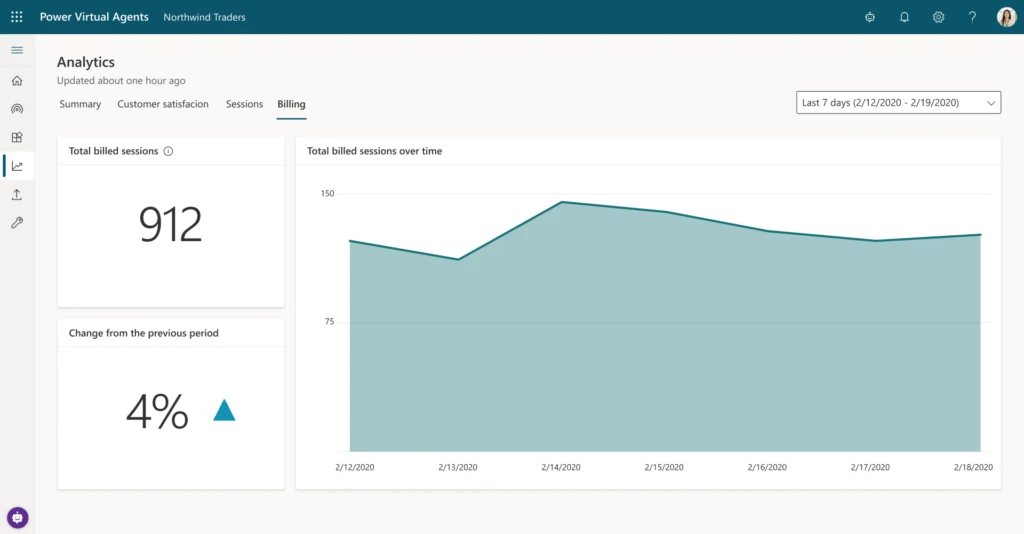
We have just launched a new capability inside of Power Virtual Agents analytics so you can see how many billed sessions your bot has consumed. This information will help you decide how many sessions you should purchase when upgrading to a paid license.
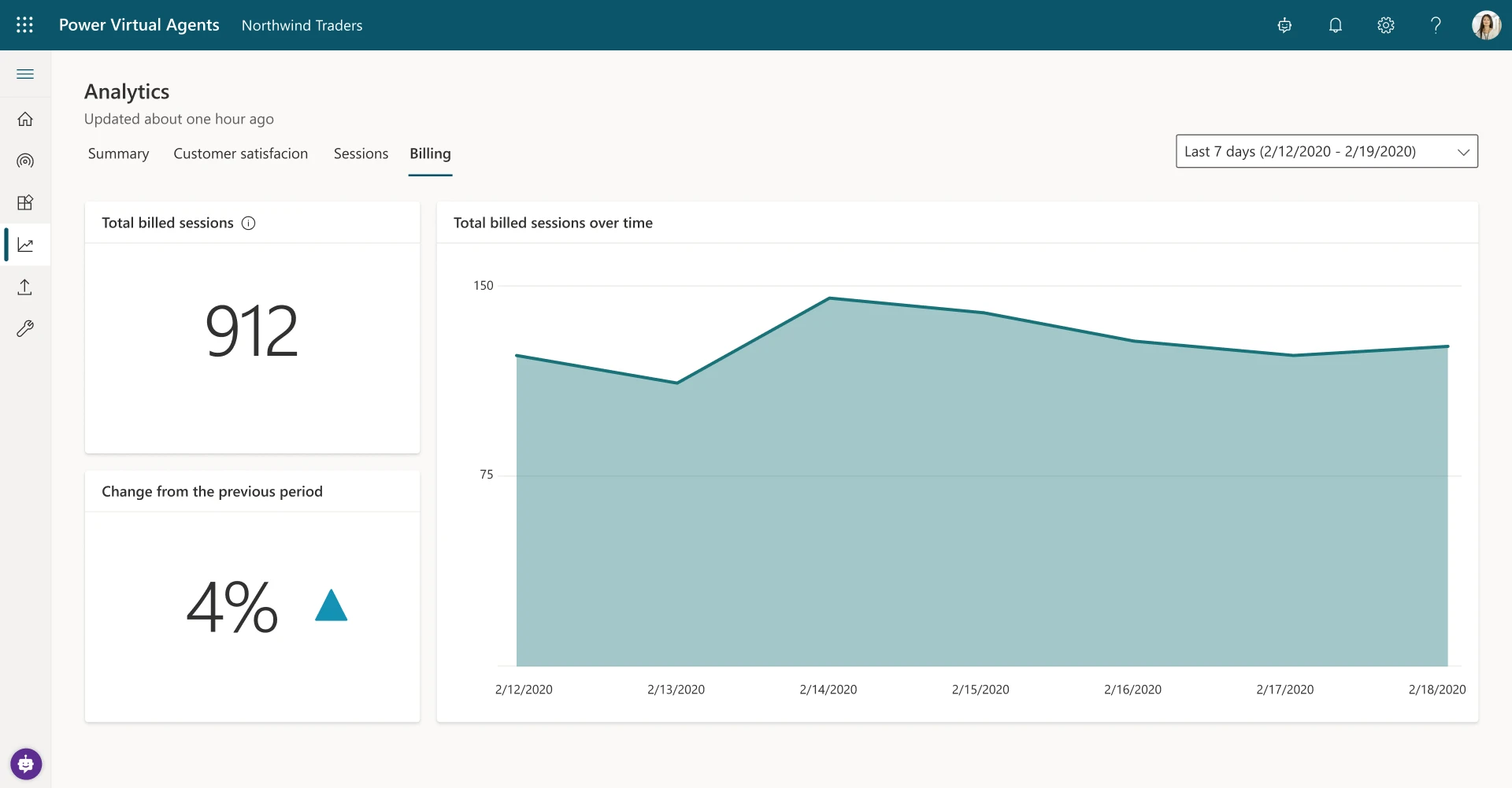
To see the number of billed sessions for a bot, go to Analytics -> Billing. You will be able to see how many billed sessions the bot consumed during the selected period. We will start displaying the data when the feature went live, so you won’t be able to see historic trends right away.
What is a billed session?
A billed session is an interaction between the customer and the bot and represents one unit of consumption. The billed session begins when a user topic is triggered (user topics are different from system topics and you can distinguish between them in the Topics list).
The session ends for one of the following reasons:
- The user ends the chat sessions.
When the bot doesn’t receive a new message for more than 30 minutes, it’s considered closed. - The session is longer than 60 minutes.
The first message that occurs after 60 minutes starts a new session. - The session has more than 100 turns. One turn is defined as one exchange between a user and the bot.
The 101st turn starts a new session.
Please note that using the embedded test chat canvas while building your bot won’t count towards the billed sessions.
See more info in our documentation here.
What’s next?
We’re working on providing you even more visibility into the usage of Power Virtual Agents inside your organization and will provide a high-level overview of organization-wide usage later in the calendar year.
Trial users
Please note that you will see number of billed sessions even if you are a trial user. The data should provide you information on how many sessions you should purchase once you upgrade to a paid subscription.