
June 11, 2024
Share this page


Benefits of using Surface Pro Flex Keyboard with your 2-in-1 PC
Unlock flexibility when you use the new Microsoft Surface Pro Flex Keyboard¹ detachable keyboard with a compatible 2-in-1 PC like Surface Pro 11ᵗʰ Edition. It enables your device to adapt to your ever-changing needs, no matter if you’re using it at your desk, on the go, or in the comfort of your own home. Explore the benefits of using Surface Pro Flex Keyboard with your 2-in-1 PC so you can be more creative, comfortable, and efficient than ever before while using your device.
Versatility to work anywhere
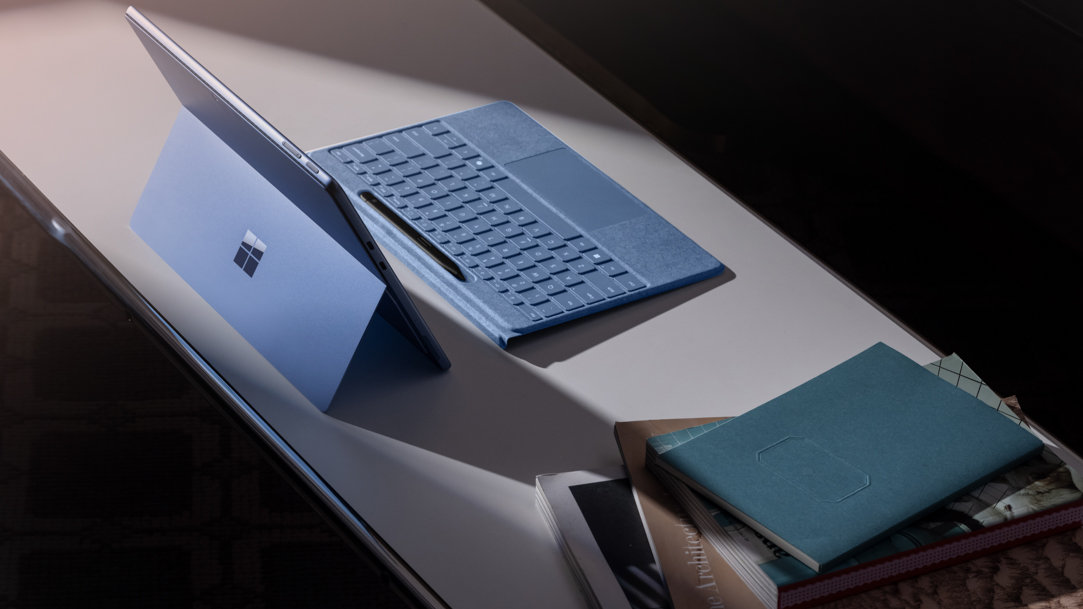
One of the great benefits of using Surface Pro Flex Keyboard with a compatible 2-in-1 PC is how versatile this detachable keyboard is. Surface Pro Flex Keyboard easily transitions from being attached to your Surface device to standing alone, so you can work where inspiration strikes. With dimensions of 11.38 inches in length, 8.71 inches in width, a mere 0.21 inches in height, and weighing only 0.75 lbs., it's incredibly portable.
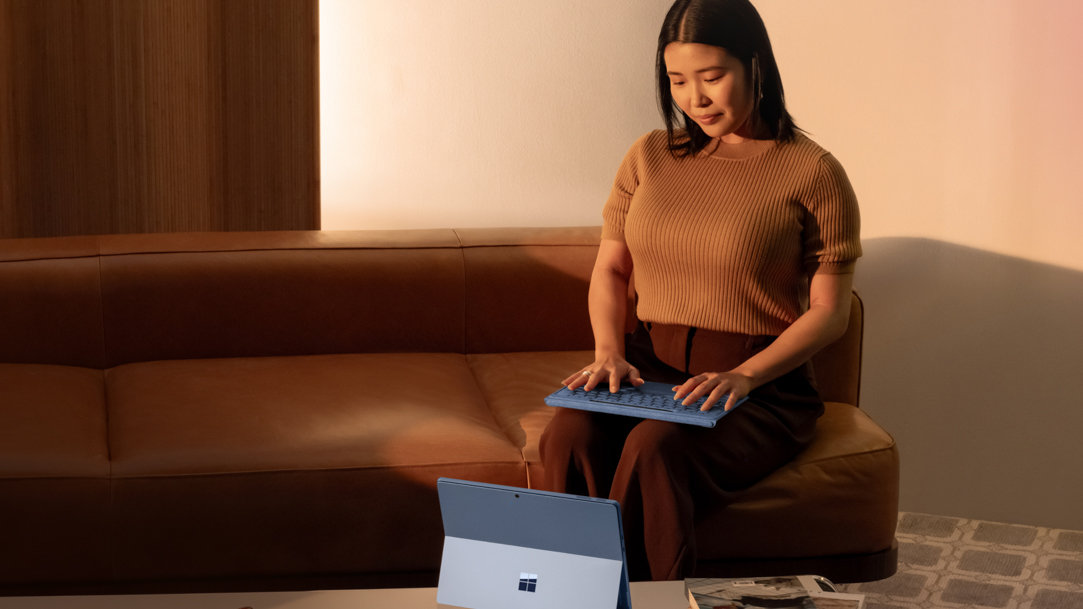
Plus, Surface Pro Flex Keyboard includes a new keyboard layout that includes a full row of function keys (F1 - F12), a dedicated key for Copilot,² a microphone mute key, a key to start snipping, a Windows shortcut key, a key to quickly access media controls, a key to open the screen brightness gauge, a right-click button, and an optional bold keyset.³ Transition seamlessly as you move throughout your day with effortless pairing ready to be used attached to a compatible Surface Pro for the ultimate laptop setup or detached as a standalone keyboard for more flexibility. If you’re using a compatible 2-in-1 PC like Surface Pro 11th Edition, pair it with the new Surface Pro Flex Keyboard to unlock a new era of flexibility – on your desk, on your lap, or supporting your creative workflow. You won’t have to worry about cramped spaces when using Surface Pro Flex Keyboard with your 2-in-1 PC—just detach Surface Pro Flex Keyboard and stay in your flow, even on your lap.
Enhanced creativity for your workflow
Find a new creative workflow, using your pen with Surface Pro 11ᵗʰ Edition in one hand, and your favorite Adobe shortcuts on Surface Pro Flex Keyboard in the other. Surface Pro Flex Keyboard and Surface Slim Pen¹ open up a new world of creative possibilities when you use them with a compatible 2-in-1 PC. Wield your digital pen on Surface Pro 11th Edition’s responsive touch display while taking advantage of convenient keys on Surface Pro Flex Keyboard with your other hand. When you’re done, Slim Pen is always visible and ready to capture your ideas, securely stored, and wirelessly charged on the keyboard.
Improved accessibility that adapts to your needs
A 2-in-1 PC like Surface Pro 11ᵗʰ Edition is the most inclusive 2-in-1 Surface device when paired with Surface Pro Flex Keyboard. Not only is Surface Pro Flex Keyboard designed to unlock new experiences with the ability to be used both attached or detached, but it’s also the first ever Surface keyboard that can be used either attached or detached. You can detach Surface Pro Flex Keyboard and use it with your 2-in-1 PC up to 32.8 feet away in an open-air space and up to 16.4 feet away in a typical office environment.
Another accessibility benefit of Surface Pro Flex Keyboard is its built-in haptic touchpad that has click sensitivity, a right-click area, and adaptive touch mode. Surface Pro Flex Keyboard offers built-in features such as the Surface Precision Haptic touchpad, which allows you to use the touchpad with different parts of your limbs, such as your palm, foot, edges of the hand, and residual limbs. The software and haptic motors create realistic feedback when tapped or clicked, providing precise mouse control with imprecise contact. You can easily turn on haptic settings in the Surface app with a simple toggle switch.
Customized comfort for long use
Comfort is key, especially during long work sessions. You can use Surface Pro Flex Keyboard with your 2-in-1 PC for up to 41 hours of continuous typing.⁴ Surface Pro Flex Keyboard’s sleek Alcantara® material not only feels luxurious but also provides durability. Surface Pro Flex Keyboard also allows you to work more comfortably by positioning your keyboard separately from your device, wherever it feels most natural.
Surface Pro Flex Keyboard is more than just an accessory—it's a catalyst for innovation, creativity, and inclusivity. Paired with 2-in-1 PCs like Surface Pro 11ᵗʰ Edition, it unlocks a world of possibilities that empower you to work and create in ways you never thought possible. Whether you're a seasoned professional or a budding artist, Surface Pro Flex Keyboard is the perfect companion for your journey. Buy a Surface Pro Flex Keyboard and make the most of how you use your 2-in-1 PC.
- [1] Chargers, software, accessories, and devices sold separately. Color availability varies by market. Keyboard and Pen each sold separately. Availability may vary by market.
- [2] On supported Windows 11 devices. Feature availability varies by device and market. See aka.ms/keysupport.
- [3] Surface Pro Flex Keyboard with optional bold keyset version available only in US English.
- [4] Battery life varies significantly based on device configuration, usage, network and feature configuration, signal strength, settings, and other factors. Learn more about Surface battery performance for details.
Products featured in this article

Surface Pro Flex Keyboard
Surface Pro 11ᵗʰ Edition
Related topics

What are 2‑in‑1 laptops?

Why a Microsoft Surface is the best Windows device experience
