
September 16, 2025
Share this page


What is the best processor for a laptop?
The processor (CPU) in your laptop is the engine that makes it all go. For example, the processor determines the speed at which a laptop runs programs, loads pages, and downloads files. Choosing the right processor helps ensure your laptop keeps up with the latest technology and meets performance needs while providing you with a smooth, efficient user experience.
Why the processor matters
The processor is at the heart of everything your laptop does. Choosing the right processor isn't just about how fast your laptop feels today, but also about what your laptop can handle tomorrow.
A powerful CPU enables you to run more resource-intensive software, work across multiple applications smoothly, and keep pace with updates and evolving technology. A lower-end processor can struggle under pressure, leading to lag, slow load times, and limited capabilities.
And with the rise of AI-powered hardware and game-changing AI features, choosing a processor that can keep up with you, as well as keep pace with evolving technology, is more important than ever.
Types of processors
Many laptops today use processors from two major brands:
- Intel®
- Qualcomm Snapdragon®
Each processor brings different strengths, depending on how you use your laptop.
Intel® processors
A trusted choice for years, Intel® processors deliver strong performance for productivity, multitasking, and broad compatibility with software and peripherals. Known for reliability and versatility, Intel® processors support a wide range of applications—from everyday tasks to advanced creative workflows.
Intel® processors are widely used in consumer laptops, such as Microsoft Surface Studio 2+, Surface Studio 2, and Surface Laptop Go 3, and feature hybrid architecture for responsive performance and efficient power use.
Snapdragon® processors
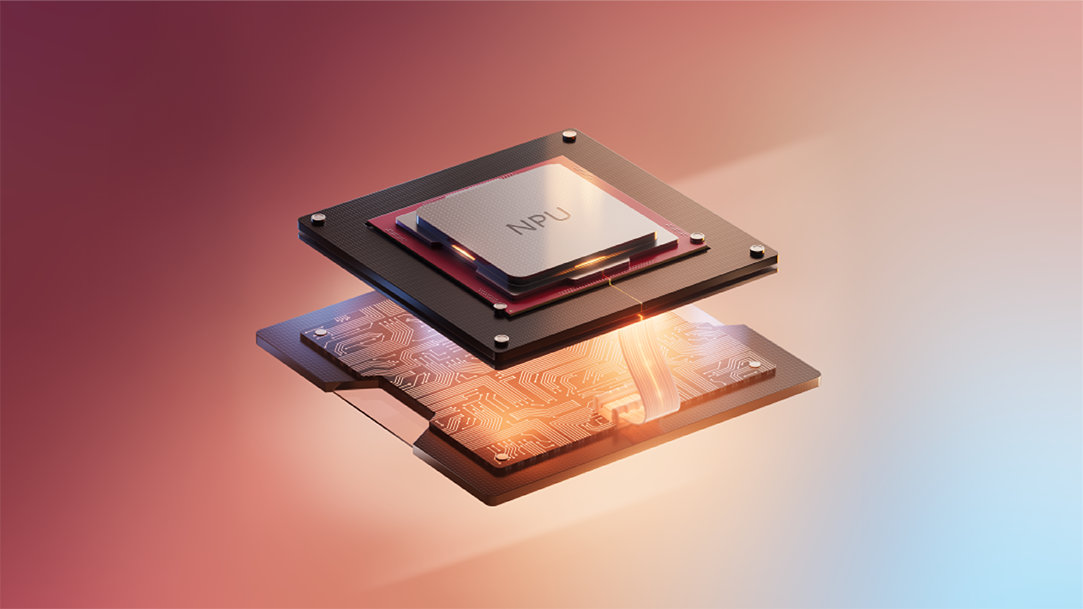
Qualcomm Snapdragon® X Series processors1 are specialized chips uniquely designed for secure AI performance. Lightning-fast speed, all-day battery life2, and powerful on-device AI processing are driven by a dedicated neural processing unit (NPU) that delivers 45 trillion operations per second (TOPS).
Compared to Intel x86 PCs, Snapdragon® X Series is up to 10x faster3 overall and 4.5x quicker3 at AI tasks such as real-time translation and image generation. Count on Snapdragon® as you run the latest AI tools in Windows 11, to accelerate productivity and creativity. Snapdragon X Elite and Snapdragon X Plus power Surface Copilot+ PCs.
Processor options with Microsoft Surface and Snapdragon®
Count on Snapdragon® to accelerate productivity and creativity, and power Surface Copilot+ PCs with Windows 11 and the latest AI features. When buying a Microsoft Surface Laptop or Microsoft Surface Pro 2-in-1 PCs, you can choose a model with the processor that’s right for you:
- Snapdragon® X Elite: The top processor for Surface, designed for intensive AI tasks, offering all-day battery life.
- Snapdragon® X Plus: A more affordable version, supporting similar advanced AI features and battery life.
Match the processor to your workload
Not every user needs the most powerful chip available. The best processor for you depends on how you use your laptop:
- For your student life, efficiency, portability, and affordability matter most. For example, Surface with Snapdragon® X Plus offers long battery life and advanced AI features—like note summarization and translation—at a lower cost than Snapdragon® X Elite.
- For your creative life, demanding tasks like video editing and 3D rendering call for top-tier performance. Consider Surface with Snapdragon® X Elite, which delivers with its 12-core Qualcomm Oryon™ CPU built for real-time image generation and smooth multitasking.
- For your work life, security, speed, security, and reliability are essential. Surface with Snapdragon® X Elite or Snapdragon® X Plus offers the highest standard for Windows security available and is optimized for Microsoft 365 and Microsoft Copilot, your AI companion.
Final tips for choosing wisely
When choosing the best processor, consider these key parameters:
- Performance: Choose a processor with the right core count and speed to handle your most demanding tasks.
- AI capabilities: Look for an NPU with TOPS capable of unlocking the full potential of modern AI tools.
- Battery life: Prioritize energy-efficient processors for true all-day performance on the go.
- Security: Select a processor that supports advanced security features for peace of mind.
- Ecosystem integration: Opt for devices that integrate seamlessly with the Microsoft ecosystem.
Performance, advanced AI, and battery life: The choice is clear
Whether you're a student hitting the books, a creative bringing ideas to life, or a professional driving business forward, your laptop is at the heart of it all. The Snapdragon® X Series processor is the engine behind it—faster, smarter, and more secure.
Choose your power with Surface and Snapdragon® X Series processors. Configure your Surface Pro or Surface Laptop today.
- [1] Snapdragon® and Qualcomm branded products are products of Qualcomm Technologies, Inc. and/or its subsidiaries.
- [2] Battery life varies significantly based on device configuration, usage, network and feature configuration, signal strength, settings and other factors. See Surface battery performance for details.
- [3] Comparison based on NPU TOPS for Surface Copilot+ PCs versus Surface Laptop 6 and Surface Pro 10 for Business. Actual TOPS performance may vary based on usage conditions and other factors.
Mentioned in this article

Microsoft Surface Copilot+ PC
Surface Laptop
Surface Pro 2-in-1 PCs

Microsoft 365

Copilot
You may also like

Surface Pro 11ᵗʰ Edition vs. Surface Pro 9

How to use Windows Memory Diagnostic
