Skip to main content Home Business intelligence Community, Social, and Gaming Customer Support Education Internal Communications Live and Remote Communications Readiness and Training Web Localization and Ecommerce More Solutions Text Translation Document Translation Custom Translator Translator Apps Office SharePoint Yammer Visual Studio Speech Translation Computer Vision Conversational Language Understanding More Languages Blog FAQ Text Translation Document Translation Custom Translator Other Cognitive Services Support Contact Confidentiality Attribution Machine Translation Customers Partners Partner Program Community Partners Try for free now Microsoft 365 Azure Copilot Windows Surface XBOX Deals Small Business Support Windows Apps Outlook OneDrive Microsoft Teams OneNote Microsoft Edge Moving from Skype to Teams Computers Shop XBOX Accessories VR & mixed reality Certified Refurbished Trade-in for cash XBOX Game Pass Ultimate PC Game Pass XBOX games PC games Microsoft AI Microsoft Security Dynamics 365 Microsoft 365 for business Microsoft Power Platform Windows 365 Small Business Digital Sovereignty Azure Microsoft Developer Microsoft Learn Support for AI marketplace apps Microsoft Tech Community Microsoft Marketplace Software companies Visual Studio Microsoft Rewards Free downloads & security Education Gift cards Licensing Unlocked stories View Sitemap

Microsoft Word

Microsoft Office 365 subscribers can translate Word documents into any of our supported languages using Word Translator, an intelligent service made available through the cloud. Whether you want to translate a selection of words within a document, or translate the entire document, Word Translator makes text translation easy with this built-in Office 365 feature. You can also enjoy peace of mind knowing that Translator translates through a secured SSL connection.

Microsoft Office products offer translation using the AI-powered Translator service. Learn more about Translator’s text and speech translation.

How it works

Learn how to translate in O365 below. If you are using Office for PC, please view this how to video.

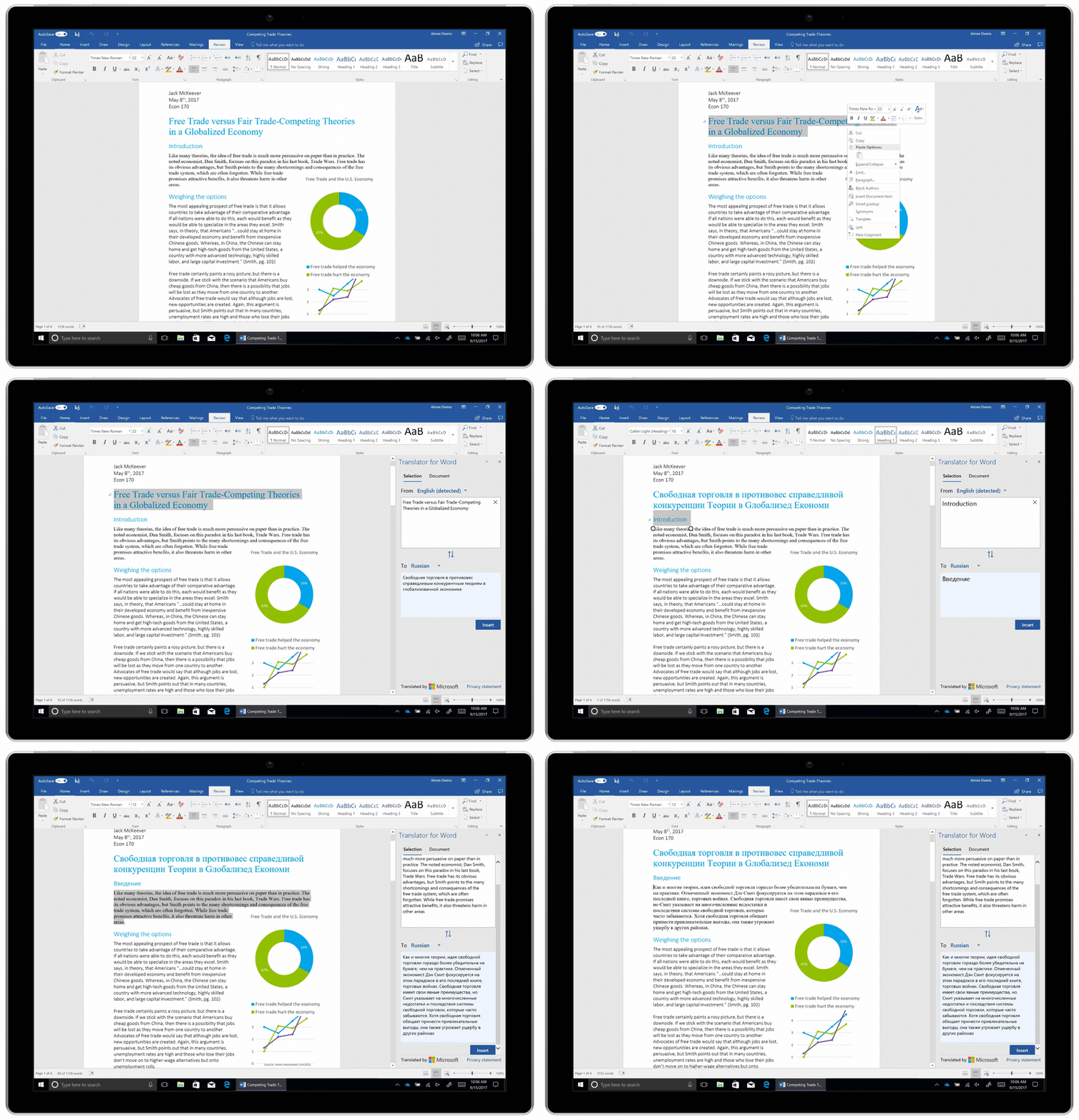
Translate selected text: Select words and phrases for translation, and simply right-click to see your translation in the Translator pane.
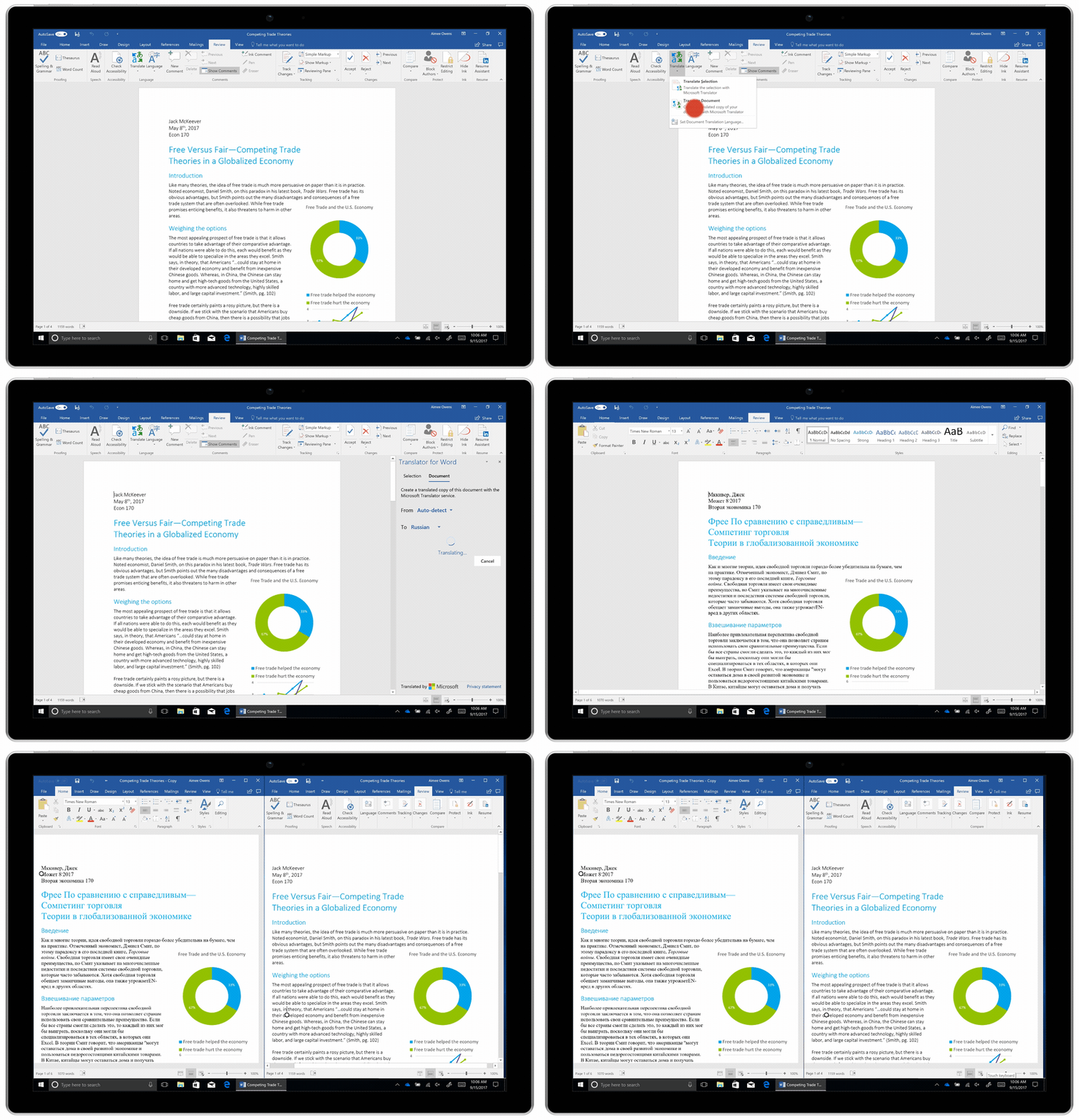
Translate entire documents: Create a translated copy of documents with links intact by clicking the Review tab, and the Translate button.
Word Online

Microsoft Word Online lets you read and edit Word and PDF documents stored in the Microsoft cloud: OneDrive, OneDrive for Business, or SharePoint Online. You can access these documents anytime, anywhere, on all of your internet-connected devices. Using the Translator add-in for Word, you can translate selected text into any of the Microsoft Translator supported languages through a secure SSL connection.

Learn more


This service is part of Azure AI Services


English (United States)
Your Privacy Choices Opt-Out Icon Your Privacy Choices
Consumer Health Privacy Contact us Privacy Manage cookies Terms of use Trademarks About our ads