Solution: Admin tools

Introducing Windows Server 2019 – now available in preview
Today is a big day for Windows Server! On behalf of the entire Windows Server team, I am delighted to announce Windows Server 2019 will be generally available in the second half of calendar year 2018. Starting now, you can access the preview build through our Insiders program...
Ask Microsoft Anything about Project “Honolulu”
At Microsoft Ignite, we unveiled the next step in our journey for Windows Server graphical management experiences — the technical preview release of Project “Honolulu,” a flexible, locally-deployed, browser-based management platform and tools...
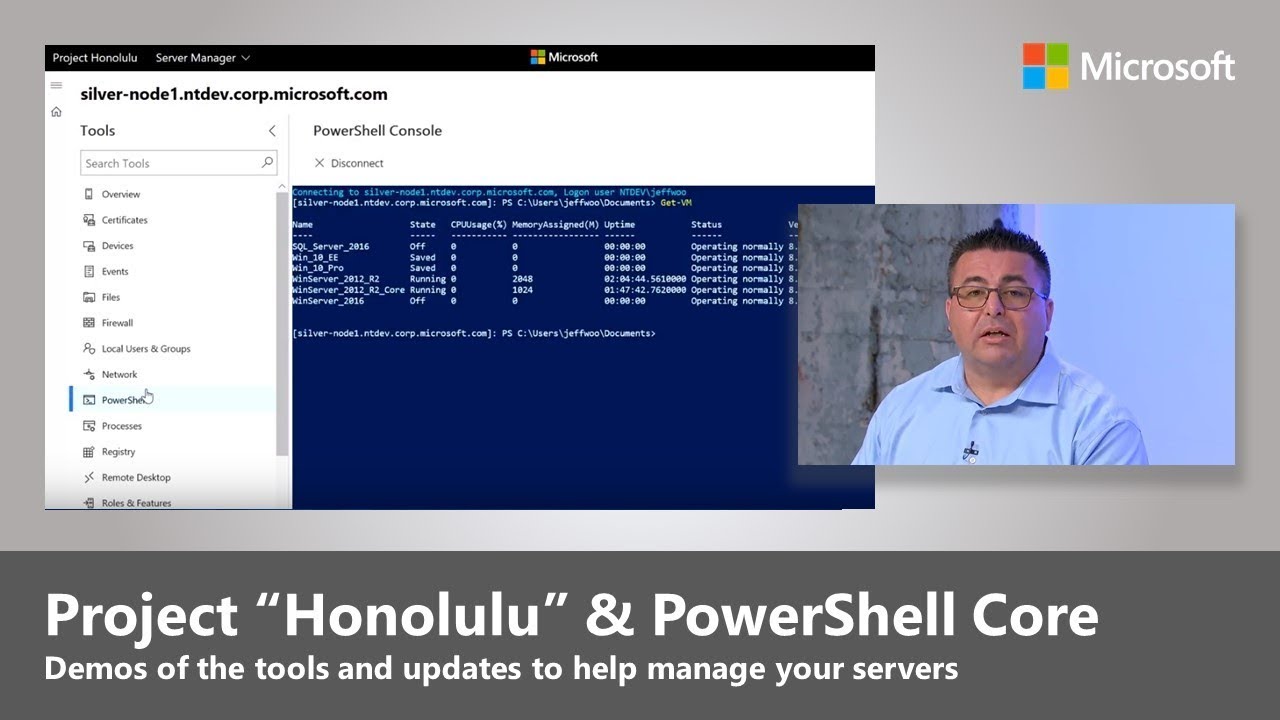
Sneak peek #4: Introducing Project “Honolulu”, our new Windows Server management experience
This blog post was authored by Samuel Li, Principal Program Manager Lead, Windows Server. Today, we are thrilled to unveil the next step in our journey for Windows Server graphical management experiences.
Windows Server 2016 docs are now on docs.microsoft.com
We’re excited to announce the availability of the IT pro technical documentation for Windows Server 2016 and Windows 10 and Windows 10 Mobile on docs.microsoft.com. Why move to docs.microsoft.com? You’ll immediately notice our crisp new responsive design that looks fantastic on your phone, tablet, and PC.
Performance Tuning Guidelines for Windows Server 2016
Today, we are pleased to announce the availability of the Windows Server 2016 Performance Tuning Guide. This updated guide provides a comprehensive collection of technical articles with practical guidance for IT professionals and server administrators responsible for monitoring and tuning Windows Server 2016 across the most common server workloads and scenarios.
Save up to 40 percent on Windows Server VMs in Azure
Deploying a virtual machine on Microsoft Azure is a great way to add scalability and flexibility to an existing datacenter and applications.
Switching between Windows Server 2016 Server Core and Desktop Experience
We have frequently been asked why we removed the option to add and remove the Server GUI package to the Windows Server 2016 Server Core install option like you could in Windows Server 2012 R2. This was one of those challenging functional trade-offs that sometimes need to be made during product development.
Are you still running a Windows Server technical preview?
If you were one of the customers who took time to evaluate the technical previews of Windows Server last year, thank you! Your testing and feedback helped us improve and deliver a great release of Windows Server 2016 for general availability in October 2016.
Windows Server 2016 sweepstakes
Calling all Windows Server users! Whether you’ve already upgraded to Windows Server 2016 or you’re still on Windows Server 2012 and want to try the newest version, we want to hear from you. Tell us about your experience with Windows Server 2016 and you’ll get the chance to win a Microsoft Surface Pro 4.
Moving forward with PowerShell and Windows Server 2016
This post was authored by Keith Bankston, Senior Program Manager, Windows Server.